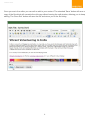
1
creotec.com
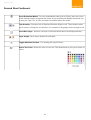
Second Row Continued..
Insert Embedded Media - To insert embedded media (such as Flash), place the cursor
at the desired location and press this button. A pop-up dialog will display that allows you
to enter the Type, File or URL, and other information about the media.
Text direction - Direction Left to Right and Direction Right to Left. These buttons allow
you to enter or change the text direction, for example for languages that read right to left.
Insert New Layer - Inserts a new layer of html that floats above the background html.
Layer height - Move layers forward or backward.
Toggle Absolute Position - For working with layered items.
Select Text Color - Select the color of your text. This drops down to give you a choice of
colors
14