
1
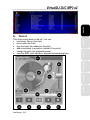
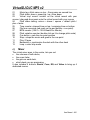
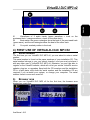
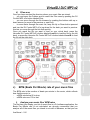
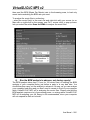
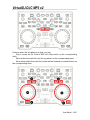
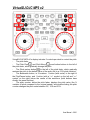
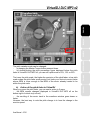
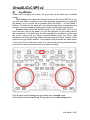
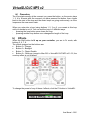
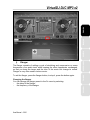
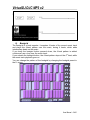
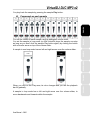
VirtualDJ DJC MP3 e2 INTRODUCTION ................................................................................................................ 3 2) SYSTEM REQUIREMENTS............................................................................................... 3 a) b) VIRTUALDJ DJC MP3 E2 OVERVIEW............................................................................. 4 a) b) c) d) e) c) d) 5) Serial number.............................................................................................................. 9 Browser area............................................................................................................... 9 i) Folders area .................................................................................................. 10 ii) Files area ...................................................................................................... 11 BPM (Beats Per Minute) rate of your music files ...................................................... 11 i) Analyze your music files’ BPM rates............................................................. 11 ii) Run the BPM analysis in advance, not during a party! ................................. 12 iii) BPM rate display ........................................................................................... 13 Information about the music tracks........................................................................... 13 i) Customizing the tag display .......................................................................... 14 ii) Sorting the music files ................................................................................... 14 iii) Searching ...................................................................................................... 14 PLAYING AN AUDIO FILE .............................................................................................. 15 a) b) c) d) Loading and playing an audio file ............................................................................. 15 Supported audio formats........................................................................................... 17 i) File extensions .............................................................................................. 17 ii) DRM protected files....................................................................................... 17 iii) If you encounter an issue with an audio format ............................................ 17 iv) Video files...................................................................................................... 17 Previewing a track..................................................................................................... 17 i) Target............................................................................................................ 17 ii) Equipment ..................................................................................................... 18 iii) Steps ............................................................................................................. 18 Moving within a music track...................................................................................... 19 User Manual – 1/41 NEDERLANDS a) b) DEUTSCH FIRST USE OF VIRTUALDJ DJC MP3 E2 ....................................................................... 9 ITALIANO 4) Browser area: folders area + files area....................................................................... 4 Deck A......................................................................................................................... 5 Mixer ........................................................................................................................... 6 Deck B......................................................................................................................... 8 Waveform area ........................................................................................................... 8 ESPAÑOL 3) PC ............................................................................................................................... 3 Mac ............................................................................................................................. 3 FRANÇAIS 1) ENGLISH CONTENTS VirtualDJ DJC MP3 e2 e) 6) BEAT MATCHING MUSIC FILES .................................................................................... 21 a) b) c) d) 7) Sync button on DJ Control MP3 e2 (= Beatmatch) ................................................... 23 Pitch fader (and Master Tempo)................................................................................ 24 i) Pitch fader .....................................................................................................24 ii) Master Tempo ...............................................................................................25 iii) Pitch scale .....................................................................................................26 iv) Action of the pitch fader in VirtualDJ ............................................................. 27 Pitch Bend buttons (“Pitch Bend –” and “Pitch Bend +”)...........................................29 i) Using Pitch Bend ........................................................................................... 29 ii) See the action of Pitch Bend in VirtualDJ...................................................... 29 Jog Wheels................................................................................................................30 LOOPS AND EFFECTS ...................................................................................................31 a) b) 8) Setting a Cue point....................................................................................................19 i) Placing a Cue point ....................................................................................... 20 ii) Changing the position of the Cue point ......................................................... 20 iii) Going to the Cue point................................................................................... 21 iv) Deleting a Cue point ...................................................................................... 21 Loops.........................................................................................................................31 i) Definition........................................................................................................31 ii) Loop sizes .....................................................................................................31 iii) Procedure ......................................................................................................32 Effects........................................................................................................................32 i) Flanger ..........................................................................................................33 ii) Beatgrid .........................................................................................................34 iii) Flippin Double................................................................................................35 iv) Overloop ........................................................................................................35 SCRATCH, AUTOMIX, SAMPLER .................................................................................. 36 a) b) c) Scratching .................................................................................................................36 i) Scratch mode ................................................................................................36 ii) Action.............................................................................................................36 iii) Jog wheels accuracy ..................................................................................... 36 Automix......................................................................................................................37 Sampler .....................................................................................................................37 i) Function.........................................................................................................37 ii) Procedure ......................................................................................................38 iii) Commands on each sample.......................................................................... 39 User Manual – 2/41 VirtualDJ DJC MP3 e2 1) INTRODUCTION a) b) PC Desktop/laptop PC with Intel Pentium III/Athlon 1GHz processor or higher 512MB RAM Operating system: Microsoft Windows XP®, Vista® or 7™ USB 2.0 or USB 1.1 powered USB port (or USB hub) Hercules DJ Control MP3 e2 Headphones or amplified stereo speakers CD-ROM or DVD-ROM drive 16-bit, 1024x768 video resolution Microphone, Internet connection + 100MB free hard disk space Mac Desktop/laptop Mac with G4/G5 1.5GHz or Intel® Core™ Duo 1.66GHz processor or higher 1GB RAM Operating system: Mac OS® 10.4 (Tiger) or Mac OS® 10.5 (Leopard) USB bus-powered port (or USB hub) (please note that a Mac keyboard’s USB port is not powered) Hercules DJ Control MP3 e2 Headphones or amplified stereo speakers User Manual – 3/41 FRANÇAIS DEUTSCH NEDERLANDS 2) SYSTEM REQUIREMENTS ITALIANO This dedicated version of VirtualDJ requires Hercules DJ Control MP3 e2 to be installed and connected to the computer’s USB port (or to a hub connected to the computer’s USB port); so, before running VirtualDJ DJC MP3 e2, Hercules DJ Control MP3 e2 must be installed and connected to your computer’s USB port (or connected to the computer via a USB hub). In Windows XP, Vista and 7: if you see the Hercules DJ Control MP3 e2 icon in your taskbar with no red cross, the controller is connected and detected, If you see the DJ Control MP3 e2 icon in your taskbar with a red cross, your controller is not detected on any of your PC’s USB ports, so running VirtualDJ DJC MP3 e2 Edition is not possible as long as the red cross has not disappeared. ESPAÑOL Welcome to VirtualDJ DJC MP3 e2 This powerful DJ mixing software is adapted to your Hercules DJ Control MP3 e2, offering instant access to key DJing key functions and deep integration of the software with the hardware in the Windows XP®, Windows Vista®, Windows 7™ and Mac OS® environments. ENGLISH VirtualDJ DJC MP3 e2 is a dedicated version of VirtualDJ, developed by Atomix Productions, tailored for Hercules DJ Control MP3 e2. Atomix Productions and its suppliers retain all intellectual property rights to the software. VirtualDJ DJC MP3 e2 CD-ROM or DVD-ROM drive 16-bit, 1024x768 video resolution Microphone, Internet connection + 100MB free hard disk space 3) VIRTUALDJ DJC MP3 E2 OVERVIEW The VirtualDJ DJC MP3 e2 interface can be split into 5 areas: • • • • • a) Browser area: folders + files areas Deck A Mixer Deck B Waveform Browser area: folders area + files area In this area, you can browse through your computer or network drive to select the audio files you will load onto a deck and mix. The browser area consists of 2 subsections: • the folders browser on the left: use this area to select a folder on your computer, an audio CD, a network drive, an iTunes folder or a Virtual folder (a playlist in VirtualDJ), • the files browser on the right: use this area to select the music track you want to load on each deck of the player. User Manual – 4/41 ENGLISH VirtualDJ DJC MP3 e2 FRANÇAIS Deck A ESPAÑOL ITALIANO NEDERLANDS This is the virtual deck on the left. You can: • load music files on this deck, • move within the track, • play the music file loaded on this deck, • add a bookmark to a position (called a Cue point), • change the pitch (the playback speed), • view the BPM, pitch variation, elapsed and remaining time. DEUTSCH b) User Manual – 5/41 VirtualDJ DJC MP3 e2 01 Music tag: Artist name on top – Song name on second line 02 Pitch slider: down = speed up / up = slow down 03 Virtual vinyl record: scratch on the virtual record with your mouse / drag and drop music onto the virtual record with your mouse 04 Pitch slider setting: minus = slower / square = default pitch / plus = faster 05 Time counter: elapsed time on top / remaining time on bottom 06 File form overview (red mark on top and bottom = cue point) 07 BPM counter (129.2 = 129.2 Beats Per Minute) Pitch variation counter (double click on it to change pitch scale) 08 09 Cue button = sets the cue point position 10 Stop = stops the music and goes to the cue point 11 Play / Pause 12 Beatmatch = synchronize the deck with the other deck 13 Loop = enter loop mode c) Mixer The virtual mixer area, in the centre, lets you set: • the volumes of both decks, • the cross fader, • the gain on each deck, • which deck you are previewing. It also includes 4 buttons: Remix, Cues, EQ and Video to bring up 4 dedicated menus. User Manual – 6/41 User Manual – 7/41 ITALIANO ESPAÑOL 01 Preview Deck A: when you click button 1 in the software, button 1 becomes green, so deck A (= Deck 1) is the deck you are previewing. The waveform on deck A becomes green in the waveform display, and the waveform on deck B becomes red 02 Gain for deck A: rotary knob setting the gain on deck A and display showing the gain in dB (decibels) 03 Volume fader for deck A: up = louder / down = lower 04 Level view-meter for deck A 05 Sync deck A: sets on deck A the BPM of the music on deck B 06 Sync deck B: sets on deck B the BPM of the music on deck A 07 Level view-meter for deck B 08 Preview Deck B: when you click button 2 in the software, button 2 becomes green, so deck B (= Deck 2) is the deck you are previewing. The waveform on deck B becomes green in the waveform display, and the waveform on deck A becomes red 09 Gain for deck B: rotary knob setting the gain on deck B and display showing the gain in dB (decibels) 10 Volume fader for deck B: up = louder / down = lower 11 Remix: brings up the remix menu (Loop / Fx / samples) 12 Cue: brings up the Cue points menu (up to 5 cue points per track) 13 EQ: 3-channel equalization 14 Video: mix video (in a small window) 15 Cross-fader NEDERLANDS DEUTSCH FRANÇAIS ENGLISH VirtualDJ DJC MP3 e2 VirtualDJ DJC MP3 e2 d) Deck B This is the virtual deck on the right. You can: • load music files on this deck, • move within the track, • play the music file loaded on this deck, • add a bookmark to a position (called a Cue point), • change the pitch (the playback speed), • view the BPM, pitch variation, elapsed and remaining time. e) Waveform area This area shows 2 waveforms (1 in green and 1 in red) for the 2 audio tracks loaded on decks A and B: the music track you hear on the headphones in green, and the other deck’s track in red. User Manual – 8/41 Serial number The first time you run VirtualDJ DJC MP3 e2, you are asked to enter a serial number. This serial number is found on the paper envelope of your installation CD. This serial number belongs to you: you cannot change it, and you must not share it with any other user of VirtualDJ DJC MP3 e2; otherwise, you won't be able to register on the VirtualDJ website, which will not let you access VirtualDJ service updates, plug-ins, or upgrades. Keep both the CD envelope and the installation CD in a safe place, since both the serial number and the installation CD are required if you re-install your system, or change your computer. The serial number format is xxxx-xxxx-xxxxx/e2. b) Browser area ESPAÑOL When you run VirtualDJ DJC MP3 e2 for the first time, the browser area displays no music files. DEUTSCH a) NEDERLANDS 4) FIRST USE OF VIRTUALDJ DJC MP3 E2 ITALIANO 01 Waveforms of 2 audio tracks (green waveform = track on the previewed deck / orange waveform = track on the other deck) 02 Beat marks: the green rectangles show the beat of the previewed track (green wave), and the red rectangles show the beat of the other track 03 Cue point: marked position in the track FRANÇAIS ENGLISH VirtualDJ DJC MP3 e2 User Manual – 9/41 VirtualDJ DJC MP3 e2 i) Folders area On the left of the browser area, you can see the list of the folders and disk units on your computer: the active folder has a blue background. You know you are in the folder area because the folder button in the centre of the DJ Control MP3e2 is lip up. . Go to the Folders area by pushing the button with a folder symbol Move within the Folders area to reach the folders you want by: pushing the DJ Control MP3 e2’s buttons with Up and Down arrows to change the active folder, expanding the active level by pushing the Folder button. 01 Active folder (virtual or real), highlighted 02 Other folders, not highlighted 03 Graphic slider to move through the list 04 Lock/unlock, to lock the Files area (if the lock is open, the folder area can expand and hide the files area). 05 Add Virtual Folder button: You can create a Virtual Folder (which is a playlist) by pushing the button with a + and a red folder symbol , on the top right of the folder area. User Manual – 10/41 VirtualDJ DJC MP3 e2 Files area c) BPM (Beats Per Minute) rate of your music files The BPM rate is the number of beats per minute in the music, which reflects how fast the music is: a BPM rate below 85 is slow, a BPM rate over 130 is fast. i) Analyze your music files’ BPM rates The first time you display your list of music files in a DJ software application, the Beats Per Minute rate is not calculated: we strongly recommend that you analyze all of the music files you intend to mix with in advance, so that you can User Manual – 11/41 ESPAÑOL ITALIANO NEDERLANDS DEUTSCH FRANÇAIS ENGLISH ii) Once you have reached the directory where your music files are stored: you can leave the Folders area to reach the Files area by pushing the DJ Control MP3 e2’s button labeled Files, you can move through the file browser by pushing the buttons with up or down arrows (to move to the previous or next line), to move faster through the music list, keep the Up or Down button pressed and turn the DJ Control MP3 e2’s jog wheel for the deck you want to preview: this lets you move through the list more quickly. Once you reach the file you want to load on your virtual deck, press the Hercules DJ Control MP3 e2’s button labeled Load A to load the file on the left deck, or press the Hercules DJ Control MP3 e2’s button labeled Load B to load the file on the right deck. VirtualDJ DJC MP3 e2 then read the BPM (Beats Per Minute) rate in the browsing area, to load only music tracks matching the BPM rate you need. To analyze the music files in a directory: - select the music file(s) in the music list and right-click with your mouse (or on Mac with no right-click on the mouse, use Ctrl + mouse click): a pop-up menu lets you select the action Scan for BPMs to analyze the music files. ii) Run the BPM analysis in advance, not during a party! The BPM analysis takes time (1 hour for 120 music files), so starting the BPM analysis of your complete library just before a party is a very bad idea. You should therefore carry out the analysis in advance: it’s easy, as you can analyze your complete hard drive and you don't need to remain in front of your computer while VirtualDJ DJC MP3 e2 is analyzing the music files. Please note that the BPM analysis requires a lot of processing power, so mixing while VirtualDJ DJC MP3 e2 is analyzing your full library is not recommended, since your computer will not respond as fast as it should. User Manual – 12/41 iii) BPM rate display ESPAÑOL ITALIANO NEDERLANDS The BPM rate is displayed in 2 areas: if you have analyzed the files, the BPM rates are listed in the browser area, on each deck, on the bottom left of the pitch slider. FRANÇAIS If a music file is not analyzed, loading this file on a deck analyzes it, and you can read its BPM rate on the VirtualDJ display on the bottom left of the pitch slider. DEUTSCH The analysis is generally accurate, but occasionally the BPM rate calculated is not correct: sometimes the BPM calculated is double or half of the actual BPM rate (the BPM analyzer may count only 1 beat out of 2 in a track, or identify an intermediary sound within a beat as the start of another beat). If your file is not properly analyzed, you can correct it by manually entering the BPM rate. ENGLISH VirtualDJ DJC MP3 e2 d) Information about the music tracks The text information inserted in each music file is called a “tag”: audio files are generally tagged automatically when you import an audio CD via iTunes or Windows Media Player, or when you buy MP3 files, and the tag includes the song name, artist name, composer name, album name, music genre and the date on which the music was recorded. Once you analyze music files in VirtualDJ, the BPM rate is added inside the tag. User Manual – 13/41 VirtualDJ DJC MP3 e2 i) Customizing the tag display You can select which fields of the music tag you want to display in the music browser by right-clicking with your mouse on the music browser headlines (or Ctrl + mouse click in Mac OS, using a Mac mouse with only 1 button). You can display the following tags: Title, Artist, Album, Genre, Bpm, Key, Length, Bitrate, Year, Comment. ii) Sorting the music files You can sort your music files by each tag’s data (by song name, artist name, BPM, music genre...) by clicking the headline of the relevant tag. iii) Searching You can also search for songs using the Search field: when you type a sequence of characters in this field, VirtualDJ DJC MP3 e2 will display all of the music files which include this sequence of characters in their tags in the Files area. You can also define the search area by clicking the circular button located on the right side of the search field. User Manual – 14/41 a) Loading and playing an audio file ESPAÑOL When you have selected an audio file in your music browser, you can load it: on the left deck of VirtualDJ by pressing the Load A button on your DJ Control MP3 e2; or on the right deck of VirtualDJ by pressing the Load B button on your DJ Control MP3 e2. ITALIANO 5) PLAYING AN AUDIO FILE NEDERLANDS DEUTSCH FRANÇAIS ENGLISH VirtualDJ DJC MP3 e2 User Manual – 15/41 VirtualDJ DJC MP3 e2 Once an audio file is loaded on a deck, you can: Play it: press the DJ Control MP3 e2’s Play button on the corresponding deck, Move within the audio file: turn the jog wheel on the corresponding deck, Move faster within the audio file: press the fast forward or rewind buttons on the corresponding deck. User Manual – 16/41 VirtualDJ DJC MP3 e2 b) Supported audio formats i) File extensions VirtualDJ DJC MP3 e2 supports most digital audio formats, such as MP3 (PC/Mac), AAC (PC/Mac), AIFF (Mac), WAV (PC), WMA (PC), OGG (PC) and CD-Audio. Video files c) Previewing a track Previewing an audio track means: playing it for the DJ’s ears only, while playing another track for the audience. You usually preview a music file on your headphones while playing another track for the audience over your speakers. The music the audience can hear is called the mix. i) Target Before playing a music file for the audience, you can preview it to: select a music file: check that it fits with the ambiance and beat of the party, add a cue point to the music file: the cue point is the bookmark you place in the music file to set where you want the audience to start hearing it. At a party where people are dancing, you need to set a cue point where people can hear the beat. synchronize the music file with the previous track played for the audience. User Manual – 17/41 FRANÇAIS DEUTSCH iv) VirtualDJ also supports video files, but in VirtualDJ DJC MP3 e2 the playback is limited to a small window: to mix video in full screen, you need the VirtualDJ Pro version. You can upgrade from VirtualDJ DJC MP3 e2 to VirtualDJ Pro on the http://www.virtualdj.com website. NEDERLANDS If you encounter an issue with an audio format ITALIANO iii) If you cannot play one of these formats, make sure that the codec for this audio format is installed on your computer. For example, if you cannot play an AAC file, make sure that iTunes is installed on your computer, since the AAC codec is installed by iTunes. ENGLISH DRM protected files ESPAÑOL ii) VirtualDJ DJC MP3 e2 cannot play files with DRM protection, so if you have purchased an AAC file with DRM protection, the solution to play the file in VirtualDJ DJC MP3 e2 is to burn an audio CD with this music file, and mix using this audio CD instead of the AAC file with DRM protection. VirtualDJ DJC MP3 e2 ii) Equipment To preview a music file, you must: 1) Own a sound card with 4-channel analog outputs or higher (such as a 5.1 or 7.1 sound card); and 2) Declare the 4-channel (or higher) sound card in the operating system (otherwise your sound card may be recognized as a stereo only sound card only). In Mac OS, you must: connect the sound card, go to Macintosh HD > Applications > Utilities, run Audio MIDI setup, in the Properties For field, select the 4-channel (or higher) audio device, in the Audio Output area, in the Format field, set 4-ch or 6-ch (for 4channel or 6-channel). Also make sure that the volume sliders of all channels are set at an audible level in the Audio Midi Setup (if the levels are too low, you won't hear anything on these channels). In Windows, make sure that you have no 3D-positioning virtual sound effects enabled on your sound card since such effects, while useful to simulate 3D sounds for 5.1 speaker kits, are not adapted to DJing at all. In VirtualDJ DJC MP3 e2, in the Config menu, go to the sound setup panel and select: Inputs: none Outputs: Headphones Sound card: 4.1 sound card Master: Ch 3&4 / Headphones: Ch 1&2. Click Apply. Connect your speakers to outputs 3-4, and connect your headphones to outputs 1-2. The advantage of setting the Master output on outputs 3-4 and the headphones on outputs 1-2 is to benefit from the headphones preamplifier, which is generally located on outputs 1-2 of multimedia sound cards. iii) Steps To preview a music file: You should preferably use low-impedance headphones (below 64 Ohms), to get a strong output level. Load the music file on the deck opposite to the side where the cross fader is positioned (so that the audience cannot hear the preview), Press the Listen A or Listen B button on your DJ Control MP3 e2 to preview deck A or Deck B, respectively, Preview the music file on your headphones, by pressing the Play button. - User Manual – 18/41 VirtualDJ DJC MP3 e2 ENGLISH Moving within a music track ESPAÑOL ITALIANO NEDERLANDS DEUTSCH You can move within a music track using 3 controls: Play the music track with DJ Control MP3 e2’s Play buttons. This is the simplest way: just press the Play button of the selected deck on your controller, and you can hear the track on your headphones at the position you have reached, Move within the track by turning DJ Control MP3 e2’s jog wheels. This is the most precise way: turn the jog wheel backwards and forwards and you see your position moving in the waveform window, Go forwards and backwards by pressing the Fast forward and Rewind buttons. This is the fastest way: you see your position with the music track in the small waveform preview placed over the virtual vinyl record image in the VirtualDJ display. FRANÇAIS d) e) Setting a Cue point A Cue point is a bookmark of the moment in the music file where you want to start playing the music file for your audience, to avoid the slower start of the music track if it is too slow for dancing. This bookmark is intended to start playing the music file only once its beat is strong enough for dancing, since a slow introduction of the music with no beat may interrupt the dancing rhythm. User Manual – 19/41 VirtualDJ DJC MP3 e2 i) Placing a Cue point Once the music file is loaded on a deck, preview it for yourself only (on your headphones) up to the point you choose as bookmark: you can reach this point by playing the music file, by pushing the fast forward button or by turning the jog wheel. Then press the Cue button at the spot you want to place a cue point. VirtualDJ adds: - a marker with the label Cue 1 in the waveform display - 2 red arrows in the waveform preview display ii) Changing the position of the Cue point Each time you press the Cue button, VirtualDJ DJC MP3 e2 updates the Cue point’s position. User Manual – 20/41 VirtualDJ DJC MP3 e2 iii) Going to the Cue point Beat matching consists of adjusting the playback speed of music track B until the moment the beats (often marked by drums or bass) of this track B play at the same time as the beats of track A, to keep the same beat during 3 steps: 1. when playing track A, 2. then mixing track B together with track A, 3. and then when you stop playback of track A to keep only track B playing, to spare the dancers a change in the dancing rhythm. If the BPM rates of 2 music tracks are very far one from the other, you may synchronize them by setting the BPM rate of the second music track at half or twice the beat rate of the first music track, so that the beat of the second music track is played at the same time as 1 beat out of 2 of the first music track or vice versa. Typically, you can synchronize a 75 BPM music track with another track set at 75 BPM, or with a track set at 150 BPM. Hercules DJ Control MP3 e2 has 5 controls for beat matching: 1. Pitch fader, 2. Pitch Bend buttons (Pitch Bend -/+), 3. Sync button, 4. Jog wheels, 5. Master Tempo button. User Manual – 21/41 FRANÇAIS DEUTSCH The DJ’s task is to provide the audience with the music they need to dance, which includes: selecting music tracks well suited to the audience, maintaining a dancing rhythm with a good ambiance, and avoiding anything that may interrupt the rhythm, such as gaps in the music or a BPM change that is too abrupt, making transitions easy for the dancers by synchronizing the next music track with the current music track wherever possible: this synchronization is called beat matching. NEDERLANDS 6) BEAT MATCHING MUSIC FILES ITALIANO Deleting a Cue point ESPAÑOL iv) If the music is loaded with a Cue point, going to the start of the music file (with the Rewind button) and pressing the Cue button once you have reached the start of the music file deletes the previously set Cue 1 point. ENGLISH If the Cue point for an audio file has been defined and saved, you can go to this Cue point by pressing the Play button, and then pressing the Cue button while the track is playing. Please note that you must make sure that the track is playing before pressing the Cue button: otherwise, if the track is stopped, pressing the Cue button will place a new Cue point instead. VirtualDJ DJC MP3 e2 VirtualDJ DJC MP3 e2’s display includes 5 controls per deck to control the pitch: The pitch fader. The Pitch Plus and Pitch Minus round button buttons to the left of the pitch fader, which gradually change the pitch. The Pitch restore button to the left of the pitch fader, which gradually restores the pitch to the default value of the audio file (to a 0.0% pitch variation). The Beatmatch button, in 2 locations: 1 button (with a star) to the right of the Play/Pause button, and 1 button (with a “=>” symbol on the left and “<=” symbol on the right) below the centre of the waveform (both buttons have exactly the same function). The pitch counter, below the pitch fader, displays the pitch value (the % variation of pitch compared to the original speed), and double-clicking the pitch counter changes the pitch scale between 6%, 12% and 33%. User Manual – 22/41 a) Sync button on DJ Control MP3 e2 (= Beatmatch) ESPAÑOL ITALIANO Pressing a DJ Control MP3 e2 Sync button (or clicking a VirtualDJ Beatmatch button) on a deck instantly synchronizes the beat of the music loaded on this deck with the beat of the music file of the other deck: this Beat matching process is instant and easy. NEDERLANDS DEUTSCH FRANÇAIS ENGLISH VirtualDJ DJC MP3 e2 You can synchronize a music track with another using the Sync button, as long as the BPM difference between both music tracks is within the limit of the pitch scale. The pitch scale is the percentage displayed below the VirtualDJ Pitch fader when the pitch button reaches its top or bottom limits. User Manual – 23/41 VirtualDJ DJC MP3 e2 The pitch scale can be changed: by double-clicking the percentage figure displayed below the pitch fader, by keeping the DJ Control MP3 e2’s Master tempo button pressed down (over the Pitch knob on your DJ Control MP3 e2). You can set a pitch scale of 6%, 12% or 33%. Tip: if you want to beatmatch 2 tracks when their BPM difference exceeds the widest pitch scale (for example, beatmatching a 140 BPM audio track with a 100 BPM audio track, which represents a 40% difference, wider than the maximum pitch scale of 33%), you can: first change the speed of the reference track, for example change the 100BPM music to 110BPM, and afterwards beatmatch the incoming 140BPM track to fit with the new speed of the reference track, 110BPM. b) Pitch fader (and Master Tempo) i) Pitch fader The pitch fader slows down / speeds up playback of the music file. On DJ Control MP3 e2, you manipulate the pitch fader function using the Pitch knobs (these knobs have no limits in their rotation). Slow down playback = turn the Pitch knob to the right Speed up playback = turn the Pitch knob to the left In VirtualDJ’s display, the pitch fader is represented by a vertical slider on the right side of each deck. User Manual – 24/41 ii) Master Tempo ESPAÑOL Master Tempo is a setting allowing you to keep the tone of a track unchanged while you change the tempo: this is useful to speed up or slow down a track without making its tone change (thereby avoiding the impression that the musicians are playing the track faster!). ITALIANO Once the pitch fader has reached its maximum value in VirtualDJ’s display (the top or bottom position), there is no point in keeping on turning the Pitch button on your DJ Control MP3 e2 in the same direction, as the level can go no further. NEDERLANDS DEUTSCH FRANÇAIS ENGLISH VirtualDJ DJC MP3 e2 On DJ Control MP3 e2, the Master Tempo button has 2 actions: User Manual – 25/41 VirtualDJ DJC MP3 e2 Normal press: the Master Tempo function. If this Master Tempo function is enabled, the button is backlit and the pitch fader on the deck changes the music speed without changing the music tone (i.e. playing the track faster doesn't make the music’s tone higher pitched, and playing the track slower doesn't make the music’s tone lower pitched). Long press: if you keep the Master tempo button pressed down for more than 1 second, you change the pitch scale between 3 values: 6, 12 and 33%. iii) Pitch scale The pitch scale is the percentage of speed variation you can achieve with the pitch fader: a pitch scale of 12% means that the pitch fader’s upper position in VirtualDJ corresponds to a 12% slowdown of the music playback, and the pitch fader’s lower position corresponds to a 12% acceleration of the music playback (a 100 BPM rate becomes a 88 BPM rate when moving the fader to the top, and 112BPM when moving the fader to the bottom). User Manual – 26/41 iv) Action of the pitch fader in VirtualDJ When you move the pitch fader, you can see its action in 2 ways: the BPM counter changes (displayed in VirtualDJ DJC MP3 e2 on the bottom right of virtual vinyl record), the scrolling of the music track in the waveform window goes slower or faster. However, the best way to note the pitch change is to hear the change in the music’s speed. User Manual – 27/41 ITALIANO The lower the pitch scale, the higher the precision of the pitch fader: a low pitch scale makes the pitch fader more precise, but limits your choice to music tracks whose BPM is close enough to the BPM of the music already loaded to be within the pitch scale. ESPAÑOL The pitch variation scale can be changed: by keeping the Master Tempo button pressed down, by double-clicking the pitch percentage figure displayed below the pitch fader in VirtualDJ DJC MP3 e2: you can set a pitch scale of 6%, 12% or 33%. NEDERLANDS DEUTSCH FRANÇAIS ENGLISH VirtualDJ DJC MP3 e2 VirtualDJ DJC MP3 e2 In the VirtualDJ waveform window, the start of each beat is marked with a small square below the waveform, so: if the squares of both music tracks overlap, the music tracks are synchronized, if the squares of both music tracks don't overlap, the music tracks are not synchronized. User Manual – 28/41 VirtualDJ DJC MP3 e2 c) Pitch Bend buttons (“Pitch Bend –” and “Pitch Bend +”) NEDERLANDS DEUTSCH FRANÇAIS ENGLISH The Pitch Bend –/+ buttons slow down/speed up playback of the music track loaded on a deck. The difference between these functions and the pitch faders is that the pitch bend action is temporary: when you release the button, the music track’s playback gradually returns to its previous speed. Pitch bend is therefore an “elastic setting”. ii) ITALIANO Using Pitch Bend See the action of Pitch Bend in VirtualDJ When you press the pitch bend – or pitch bend + button: the BPM counter remains unchanged (displayed in VirtualDJ DJC MP3 e2 over the gain knob), but the scrolling of the music track in the waveform window is slower of faster. The best way to note that the pitch bend function has changed the sound is to hear the change in the music’s speed. User Manual – 29/41 ESPAÑOL i) To beat match 2 music files, you generally: set both music files to the same BPM with the pitch fader and afterwards, align the beats of one track on the beats of the other track by slowing it down / speeding it up with the pitch bend buttons. VirtualDJ DJC MP3 e2 d) Jog Wheels While music is playing on a deck, the jog wheel on the deck has 2 possible modes: Fine Tuning mode (when the Scratch button on DJ Control MP3 e2 is off): you can slow down or speed up the music playback temporarily by turning the jog wheels, as you would do by pressing the Pitch Bend – or Pitch Bend + buttons. The action is the same as if you were slowing down or speeding up a record on a vinyl turntable by putting your fingers on the edge of the record. Scratch mode (when the Scratch button on DJ Control MP3 e2 is lit up): each time you move a jog wheel, you lock the playback of your music track to the movements of the jog wheel, so that keeping the jog wheel in place stops the music, turning the jog wheel counterclockwise plays the music track backward, and turning the jog wheel clockwise plays the music forward, at the speed of the jog wheel’s rotation. This scratch mode produces the same action on the music file as if the music were on a vinyl record and you placed the flat of your hand on the record and moved your hand to scratch. If the Scratch button is lit up, the jog wheels are in scratch mode. If the Scratch button is not lit up, the jog wheels are in fine tuning mode. User Manual – 30/41 VirtualDJ DJC MP3 e2 7) LOOPS AND EFFECTS a) Loops i) Definition A loop is a repeated playback of a portion of the music, generally a fixed number of beats. Loops are used to remain on a specific part of a music without stopping its rhythm. ii) Loop sizes FRANÇAIS ESPAÑOL When the Shift button is not lit up on your controller, you are in loop mode and a single press of buttons 1, 2, 3 or 4 makes loops in the music played on the deck in question. • Button 1: 1-beat loop, • Button 2: 2-beat loop, • Button 3: 4-beat loop, • Button 4: 8-beat loop. DEUTSCH When the Shift button is not lit up on your controller, you are in Loop mode, with buttons 1, 2, 3, 4. When the Shift button is lit up on your controller, you are in Fx mode, with buttons 5, 6, 7, 8. NEDERLANDS These functions are controlled on each of the DJ Control MP3 e2’s decks by 5 push buttons in the area labeled FX/Loop: a Shift button, and 4 buttons labeled 1, 2, 3, 4 (which become buttons 5, 6, 7, 8 when the Shift button is enabled). ITALIANO The functions included in VirtualDJ DJC MP3 e2 Edition are: Loops (1-beat, 2-beat, 4-beat, 8-beat) Effects (Flanger, Beatgrid, Flippin Double, Overloop) [Please note that in Mac OS, Overloop is not available]. ENGLISH The DJ’s task is not only to play music tracks with no gaps between them, but also to tweak existing music tracks to enhance their energy to stimulate the dancers. User Manual – 31/41 VirtualDJ DJC MP3 e2 iii) Procedure The loop starts exactly at the moment you press the button, so the music plays 1, 2, 4 or 8 beats after the moment you have pressed the button, then comes back to the start of the loop and the music keeps on going continuously, as if the loops were the new music track. When you enter into a loop (using buttons 1, 2, 3 or 4), you remain in this loop until you decide to exit it. You can exit the loop in 2 different ways: pressing the loop button once closes the loop, pressing another loop button once changes the length of the loop. b) Effects When the Shift button is lit up on your controller, you are in Fx mode, with buttons 5, 6, 7, 8. The effects mapped on the buttons are: • Button 5 = Flanger • Button 6 = Beatgrid Button 7 = Flippin Double • • Button 8 = Overloop (except in Mac OS: in VirtualDJ DJC MP3 e2 1.0.2, the overloop effect is not finalized) To change the preset of any of these 4 effects, click the FX button in VirtualDJ. User Manual – 32/41 To set the flanger, press the flanger button; to stop it, press the button again. Changing the flanger You can change the flanger preset in the Fx menu by selecting: the delay of the flanger, the frequency of the flanger User Manual – 33/41 ITALIANO Flanger ESPAÑOL i) The flanger consists of adding a cycle of stretching and compression on some frequencies of an audio track while keeping the other frequencies unchanged, so that you keep the tempo and the tone of the music but change its sound. Flanger is very often used in techno music. NEDERLANDS DEUTSCH FRANÇAIS ENGLISH VirtualDJ DJC MP3 e2 VirtualDJ DJC MP3 e2 ii) Beatgrid The beatgrid is a beat repeater: it samples 4 beats of the current music track and plays this 4-beat pattern over the music, during 4 beats, which adds intermediary beats on the music: If you keep the beatgrid button pressed down, the 4-beat pattern is added continuously as a loop over the music track. If you release the beatgrid button, the 4-beat pattern stops at the 4th beat, while the music track playback goes on. You can change the pattern of the beatgrid by changing the beatgrid preset in the Fx menu. User Manual – 34/41 VirtualDJ DJC MP3 e2 iii) Flippin Double Overloop ESPAÑOL ITALIANO iv) The overloop function sets a 4-beat loop of the current track and plays it in the background of the track’s playback. To apply the overloop function, press the overloop button once. To stop the overloop function, press the overloop button again. NEDERLANDS DEUTSCH FRANÇAIS ENGLISH Flippin Double repeats the music with half a beat delay, as if you had 2 turntables that were both playing the same track, one playing half a beat behind the other, and you were quickly moving the cross fader to this second turntable at the end of each beat, resulting in a repetition of the rhythm. User Manual – 35/41 VirtualDJ DJC MP3 e2 8) SCRATCH, AUTOMIX, SAMPLER a) Scratching Scratching is the action of stopping a vinyl record playing on a turntable with your hand, and playing a portion of the music backwards and forwards with your hand. This makes a specific sound, called scratching: the vinyl record moves at the speed of your hand instead of turning at the speed of the turntable (since the slip mat placed below the record isolates the record from the rotations of the turntable). i) Scratch mode You can enter into scratch mode by pressing the scratch button, located over the Up button on your controller: the button lights up, and you can use the jog wheels to scratch. ii) Action Once you are in scratch mode, if you turn the jog wheel counterclockwise, you play the music track backward, and if you turn the jog wheel clockwise, you play the music forward, at the speed of the jog wheel’s rotation. iii) Jog wheels accuracy Scratching requires the best accuracy for the jog wheel, so in the DJ Control MP3 e2 control panel, you should select the standard jog wheel accuracy instead of one of the reduced accuracy modes. You can set the accuracy of the jog wheels in the DJ Control MP3 e2 control panel: for some operations, some DJs may prefer to reduce the accuracy of the jog wheels, and divide it by 2 or by 4; but for scratching, the higher the accuracy, the better the results. User Manual – 36/41 VirtualDJ DJC MP3 e2 b) Automix c) Sampler i) Function The sampler mode is a mode where you record a loop of a music track, store it and assign it to a button, and play it back later in addition to your music file. This recorded loop is called a sample. Playing back a sample over a music track may add a fun dynamic, rhythm or a stable beat while you are busy preparing the next track. User Manual – 37/41 ESPAÑOL ITALIANO NEDERLANDS The Automix in VirtualDJ DJC MP3 e2 is not the same Automix function as the Automix in VirtualDJ Pro: in VirtualDJ Pro, the Automix mixes the full list of music files in a playlist, in VirtualDJ DJC MP3 e2, Automix mixes the other music already loaded on the decks. DEUTSCH FRANÇAIS ENGLISH On DJ Control MP3 e2 with VirtualDJ DJC MP3 e2, the Automix button makes an automatic transition between the music currently playing on one deck, and the music loaded on the other deck. VirtualDJ DJC MP3 e2 ii) Procedure You can enter sampler mode by pressing the button labeled Sample in the VirtualDJ user interface. The sampler mode is not controlled by the DJ Control MP3 e2’s buttons; you control sampler mode using your keyboard and mouse. VirtualDJ includes a few samples stored on the first banks: you can either keep them or change the contents of the banks by recording your own samples. You can record a sample of the music currently playing by selecting the bank where you want to store the sample and pressing the Rec button: − If you are in a loop, the sample Rec button remains black, and VirtualDJ records a sample of the length of the loop, − if you are not in loop mode, the sample Rec button becomes red, and VirtualDJ keeps on recording the sample as long as you don't click the Rec button again. User Manual – 38/41 VirtualDJ DJC MP3 e2 You play back the sample by pressing the sample Play button. Commands on each sample You set the volume of each sample using its dedicated volume slider. You set the sample in loop mode (so that VirtualDJ plays the sample non-stop as long as you don't click the sample Play button again) by clicking the button with a circular arrow on top of the volume slider. FRANÇAIS ENGLISH iii) When you click on the Play area, its color changes and you see the playback bar fill gradually. A sample in loop mode has a left and right arrow over the volume slider, to move backwards and forwards within the sample. User Manual – 39/41 ESPAÑOL ITALIANO NEDERLANDS DEUTSCH A sample in non-loop mode has no left and right arrows over the volume slider. VirtualDJ DJC MP3 e2 User Manual – 40/41 VirtualDJ DJC MP3 e2 Trademarks Hercules® is a registered trademark of Guillemot Corporation S.A. Virtual DJ™ is a trademark of Atomix Productions. Apple®, the Apple logo, Mac OS®, iTunes® and Quicktime® are registered trademarks of Apple Computer, Inc. Intel® and Pentium® are registered trademarks of Intel Corporation. WMA®, Microsoft® Windows® XP, Vista and 7 are either registered trademarks or trademarks of Microsoft Corporation in the United States and/or other countries. All other trademarks and brand names are hereby acknowledged and are property of their respective owners. Illustrations not binding. Contents, designs and specifications are subject to change without notice and may vary from one country to another. FRANÇAIS EC COMPLIANCE NOTICE: DJ Control MP3 e2 has been tested and found to comply with the limits of the Council Directive 89/336/EEC of 3 May 1989 on the approximation of the laws of the Member States relating to electromagnetic compatibility, amended by Directive 93/68/EEC. In a domestic environment this product may cause radio interference in which case the user may be required to take adequate measures. CANADIAN COMPLIANCE NOTICE: this Class B digital apparatus meets all requirements of the Canadian Interference-Causing Equipment Regulations. USA COMPLIANCE NOTICE: this equipment has been tested and found to comply with the limits for a Class B digital device, pursuant to Part 15 of the FCC rules. Operation is subject to the following two conditions: (1) This device may not cause harmful interference, and (2) This device must accept any interference received, including interference that may cause undesired operation. These limits are designed to provide reasonable protection against harmful interference in a residential installation. This equipment generates, uses and can radiate radio frequency energy and, if not installed and used in accordance with the instructions, may cause harmful interference to radio communications. However, there is no guarantee that interference will not occur in a particular installation. If this equipment does cause harmful interference to radio or television reception, which can be determined by turning the equipment on and off, the user is encouraged to try to correct the interference by one or more of the following measures: - Reorient or relocate the receiving antenna. - Increase the separation between the equipment and receiver. - Connect the equipment into an outlet on a circuit different from that to which the receiver is connected. - Consult the dealer or an experienced radio/TV technician for help. ENGLISH Declaration of conformity Copyright End-user software license Agreement IMPORTANT: please read the Agreement carefully prior to opening and installing the Software. By opening the Software package, you agree to be bound by the terms of this Agreement. The Software enclosed in this package is licensed, not sold, and is only available under the terms of the present license Agreement. If you do not agree with the terms hereafter, you must promptly return the Software within 15 days, together with the entire contents of the box, to the place of purchase. VirtualDJ Software (hereafter named the “Software”) is copyrighted by Atomix Productions. All rights are reserved. The term “Software” refers to all documentation and related material, including drivers, executable programs, libraries and data files. The purchaser is granted a license to use the Software only. The licensee also agrees to be bound by the terms and conditions of the present Agreement concerning copyright and all other proprietary rights for any third party Software, documentation and related material included in the Software package. Atomix Productions reserves the right to terminate this license in the event of failure to comply with any of the terms or conditions laid out in the present Agreement. License: 1. The license is granted to the original purchaser only. The licensee is not permitted to sub-license or lease any of the rights that are hereby granted. Transfer of the license is permitted, provided that the transferor does not retain any part or copy of the Software and the transferee accepts to be bound by the terms and conditions of the present Agreement. 2. The licensee may only use the Software on a single computer at any time. The machine-readable portion of the Software may be transferred to another computer provided it is previously erased from the first machine and there is no possibility that the Software can be used on more than one machine at any one time. 3. The licensee acknowledges the copyright protection belonging to Guillemot Corporation S.A. The copyright notice must not be removed from the Software, nor from any copy thereof, nor from any documentation, written or electronic, accompanying the Software. 4. The licensee is granted the right to make one back-up copy of the machine-readable portion of the Software on the condition that all copyright and proprietary notices are also reproduced. 5. Except where the present Agreement expressly permits, the licensee is strictly prohibited from engaging in, nor may he permit third parties to engage in, the following: providing or disclosing the Software to third parties; providing use of the Software in a network, multiple PCs, multiuser or time-sharing arrangement where the users are not individual licensees; making alterations or copies of any kind of the Software; making any attempt to disassemble, de-compile or reverse engineer the Software in any way or form, or engaging in any activity aimed at obtaining underlying information not visible to the user during normal use of the Software; making copies or translations of the User Manual. ENVIRONMENTAL PROTECTION RECOMMENDATION At the end of its working life, this product should not be disposed of with standard household waste, but rather dropped off at a collection point for the disposal of Waste Electrical and Electronic Equipment (WEEE) for recycling. This is confirmed by the symbol found on the product, user manual or packaging. Depending on their characteristics, the materials may be recycled. Through recycling and other forms of processing Waste Electrical and Electronic Equipment, you can make a significant contribution towards helping to protect the environment. Please contact your local authorities for information on the collection point nearest you. User Manual – 41/41 NEDERLANDS Guillemot Corporation S.A. reserves the right to make changes to specifications at any time and without notice. The information provided by this document is believed to be accurate and reliable. However, no responsibility is assumed by Guillemot Corporation S.A. either for its use or for the infringement of patents or other rights of third parties resulting from its use. This product may exist in a light or special version for PC integration or other purposes. Certain functions detailed in this manual may not be available in these versions. Wherever possible, a README.TXT will be included on the installation CD-ROM detailing the differences between the supplied product and the product described in the present documentation. ITALIANO Disclaimer ESPAÑOL This publication may not be reproduced in whole or in part, summarized, transmitted, transcribed, stored in a retrieval system, or translated into any language or computer language, in any form or by any means, electronic, mechanical, magnetic, photocopying, recording, manual or otherwise, without the prior written permission of Guillemot Corporation S.A. DEUTSCH © 2009 Guillemot Corporation S.A. All rights reserved.


















![[English] 450 KB](http://vs1.manualzilla.com/store/data/005878868_1-e5f7783ea728201c5d3bf440f5f55954-150x150.png)




![[English] 2.2 MB](http://vs1.manualzilla.com/store/data/005801224_1-360c03496a849957940b8f23b39f430e-150x150.png)