1
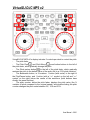
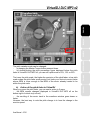
VirtualDJ DJC MP3 e2
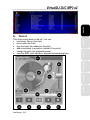
01
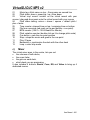
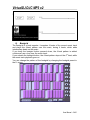
Music tag: Artist name on top – Song name on second line
02
Pitch slider: down = speed up / up = slow down
03
Virtual vinyl record: scratch on the virtual record with your
mouse / drag and drop music onto the virtual record with your mouse
04
Pitch slider setting: minus = slower / square = default pitch /
plus = faster
05
Time counter: elapsed time on top / remaining time on bottom
06
File form overview (red mark on top and bottom = cue point)
07
BPM counter (129.2 = 129.2 Beats Per Minute)
Pitch variation counter (double click on it to change pitch scale)
08
09
Cue button = sets the cue point position
10
Stop = stops the music and goes to the cue point
11
Play / Pause
12
Beatmatch = synchronize the deck with the other deck
13
Loop = enter loop mode
c)
Mixer
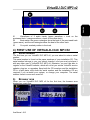
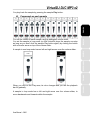
The virtual mixer area, in the centre, lets you set:
• the volumes of both decks,
• the cross fader,
• the gain on each deck,
• which deck you are previewing.
It also includes 4 buttons: Remix, Cues, EQ and Video to bring up 4
dedicated menus.
User Manual – 6/41


















![[English] 450 KB](http://vs1.manualzilla.com/store/data/005878868_1-e5f7783ea728201c5d3bf440f5f55954-150x150.png)