1
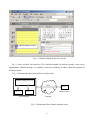
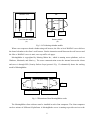
The first way is to construct a string and register it as the attribute’s value of “OnClick” event and then
add codes to the Page_Load event handler:
String showAppointmentWindow="window.open('Appointment.aspx','AppointmentPopUp',"
+"'width=750, height=700, left=200, top=150, fullscreen=no, resizable=no')";
Appointment.Attribute.Add(“onClick”, showAppointmentWindow);
The second way is to create a function that calls the JavaScript function window.open(), and this
function is called by the Appointment OnClick event handler:
private void ShowAppointment()
{
String showAppointmentWindow = "<Script Language = 'javaScript'>"+
"window.open('Appointment.aspx','AppointmentPopUp',"
+"'width=750, height=700, left=200, top=150, fullscreen=no, resizable=no');</Script>";
Page.RegisterStartupScript("ShowAppointment", showAppointmentWindow);
}
private void appointment_Click(object sender, System.EventArgs e)
{
ShowAppointment();
}
In this project, the second way is used. The same technique is also used to call the JavaScript
functions of window.alert() to show a message window and window.close() to close a window.
4. ByDay.ascx and ByDay.ascx.cs
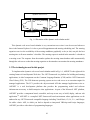
ByDay.ascx is a user control that is dynamically added to the main page when the user clicks the
ByDay button. This user control consists of one Table server control and one Calendar server control. The
Table control is used to display the events on a selected date, and the Calendar control is used to select a
date. The default selected date is the date of today. When the user selects another date, the events of that
date are loaded from the Event table and displayed in the Table server control. The event locations in the
ByDay layout are determined by the starting time of the events. The selected date is saved in a Session
variable which is used in many places, such as scheduling an appointment, organizing a meeting, showing
message list, etc.
49