1
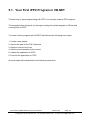
5. Your First iPPC Program .............................................................................................. 62
5.1. Your First iPPC Program in VB.NET .................................................................. 63
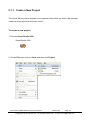
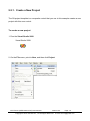
5.1.1. Create a New Project ............................................................................... 64
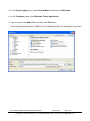
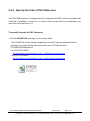
5.1.2. Specify the Path of PAC Reference ......................................................... 66
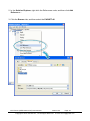
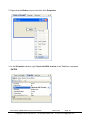
5.1.3. Add the Control to the Form ..................................................................... 68
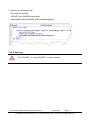
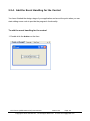
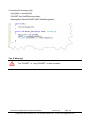
5.1.4. Add the Event Handling for the Control .................................................... 70
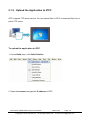
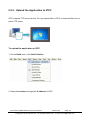
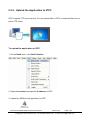
5.1.5. Upload the Application to iPPC ................................................................ 72
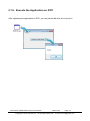
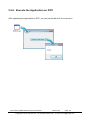
5.1.6. Execute the Application on iPPC .............................................................. 74
5.2. Your First iPPC Program in C# ........................................................................... 75
5.2.1. Create a New Project ............................................................................... 76
5.2.2. Specify the Path of PAC Reference ......................................................... 78
5.2.3. Add the Control to the Form ..................................................................... 80
5.2.4. Add the Event Handling for the Control .................................................... 82
5.2.5. Upload the Application to iPPC ................................................................ 84
5.2.6. Execute the Application on iPPC .............................................................. 86
5.3. Your First iPPC Program in Visual C++ .............................................................. 87
5.3.1. Create a New Project ............................................................................... 88
5.3.2. Specify the Path of the PAC Reference ................................................... 91
5.3.3. Add the Control to the Form ..................................................................... 96
5.3.4. Add the Event Handling for the Control .................................................... 98
5.3.5. Upload the Application to iPPC .............................................................. 100
5.3.6. Execute the Application on iPPC ............................................................ 101
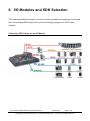
6. I/O Modules and SDK Selection ................................................................................. 102
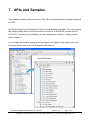
7. APIs and Samples ...................................................................................................... 107
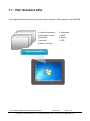
7.1. PAC Standard APIs .......................................................................................... 108
7.1.1. VB.NET Samples for PAC Standard APIs .............................................. 109
7.1.2. C# Samples for PAC Standard APIs ...................................................... 110
7.1.3. Visual C++ Samples for PAC Standard APIs ......................................... 111
7.2. PAC IO APIs..................................................................................................... 112
7.2.1. VB.NET Samples for PAC IO APIs......................................................... 113
7.2.2. C# Samples for PAC IO APIs ................................................................. 115
7.2.3. Visual C++ Samples for PAC IO APIs .................................................... 117
8. Restore and Recovery ................................................................................................ 119
8.1. Recovering the iPPC ........................................................................................ 120
8.2. Restoring the Rescue CF Card ........................................................................ 123
9. iPPC Updates ............................................................................................................. 127
iPPC Series (WES7 based PAC) User Manual
version1.0.0
Copyright © 2014 ICP DAS Co., Ltd. All Rights Reserved.
Page: 4
E-mail: [email protected]