1
3 Basic dialog, example
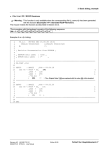
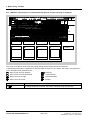
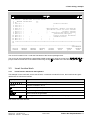
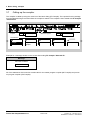
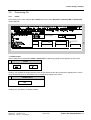
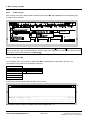
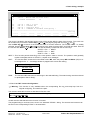
The „D5STRU“ input window is now automatically opened, and the following is displayed:
FP-DIA
V4.2.1
25.04.95
Projekt:
FP-DIA:
set processor type: P16 Masterprogramm:
FP-DIA: available library(ies):
FBSLIB 940815V400
MP erzeugen
Prozessoren:
??????
FP-EXAMPL is new
--------------------------------------------------------------P16------FP-DIA continue ? (Y/N) : _ :
FP-EXAMPLE
------ ------ ----------- -------------------------- ------ ----------- ---------------------
Create FP
The cursor is located in the line with the prompt asking whether dialog should be continued.
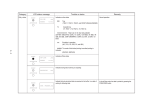
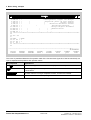
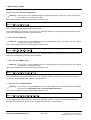
In the following description, characters for the keys (refer to Section 1) are used in the column „key sequence“,
which are again briefly explained here:
↑
→
Move cursor one line upwards
Move cursor one line downwards
Move cursor to the right
Enter key
Scroll forwards
Scroll backwards
←
Move cursor to the left
Escape
↓
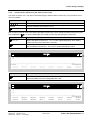
Key sequence
Explanations
Y
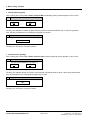
The dialog should be continued, which was confirmed using the enter key
Fehler! Nur Hauptdokument-10
Edition 06.95
Siemens AG 465 982.7101.21
SIMADYN D STRUC L User Manual
![HiSoft Devpac 3 (text version) [1992] [Manual: PDF]](http://vs1.manualzilla.com/store/data/005668901_1-67cf8256fc448cd2edf58a11a6ec729e-150x150.png)