1
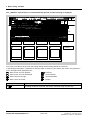
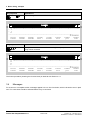
3 Basic dialog, example
1
&
&
&
2
3
4
5
6
7
8
9
10
11
12
13
14
15
FP-EXAMPLE,P16
V4.2.1
FP-DIA UNC 25.04.95 10:24
FBSLIB 950401V420
A:
B:
C:
CT1 4S = ‘
‘“Inhalt/Content“
CT2 4S = ‘
‘
CT3 4S = ‘
‘
HLD 3S = ‘
‘“Anlagenkennz./Higher lev.design“
DLS 1S = ‘
‘
„Zeichn.Nr./Draw. No List suffix“
DGS 1S = ‘
‘
„ .
.
Graphic suffix“
DPS 1S = ‘
‘
„
Besteller/Purchaser suffix“
DES 2S = ‘
‘
„Bearbeiter/Designer
„
ORD 4S = ‘
‘“Urspr/Original document“
MD3 4S = ‘
/
/
/
‘“Modification“
MD2 4S = ‘
/
/
/
‘
MD1 4S = ‘
/
/
/
‘
++++++++++++++++++++++++++++++++++++++++++++++++++++++++++++++++++++++++++
--------------------------------------------------------------------P16------FP-EXAMPLE
INSLIN
ERAELE
ERARNG
MOVRNG
CPYRNG
SUBTXT
SUBMSK
CHGMSK
CONTLN
SETRNG
RENUMB
NEXT ?
APPEND
EXIT
QUIT
FIND
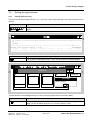
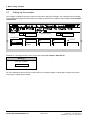
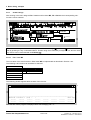
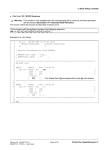
The cursor is located in line 1 under the first letters of the function package name.
The cursor can be moved within the permissible header mask range using the cursor keys ( ↓ , ↑ , ← , → ). A
jump is made to the last line of the header mask using the key , and back to the first line using the key
3.3
Insert function block
3.3.1
Insert function block with the keyboard
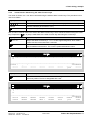
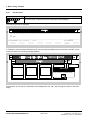
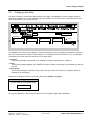
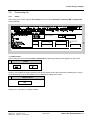
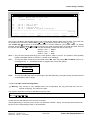
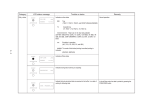
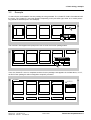
The example is now continued, and to start off with, a comment is entered in line 2, then new lines are generated and a function block inserted:
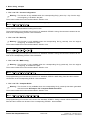
Key sequence
↓
↓
↓
↓
↓
Example
Explanations
↓
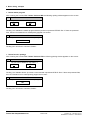
Move 6 lines downwards using the cursor keys
Enter the comment in line 4
Jump to line 15 (last line)
TX = T1
A new line is generated (line 16) and „TX = T1“ entered.
Lines 17 and 18 are generated
BST1 : ADD2
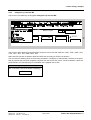
The empty function block mask ADD2 (block name: BST1) is generated
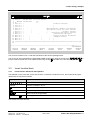
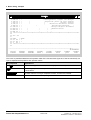
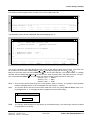
The window now looks like this:
Siemens AG 465 982.7101.21
SIMADYN D STRUC L User Manual
Edition 06.95
Fehler! Nur Hauptdokument-11