1
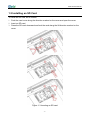
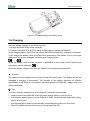
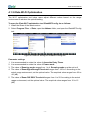
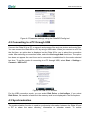
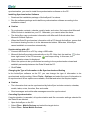
iData 90 User Manual Figure 1-6 Disassembling the battery cover 1.6 Charging You can charge a battery in the following ways: 1. Charge the iData 90 by using a charger. 2. Connect the iData 90 to a PC by using a USB cable to charge the iData 90. In the charging status, the LED is red. When the LED becomes blue, charging is complete. If you charge the battery when the iData 90 is powered on, the battery icon on the upper right part of the screen changes, indicating that charging starts. When the battery volume is low, an alarm is generated on the screen of the iData 90 and the battery volume becomes . When the battery volume is too low, the iData 90 is automatically powered off. ★ Caution The battery can be charged for more than or less than three hours. The battery will not be damaged if charging is interrupted. The duration of the battery depends on different applications of the iData 90, for example, selected functions of iData 90, usage mode, and data transmission. Tips To ensure a longer standby time of the iData 90, follow the following tips: Always connect the iData 90 to the AC power supply when you do not use it. In the power supply setting, set the iData 90 to make it automatically closed after being idle for a short time. Set the backlight to make it automatically closed after being idle for a short time. Stop all wireless activities when you do not use the iData 90. -4-