1
iData 90 User Manual
2 Instructions on iData 90
2.1 Home
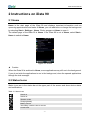
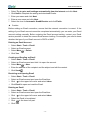
Home is the start page of the iData 90 and displays important information such as
upcoming appointments and tasks. At Home, you can add items or change the background
by selecting Start > Settings > Home. Click a program at Home to open it.
The default page of the iData 90 is Home. If the iData 90 is not at Home, select Start >
Home to switch to Home.
Figure 2-1 Home
★
Caution
When the iData 90 is switched to Home, some applications may still run in the background.
If you do not wish the applications to run in the background, close the opened applications
through the task manager.
2.2 Status Icons
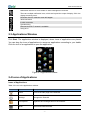
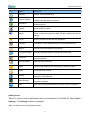
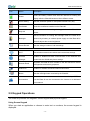
Status icons are in the status bar at the upper part of the screen and show device status
and notifications.
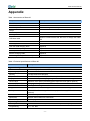
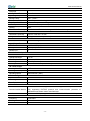
Table 2-1 Status icons
Sound on
Sound off
Vibration mode
Charging battery
Battery volume
The battery volume is low or too low.
Current time
-6-