1
Moving Forward with Linux
106
⏏Chapter 12. Gnome Keyboard Shortcuts
Tired of using your mouse so much? Did you know that both Linux Gnome
have keyboard shortcuts for just about everything you can do with a mouse?
The fastest way to "get job done" is one of the easiest ways that is to use
keyboard shortcuts. Keyboards shortcuts are very essential for one mere
'existence'. And those of you who have similar addiction with keyboard
shortcut.
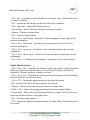
Below are a few of them which I think are really useful for everyday use:
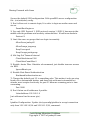
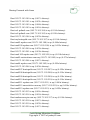
* Alt + F1 - Opens the Applications Menu.
* Alt + F2 - Displays the Run Application dialog.
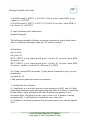
* Alt + Home - Jump to home folder.
* Alt + Enter - Show file/folder properties.
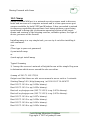
* Print Screen - Takes a screenshot.
* Alt + Print Screen - Takes a screenshot of the window that has focus.
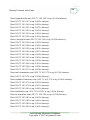
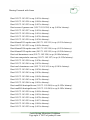
* Ctrl + Alt + right arrow - Switches to the workspace to the right of the
current workspace.
* Ctrl + Alt + left arrow - Switches to the workspace to the left of the
current workspace.
* Ctrl + Alt + up arrow - Switches to the workspace above the current
workspace.
* Ctrl + Alt + down arrow - Switches to the workspace below the current
workspace.
* Ctrl + Alt + d - Minimizes all windows, and gives focus to the desktop.
* F1 - Starts the online help browser, and displays appropriate online Help.
Costs Saving Migration Cookbook
Copyright © 2010 of jonboy60.com