1
Moving Forward with Linux
50
Input Method
Choose the input method to be used or disable the input method usage on
the desktop. Its includes iBus, a new input method system that has been
developed to overcome some of the architectural limitations of SCIM.
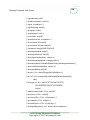
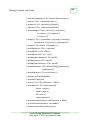
It provides a number of input method engines and immodules:
•
•
•
•
•
•
•
•
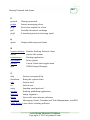
ibus-anthy (Japanese)
ibus-chewing (Traditional Chinese)
ibus-gtk (GTK+ immodule)
ibus-hangul (Korean)
ibus-m17n (Indic and many other languages)
ibus-pinyin (Simplified Chinese)
ibus-qt (Qt immodule)
ibus-table (Chinese, etc.)
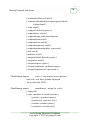
Keyboard Shortcuts
Keyboard shortcuts are useful if all your favorite shortcuts work on every
computer you use. You can add and change shortcuts here. I prefer to use a
mouse because I work on too many computers to change all the shortcuts
and the visual confirmation of the mouse is more accurate.
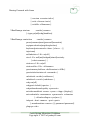
Preferred Applications
This is the place to select tour Web browser and Firefox is the default.
Evolution is the default mail reader and Thunderbird is not listed as an
option, which means I would have to install Thunderbird then come back to
this setting. The multimedia player options are Rhythmbox and Totem. You
can select a terminal emulator and a couple of accessibility options
including a screen reader. Those accessibility options are scattered around
a lot of menu options.
Startup Applications
You can select startup programs in Sessions. You can also list running
programs and automatically save the list for startup when you log back in. If
this was my primary workstation, I could request the automatic startup of
Thunderbird after I install Thunderbird.
Costs Saving Migration Cookbook
Copyright © 2010 of jonboy60.com