1
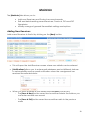
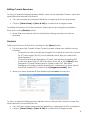
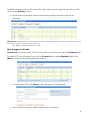
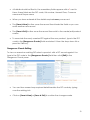
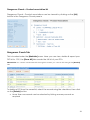
Editing Current Receivers To view or amend existing Receiver details, click on the required Code to open the saved Receiver record from the list. You can amend any required details by overtyping the info as required Click on [Save & New] or [Save & Exit] to confirm the changes made To delete a Receiver from the saved list, select the record using the checkbox, then click on the [Delete] button. More than one record can be selected by ticking as many records as required Products Add a new Product to the list by clicking on the [New] button. This will open the Create A New Product screen where new details can be entered - For products with a set size and weight it is possible to save the volume (in M3) and weight (in KG) so this defaults each time you select the saved product - For products that are Dangerous Goods, start typing an existing DG code and select the DG from the drop down list or click [New] in the Dangerous Goods Detail pane to create a new DG (see New Dangerous Goods for further instructions), make sure you then type in the newly added DG code into the [Dangerous Goods:] field When you have entered all the details required save your record To view or amend existing product details, click on the product code to open the saved product record from the list. You can then amend any required details by overtyping the info as required Click on [Save & New] or [Save & Exit] to confirm the changes made 21