1
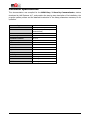
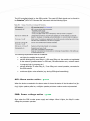
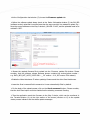
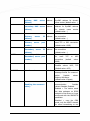
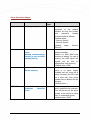
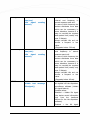
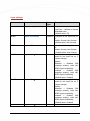
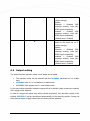
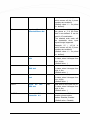
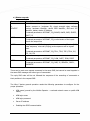
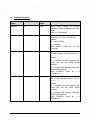
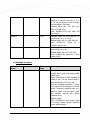
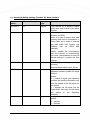
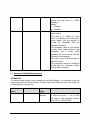
I2V= Input #2 Voice Selection Selected Phone No. I1ON= Input #1 ON - SMS Text text I1OFF= Input #1 SMS text I2ON= Input #2 ON - SMS Text text I2OFF= Input #2 SMS text SMSFWD= Forward SMS Phone No. #1 OFF OFF - Text - Text to Selection 69 Example: 15 – 1,2,3,4 which means: all the 4 phone numbers are anebled)) (Default value: 0 – no phone nr. defined). Makes a voice call (ringing) for the phone nr. 2 in the order that it was defined. It can be used in 15 combination. The selected order mask will be accessable when input signal change happened. Example: 15 – 1,2,3,4 which means: all the 4 phone numbers are anebled)) (Default value: 0 – no phone nr. defined). SMS text for the input line nr. 1 status, when it changes from low high (Default value: -) SMS text for the input line nr. 1 status, when it changes from high low (Default value: -) SMS text for the input line nr. 2 status, when it changes from low high (Default value: -) SMS text for the input line nr. 2 status, when it changes from high low (Default value: -) Forwards an SMS to an another phone number Values: Disabled, Enabled (Default value: Disabled)