1
Magnetek HPV 900 AC Vector Drive
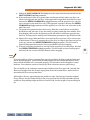
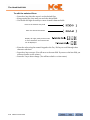
14. Observe EST RATED RPM found under Display Power Data (D2).
15. Enter this value into RATED MTR SPEED found under Adjust Motor (A5).
16. Remove full load from the car and place balanced load in it. Run the car from bottom to
top and back.
17. Observe EST INERTIA found under Display Elevator Data (D1). Write down the
value for up and down.
18. Average the up and down values of EST INERTIA. Enter this value into INERTIA
found under Adjust Drive (A1).
19. Remove weights from the car. Ride the car up and down, adding 100 pounds of weight at
a time. Observe one floor, two floor and multi floor runs to be sure that the car rides well
under all load conditions.
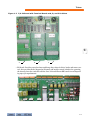
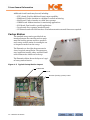
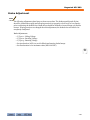
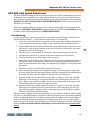
Brake Adjustment
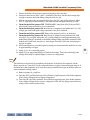
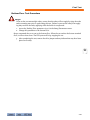
Note
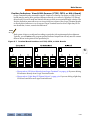
The following adjustments have been set from survey data. The brake assembly and all pins
should be cleaned thoroughly and all spring tensions set properly to hold 125% of car capacity
prior to adjusting the brake driver. Brake shoes should be checked to insure at least 95% surface
contact. If spring tensions are changed after this adjustment, the brake driver will need to be
completely readjusted.
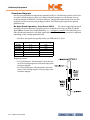
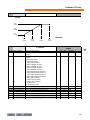
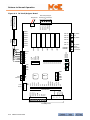
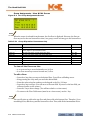
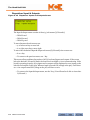
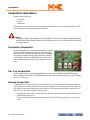
Brake Adjustments:
•
•
•
•
•
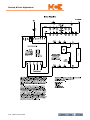
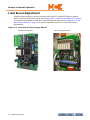
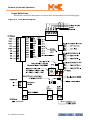
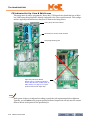
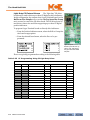
V/I pot 1 - Lifting Voltage
V/I pot 2 - Reveling Voltage
V/I pot 3 - Running Voltage
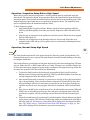
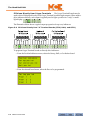
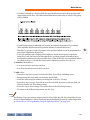
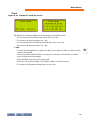
Set Acceleration (ACC1) to avoid rollback and starting brake bumps
Set Deceleration to its maximum value (DEC1 full CW)
3-69
3