1
Errors and Troubleshooting
Installation Errors and Remedies
Error
INSPIRA Quilt Frame (cont.)
Remedy
Carriage moves backwards
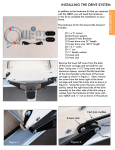
Verify drive brackets are installed on the correct sides.
See pictures on page 10 and 12 of the User Manual
to verify installation. Verify drive wires are wrapped
properly around the drive wheels. Check X and Y
direction parameters in QBOT. For Inspira frames, X
direction parameter = 1, Y direction parameter = -1.
Errors when Trying to Sew
Error
Remedy
Sewing machine does not start after pressing ‘GO’
Verify sewing machine is turned on and the presser
foot is down. • Check power to Quilter’s Cruise Control. • Check connection between QCC brain remote
port and the port labeled ‘QCC Remote Port’ on
QBOT. • Check connection between sewing machine
and QCC. • Check position of sewing machine selector switch on QBOT, see page 21 of User Manual
Sewing machine starts, but carriages don’t move
Check connections from QBOT to drive bracket assemblies. • Ensure connectors are snapped into
place.
Patterns are not sewing precisely
Replace plastic carriage wheels with metal wheels.
• Check tension in drive wires. Loose wires will slip
and cause sloppy results. • Ensure that there is slight
clearance between the sewing machine bed and the
fabric. If the take up pole is clamping the carriage,
QBOT will not move the carriage precisely.
Pattern does not sew completely, but QBOT shows the SD card error. Contact LiTen Up Technologies, Inc.
Repeat|Exit menu
for replacement card. • Reformat card, place contents
from DVD on SD card and retry.
Sewing machine starts, but does not change speed
when carriages move
Check connection from QBOT ‘QCC Encoder Port’ to
the encoder port on the QCC.
3