1
Introductory Manual
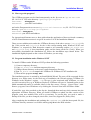
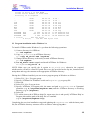
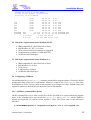
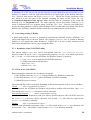
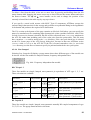
menu. Nodes can be attached along a connection as well as at connection end-points. A
connection should not unintentionally cross other nodes (what you see is what you get). A warning
for node naming appears during the ATP file creation if a connection exists between nodes of
different names, or if the same name has been given to unconnected nodes. Connections can be
selected as any other objects. To resize a connection, click on its end-point with the left mouse
button, hold down and drag. If several connections share the same node, the desired connection to
resize must be selected first. Selected connection nodes are marked with squares at both ends of
the selection rectangle.
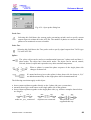
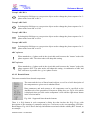
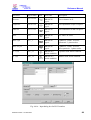
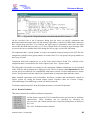
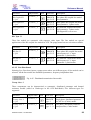
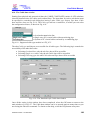
Relations are used to visualize information flow into Fortran statements and are drawn as blue
connections, but have no influence on components connectivity. Relations are drawn in the same
way as drawing a short circuit connection between nodes, except that you have to select the TACS
| Draw relation option in the component selection menu to start the relation drawing. You can
then draw multiple relations until you click the right mouse button or press Esc key.
3.7 Your first circuit (Exa_1.cir)
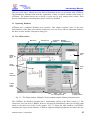
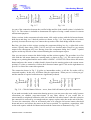
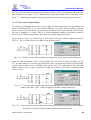
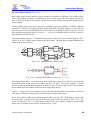
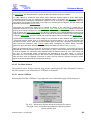
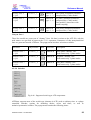
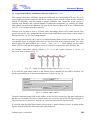
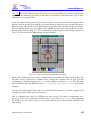
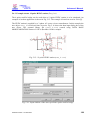
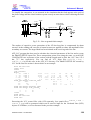
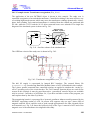
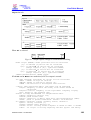
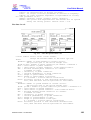
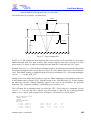
This chapter describes how to use ATPDraw step by step. As an example, composing the circuit
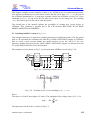
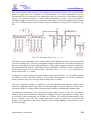
file of a single phase rectifire bridge (see Fig. 3.3) is presented. Reading this tutorial carefully, you
will be proficient in the use of the most important ATPDraw functions, such as:
How to select and assemble components?
How to perform edit operations and give data to components?
How to give node names, draw connections and specify grounding?
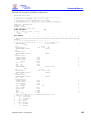
How to create the ATP input file and perform the simulation?
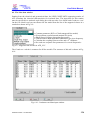
0,01 Ω
1 2 0 V r m s 300 Ω
∠ -90 O
33 Ω
1 µF
33 Ω
1 µF
~
60 Hz
u(0) = +
150 V
1 mH
33 Ω
1 µF
1000 µF
20 Ω
33 Ω
1 µF
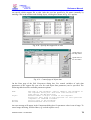
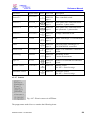
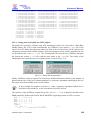
Fig. 3.3/a - Single phase rectifier bridge.
Fig. 3.3/b - Your first circuit (EXA_1.CIR).
The circuit is a single phase rectifier bridge, supplied by a 120 Vrms, 60 Hz source. The source
inductance is 1 mH in parallel with a damping resistor of 300 . The snubber circuits across the
rectifying diodes have a resistance of 33 and a capacitance of 1 F. The smoothing capacitor is
1000 F and the load resistor is 20 . The example has been taken from [2], exercise 1.
ATPDraw version 1 for Windows
34