1
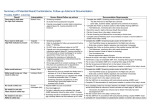
The Additional Notes section on the reverse side of the form can be used to record any additional information regarding the hearing screen history. Baby’s & Mother’s Details Affix the Baby’s Patient Identification Label and the Mother’s Identification Label in the designated boxes on the form. Alternatively, the details can be hand written on the form if no stickers are available. Facility/Service Enter the name of your hospital. This information is important if a referral is made to Audiology or QHLFSS – correspondence to the referring hospital can occur on outcomes of appointments and follow –up provided. Alternative Contact Details Complete the 2 Alternative Contact Details sections to assist with arranging initial or follow-up appointments if the family can not be contacted. If possible, this should be someone other than the mother’s partner. Medical Contact Enter name and address of the Family GP, Paediatrician or Medical Centre. Information can be obtained from the chart in the first instance but should be confirmed with the parent/s at the time of the screen. A letter will be sent to the family’s doctor if the parent/s cannot be contacted to arrange an appointment for a hearing screening or if they miss more than 2 scheduled appointments without notification. Algo Fields & Baby’s Details The Healthy Hearing Program is required to collect some mandatory data fields and these are entered into the data fields on the Algo 3 and 3i screening devices. UR Number (Medical Record Number field) Record the UR Number of where the hearing screening is being performed. If the AABR2 is attended at a different facility to AABR1, record the UR number of where AABR2 is being performed. The Healthy Hearing database will link the two different UR numbers when the data is downloaded. The baby’s current UR Number will also be listed on the baby’s ID label on the form. Hospital of Birth (Birth Location field) Refer to the approved list of hospital codes and record the code for the facility where the baby was born. BBA and Homebirths, Overseas and interstate births should be entered as OTHER.. Gestational Age at Birth (Other field) Record only the whole number of weeks completed on the form. For example: if gestational age is 38 weeks and 6 days, 38 is to be recorded. Location of Screen (Comments field) Tick one of the approved codes. The location reflects the current care level of the baby rather than where the screen is being performed. Refer to table below for explanation of codes. Enter the selected code in the Comment field on the Algo 3. Abbreviations refer to the level of care at the time the hearing screen is being performed: CODE MAT INTERPRETATION General Maternity Ward ICN Intensive Care Nursery, Intensive Care Unit, Neonatal Intensive Care Unit SCN Special Care Nursery BC Birth Centre, birth suite, birthing department, birthing unit, labour wards BC encompasses all locations where a baby may birth in a hospital. OPD Outpatient – at an Outpatient Clinic, or completed as an outpatient following discharge PAED Paediatric Ward or Children’s Hospital as a transfer or readmission COMM Community –residence, community health, or other settings outside of the hospital OTHER Only entered if none of the other codes are applicable Indigenous Status Number Code (Paediatrician field) Tick the appropriate code number box. Enter the number in the Algo 3 in the Paediatrician field. The family should be asked “Will this baby identify as being Aboriginal or Torres Strait Islander?” 3i Details Entered Tick this box when the additional information has been entered. The additional data is required to be entered manually. Revised: August 2013, (Review: 2015)