1
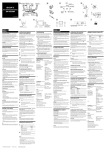
Observation/Acquisition Flow
2. Software Setup
Introduction
Launching the software
1
).
) to steady
1
Double-click on the FV10i-SW icon
on the desktop to launch the software.
2
After the splash screen the logon
screen appears on the monitor screen.
Log on with your own user ID.
Main Controls
If you have not yet registered your user
ID, log on with the factory default ID.
Factory default ID: Administrator
Password: Administrator
3
Observation/Acquisition Flow
unit changes from blinking (
lighting (
2
8
Wait until the left STATUS LED on the main
3
The operation preparation screen
appears.