Download Cell Illustrator User Guide
Transcript
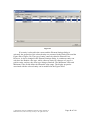
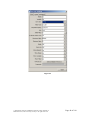
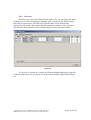
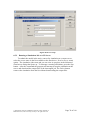
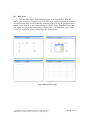
The source code of the engine generated by SECG can be exported to file in Java or other languages. The source code file can then be edited, which allows for better control over the simulation. Also the simulation source code can be controlled and executed in other program, which is useful for performing parameter optimization, or generating some advanced statistics from the engine run. The exact reference for advanced usage, which contains description how the SECG framework works and detailed information of the content of each source code file is obtainable from Masao Nagasaki ([email protected] or check http://www.csml.org). Note: Profiting from the SECG engine possibilities to the full extent requires some software development skills. 6.5 Remote Simulation Servers In Cell Illustrator, simulations are normally executed at your desktop machine using the default simulation engine which is tightly integrated with the remaining program components. These local simulations are interactive, i.e., the canvas is updated during the simulation run, and you may pause or move through the simulation. However, you can neither edit another model nor run another simulation in this mode. Thus, running simulations in your CI Workspace is recommended for debugging purposes and simulations that are not time consuming. For large models and lengthy simulations, sending a simulation job to a remote server is recommended. The Cell Illustrator Server (CI Server) is a companion product of Cell Illustrator and it is not a part of the standard CI package. Hence, this option is available only to users who have additionally purchased the CI Server. One server can be accessed by multiple users of the Cell Illustrator desktop package, or alternatively one can connect to more than one CI Server from your desktop. The remote server mode of running simulations is also useful if you intend to run many simulations in parallel. The server mode of simulations does not drain upon the resources of your computer, so you may continue to work with CI or other applications after submitting many simulations to a server. Technically, CI Server is a web service installed at an Apache Tomcat web server. A remote simulation is completed in three steps: (1) upload the model input file to the server, (2) execute the simulation using the engine installed at the server, and (3) download the output file (Simulation Log). The CI Server installation procedure requires the skills of an IT system administrator and is described in the Cell Illustrator Server Installation Manual. Once the CI Server is installed, you need to configure your CI Workspace to access it. 6.5.1 Registering a CI Server To submit simulations to a server, you must add it to the list of servers in your CI Workspace. For this, you will need to specify the URL address of the respective web service. Optionally, if the web service is password protected, you will also need to specify the authorization data (user name and password). . The menu command Simulation | Setup Servers opens the Setup Servers dialog, in which you can view and manage the list of servers. With the Test button you can confirm that the selected CI Server is accessible. © 2002-2008 GNI Ltd. and Human Genome Center, Institute of Medical Science, The University of Tokyo. All rights reserved. Page 75 of 100