1
Section 1: User’s Manual
Digital Document Access (DDA)
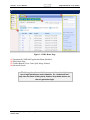
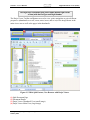
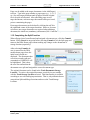
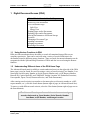
Figure 1-1. DDA Home Page.
(1) Transformed COMPANYApplication Menu (Modules)
(2) DDA Home Page
(3) Toolbar Buttons (View, Print, Split, Merge, Restore)
(4) Advanced Search
The Storage Location available to a user is determined by the
user’s login permissions and credentials. An “authorized user”
only sees the areas of the system, buttons, drop-down menus, etc.,
that are granted at login.
Users_Manual_DDA_011014_DRAFT_v0.1
January 2014
2