1
TABLE OF CONTENTS
1. INTRODUCTION AND TUTORIAL ........................................................................................................................ 4
1.1 USING WALKING MODE WITH GPS .......................................................................................................................... 6
1.1.1 Getting Started ........................................................................................................................................ 6
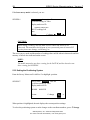
1.1.2 Setting the Positioning System................................................................................................................. 6
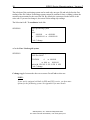
1.1.3 Changing Time, Filename and Cycling................................................................................................... 8
1.1.4 Setting the Tuning, AC Filter and Display Mode .................................................................................... 8
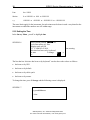
1.1.5 Working with the GPS Functionality....................................................................................................... 9
1.1.6 Starting a Reading, Surveying and Stopping Recording ....................................................................... 11
1.1.7 Dumping Data to a Personal Computer................................................................................................ 12
1.1.8 Considerations for Using RS-232 Waypoint Uploading ....................................................................... 12
2. THEORETICAL DESCRIPTION............................................................................................................................ 15
3. EARTH’S MAGNETIC FIELD................................................................................................................................ 16
4. INSTRUMENT DESCRIPTION .............................................................................................................................. 17
4.1 STANDARD SYSTEM COMPONENTS ............................................................................................................. 17
4.2 ASSEMBLING THE INSTRUMENT................................................................................................................... 19
4.2.1 General Assembly Instructions.............................................................................................................. 20
4.2.2 Using the Charger ................................................................................................................................. 20
4.2.3 Using the 6-Pin Connector.................................................................................................................... 21
4.3 DESCRIPTION OF CONNECTORS .................................................................................................................... 22
4.3.1 Pinout of a 6-Pin Female Connector..................................................................................................... 23
4.3.2 Pinout of a 4-Pin Female Connector..................................................................................................... 23
4.3.3 Pinout on BNC Female Connector (Fast or Walking modes):.............................................................. 23
4.3.4 External Trigger Options ...................................................................................................................... 24
5. OPERATING INSTRUCTIONS .............................................................................................................................. 25
5.1 KEYBOARD DESCRIPTION .............................................................................................................................. 25
5.1.1 Power On............................................................................................................................................... 25
5.1.2 Power Off .............................................................................................................................................. 25
5.2 MAIN MENU ........................................................................................................................................................ 25
5.3 SURVEY MENU................................................................................................................................................... 27
5.3.1 Setting the Survey Mode ........................................................................................................................ 28
5.3.2 Setting the Positioning System............................................................................................................... 29
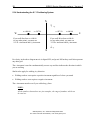
5.3.3 Understanding the Line / Station Positioning System ........................................................................... 34
5.3.4 Understanding the X / Y Positioning System ......................................................................................... 35
5.3.5 Setting the Time ..................................................................................................................................... 36
5.3.6 Setting the File Name ............................................................................................................................ 37
5.3.7 Setting the Cycle Time ........................................................................................................................... 38
5.3.8 Tuning the Magnetometer...................................................................................................................... 39
5.3.9 Using the AC-Filter ............................................................................................................................... 41
5.3.10 Setting the Display Mode..................................................................................................................... 42
5.3.11 Entering Text ....................................................................................................................................... 46
5.3.12 Changing the Magnetometer ID Number ............................................................................................ 46
5.4 WORKING WITH MOBILE MODE (ALL MODELS)........................................................................................ 47
5.4.1 Performing a Reading ........................................................................................................................... 47
5.4.2 Repeating a Reading ............................................................................................................................. 50
5.4.3 Monitoring the Noise............................................................................................................................. 50
5.4.4 Using the End of Line (EOL) Function ................................................................................................. 51