1
MSPRP User Manual
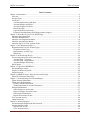
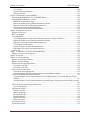
Table of Contents
Table of Contents
Chapter 1: Introduction.................................................................................................................................... 4
Overview ..................................................................................................................................................... 4
Account Types ............................................................................................................................................. 4
User Roles ................................................................................................................................................... 5
Account Representative (AR) Role ......................................................................................................... 5
Account Manager (AM) Role .................................................................................................................. 5
Account Designee (AD) Role .................................................................................................................. 6
Beneficiary Role ...................................................................................................................................... 6
Login ID and Password Limits ................................................................................................................ 6
Electronic Data Interchange (EDI) Representative Support .................................................................... 7
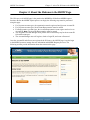
Chapter 2: About the Welcome to the MSPRP Page........................................................................................ 8
About the Navigation Menu ........................................................................................................................ 9
About the Bulletin Board............................................................................................................................. 9
About the New Registration Button .......................................................................................................... 10
About the Account Setup Button ............................................................................................................... 10
About the Sign In To Your Account Fields ............................................................................................... 10
Chapter 3: New Registration (Step 1) ........................................................................................................... 12
Registration Steps (for All Account Types) .............................................................................................. 13
Corporate Account Type ....................................................................................................................... 16
Representative Account Type................................................................................................................ 21
Beneficiary ............................................................................................................................................ 27
Chapter 4: Account Setup (Step 2) ................................................................................................................ 28
Account Setup Steps (for All Account Types) .......................................................................................... 28
Account Setup – Corporate ................................................................................................................... 32
Account Setup - Representative ............................................................................................................ 33
Account Manager (AM) Setup .............................................................................................................. 34
Profile Report ............................................................................................................................................ 40
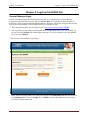
Chapter 5: Login to the MSPRP Site ............................................................................................................. 42
Account Manager Login ............................................................................................................................ 42
Forgot User Name (Login ID) ................................................................................................................... 44
Forgot Password ........................................................................................................................................ 47
Chapter 6: MSPRP Welcome! Page after Successful Login .......................................................................... 50
About The Welcome! Home Page ............................................................................................................. 50
Chapter 7: Account Settings for Account Manager....................................................................................... 51
Update Personal Information ..................................................................................................................... 51
Update Account Information ..................................................................................................................... 55
Update Corporate Information............................................................................................................... 55
Update Representative Account Information ........................................................................................ 62
Designee Maintenance............................................................................................................................... 67
Add a Designee to an Account .............................................................................................................. 67
Delete a Designee from an Account ...................................................................................................... 74
Edit Designee Information .................................................................................................................... 77
Regenerate Invitation E-mail ................................................................................................................. 80
View Account Activity .............................................................................................................................. 84
Change Password....................................................................................................................................... 86
Chapter 8: Account Designee ........................................................................................................................ 88
Account Designee Registration and Activation......................................................................................... 88
Account Designee Login ........................................................................................................................... 96
Request Case Access ............................................................................................................................. 98
View Account Activity .......................................................................................................................... 99
Rev. 2012-1/July
Page 2