1
g6 Absolute Gravity Data Acquisition and Processing Software
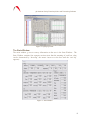
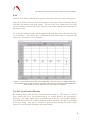
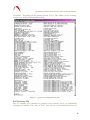
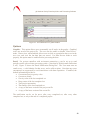
Figure 21. View Channels Live Update Window.
Options
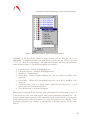
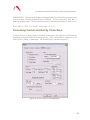
Graphics. This option allows users to manually set all scales in the graphs. Graphical
scales are saved to the project file. The user can also enable or disable “Data Review”
mode. Data review, when enabled, allows users to click on a particular drop or set in the
tree view, and view the last data that was stored. For Data Review mode to work
properly, this option must be enabled before processing the data.
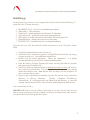
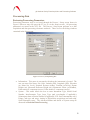
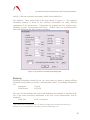
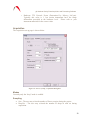
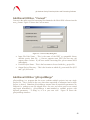
Email. For system controllers with an internet connection, g can be set up to send
periodic emails with real time processing results. (Note that by default email notification
is off). Figure 22 shows the Email Notification Dialog Box. The User must enter an
email server, a valid identity for that server, and a valid recipient. Note that any errors
encountered are suppressed to avoid interference with data acquisition. If enabled, the
default information provided is
• Current total project gravity value
• Current set scatter
• Gravity value of the last completed set
• Drop scatter of the last completed set
• Total project uncertainty
• The number of the last completed set
• A copy of the latest version of the project.txt file
• A copy of the latest version of the set.txt file.
The notification can be set for never, after every completed set, after every other
completed set, or only at the end of a completed project.
40