1
GE Fanuc Automation
Computer Numerical Control Products
CimWorks-MCS
Operator's Manual
GFK-1888
November, 2000
GFL-002
Warnings, Cautions, and Notes
as Used in this Publication
Warning
Warning notices are used in this publication to emphasize that hazardous voltages,
currents, temperatures, or other conditions that could cause personal injury exist in this
equipment or may be associated with its use.
In situations where inattention could cause either personal injury or damage to
equipment, a Warning notice is used.
Caution
Caution notices are used where equipment might be damaged if care is not taken.
Note
Notes merely call attention to information that is especially significant to understanding and
operating the equipment.
This document is based on information available at the time of its publication. While efforts
have been made to be accurate, the information contained herein does not purport to cover all
details or variations in hardware or software, nor to provide for every possible contingency in
connection with installation, operation, or maintenance. Features may be described herein
which are not present in all hardware and software systems. GE Fanuc Automation assumes no
obligation of notice to holders of this document with respect to changes subsequently made.
GE Fanuc Automation makes no representation or warranty, expressed, implied, or statutory
with respect to, and assumes no responsibility for the accuracy, completeness, sufficiency, or
usefulness of the information contained herein. No warranties of merchantability or fitness for
purpose shall apply.
The following are trademarks of GE Fanuc Automation North America, Inc.
Alarm Master
CIMPLICITY
CIMPLICITY 90–ADS
CIMSTAR
Field Control
GEnet
Genius
Helpmate
Logicmaster
Modelmaster
Motion Mate
ProLoop
PROMACRO
PowerMotion
PowerTRAC
Series 90
Series Five
Series One
©Copyright 2000 GE Fanuc Automation North America, Inc.
All Rights Reserved.
Series Six
Series Three
VersaMax
VersaPro
VuMaster
Workmaster
Preface
Content of This Manual
GFK-1888
Chapter 1.
Introduction: This section provides a brief introduction and overview to the
CimWorks MCS product
Chapter 2.
Tab Pages and Logging In: CimWorks MCS is designed to use a tabular
operator interface. Additional, CimWorks MCS requires that a user be authorized
in order to use this software. This chapter describes the logging in process and the
major tabs of the operator interface.
Chapter 3.
Job Tab Page: This product is designed for the manufacturing environment
whoi manufacture based on work units or jobs. The management of jobs is
covered in chapter 3
Chapter 4.
DOCS Tab Page: For every job, there are associated documents that are
managed by CimWorks MCS. This chapter describes how to work with these
documents.
Chapter 5.
DNC Tab Page: Transferring part programs is a critical part of CimWorks MCS
and this section provides detailed information on how to transfer these programs.
Chapter 6.
MEM Tab Page: In this section of the manual, the use will learn how to set up
and gather machine production information.
Chapter 7.
DocMgr Tab Page: The chapter describes the administrative process for
managing documents
Chapter 8.
Setup Tab Page: The CimWorks MCS software caan be adapted to meet most
manufacturing requirements. This chapter describes the setup or configuration of
the software to meet these requirements.
Chapter 9.
VisualMem Report Generator: One of the valuable features of the CimWorks
MCS product is its capability to generate reports on the activity of the machines
on the manufacturing floor. The section of the manual describes how to generate
these reports.
Chapter 10.
VisualDNC Edit: Part of managing part program is the capability to edit these
files. This sections describes in detail the editor.
Chapter 11.
DNC Server: CimWorks MCS can be deployed in such a way that multiple
machines can be managed from one PC. This is accomplished through a server
that is described in this chapter.
Chapter 12.
DNC Properties: This chapter describes how to set up the DNC communications
to the CNC.
Chapter 13.
Product Support: Information on how to contact GE Fanuc for product support
is detailed in this section.
iii
Preface
Related Publications
GFK-1887
Open Systems User’s Manual
GFZ-62994EN
BOP1 for Windows Manual
GFZ-63164EN
CNC Screen Display Function Manual
GFK-63484EN Ladder Editing Package (Windows) Manual
GFK-1887
iv
CimWorks MCS Installation Manual
CimWorks-MCS Operator's Manual–November, 2000
GFK-1888
Contents
Introduction ................................................................................................................ 1-1
What is a Document Management System?................................................... 1-1
How are the Documents Organized? .............................................................. 1-2
How are Folders Assigned?............................................................................. 1-2
Why are there Groups?................................................................................... 1-2
Machine Specific Documents .......................................................................... 1-3
Selecting Folders and Jobs on the Shop Floor................................................ 1-3
What Can be Viewed in VisualDocs? ............................................................. 1-3
What Happens in VisualDocs Within a Folder? ............................................ 1-4
Custom Fields .................................................................................................. 1-4
What is Machine Event Monitoring? ............................................................. 1-5
Hardware Requirements................................................................................. 1-5
Invalid Characters ................................................................................ 1-5
Tab Pages and Logging In ........................................................................... 2-1
Logging In ....................................................................................................... 2-1
To Log In............................................................................................................. 2-2
Login - Enter User ID: .................................................................................... 2-2
Login - Enter PIN:........................................................................................... 2-2
Login - Cancel ................................................................................................. 2-2
User Button ..................................................................................................... 2-2
Login Bar......................................................................................................... 2-3
Area Tab Page - Operator .............................................................................. 2-5
Area Tab Page - Operator .............................................................................. 2-5
Area Tab Page - Administrator ...................................................................... 2-6
Area Icon - Administrator .............................................................................. 2-7
Area Tab - All Areas Button - Administrator................................................ 2-9
Description Edit Box ....................................................................................... 2-9
Station Tab Page - Operator..........................................................................2-10
Station Tab Page - Foreman ..........................................................................2-11
Station Tab Page - Administrator .................................................................2-12
Station Tab - Station Properties - Administrator .........................................2-13
Station Tab - All Stations Button - Administrator........................................2-16
DNC Properties ..............................................................................................2-17
GFK-1888
v
Contents
Job Tab Page ............................................................................................................. 3-1
Job Queue List ................................................................................................ 3-2
Manual Folder Selection ................................................................................. 3-3
Part Number.................................................................................................... 3-3
To Search for a Part Number ................................................................................. 3-3
Operation......................................................................................................... 3-4
Making a Job from the Selected Folder.......................................................... 3-4
To Make a Selected Folder into a Job .................................................................... 3-4
Job Tab - Changing the Job Queue - Administrator ..................................... 3-6
Job Tab Right-Click Menu ............................................................................. 3-7
Dates in CimWorks MCS................................................................................ 3-7
Job Status Options .......................................................................................... 3-8
DOCS Tab Page...................................................................................................... 4-1
Docs Tab - How to Select and View a Document ........................................... 4-2
Document Manipulation Icons in Doc Edit View........................................... 4-3
Rotate CCW................................................................................................. 4-3
Rotates a CAD or graphics file in a counter-clockwise direction. ............ 4-3
Rotate CW ................................................................................................... 4-3
Rotates a CAD or graphics file in a clockwise direction. .......................... 4-3
Mirror Left/Right........................................................................................... 4-3
Mirrors a CAD or graphics image to the left or right of the original image.4-3
Mirror Up/Down............................................................................................ 4-3
Mirrors a CAD or graphics image to the top or bottom of the original
image............................................................................................................ 4-3
Full Screen................................................................................................... 4-3
Full screen restores the view of the entire document. For example, if a
CAD drawing were selected, you could zoom in or out, focusing on one
section of a document. After viewing the section, click the Full Screen
button to restore the full view of the document. ........................................ 4-3
Return to Docs Tab ..................................................................................... 4-3
This button closes the viewer and returns you to the Doc Tab. The current
document is also closed.............................................................................. 4-3
Machine Specific Documents Viewing............................................................ 4-3
Docs Tab - Viewing a Doc's Fields.................................................................. 4-4
Docs Tab - Document Type Option Buttons .................................................. 4-4
Sticky Note....................................................................................................... 4-5
To Use the Sticky Note Feature ................................................................. 4-5
View Icon ......................................................................................................... 4-5
What can be Viewed........................................................................................ 4-6
Folder on Hold................................................................................................. 4-6
vi
CimWorks-MCS Operator's Manual–November, 2000
GFK-1888
Contents
Downloading NC Program Document Types................................................. 4-7
DNC Tab Page.......................................................................................................... 5-1
Traceability Feature........................................................................................ 5-1
Custom Fields .................................................................................................. 5-2
DNC Activity Download.................................................................................. 5-3
To Download an NC Part Program ........................................................................ 5-3
Traceability Feature........................................................................................ 5-4
DNC Edit Original Button .............................................................................. 5-4
To Edit an Original NC Program Document .......................................................... 5-4
DNC Edit Button............................................................................................. 5-5
To Edit the NC Program........................................................................................ 5-5
DNC Compare Edits ....................................................................................... 5-6
DNC Compare Resynchronize........................................................................ 5-6
To Resynchronize the Two Files............................................................................ 5-6
DNC Delete Edits............................................................................................. 5-7
DNC Activity Upload ...................................................................................... 5-8
DNC Tab – Comparing Uploads..................................................................... 5-9
DNC Tab – Deleting Uploads.......................................................................... 5-9
MEM Tab Page ....................................................................................................... 6-1
MDC Sub Tab ................................................................................................. 6-3
Data View Sub Tab ......................................................................................... 6-7
Maintenance Sub Tab ....................................................................................6-10
Process Sub Tab .............................................................................................6-13
Production Sub Tab .......................................................................................6-14
History Period ................................................................................................6-17
History Chart Controls ..................................................................................6-17
History Grid Controls ....................................................................................6-18
History Pie Chart ...........................................................................................6-19
History - Back Button ................................................................................................. 6-19
DocMgr Tab Page................................................................................................. 7-1
DocMgr Tab Defined....................................................................................... 7-2
To Use a Filter to Locate Documents ............................................................................... 7-13
To View Only the Select Doc .............................................................................. 7-16
GFK-1888
Contents
vii
Contents
Setup Tab Page ........................................................................................................ 8-1
Setup Tab Page................................................................................................ 8-1
Setup - Users-Levels Sub Tab ......................................................................... 8-2
Setup Tab – Users Level Sub Tab - Add ........................................................ 8-3
Setup Tab - Users Level Sub Tab - Changing an Operator Level................. 8-4
Setup Tab – Users Level - Delete .................................................................... 8-5
Setup - Groups Sub Tab.................................................................................. 8-6
Setup - Groups Sub Tab - Add ....................................................................... 8-7
Setup – Groups Sub Tab - Delete ................................................................... 8-9
Setup – PCs Sub Tab......................................................................................8-10
Setup - Misc DocFields...................................................................................8-12
Setup - Doc Types...........................................................................................8-13
Setup - Doc Viewers .......................................................................................8-15
Setup - Extensions ..........................................................................................8-16
Viewing and Printing Text Documents..........................................................8-17
Setup - Custom Fields Sub Tab .....................................................................8-18
Setup – Events Sub Tab .................................................................................8-21
Setup Tab - Events Sub Tab - Add, Edit, or Delete ......................................8-23
Setup Tab – Events Sub Tab - Shift Data......................................................8-25
Setup Tab - Maintenance Sub Tab ................................................................8-27
Setup Maintenance Tab Right-Click Menu ..................................................8-28
Setup Tab – Production Sub Tab ..................................................................8-29
User Defined Tabs ..........................................................................................8-30
VisualMEM Report Generator .............................................................. 9-1
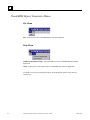
VisualMEM Report Generator Menus........................................................... 9-2
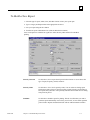
To Build a New Report.................................................................................... 9-3
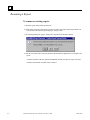
Renaming a Report ......................................................................................... 9-4
Ensuring MEM Data Appears on Reports..................................................... 9-5
Select by Criterion........................................................................................... 9-6
Select by Name ...............................................................................................9-10
Scheduler ........................................................................................................9-12
To Edit Report Scheduling Information ............................................................... 9-13
To Add a Report ................................................................................................. 9-14
To Remove a Report from the Scheduler Tab ...................................................... 9-16
viii
CimWorks-MCS Operator's Manual–November, 2000
GFK-1888
Contents
Previewing a Report.......................................................................................9-17
Report Preview Dialog Box............................................................................9-20
Printing a Report ...........................................................................................9-22
Saving a Report ..............................................................................................9-22
Adding a Report to the Schedule ...................................................................9-23
Report Types ..................................................................................................9-25
Report Category.............................................................................................9-25
Report Name...................................................................................................9-25
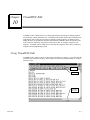
VisualDNC Edit .....................................................................................................10-1
Using VisualDNC Edit ...................................................................................10-1
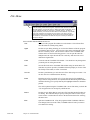
File Menu........................................................................................................10-3
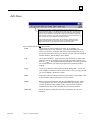
Edit Menu.......................................................................................................10-5
Search Menu...................................................................................................10-7
Global Menu...................................................................................................10-8
Calcs Menu ...................................................................................................10-13
Analysis Menu ..............................................................................................10-16
Options Menu...............................................................................................10-20
Windows Menu ............................................................................................10-22
Help Menu ....................................................................................................10-22
Special Keys..................................................................................................10-22
Right Mouse Button Pop-up Menu..............................................................10-22
Keyboard Shortcuts .....................................................................................10-23
File Formats..................................................................................................10-23
Exit Button ...................................................................................................10-23
DNC Server ................................................................................................................11-1
Function of DNC Server.................................................................................11-1
Hardware Configurations for DNC Server...................................................11-1
Starting DNC Server......................................................................................11-2
DNC Server Main Screen...............................................................................11-2
Login Menu ....................................................................................................11-2
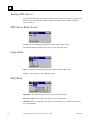
Help Menu ......................................................................................................11-2
GFK-1888
Contents
ix
Contents
DNC Properties ......................................................................................................12-1
Function of DNC Properties ..........................................................................12-1
Starting DNC Properties................................................................................12-1
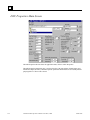
DNC Properties Main Screen ........................................................................12-2
How to Create a Configuration for a Station ..............................................12-11
How to Create a Profile for a Configuration...............................................12-11
Product Support ....................................................................................................13-1
x
CimWorks-MCS Operator's Manual–November, 2000
GFK-1888
Chapter
Introduction
1
CimWorks MCS is an integrated suite of software products that runs on a computer located on the
shop floor in a manufacturing environment. This PC is placed where shop floor personnel have
easy access to information used to improve productivity and product quality.
CimWorks MCS Administration modules are used to configure CimWorks MCS and to manage
documents for use on the shop floor.
VisualDocs provides easy access to manufacturing documents on the shop floor. After selecting
the station and job, VisualDocs presents the manufacturing documents for that station and job only,
including documents for incoming inspection, machine setup, process procedures, inspection
models, and final packing and shipping.
From VisualDNC (Distributed Numerical Control) operators can download, upload, edit, and
compare NC part programs. Most CNC controls are supported with VisualDNC and up to 8 CNC
controls may be connected to one PC.
VisualMEM (Machine Event Monitoring) provides on-screen and report information about your
machine usage to get more from your machines by improving productivity and making better
scheduling and maintenance decisions. Events relating to power on and off, in-cycle, and part
count are collected automatically from the machine to provide a log of runtime, downtime, and idle
time for each machine. With this information, many different types of reports are available to
analyze your machine's productivity. Manual information can also be entered for more detailed
explanations of events.
These products may be used in any combination to deliver to and collect information from the shop
floor.
What is a Document Management System?
A Document Management System (DMS) is a way for anyone to quickly locate a document.
Generally, a DMS is used by engineering and office personnel to keep a library of documents on
products, procedures, tooling, setup sheets, inspection methods, gage requirements, NC programs,
scanned images, digital photos, etc. Many different people using many different applications create
documents. However, only the creator knows the name and path of his documents. A DMS
provides a single organized repository for documents. In a DMS, documents are not left in their
original directories, but are absorbed by the DMS. This means that the DMS has the responsibility
for knowing how to find any document based on information in the Infocard. The absorbing of all
files eliminates private naming conventions and actually helps all users because of the
standardization of the Infocard fields.
GFK-1888
1-1
1
How are the Documents Organized?
If all the manufacturing documents that need to be available on the shop floor were jumbled
together, no one could easily find the one they need. VisualDocs uses a database to organize
documents so that shop floor personnel can quickly get to the exact document within a few
seconds.
All documents are organized into electronic folders. Each folder contains a set of documents that
relate to a particular part number/revision and optionally, a particular operation on that part. For
example, if a machined part has a turning operation followed by a milling operation, there will be
two folders, each with documents that relate to the individual operations.
The tool list and NC program would be different in each folder, but the CAD part print could be the
same.
How are Folders Assigned?
When a folder is created containing documents for a specific part and perhaps a specific operation,
it is assigned to a Group. A Group in CimWorks MCS is defined as a single machine, a group of
machines, a group of welding bays, a group of assembly benches, a paint booth, a packing station,
etc. In other words, a Group defines where specific folders are actually required and therefore,
viewable.
A folder that is assigned to a group containing only lathes cannot be selected if a machining center
is the current machine. Since the folder containing documents for the turning operation was
assigned to the lathe group, the lathe’s folder will not even show up in the list of folders available
to the machining center even though the part number and revision level are the same. Folders can
also have an operation number that defines the specific operation to be performed on the specified
machine or work site.
Why are there Groups?
The reason for having groups is to reduce the number of folders required in any given installation.
Since a given part may be made on a number of different machines (or workplaces), having the
ability to assign a folder to a group sharply reduces the number of folders required.
It is assumed that PCs will be located on the shop floor close to where the documents or NC
programs are needed. A PC may be located in a cell of machinery and is used by all operators in
that cell. Or a PC may be located on an assembly bench where any item assembled in the plant
may be worked on. Or there may be a group of non-identical machines, any one of which may be
able to make a particular part. This would be especially true in CNC machining and CNC sheet
metal punch presses.
In the machine tool example, there may be two types of lathes in the plant, lathes that can make
parts up to 2” in diameter and lathe’s that can make parts up to 1” in diameter. There could be two
groups if we make the large lathes into one group and the small and large lathes into another group.
All large parts will be assigned only to the 2” group and all smaller parts will be assigned to the
combined group, since the smaller parts can be made on any of the lathes.
Having a single folder for many machines also reduces the burden of folder maintenance. For
example, if a new document is added to a folder, it needs to be placed into only one folder, even
though this folder has already been assigned to a group of 20 machines that can manufacture the
part.
1-2
CimWorks-MCS Operator's Manual – November, 2000
GFK-1888
1
Machine Specific Documents
Since a single folder can be used to hold information for many machines that are capable of a given
manufacturing operation, there is a mechanism in VisualDocs and VisualDNC to assign a specific
machine to certain documents within the folder.
For example, if two machines can perform operation 20 for a part, but require different tooling,
there can be two tool lists in the folder. One can be assigned to Machine 1 and the other to
Machine 2. When an operator selects the target machine and the folder is selected, only documents
that are either unassigned or specific to that machine will be viewable.
In the case of NC part programs, only programs that will work on the selected machine can be
downloaded. This prevents a program from going to the wrong machine with possible catastrophic
consequences. But only one folder needs to be created and maintained.
Selecting Folders and Jobs on the Shop Floor
Once an operator has selected an Area and Station, the Job tab must be selected. The Job tab is
used to either select a Folder from a Job Queue that was previously generated, or to select a Folder
using Part Number and Operation.
A Job in the Queue List is defined as a Folder that has been placed in the queue along with a
required quantity. In addition, a date required and work order number can be associated with a job.
The Job Queue List can only be managed by a user with administrator rights. Each entry can be
deleted, moved, or edited. Right clicking an entry allows the manipulation of that job.
What Can be Viewed in VisualDocs?
VisualDocs supports over 125 different graphics, text, and spreadsheet formats. Documents
created in AutoCAD, Microsoft Word, Excel, Word Perfect, and many other applications can all be
viewed on the shop floor.
Large complex CAD drawings are viewed using VisualDocs’ zoom and pan functions. Digital
photographs made with inexpensive cameras can be used to clarify a procedure or setup. Multipage word-processed documents are easily viewed using standard scroll bars. Any scanned
document may be viewed in full color or monochrome with full zoom and pan available.
If documents are in a format not supported by VisualDocs, the document can be associated with a
special viewer. For example, Catia CAD files may be viewed in their native form using a Catia
Windows viewer product. However, most CAD files can be converted to DXF or HPGL, which
can be viewed with VisualDocs directly.
GFK-1888
Chapter 1 Introduction
1-3
1
What Happens in VisualDocs Within a Folder?
Within the folder, there is even more organization. Each document is assigned a “Document Type”
when it is entered into the system. For example, all documents related to setting up a machine
could be called “Setup Docs”. Or all CAD files could be called “CAD Prints”. Or all Work
Instructions could be called “Procedures”. NC part programs always have a type of “NC
Programs”.
When a folder is selected for viewing in VisualDocs ShopFloor using the Docs tab, a list of the
Document Types contained in that folder is displayed. By selecting a Document Type, a list of
documents of that type is displayed. This allows for faster access to required documents. In many
cases, there is only one document of a given type.
Large Up/Down buttons allow the easy selection of any of documents. An icon representing each
document type verifies the type graphically. If the full screen view is desired, a click anywhere on
the large view icon will bring up the document full screen with scroll bars and zooming features.
Custom Fields
The Infocard has standard fields used to identify documents. In addition, there can be up to 5
custom fields associated with each document type. These Custom Fields are user definable and are
used to associate more information with a given document. For example, under the Doc Type of
“CAD Prints”, the following custom fields could be defined:
Drawing Size
Project
Engineer
Approved By
Date Last Modified
Under the Doc Type of “NC Program,” the following custom fields could be defined:
Programmer
Date Last Modified
Project
Material
Verified By
When these fields are filled in, they appear on the Docs tab when the document is selected. Each
Doc Type can have its own set of Custom Fields with user specified labels.
Custom Fields are defined on the Setup tab and are filled in using the DocMgr tab. None of the
Custom Fields are required to be filled in. You can have identically named custom fields for
different Doc Types. For example, under a Doc Type of “CAD Files,” you could have a custom
field called “Creation Date.” “Under a Doc Type of Tool List,” you can also have a Custom Field
called “Creation Date.”
1-4
CimWorks-MCS Operator's Manual – November, 2000
GFK-1888
1
What is Machine Event Monitoring?
VisualMEM monitors machine status and events to provide real time and report information on
machine efficiency and productivity. On-screen displays highlight which machines are down and
need attention, provide a summary of run, down, and idle for a particular machine, detail the events
for a machine, and provide valuable maintenance and production information.
VisualMEM’s reports allow you to compare and analyze the performance of a single machine,
group of machines, or the entire plant by day, week, or month. Run, Down, and Idle reports show
sorted details of machine productivity that allow you to track down trends and patterns. Downtime
and Idle Time Detail reports list the causes of downtime or idle time, highlighting the major causes.
Maintenance reports instantly show the status of maintenance tasks, pointing out which tasks are
coming due. The production report provides a summary of the status of work orders and compares
the actual setup time and part time to standards stored in the database with a calculation of percent
efficiency compared to standard.
Hardware Requirements
Minimum System Hardware:
Shop Floor / Admin PC
Windows 95 OSR-2, Windows 98 or Windows NT 4.0 Service Pack 4 or higher
266 MHz CPU
64 MB RAM
100 MB free hard drive space
CD-ROM drive
10bT / 100bT Ethernet Network Connection
256 color, 640x480 or higher resolution
1 high-speed serial bus
Keyboard and pointing device
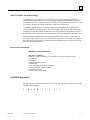
Invalid Characters
The following list of characters should not be used as part of any file that will be placing data in the
CimWorks MCS databases.
! “ # $ % & ‘ * + , [ \ ] ^ |
GFK-1888
Chapter 1 Introduction
1-5
Chapter
Tab Pages and Logging In
2
Logging In
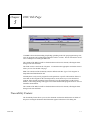
The Log In dialog box appears after the CimWorks MCS application starts.
Anyone wanting to log in must have been initially setup in the Setup/Users tab. The CimWorks
MCS security levels are Operator, Foreman, or Administrator.
1.
The Operator security level receives a subset of the functions available to
Administrators.
Note: The Area and Station tabs will not display for the Operator and Foreman security
levels if there is only one Station defined.
2.
The Foreman security level receives the same subset functions as the Operator level in
addition to the ability to create reports in VisualMEM Report Generator (if a
VisualMEM Administration license is installed on the PC).
Note: Users at the Foreman level can only sign on to a PC that has a VisualDocs
Administrator license installed.
3.
GFK-1888
The Administrator security level has all available rights.
2-1
2
To Log In
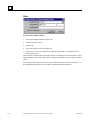
1. Enter User ID: Type in the user’s name
2. Enter PIN: Type in the user’s password.
3. Click the Log In button or press Enter.
Note: The boxes User ID Match, First Name:, Last Name:, and Level are filled in automatically
and are not editable.
Login - Enter User ID:
The User Id is a code to identify each user. It can be any alphanumeric value. No spaces are
allowed.
Login - Enter PIN:
This is a password that is assigned by the administrator and assigned to each user. Any
Administrator has access to these passwords. Maximum size is 18 characters.
Login - Cancel
Cancels the login procedure.
User Button
When the User button in the upper right of the CimWorks MCS window is clicked, the Login Bar
will appear. A new user can log in or an existing user may log out. CimWorks MCS cannot be
closed until all current users have logged out.
Users should click this button when leaving the PC for a period of time. This will save their
current tab and status of their active job. Another user can then use the same PC to login and
update the status of his jobs running on other stations.
Clicking the User button prevents other operators from making changes to your job.
Any existing user can go back to his job by simply clicking the user’s name button displayed on the
Login Bar. This returns that user to the same tab page he left on the PC.
A maximum of two users may be logged into CimWorks MCS running on a given PC.
2-2
CimWorks-MCS Operator's Manual – November, 2000
GFK-1888
2
Login Bar
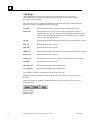
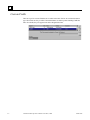
When you click the User button, in the upper right corner of the title display area above all the
main tab pages, the Login bar will appear.
This is very useful when more than one operator is using the same computer to control jobs on
more than one station.
Logging back in from the login bar will bring the user back to where they left the program.
GFK-1888
Chapter 2 Tab Pages and Logging In
2-3
2
Tab Pages
The main tabs may be selected by clicking them or by Control/Tab to move to the right or
Control/Shift/Tab to move to the left. Once inside a tab, the Tab key will move you to various
areas where you can enter data.
The various tab pages are refreshed under different circumstances. All areas are refreshed when the
application is started. In addition the following rules apply:
Area Tab
Refreshed when the All Areas option is selected in administrator mode.
Station Tab
Refreshed when a new Area is selected or when All Stations is selected in
administrator mode. The color of the border of each Station is updated at regular
intervals (based on the default rate defined in the CimWorks.ini file) to show the
Station’s status, Run, Down, or Idle.
Job Tab
Refreshed at the default CimWorks MCS interval rate (default set at three seconds).
Docs Tab
Refreshed when the tab is selected.
DNC Tab
Refreshed when the tab is selected.
MEM Tab
Refreshed at the default CimWorks MCS interval rate (default set at three seconds).
Reports Tab
Refreshed when the tab is selected.
DocMgr Tab
The Registered Documents list is refreshed when the Refresh button is clicked.
Setup Tab
Refreshed when the tab is selected.
CNC Apps Tab
Refreshed independently form CimWorks MCS
User Apps Tab
Refreshed independently form CimWorks MCS
The contents of a folder are refreshed every time the folder is selected.
Depending on the Ciwmorks MCS configuration, the CNC Apps and the User Apps tabs may not
be visible.
These Tabs will only be available to Administrators only (Foreman security level will have access
to the Reports tab):
Reports Tab Page
DocMgr Tab Page
Setup Tab Page
2-4
CimWorks-MCS Operator's Manual – November, 2000
GFK-1888
2
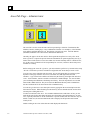
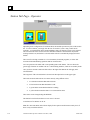
Area Tab Page - Operator
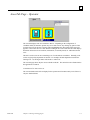
The Area tab displays each Area available to this PC. Depending on the configuration of
CimWorks MCS, the machine operator may not see this area tab. By clicking any portion of the
icon, that Area will be selected. Its name will be highlighted and a description of that Area will
appear in a box below the row of tabs. Double-clicking an Area icon selects that Area and displays
the Station tab used to select a machine, workstation, or assembly bench, etc. within the selected
Area.
This tab is used to select an Area containing a set of work Stations or machines. Normally, work
centers are grouped by department or function. For example, the lathe department could be the
Turning Area. Or, the larger lathes could be the 6” Lathe Area.
The Area tab page shows only the Areas available to this PC. This tab will not be refreshed unless
the application is restarted.
A maximum of 72 Areas can be set.
The Area and Station tabs will not display for the Operator and Foreman security levels if there is
only one Station defined.
GFK-1888
Chapter 2 Tab Pages and Logging In
2-5
2
Area Tab Page - Administrator
The Area Tab is used to create the name and icon representing a collection of workstations like
machines, benches, welding bays, or any combination of stations. For example, a cell of machine
tools might be called the Housing Cell. The Housing Cell will be an Area. All of the Stations
(machines) within this cell or Area will be defined in the Station tab.
Generally, the purpose of the Area tab is to limit a particular shop floor PC to only a few Areas.
Since a given PC is expected to provide electronic information for operators physically close by, it
makes sense to limit each PC to Areas near which it is located. Normally each PC is limited to one,
two, or three Areas. If that PC will be used primarily for one Area, it can have other nearby Areas
available as a backup.
Before setting up the Areas for a given PC, you must select the specific PC by its name in the Setup
/ PCs tab. The PC that you choose will then be assigned the new Areas that you create or edit.
To create a new Area, right click and select Add. An icon will appear that you can drag to place
anywhere on the page. Click the Area icon to select that Area, then right click and select
“Rename.” Type a name for the NEW Area followed by the enter key, then right-click and select
“Icon.” Pick a machine, station or worksite icon from the available bitmaps. You can also make
your own bitmaps and add them to the bitmap Area library. These bit maps must be 64 x 64 and
named with a .BMP extension. They are stored in the BITMAPS directory under Cimdata\Docs.
See the CimWorks.ini file for the location of the Cimdata directory.
You can also give the Area a more descriptive name by typing into the Area Description text box
below the line of tabs. When finished, press the Enter key. Be sure that the desired Area has been
selected prior to filling this box in.
You have now defined a new Area. You can make additional areas at this time. In fact, you can
make all the areas for the entire plant and easily move them later to the appropriate PCs. In some
cases, especially when there is one PC dedicated to a specific machine, the Area will have only one
Station. In this case, the Area and Station tabs will not display for the Operator and Foreman
security levels.
Double clicking an Area icon selects that Area and displays the Station tab.
2-6
CimWorks-MCS Operator's Manual – November, 2000
GFK-1888
2
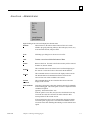
Area Icon - Administrator
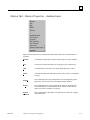
Right-clicking an Area Icon will display the shortcut menu.
When clicked on, the title bar at the bottom of the icon is made
Rename
editable. By typing and using edit keys (like backspace, arrows, etc),
create the name desired, and press Enter.
Icon:
Will bring up a dialog box to select a new icon file.
Add:
Creates a new Icon with default name of New.
Delete:
Removes the Icon. If records exist for the area they will be removed
from the PC, but not deleted.
Remove
This command removes the selected Area icon from displaying on
the Area tab. It does NOT remove the Area from the database.
Restore
This command restores a removed area for display on the Area tab.
The Include Removed command must first be selected so the
removed area icon will be available to be restored.
Include
Removed
This command allows the Area icons that have been removed to
display on the Area tab.
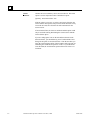
Lock Positions:
Locks the icons in place so that they cannot be moved if accidentally
clicked and dragged. This menu option is used in conjunction with a
CimWorks.ini option:
[Options] AreasLocked=false / true
If the ini option is set to false, and you select Lock Positions on any
icon in the Area tab, all icons in the tab will be locked in their
current position for the current session.
If AreasLocked=true, the icons are locked when logging in and the
icon menu option is grayed out. This menu item would be used to
re-lock the icons after unlocking them during a session with the next
option.
GFK-1888
Chapter 2 Tab Pages and Logging In
2-7
2
Unlock
Positions:
Unlocks the icons so that they can be moved on the tab. This menu
option is used in conjunction with a CimWorks.ini option:
[Options] AreasLocked=false / true
If the ini option is set to true, or you have previously clicked on the
Lock Positions menu option, and you select Unlock Positions on any
icon in the Area tab, all icons in the tab will be unlocked for the
current session.
If AreasLocked=false, the icons are unlocked and this option would
only be used after locking them during the current session with the
Lock Positions option.
If you are setting up the icons on the tab and have them all in the
desired locations, you should then log out of CimWorks MCS and
change the ini option to AreasLocked=true. Then the next time you
log in the Lock Positions option of the icon menu will be grayed out
confirming the CimWorks.ini option is in effect. If you unlock the
icons after that, the Lock Positions option will become active to relock them.
2-8
CimWorks-MCS Operator's Manual – November, 2000
GFK-1888
2
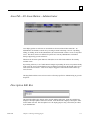
Area Tab - All Areas Button - Administrator
Area display options are All Areas or Areas that have been associated with a named PC. An
administrator can simulate a remote PC by selecting its name in the Setup / PCs tab. By adding,
editing, or deleting Areas for this simulated PC, the actual named PC will have access to only these
Areas. This allows Areas to be defined for specific PCs from any administrator seat without
having to physically go to the remote PC.
Whenever the All Areas option button is clicked, the screen will refresh and show all currently
available Areas.
By selecting All Areas, a set of small named rectangles representing all Areas (except those already
in the Areas for xxxxx section) that have been pre-defined, will appear on the bottom of the screen
under Areas Not for This PC. These Areas may be dragged to or from the PC named on the top
Areas for xxxx.
The drag function allows Areas to be moved to or from any specific PC without having to go to the
shop floor.
Description Edit Box
This description dialog box appears on the Area tab and the Station tab. In the Area tab this box
displays a descriptive phrase of the Area selected. In the Station tab it displays a descriptive name
for the Station selected. This description box is for display purposes only, and can only be edited
by an Administrator.
GFK-1888
Chapter 2 Tab Pages and Logging In
2-9
2
Station Tab Page - Operator
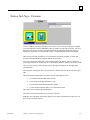
Depending on the configuration of CimWorks MCS, the machine operator may not see this station
tab. To select a Station, you simply click the icon or touch it if you are using a touch screen
computer. A selected Station has its name highlighted. Only one Station at a time can be selected.
The Area tab must first be used to select the Area that contains the desired Station. By doubleclicking a Station icon, the Station is selected and the Job tab is automatically displayed for that
Station.
The reason for selecting a machine is to view documents, download programs, or collect data
associated with manufacturing operations that run on this station.
An icon represents each station with a corresponding name at the bottom. The icon shows the
general type of Station or machine such as a vertical milling machine, a lathe or an assembly bench.
Once you have selected a Station all of the tabs to the right of the Station tab will apply to the
selected Station.
The long name of the selected Station is shown in the Description box on the upper right.
The border around a Station shows its current status by using different colors.
1.
A red border means that that Station is down.
2.
A blue border means that that Station is idle.
3.
A green border means that that Station is running.
4.
A yellow border means that there is no current station status.
These states can be changed using the MEM tab.
The Station Tab will refresh whenever a new Area is selected.
A maximum of 72 Stations can be set.
Note: The Area and Station tabs will not display for the Operator and Foreman security levels if
there is only one Station defined.
2-10
CimWorks-MCS Operator's Manual – November, 2000
GFK-1888
2
Station Tab Page - Foreman
To select a Station, you simply click the icon or touch it if you are using a touch screen computer.
A selected Station has its name highlighted. Only one Station at a time can be selected. The Area
tab must first be used to select the Area that contains the desired Station. By double clicking a
Station icon, the Station is selected and the Job tab is automatically displayed for that Station.
The reason for selecting a machine is to view documents, download programs, or collect data
associated with manufacturing operations that run on this station.
An icon represents each station with a corresponding name at the bottom. The icon shows the
general type of Station or machine such as a vertical milling machine, a lathe or an assembly bench.
Once you have selected a Station all of the tabs to the right of the Station tab will apply to the
selected Station.
The long name or description of the selected Station is shown in the Description box on the upper
right.
The border around a Station shows its current status by using different colors.
5.
A red border means that that Station is down.
6.
A blue border means that that Station is idle.
7.
A green border means that that Station is running.
8. A yellow border means that there is no current station status.
These states can be changed using the MEM tab.
The Station Tab will refresh whenever a new Area is selected.
Note: The Area and Station tabs will not display for the Operator and Foreman security levels if
there is only one Station defined.
GFK-1888
Chapter 2 Tab Pages and Logging In
2-11
2
Station Tab Page - Administrator
This tab is used to create Stations or worksites such as machines, benches, assembly stations,
welding bays, incoming inspection, etc., that will all be in a predefined Area. Each Station has a
name and icon similar to the Area that it belongs in. The same right click method that is used to
create Areas allows the creation, editing, or deletion of Stations as well as setting some additional
properties.
If you select a specific Area in the Area tab, you can use the Area button (Rotor Area above) on the
Station tab to add new Stations.
NOTE: The Station tab will display up to 72 stations in the Not in This Area section of the tab and
up to 12 stations in the PC section.
You can make your own bitmaps of Stations in your plant. They must be 64 x 64 and have a .BMP
extension. They are stored in the BITMAPS directory under Cimdata\Docs. See the CimWorks.ini
file for the location of the Cimdata directory.
Note: The Area and Station tabs will not display for the Operator and Foreman security levels if
there is only one Station defined.
2-12
CimWorks-MCS Operator's Manual – November, 2000
GFK-1888
2
Station Tab - Station Properties - Administrator
Right-click any Station icon to to display the shortcut menu and create or edit the Station’s
properties.
GFK-1888
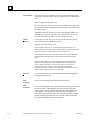
Rename
Click Rename and the title bar at the bottom of the icon will be editable.
Icon
Click Icon and Selection Dialog box will appear to pick a Station icon.
Add
Click Add and a new Icon will be created with default name of New.
Delete
Click Delete and the Icon and Station will be removed after a confirmation
message.
Remove
This command removes the selected Station icon from displaying on the
Station tab. It does NOT remove the Station from the database.
Restore
This command restores a removed station for display on the Station tab.
The Include Removed command must first be selected so the removed
station icon will be available to be restored.
Include
Removed
This command allows the Station icons that have been removed to display
on the Station tab.
Chapter 2 Tab Pages and Logging In
2-13
2
Lock Positions
Locks the icons in place so that they are not moved if accidentally clicked
and dragged. This menu option is used in conjunction with a CimWorks.ini
option:
[Options] StationsLocked=false / true
If the .ini option is set to false, and you select Lock Positions on any icon in
the station tab all icons in the tab will be locked in their current position for
the current session.
If StationsLocked=true, the icons are locked when logging in and the icon
menu option is grayed out. This menu item would be used to re-lock the
icons after unlocking them during a session with the next option.
Unlock
Positions
Unlocks the icons so that they can be moved on the tab. This menu option is
used in conjunction with a CimWorks.ini option:
[Options] StationsLocked=false / true
If the ini option is set to true, or you have previously clicked on the Lock
Positions menu option, and you select Unlock Positions on any icon in the Area
tab, all icons in the tab will be unlocked for the current session.
If StationsLocked=false, the icons are unlocked and this option would only be
used after locking them during the current session with the Lock Positions
option.
If you are setting up the icons on the tab and have them all in the desired
locations, you should then log out of CimWorks MCS and change the .ini
option to StationsLocked=true. Then the next time you log in the Lock
Positions option of the icon menu will be grayed out confirming the
CimWorks.ini option is in effect. If you unlock the icons after that, the Lock
Positions option will become active to re-lock them.
2-14
Associate
Click Associate and the Associate with Station dialog box will appear for
selecting predefined Groups.
DNC
Properties
This selection will bring up the DNC Properties dialog box.
ADC
Properties
This selection displays the ADC (Automatic Data Collection) properties for
the selected Station. This dialog box allows the selection of the ADC
Event Categories, Station Configuration information, Input Signals, and
Output signals. ADC Input Sources dialog box will never display live
values when opened from the Station Tab. The only time that live, current
readings are displayed is when they are viewed for a station connected to
the current PC from the ADC Server application.
CimWorks-MCS Operator's Manual – November, 2000
GFK-1888
2
Shifts Used
This selection displays the Active Shifts for XXXXX (where XXXXX
equals the name of the selected Station) dialog box. If the choice Always
Use Default Shifts is checked, the default shifts will always be used. If it is
not checked, the shifts assigned during the Setup process will be used.
Machine
Control Station
Assigns the identified define station to this PC. Only this station can be
viewed by the operator.
Properties
This selection shows which Area the Station is in and the Station Name.
A very important Station property is the Associate selection. This brings
up a box in which you can select one of the Groups that you have already
entered in Setup / Groups. You highlight a Group that you want this
Station to belong to and click Add. If the Station belongs to more than one
Group, select another Group and hit Add again. When done, click Back.
This Associate Property allows a Group of Stations to share a common folder of documents.
Remember that when you defined a Group, you were allowing a folder to be shared among a
number of Stations, any one of which can use the information in a folder. This Associate property
ties one or more Stations (or machines) to a pre-defined Group.
In some cases, you will have a Group that contains only one Station because this Station is unique
and there is no need to share its folders anywhere else. Every Station must be associated with at
least one Group. This is because a Folder is always associated with a Group, not a Station.
When a new Station is added, it is automatically associated with a built-in default Group called All
Stations. By assigning a folder to the All Stations Group, all Stations have access to this folder.
This is useful for company wide documents like quality manuals, workmanship standards,
hazardous material forms, etc. The name of this default Group is defined in the CimWorks.ini file.
GFK-1888
Chapter 2 Tab Pages and Logging In
2-15
2
Station Tab - All Stations Button - Administrator
The All Stations button is used to assign Stations to a specific Area and to add/delete Stations.
Before selecting this mode of the Station tab, be sure to select the Area into which you want to
place Stations.
By selecting All Stations, a set of small, named rectangles representing all Stations that have been
defined (except those already on top of the dialog box) will appear on the bottom of the dialog box.
These Stations may be dragged to or from the Area named on the top of the dialog box.
The Area’s name on the top of the dialog box is selected first using the Area tab. The drag function
allows Stations to be moved to or from any pre-defined Area.
2-16
CimWorks-MCS Operator's Manual – November, 2000
GFK-1888
2
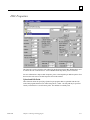
DNC Properties
This function is used to assign the node address for the High Speed Serial Bus (HSSB) that is used
to connect the CNC control to the PC. Select HSSB from the drop-down protocol selections.
For more information or help on DNC Properties, please select Help/Help on DNC Properties from
the menu bar or the section on DNC Properties later in this manual.
Upload and Edit Paths
These functions allow the specifying of paths for part programs that are uploaded from the CNC
control and programs that have been edited using the PC’s editor. The full path may be specified.
Usually a network drive is used for these paths. The defaults are normally used.
GFK-1888
Chapter 2 Tab Pages and Logging In
2-17
Chapter
Job Tab Page
3
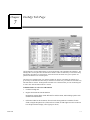
The Job Tab is used by shop floor personnel to select a folder for the production job. Folders may
be selected by using the queue list that shows a list of jobs to be performed on a given station. The
queue list shows the work order number (or job number), part number, revision, operation, quantity
required, job status, station or Group, and the date is required. Folders may also be selected
manually by using the part number and operation number of the part.
The Job Tab will refresh at the CimWorks MCS default rate of every five seconds,. Any changes
made on another PC to this PC’s Job Tab will display within five seconds.
Hint: Use the Tab key to quickly move between the Job Queue, Manual Folder selection, and
Make Job portion of this screen.
GFK-1888
3-1
3
Job Queue List
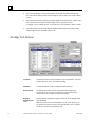
To select a job from the queue list, use the large arrows on the right side of the Job Queue. The
topmost arrow will select the first job in the list and the bottommost arrow will select the last job in
the list.
To move between jobs on the list, use the up and down arrows. The currently selected job will be
highlighted.
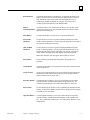
Returns to the first job record in the Job Queue List.
Moves one job record towards the top of the Job Queue List.
Moves one job record towards the bottom of the Job Queue List.
Moves to the last job record in the Job Queue List.
The check box above the list, Include Finished Jobs, when checked, will show all finished jobs at
the end of this list.
3-2
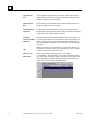
Work Order:
Work Order Number.
Part:
Part Number.
Rev:
Revision Number.
Operation:
Name given to track the manufacturing process, step, or procedure.
Station or Group:
This column displays if the part operation is assigned to a specific station or group. If a
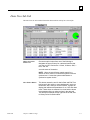
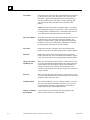
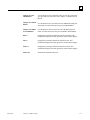
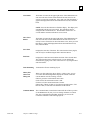
specific station is assigned, then only that station can see the job in the queue. If there is a
group assigned then any station in the group could select that job.
Qty to Make:
The quantity of parts to be made.
Date Required:
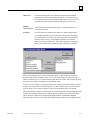
Usually would be the date to start the job.
Status:
This is the status of the job; Not Started, Setup, Started, Interrupted, or Finished. The status
of the job is set in the MEM tab.
CimWorks-MCS Operator's Manual – November, 2000
GFK-1888
3
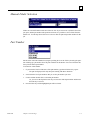
Manual Folder Selection
Folders are selected from the header area of the Job Tab. If you want to run a job that is not in the
job queue, and the part number and operation are known, it is possible to select a folder from the
header area. Use the drop-down list boxes to select or enter the part and operation number for the
job.
Part Number
Put the cursor in the Part Number box using the pointing device or the Tab key. Pressing the space
bar will bring up a part number list of all parts available for this Station. You can scroll down this
list to pick the desired part number.
To Search for a Part Number
GFK-1888
1.
If you know the first few characters of the part number, type them in followed by a space.
The part list displayed will only show parts starting with those characters.
2.
Scroll down the list of part numbers until you see the part number you want.
3.
Click it and then double click to select that part number.
Or, you can use the Up/Down arrow keys to select the desired part number and then use
the Enter key to select it.
4.
Press the Enter key and the highlighted part will be selected.
Chapter 3 Job Tab Page
3-3
3
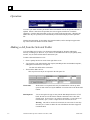
Operation
As soon as you double-click the part number in the Part Number list box, the Operation list box is
updated. If there is more then one Operation, the list box appears with the list of available
Operations. Click the desired operation to cause it to appear in the Operation box. When the part
number has only one operation, it will automatically be selected and displayed in the Operation
box.
Note that the part number, its description, the operation number, and its description appear at the
top of the screen in the header area of the window.
Making a Job from the Selected Folder
A selected folder may be used to view documents and download NC Programs without the
necessity of making a job. However, if you want to use the MEM tab to track a job (quantity made,
run time, etc), the selected folder must be turned into a job.
To Make a Selected Folder into a Job
1.
Enter a quantity into the box on the lower right of the screen.
2.
You can enter a work order number, date required, standard part time and standard setup time,
although this information is not required.
The date will default to the current date.
3.
Then click the Make Job box.
This step will cause the job to be placed in the Job Queue list.
Work Order
Work Order is not required and is only for identification. It shows up in the
queue list and will be used by the MEM tab to associate time to the Work Order
number.
Date Required
You are not required to type an entry into the Date Required text box. If left
blank, the text box will be filled in with the current date. Here is how date
formats work: If you put in 11 98, it will be converted to 11/1/98. The use of
month names, Apr. 5, 1998 or 5 April 98 will be converted to 4/5/98.
Warning: 1998 will be converted to 6/20/1905, the conversion of 1998 days
from the year of 1900. See Dates for more information about date support in
CimWorks MCS.
3-4
CimWorks-MCS Operator's Manual – November, 2000
GFK-1888
3
Quantity
Quantity is required. All jobs must have a Part Number and Quantity above zero
to be added to the Job Queue.
Assign To This
Station
When the check box Assign To This Station is checked, then only this Station
(Machine) can see the job in the Job Queue. Otherwise all Stations in the same
Group as the selected Station will get this job in their queues. Then the first
Station that actually starts this job using the MEM tab will be allowed to use it. It
will then disappear from all the other Job Queues.
Standard Part
Time
This is the standard time that it takes to make a piece of the selected part. The
information in this text box comes from the Standard Hours dialog box in part
setup (DocMgr tab) and can be manually overridden during setup. This text box
does not require a value.
Note: Only used in the production reports.
Standard Setup
Time
This text box is used to input the standard setup needed to set this job up for
production. The information in this text box comes from the Standard Hours
dialog box in part setup (DocMgr tab) and can be manually overridden during
setup. This text box does not require a value.
Note: Only used in the production reports
Make Job
The Make Job button only becomes active when a part has been selected and
there is an entry in Quantity. When there is a number in the quantity input box,
clicking Make Job will add this job to the job queue. Unless Assign to This
Station is checked, the job will go into the queues of all the Stations in the Group
of which the current Station is a member.
Once a folder has been selected, additional jobs using the same folder can be
made by simply entering in new work order numbers, dates, quantities, and
clicking the Make Job button.
Another method of making additional jobs is to select a job in the job queue,
causing all fields to be filled with the same information included for the selected
job. Changing the Work Order or Quantity field entries causes the Make Job
button to become active and enables the job to be added to the Job Queue. Any
other fields may be changed before clicking the Make Job button, if desired.
Cancel
GFK-1888
The Cancel button removes the current inputs that are in the Job Queue input
boxes.
Chapter 3 Job Tab Page
3-5
3
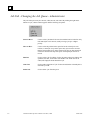
Job Tab - Changing the Job Queue - Administrator
The jobs in the queue may be removed, edited, moved, and cloned. By clicking the right mouse
button on a job, a shortcut menu appears with the following list options.
3-6
Select to Move:
Used to select a job that will be moved to another location in the list. Only
Not Started jobs can be moved, usually to bring a job up to a higher
priority.
Move to Here:
Used to select the position in the queue list for the selected job’s new
location, a started job is top on the queue and a job can not be moved to
that line. Interrupted jobs go to the bottom of the list, any Not Started job
can then be moved to the top of the queue. Interrupted jobs can not be
moved.
Edit Job:
Used to select a job for editing. Use the job panel on the lower right to edit
quantities, due date, and/or work order number. The folder itself is not
edited, but simply the items that define a job.
Clone Job:
Used to make a duplicate of a job for the selected Station. Normally this is
followed by an edit.
Delete Job:
Used to delete a job from the queue.
CimWorks-MCS Operator's Manual – November, 2000
GFK-1888
3
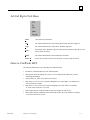
Job Tab Right-Click Menu
Undo
Cancels the last action taken.
Cut
The selected information is removed and placed on the Windows clipboard.
Copy
The selected information is copied to the Windows clipboard.
Paste
Information on the Windows clipboard is placed in the document where the cursor or
mouse pointer is located.
Delete
The selected information is removed from the document.
Select All
Selects all text in the list box where the cursor or mouse pointer is located.
Dates in CimWorks MCS
The following information is true about dates in CimWorks MCS:
GFK-1888
•
The dates in CimWorks MCS are Year 2000 compliant.
•
Date formats follow the settings for your PC. You can change them in Windows, Control
Panel\Regional Settings.
•
Any date from 1/1/100 to 12/31/9999 can be entered.
•
Dates from 1/1/0 to 12/31/29 are treated as though they are in the 2000's. For example 4/3/9
will be entered as 4/3/2009.
•
Dates from 1/1/30 to 12/31/99 are treated as though they are in the 1900's. For example
11/12/99 will be entered as 11/12/1999.
•
Dates without the year component will be entered as being in the current year.
•
Dates without the day component will be entered for the first day of the month. For example
11/98 will be entered as 11/1/98.
Chapter 3 Job Tab Page
3-7
3
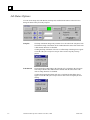
Job Status Options
You can use the Setup Job, In Production, Interrupt Job, and Finish Job buttons on the Job Tab to
change the status of the jobs in the job queue.
Setup Job
The Setup Job button changes the job status of a work order in the Job Queue from
Not Started to Setup. This button will be enabled when the status of the work order
is Not Started; otherwise it is disabled.
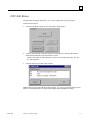
Clicking the Setup Job button will cause a Confirm Setup Job dialog box to appear.
Click OK if the job is ready to be setup or click Cancel to stop the job setup
process.
In Production
The In Production button changes the job status of a work order in the Job Queue
from Setup to Started. This button will be enabled when the status of the work
order is Setup; otherwise it is disabled.
Clicking the In Production button will cause a Confirm Job Start dialog box to
appear. Click OK if the job is ready to start or click Cancel to stop the job from
starting.
3-8
CimWorks-MCS Operator's Manual – November, 2000
GFK-1888
3
Interrupt Job
The Interrupt Job button changes the job status of a work order in the Job Queue
from Started to Interrupted. You must first verify that the quantities are correct
before the status is changed.
After you interrupt a job, a Continue button replaces the In button. Click this
button to change the job status back to Started.
Finish Job
The Finish Job button changes the job status of a work order in the Job Queue from
Started to Finished. The job will no longer appear in the Job Queue unless you
check the Include Finish Jobs option that appears above the Job Queue workspace.
If you do decide to include finished jobs in your Job Queue and you select one, a
red box will appear next to the Finish Job button. This red space provides a visual
warning that you can’t change the status of the selected work order.
You can change the part count of a work order when its status is Started. Changes
can be entered in the text boxes by typing (to change both counts) or by using the +
and – keys (to change the Quantity Scrapped count).
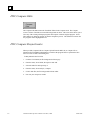
Once the Finish Job button is clicked, the following dialog box displays:
Clicking the Yes button completes the job.
Clicking the No button places the job in Interrupt status.
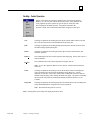
GFK-1888
Plus (+) Button
The Plus button increases either the Quantity Good text box or Quantity Scrapped
text box. The Plus button increases the quantity of the selected text box by one.
Minus (-)
Button
The Minus button decreases either the Quantity Good text box or Quantity
Scrapped text box. The Minus button reduces the quantity of the selected text box
by one.
Chapter 3 Job Tab Page
3-9
3
>>Update<<
Button
The Update button causes the quantity that you adjusted to be updated. When
updated, the Quantity Good text box is displayed as the Good Parts count. When
you update the Quantity Scrapped text box, and then click the Update button, the
Rejected Parts count is updated.
Note: In either case, whether you adjust the Good Parts or Rejected Parts count, the
total of the adjustments are reflected in the Part (G+R) display.
3-10
Good Parts
Count
This display reflects any changes to the Quantity Good text box for the current
work order. The number entered in the Quantity Goods text box is added to this
displayed count when you click the Update button.
Rejected Parts
Count
This displayed count reflects any changes to the Quantity Scrapped text box for the
current work order. The number entered in the Quantity Scrapped text box is added
to this count when you click the Update button.
Original Qty
Count
This display shows the original quantity entered for the work order. When the work
order was created, this amount was typed in as the number needed for the job.
Part (G+R)
This display contains the total of all Good and Rejected parts for the work order. It
is updated whenever you make a change to the Quantity Scrapped or Quantity
Good text box and then click the Update.
Good Option
Button
Click to select this option button so that you can update the Quantity Good text box
(located next to the Good Option Button) using the Plus and Minus buttons.
Quantity Good
Text Box
You can either use the Plus and Minus buttons to update this text box or you can
manually type in the quantity. This text box should contain the number of parts
accepted on the current work order. You can type a number that exceeds the
original quantity. When you do exceed the original quantity, the Qty to Make count
in the Job Queue for the work order is adjusted to reflect that there is an overage; it
does so by showing the difference as a negative quantity.
Reject Option
Button
Click to select this option button so that you can update the Quantity Scrapped text
box (located next to the Reject Option Button) using the Plus and Minus buttons.
Quantity
Scrapped Text
Box
You can either use the Plus and Minus buttons to update this text box or you can
manually type in the quantity. This text box should contain the number of parts
rejected on the current work order. You can type a number that exceeds the original
quantity.
CimWorks-MCS Operator's Manual – November, 2000
GFK-1888
Chapter
DOCS Tab Page
4
VisualDocs allows documents in a folder to be sorted by categories called Document Types. These
are customer defined in the Setup tab and could be called Part Prints, Setup Docs, Tool List, NC
Programs, Inspection Methods, Work Instructions, Lube Schedule, etc. By using categories, the
user can quickly narrow in on the required, individual document. Once selected, the document can
be viewed full screen by the built-in VisualDocs viewer.
Depending on the document format, the document can be both panned and zoomed (drawings) or
scrolled (text documents). The viewer supports over 125 different formats including all popular
word processing and CAD formats, as well as scanned images made from legacy paper documents.
The contents of the Docs Tab will be refreshed whenever this tab is selected, reflecting the latest
changes to the selected folder.
GFK-1888
4-1
4
Docs Tab - How to Select and View a Document
First select the type of document that you want to view by clicking the appropriate Document Type
option button. A list of documents matching that Document Type will then appear on the lower
portion of the screen. If there is only one document of the selected type, it will be highlighted. If
there is more than one document of the selected type, use the large arrows on the right to select the
desired document.
If you click the All button in the Document Type box, all available documents in the folder will be
in the grid and accessible using the arrow keys. As each document is selected, its Document Type
icon and name will show up in the View box. Click the View box to actually view the document.
To View the Selected Document
Click the large View icon on the right.
The View icon represents the Document Type. This will
bring up a full screen view of the document.
To Review a Text Document
Use the scroll bar on the right side to navigate from the
beginning to the end of a text document.
To Zoom in on a Graphic Detail
on a CAD Document
4-2
Position the cursor over one corner of the area that you want
to expand, hold down the left button, and move the cursor to
the opposite corner.
To Restore the CAD Document to Full
Screen View
Right-click, or click the icon to the left of the Exit icon.
To Return to the Docs Tab
Click the Exit icon on the far right.
CimWorks-MCS Operator's Manual – November, 2000
GFK-1888
4
Document Manipulation Icons in Doc Edit View
There are several icons at the top of the screen, which are used to manipulate graphics files.
Rotate CCW
Rotates a CAD or graphics file in a counter-clockwise direction.
Rotate CW
Rotates a CAD or graphics file in a clockwise direction.
Mirror
Left/Right
Mirrors a CAD or graphics image to the left or right of the original
image.
Mirror
Up/Down
Mirrors a CAD or graphics image to the top or bottom of the original
image.
Full Screen
Full screen restores the view of the entire document. For example, if
a CAD drawing were selected, you could zoom in or out, focusing on
one section of a document. After viewing the section, click the Full
Screen button to restore the full view of the document.
Return to
Docs Tab
This button closes the viewer and returns you to the Doc Tab. The
current document is also closed.
Note: The capability exists to download NC Program document types. This
option is only available when VisualDNC is installed for your PC. This
feature allows you to download original documents from within the Doc Tab.
Machine Specific Documents Viewing
When a document is selected, it may not apply to the selected Station. This is because documents
that apply to other Stations may be in the same folder. If a non-applicable document is selected, the
following message appears in red under the file grid:
This document is for Station XXXX (where XXXX is equal to the name of the other
Station).
When this message appears, the document may not be viewed.
Any documents that have been made Machine Specific for the selected Station or are
not Machine Specific, may be viewed. A message showing the Station or Group that
the document is associated with will be displayed.
GFK-1888
Chapter 4 DOCS Tab Page
4-3
4
Docs Tab - Viewing a Doc's Fields
When a document has been selected, its primary descriptive fields show in the document grid.
These fields are Doc. #, Revision, Title, and Comment.
If a document has Custom Fields, you can see them at the bottom of the grid. They are labeled and
contain additional information about the document.
Docs Tab - Document Type Option Buttons
All - displays a list of all the documents assigned to the current
folder in the document grid.
Other option buttons work like filters, showing only documents
that match the selected Document Type. This example shows the
maximum seven option buttons.
Option buttons appear only if there is a document of this type in
the selected folder. For example, if there are no CAD Print
Document Types in the folder, the CAD Prints option button will
not appear.
4-4
CimWorks-MCS Operator's Manual – November, 2000
GFK-1888
4
Sticky Note
VisualDocs offers a “sticky note” feature that allows anyone viewing a document to add a note to
the document. This note is equivalent to attaching a yellow sticky to the document. The area you
type into is blue until you begin typing, when it turns white.
Note: The sticky note can be appended to but not edited or deleted, except by an administrator.
To Use the Sticky Note Feature
1. Click the Add to Note button to start or add to existing note.
2. Type in the note or other information.
The Clear Note button clears the Sticky Note for the selected document.
Note: The Clear Note button will not appear for the Operator or Foreman user security level.
View Icon
On the upper right side of the Docs tab page is the View Icon.
This example shows the Tool List icon. As you scroll through
documents in the grid, the View will change depending on the
Document Type.
Doc Type Icons are assigned in the Setup tab page, in the Misc
DocFields, under the Doc Types selection button. You can
create your own DocType icons for use as a visual aid.
GFK-1888
Chapter 4 DOCS Tab Page
4-5
4
What can be Viewed
VisualDocs supports over 125 different graphics, text, and spreadsheet formats. Documents created
in AutoCAD, Microsoft Word, Excel, Word Perfect, and many other applications can all be viewed
on the shop floor.
• Large complex CAD drawings are viewed using VisualDocs’ zoom and pan
functions.
• Digital photographs can be used to clarify a procedure or setup.
• Multi-page word-processed documents are easily viewed using standard scroll
bars.
• Any scanned document may be viewed with full zoom and pan available.
Should documents be in a format not supported by VisualDocs, any document may be associated to
a special viewer. For example, Catia CAD files may be viewed in their native form using a Catia
Windows viewer product. However, most CAD files can be converted to DXF or HPGL that can be
viewed with VisualDocs directly.
The file viewer may not draw your files exactly as they show up in the native application. This is
normally due to inconsistencies in DXF formats that some applications do not support correctly.
In the current version, Symmentry viewer .dll files (program files) will be used to support formats
defined by Symmentry. Documents viewed using these .dlls may not be viewed as “perfect,” as
described by their native applications. However, they will be readable and usable for most needs.
Viewer upgrading allows for better printer support, MS Office 97 compatibility, document
annotations, and more.
The viewer also supports Adobe Acrobat’s PDF format, which many companies are using to
standardize all their documents for viewing.
Folder on Hold
Above the Sticky Note you may see Folder On Hold in red letters. The on-hold condition means
that there is a pending change to this part that may affect manufacturing.
If a CNC part program has been edited or uploaded, the Folder on Hold message will appear until
the part program changes have been resolved using the DNC Manager. The Folder On Hold can
also be turned on by an administrator in the DocMgr tab.
4-6
CimWorks-MCS Operator's Manual – November, 2000
GFK-1888
4
Downloading NC Program Document Types
From the Doc Tab, you can download NC Program to the CNC. This feature allows you to
download original documents from within the Doc Tab.
To Download an NC Program Document
1. Select a NC Program document from the document grid.
2. Click the Download button located in the View area of the Doc Tab.
3. If your path is set correctly, you can select a document file that you can view.
View NC Program Buttons
The following buttons are located in the View NC Program section of the Doc Tab.
GFK-1888
View Button
This button lets you view the NC Program documents that are currently
available. Click the button and then select a document from the list that
appears.
Download
Button
This button lets you select to download NC Program documents to the
CNC part program storage area. Click the Download button and then select
a document to download.
Chapter 4 DOCS Tab Page
4-7
Chapter
DNC Tab Page
5
VisualDNC allows the downloading, dripfeeding, uploading to the CNC part program storage area,
Also, NC programs can be editted and compared to earlier s versions. The Job Tab must be used to
select a folder prior to entering the DNC Tab.
The contents of the DNC Tab will be refreshed whenever this tab is selected, reflecting the latest
changes to the selected folder.
The folder can also come from the Job Queue. You must have the appropriate work order selected
before you can view the DNC Tab page.
Note: The extension of the document(s) must be defined as the Doc Type of ‘NC Program’ in
Setup/Misc DocFields/Extension tab.
Normally there is only one NC program for each operation on a specific CNC machine. If there is
more than one NC Program for the selected operation, use the arrow keys to select the desired
program. If the selected program has been assigned to a specific Station that is not the current
Station, a red warning message will appear: You cannot download this program because it does not
match the current Station.
The contents of the DNC Tab will be refreshed whenever this tab is selected, reflecting the latest
changes to the selected folder.
Traceability Feature
The Traceability feature allows you to see the document creation time and the name or initials of
the person creating the document. This information appears in the Select a File dialog box.
GFK-1888
5-1
5
Custom Fields
There are up to five custom fields that are viewable in the DNC Tab for an associated document
type. These fields are only viewable if the administrator sets them up when installing CimWorks
MCS. If available, they will appear in the Select Program data form.
5-2
CimWorks-MCS Operator's Manual – November, 2000
GFK-1888
5
DNC Activity Download
To Download an NC Part Program
1. Click this button to begin downloading the selected NC Part Program. The DNC Download
dialog box will appear.
2.
Click OK and then go to the CNC and initiate a program read command.
After clicking the Download button, if there are edits, three more buttons appear.
3.
Click of the following buttons: the original program or the edited program.
If only one edited program exists, the normal DNC Download box appears. If there is more
than one edit, the Select a file dialog box will appear listing all the available edits for this
file.
GFK-1888
Chapter 5 DNC Tab Page
5-3
5
4. Highlight the file to be downloaded and press OK. Clicking the Cancel button will take you
back to the DNC tab page.
•
•
When you select Edits, the file number will not increment and will save under the same
number.
When you select Original then a new copy will be created and this copy will have a new
number.
Traceability Feature
The traceability feature allows you to see the document creation time and the name or initials of the
person creating the document. This information appears in the Select a File dialog box.
DNC Edit Original Button
This button is only active if you have a NC Part Program in your folder.
To Edit an Original NC Program Document
Click the Edit Original button to start the VisualDNC Editor with the NC Program ready to edit.
Note: Even though this button is labeled ”Edit Original,” a copy of the original is being edited.
Once one or more edits have taken place, this button changes to Edit.
5-4
CimWorks-MCS Operator's Manual – November, 2000
GFK-1888
5
DNC Edit Button
The Edit button will appear when there is one or more existing edits of the NC program.
To Edit the NC Program
1.
Click the Edit button to bring up a box showing the editing options.
2.
Click the Original button to edit the original NC Part Program or click the Edits button to
further edit the edited file, and Cancel button to cancel.
If there is more than one edited program, you will see a list of them called 001, 002, 003,
etc. with comments.
3.
Select the desired one and the editor will start.
Multiple edits can exist along with the original program. It is easy to go back and check previous
edits to see what adjustments were made before making another adjustment or change.
GFK-1888
Chapter 5 DNC Tab Page
5-5
5
DNC Compare Edits
The Compare Edits button starts the VisualDNC Editor in the Compare mode. The Compare
screen is in front of the Edit screen and the backgrounds are white. This color choice allows you to
select any of the existing edited part programs and compare it with the original program. Select
either numeric or character compare to start the comparison process. The differences between the
two programs will be highlighted in red.
DNC Compare Resynchronize
When you Edit, Compare Edits or Compare Uploads from the DNC tab; or Compare File to
Document from VisualDNC DNCManager, sometimes the program fails to resynchronize lines
after a new line or other non-matching text.
To Resynchronize the Two Files
5-6
1.
Click the Close button; the file backgrounds will turn gray.
2.
From the menu; select Global, Re-sequence and Add.
3.
Select the other file and repeat step 2.
4.
From the menu; select Analysis, Compare.
5.
Click in both files; the file backgrounds will turn white.
6.
Now run your compare as normal.
CimWorks-MCS Operator's Manual – November, 2000
GFK-1888
5
DNC Delete Edits
Edited files can be removed by clicking Delete Edits button.
The Select a file dialog box will appear. Highlight the edit that is to be deleted and click the OK
button.
This warning message comes up with No in focus (or selected), so by pressing the return key the
file will not be deleted. Clicking Yes will delete the Edited file, not the original. The original can
only be deleted in the DocMgr tab page.
The warning message comes up immediately if there is only one edit file. The Select a file dialog
box does not appear.
GFK-1888
Chapter 5 DNC Tab Page
5-7
5
DNC Activity Upload
This button Uploads a NC Program to your file system.
To Upload DNC Activity
5-8
1.
Click MDI to change the filename if needed.
2.
Click “Back” to return to the DNC Tab.
3.
When you click the OK button the Upload Status will start to fill in from left to right, and the
Abort button becomes active.
4.
Press Abort to cancel the file transfer.
5.
If you have created a program on the CNC machine itself using the MDI feature, you can
upload this program using the MDI button.
6.
Choose MDI Upload to copy a new program from the CNC machine to the file system. The
new file will be saved in the station’s upload directory. The upload directory is defined in the
Station’s DNC properties.
Note: Use DNCManager to register uploaded programs.
CimWorks-MCS Operator's Manual – November, 2000
GFK-1888
5
7. Choose Upload to copy an edited program from the CNC machine to the file system.
Tip: If you have programs stored on paper tape, you can use the MDI Upload to copy programs
from a tape reader connected to your Program Integrity Module (PIM), to your file systems.
The upload status bar will increment while the file is being uploaded. It does not, however,
actually reflect the percentage of time left to complete the upload.
DNC Tab – Comparing Uploads
You can compare the uploaded NC Programs using the Compare Uploads button.
DNC Tab – Deleting Uploads
You can delete the uploaded NC Programs using the Delete Uploads button.
GFK-1888
Chapter 5 DNC Tab Page
5-9
Chapter
MEM Tab Page
6
The MEM Tab contains five sub tabs: MDC, Data View, Maintenance, Process, and Production.
The Process Sub Tab is disabled (grayed out) for CimWorks MCS.
VisualMEM (Machine Event Monitor) collects manually entered data about machine status (Run,
Idle, or Down) with activities, part quantities, and job status. The data collected is then displayed
on the Data View sub tab. A History chart shows a summary of recent machine states with the
associated activity codes.
The five sub tabs are described below.
MDC Sub Tab
Use the MDC tab to change the Mode and Station Status of a machine.
You can also use this tab to enter a new activity comment that will be
attached to the machine. Activity comments entered here are viewable
from the other tabs if you click the Comment button. Comments will
also appear in the Comments text box in the data grid. Also, when you
add an activity to a station, CimWorks MCS will track the percentage of
time the activity takes as part of the whole.
The MDC tab is refreshed every three seconds, the default CimWorks
MCS interval rate. The refresh action will cause changes made to the
MEM tab from another machine to be reflected on your PC.
GFK-1888
6-1
6
Data View Sub
Tab
This tab displays machine status information collected from manually entered
data. Shift history, information about job status, and other useful information
is available on this tab.
Maintenance Sub
Tab
This tab contains information about the maintenance history of a machine as
it was used in a selected job. Information can be displayed in increments of a
week, 24-hour period, shift, 1-hour period, or by job.
Process Tab
Not available in this version of CimWorks MCS.
Production Sub
Tab
This tab displays production history information of a machine for a selected
job. This tab also displays cycle time, part time, and job information.
The MEM tab is refreshed every three seconds, the default CimWorks MCS interval rate. This
refreshed view will reflect any changes to the MEM tab made on another PC.
6-2
CimWorks-MCS Operator's Manual – November, 2000
GFK-1888
6
MDC Sub Tab
Use the MDC sub tab to change the Mode and Station Status of a machine. You can also use this
tab to enter a new activity comment that will be attached to the machine. Activity comments
entered here are viewable from the other tabs if you click the Comment button. Comments will also
appear in the Comments text box in the data grid.
When you apply a new activity to a station, the time that the activity state takes is reflected as a
percentage value, bar chart, and pie chart in other tabs.
Mode: Live
Live is the normal mode setting, the operator enters Machine Status and
Activity Comments at the time the job is being run.
Job Status can also be updated in Live Mode. A selected job may be Started,
Interrupted or Finished. Prior to starting a job, it must be selected in the Job
tab. The quantities of finished goods and the number of scrapped pieces may
also be entered incrementally or at the end of the job.
GFK-1888
Mode: Edit
In the Edit Mode, you can select an entry in the grid and then change the
Machine Status, Activity, and Activity Comment. By selecting a new machine
status and activity and clicking Apply, the current event will be changed. The
time and duration of an event may not be changed.
Station Status
There are three Station Status buttons: Run, Idle, and Down.
Apply Button
After a Station Status button (Run, Idle, or Down) has been clicked, the Apply
button appears.
Chapter 6 MEM Tab Page
6-3
6
Station Status
List
This list contains a list of activity choices for the station status. Select an
option from the list box to make a choice.
Activity
Comment
Click the Activity Comment button to add a comment to the current activity.
Comments cannot be made here unless the status of a job is started. When you
click the Activity Comment button, a comment dialog box will open. You can
enter comments into the text box.
MDC Sub Tab - Station Status - Run
Clicking the Run button will turn the square to its right green and open the Run Activity box.
This example contains a green
square indicating that the button is
active.
Then you must select an activity from the displayed list and click the Apply button to record the
event. You may also enter an activity comment by clicking the Activity Comment box prior to
clicking Apply. You must click the >>Apply<< button for the status change and the activity to be
recorded. The border around the Station icon (displayed on the Station tab) will also turn green.
MDC Sub Tab - Station Status - Idle
Clicking the Idle button will turn the square to its right blue and open the Idle Activity box.
This example contains a blue
square indicating that the button is
active.
Then you must select an activity from the displayed list and click the Apply button to record the
event. You may also enter an activity comment by clicking the Activity Comment box prior to
clicking Apply. You must click the >>Apply<< button for the status change and the activity to be
recorded. The border around the Station icon will also turn blue.
After applying an activity, the grid reflects the changes.
6-4
CimWorks-MCS Operator's Manual – November, 2000
GFK-1888
6
MDC Sub Tab - Station Status - Down
This example contains a red square
indicating that the button is active.
Clicking the Down button will turn the square to its right red and open the Down Activity box.
Then you must select an activity from the displayed list and click the Apply button to record the
event. You may also enter an activity comment by clicking the Activity Comment box prior to
clicking Apply. You must click the >>Apply<< button for the status change and the activity to be
recorded. The border around the Station icon will also turn red.
MDC Sub Tab - Station Status - Apply
After a Station Status button (Run, Idle, or Down) has been clicked, the Apply button appears.
When the correct activity and reason is selected along with an optional comment, click the Apply
button to record the event. Station Status and descriptions can be changed prior to clicking the
Apply button.
You must click the Apply button before leaving the MEM tab if there are any pending activities
that have not yet been applied.
MDC Sub Tab - Station Status - List
This is a list of activities for each Station Status. A selection from this must be highlighted to apply
it, or the activity defaults to the one specified in the CimWorks.ini file. The entries in the Activity
List are created in the Setup/MEM tab.
MDC Sub Tab - Activity Comment Button
Click Activity Comment to enter an explanation of the selected activity. This comment will be
attached to the Station Status and the associated Activity. The comment may be edited in MEM
Edit Mode.
GFK-1888
Chapter 6 MEM Tab Page
6-5
6
Activity Comment
The Activity Comment allows the creation of comments that are linked to the Station Status
changes.
Cancel will take you back to the MEM tab page without saving anything typed into the edit box.
OK also takes you back to the MEM tab page, but it causes the comment associated with the
Station Status change to be saved.
The Activity Comment can be edited when Edit Mode has been selected.
6-6
CimWorks-MCS Operator's Manual – November, 2000
GFK-1888
6
Data View Sub Tab
The Data View sub tab contains information about machine activity for a selected job.
History Period for
Station xxxx
Choose an option button from one of the following to
designate the type of history for a selected machine that
you want to view. Choices are: 1 Week, 24 Hours, Shift, 1
Hour, and Job.
xxxx=the name of the station.
NOTE: History charts will never match exactly for a
station on two or more PC’s unless the system clocks are
synchronized. Contact the system administrator to
synchronize system clocks.
Move Earlier Button
GFK-1888
Chapter 6 MEM Tab Page
This button causes the end of chart’s Start and End Time
text boxes for the activity to move backwards in one-hour
increments. Also, when you click this button, a graph will
display that indicates the breakdown of run, idle, and down
times. These times are reflected in a chart and are shown
in percentages after you select an item in the data grid.
This button is located at the top right side of the tab, next
to History Period for Station New.
6-7
6
Now Button
This button causes the end of chart’s Start and End Time text boxes
for the activity to reset to the current time. Also, when you click
this button, a graph will display that indicates the breakdown of
run, idle, and down times. This button is located at the top right
side of the tab, in between the Move Earlier and Move Later
buttons.
NOTE: Press the Now button to refresh the display. The display
will automatically refresh every 60 seconds. This refresh rate may
be changed in the CimWorks.ini file. The minimum refresh rate is
10 seconds and the maximum refresh rate is 60 seconds.
6-8
Move Later Button
This button causes the end of chart’s Start and End Time text boxes
for the activity to move forward in one-hour increments. Also,
when you click this button, a graph will display that indicates the
breakdown of run, idle, and down times. This button is located at
the top, right side of the tab next to the Now button.
Start Time
Displays the start time of the chart. This is the time the history
begins, and can only be modified using the Move and Now buttons.
End Time
Displays the end time of the selected chart. This is the time the
history collection ends. You can modify this information by typing
a new value in the text box or by using the Move and Now buttons.
History Bar Chart
and Histogram
When you click either Now, Move Earlier, or Move Later, you can
view a bar chart and histogram that display the amount of time the
current machine was idle, running, or down. This information is
located in the mid section of this tab. This information is also
reflected in percentages shown in the lower right corner of the mid
section of the tab.
Pie Chart
When you click either Now, Move Earlier, or Move Later, you can
view a pie chart that breaks down the percentage of time the current
machine was idle, running, or down.
Comment Button
The Comment button lets you view existing comments. You must
first enter a comment from the MDC tab before you can use the
Comment button. Until then it will remain grey. This button is
located on the left side of the middle of the tab.
Jump to 1st MEM in
Period Button
Use this button to return to the first line in the Data grid. This
button is located next to the Comment button.
CimWorks-MCS Operator's Manual – November, 2000
GFK-1888
6
GFK-1888
Jump to Previous
MEM Button
Use this button to move backwards to the previous line in the Data
grid. This button is located next to the Jump to 1st MEM in Period
Button.
Jump to Next MEM
Button
Use this button to move forward to the next MEM in the Data grid.
This button is located next to the Jump to Next MEM Button.
Jump to Last MEM
in Period Button
Use this button to fast forward to the end of the Data grid. This
button is located next to the Jump to Last MEM in Period Button.
Run %
Displays the percentage and time the station was running. This
information displays in the data grid and is reflected in this display.
Idle %
Displays the percentage and time the station was idle. This
information displays in the data grid and is reflected in this display.
Down %
Displays the percentage and time the station was down. This
information displays in the data grid and is reflected in this display.
Data Grid
Information contained in this grid
Chapter 6 MEM Tab Page
6-9
6
Maintenance Sub Tab
The Maintenance sub tab contains information about maintenance of a selected piece of equipment.
History Period
for Station xxxx
Choose an option button from one of the following to designate the
type of history for a selected machine that you want to view. Choices
are: 1 Week, 24 Hours, Shift, 1 Hour, and Job.
Xxxx=the name of the station.
NOTE: History charts will never match exactly for a station on two or
more PC’s unless the system clocks are synchronized. Contact the
system administrator to synchronize system clocks.
Move Earlier
Button
6-10
This button is located in the upper right corner of the Maintenance tab
and causes the end of chart’s Start and End Time text boxes for the
activity to move backwards in one-hour increments. Also, when you
click this button, a graph will display that indicates the breakdown of
run, idle, and down times.
CimWorks-MCS Operator's Manual – November, 2000
GFK-1888
6
Now Button
This button is located in the upper right corner of the Maintenance tab
and causes the end of chart’s Start and End Time text boxes for the
activity to reset to the current time. Also, when you click this button, a
graph will display that indicates the breakdown of run, idle, and down
times.
NOTE: Press the Now button to refresh the display. The display will
automatically refresh every 60 seconds. This refresh rate may be
changed in the CimWorks.ini file. The minimum refresh rate is 10
seconds and the maximum refresh rate is 60 seconds.
GFK-1888
Move Later
Button
This button is located in the upper right corner of the Maintenance tab
and causes the end of chart’s Start and End Time text boxes for the
activity to move forward in one-hour increments. Also, when you click
this button, a graph will display that indicates the breakdown of run,
idle, and down times.
Start Time
Displays the start time of the chart. This is the time the history begins,
and can only be modified using the Move and Now buttons.
End Time
Displays the actual forecasted end date and time of the selected chart.
This is the time the history collection ends. You can modify this
information by typing a new value in the text box or by using the Move
and Now buttons.
Time Remaining
Total number of hours remaining for job.
History Bar
Chart and
Histogram
When you click either Now, Move Earlier, or Move Later, you can
view a bar chart and histogram that display the amount of time the
current machine was idle, running, or down.
If Run is green, the current station state is Run.
If Idle is blue, the current station state is Idle.
If Down is red, the current station state is Down.
If Run, Idle, or Down is black, it is not the current station state. If all
three are black, no state has been initialized for the station.
Comment Button
The Comment button, located in the bottom left side of the top section
of the Maintenance tab, lets you view existing comments. You must
first enter a comment from the MDC tab before you can use the
Comment. Until then it will remain grayed out.
Chapter 6 MEM Tab Page
6-11
6
Jump to 1st MEM
in Period Button
Use this button to return to the first line in the Data grid. This button is
located next to the Comment button in the bottom left side of the top
section of the Maintenance tab.
Jump to Previous
MEM Button
Use this button to move backwards to the previous line in the Data
grid. This button is located next to the Jump to 1st MEM in Period
button in the bottom left side of the top section of the Maintenance tab.
Jump to Next
MEM Button
Use this button to move forward to the next MEM in the Data grid.
This button is located next to the Jump to Previous MEM button in the
bottom left side of the top section of the Maintenance tab.
Jump to Last
MEM in Period
Button
Use this button to fast forward to the end of the Data grid. This button
is located next to the Jump to Last MEM in Period button in the bottom
left side of the top section of the Maintenance tab.
Run %
Displays the percentage and time the station was running. This percent
reflects the same information shown in the pie.
Idle %
Displays the percentage and time the station was idle. This percent
reflects the same information shown in the pie chart.
Down %
Displays the percentage and time the station was down. This percent
reflects the same information shown in the pie chart.
Item Name
Displays the name of the item being maintained.
If the Item Name is red, then the current ADC signal for the On Time
maintenance item is in the Off state.
If the Item Name is green, then the current ADC signal for the ON
Time maintenance item is in the On state.
If the Item Name is black, the item being tracked is Elapsed time or
hasn’t had the initial clear performed.
Value Graph
6-12
Indicates the amount of time in a bar graph format that the item caused
the machine to be idle, down, and running. The graph displays green,
blue, yellow, and red colors that indicate the status. Red indicates that
the machine is down; blue indicates that the machine is in idle state;
green indicates that the machine is running; and yellow indicates that
the job was interrupted. This field is for display purposes only.
CimWorks-MCS Operator's Manual – November, 2000
GFK-1888
6
Current
Displays the current number of hours it has taken to maintain the
equipment using the selected item.
If the time is green, it is below the low warning limit.
If the time is yellow, it is above the low warning limit, but below the
high warning limit.
If the time is red, it is above the maximum limit.
Max
Displays the maximum number of hours that it should take to maintain
the equipment using the selected item.
Last Cleared
Displays the time that the Current display was reset to zero.
Note: Each item must be cleared the first time the application is
started after installation.
Clear Buttons
These buttons, located at the bottom right of the Maintenance tab, will
cause the corresponding item’s Current count to be reset to zero. These
buttons look more like display text but will behave like buttons when
clicked.
Note: The Clear button is disabled for the Operator security level.
Scroll Up Doc
List Button
Use the Up button to scroll up through the Doc List when you have
more items than can display. This button is located at the bottom right
corner of the Maintenance tab, above the Scroll Down Doc List button.
Scroll Down Doc
List Button
Use the Down button to scroll down through the Doc List when you
have more items than can display. This button is located at the bottom
right corner of the Maintenance tab, below the Scroll Up Doc List
button.
Process Sub Tab
The Process sub tab is disabled (grayed out) in CimWorks MCS.
GFK-1888
Chapter 6 MEM Tab Page
6-13
6
Production Sub Tab
The Production sub tab contains information about production statistics for a station.
History Period for
Station xxxx
Choose an option button from one of the following to designate the type
of history for a selected machine that you want to view. Choices are: 1
Week, 24 Hours, Shift, 1 Hour, and Job.
xxxx=the name of the station.
NOTE: History charts will never match exactly for a station on two or
more PC’s unless the system clocks are synchronized. Contact the
system administrator to synchronize system clocks.
Move Earlier Button
This button, located in the upper right corner of the Production Sub tab,
causes the end of chart’s Start and End Time text boxes for the activity to
move backwards in one-hour increments. Also, when you click this
button, a graph will display that indicates the breakdown of run, idle, and
down times.
Now Button
This button, located in the upper right corner of the Production Sub tab,
causes the end of chart’s Start and End Time text boxes for the activity to
reset to the current time. Also, when you click this button, a graph will
display that indicates the breakdown of run, idle, and down times.
NOTE: Press the Now button to refresh the display. The display will
automatically refresh every 60 seconds. This refresh rate may be
changed in the CimWorks.ini file. The minimum refresh rate is 10
seconds and the maximum refresh rate is 60 seconds.
6-14
CimWorks-MCS Operator's Manual – November, 2000
GFK-1888
6
GFK-1888
Move Later Button
This button, located in the upper right corner of the Production Sub tab,
causes the end of chart’s Start and End Time text boxes for the activity to
move forward in one-hour increments. Also, when you click this button,
a graph will display that indicates the breakdown of run, idle, and down
times.
Start Time
Displays the start time of the chart. This is the time the history begins,
and can only be modified using the Move and Now buttons.
End Time
Displays the end time of the selected chart. This is the time the history
collection ends. You can modify this information by typing a new value
in the text box or by using the Move and Now buttons.
History Bar Chart
and Histogram
When you click either Now, Move Earlier, or Move Later, you can view
a bar chart and histogram that display the amount of time the current
machine was idle, running, or down.
Pie Chart
When you click either Now, Move Earlier, or Move Later, you can view
a pie chart that breaks down the percentage of time the current machine
was idle, running, or down.
Comment Button
The Comment button, located at the bottom left corner of the top section
of the Production sub tab lets you view existing comments. You must
first enter a comment from the MDC tab before you can use the
Comment button. Until a comment is entered, it will remain grayed out.
Jump to 1st MEM in
Period Button
Use this button to return to the first line in the Data grid. This button is
located next to the Comment button in the bottom left side of the top
section of the Production tab.
Jump to Previous
MEM Button
Use this button to move backwards to the previous line in the Data grid.
This button is located next to the Jump to 1st MEM in Period button in
the bottom left side of the top section of the Production tab.
Jump to Next MEM
Button
Use this button to move forward to the next MEM in the Data grid. This
button is located next to the Jump to Previous MEM button in the bottom
left side of the top section of the Production tab.
Jump to Last MEM
in Period Button
Use this button to fast forward to the end of the Data grid. This button is
located next to the Jump to Last MEM in Period button in the bottom left
side of the top section of the Production.
Chapter 6 MEM Tab Page
6-15
6
Run %
Displays the percentage and time the station was running. This percent
reflects the same information shown in the pie chart.
Idle %
Displays the percentage and time the station was idle. This percent reflects
the same information shown in the pie chart.
Down %
Displays the percentage and time the station was down. This percent reflects
the same information shown in the pie chart.
Cycle Time
Refers to the amount of time needed for a machine to produce one part.
Part Time
Job Information
Last:
Displays the last three cycles.
Best:
Displays the best cycle time (minimum time).
Worst:
Displays the worst cycle time (maximum time).
Avg:
Displays the average time of the last 10 cycles.
Refers to the amount of time needed for a machine to produce one part plus
operator time.
Last:
Displays the last three part times.
Best:
Displays the best part time (minimum time).
Worst:
Displays the worst part time (maximum time).
Avg:
Displays the average time of the last 10 part times.
Time Remaining (Est.): Displays the amount of time estimated to complete
the remaining number of parts. For example, if there were a 100 parts to be
created and 57 parts had been completed and it took one minute to complete
each part, the time remaining would be 43 minutes.
End Time (Est.): Displays the date and time the active job is scheduled to
complete.
Original Quantity: This display shows the original quantity entered for the
work order. When the work order was created, this amount was typed in as
the number to be created for the active job.
Good Parts: This display reflects any changes to the Quantity Good text box
for the current work order. The number entered in the Quantity Goods text
box from the Job tab is added to this displayed count when you click the
Update button.
Reject Parts: This displayed count reflects any changes to the Quantity
Scrapped text box for the current work order. The number entered in the
Quantity Scrapped text box in the Job tab is added to this count when you
click the Update button.
Total Parts (G+R): This display contains the total of all Good and Rejected
parts for the work order. It is updated whenever you make a change to the
Quantity Scrapped or Quantity Good text box in the Job tab and then click
the Update button.
6-16
CimWorks-MCS Operator's Manual – November, 2000
GFK-1888
6
History Period
The History Period selection scales the History chart to give various reporting views.
Only one period can be selected at a time.
The Start Time and End Time boxes display the actual period for the chart and are not editable.
NOTE: History charts will never match exactly for a station on two or more PC’s unless the
system clocks are synchronized. Contact the system administrator to synchronize system clocks.
History Chart Controls
The “Now” button puts the current time at the right edge of the History chart. The Arrow buttons
move the history chart either backward or forward in time. The arrow buttons move the chart in
increments shown beneath the Arrows and is dependent upon the overall time period selected.
NOTE: History charts will never match exactly for a station on two or more PC’s unless the
system clocks are synchronized. Contact the system administrator to synchronize system clocks.
GFK-1888
Chapter 6 MEM Tab Page
6-17
6
History Grid Controls
The small black square above the time scale is the pointer that highlights each line in the status grid
corresponding to the time blocks on the history chart. The time/date, duration, user, state, and
activity are shown in the grid. The scale and resolution of the history chart are shown below the
time scale.
In the example below, the pointer has been moved using the arrow keys to a Down status that took
place at 12:52 PM. The activity was Tooling Change. The duration was 32 minutes 51 seconds. If
the right arrow key is clicked again the pointer will move to the beginning of the next Station
status, in this case, a Run status.
NOTE: History charts will never match exactly for a station on two or more PC’s unless the
system clocks are synchronized. Contact the system administrator to synchronize system clocks.
The up/down arrow keys on the PC keyboard will also allow you to move up and down through the
Events grid. The pointer will move left and right on the graph to match displayed event in the grid.
6-18
CimWorks-MCS Operator's Manual – November, 2000
GFK-1888
6
History Pie Chart
Presents the History Grid data in Pie Chart form to give a quick view of how much time was
reported in each state. The exact percentage of each state is displayed below the pie chart.
Note: Rounding may cause the totals of the percentages to appear to either be more or less than 100
percent.
Note: History charts will never match exactly for a station on two or more PC’s unless the system
clocks are synchronized. Contact the system administrator to synchronize system clocks.
History - Back Button
The Back button returns user to the MEM tab page.
GFK-1888
Chapter 6 MEM Tab Page
6-19
Chapter
DocMgr Tab Page
7
The DocMgr tab is used by administrators to register documents in the CimWorks MCS database. The
DocMgr also is used to place these documents into folders. Folders are defined by an associated Group,
Part Number, Part Revision, and Operation. All of the relevant documents for a given operation are
placed in the folder for use on the shop floor.
The Group list is refreshed when you click the DocMgr tab. The list of available part numbers for a
given Group is refreshed when that Group is selected. The contents of a given folder are refreshed every
time that folder is selected. The Registered Documents list is refreshed when you enter the DocMgr tab
as well as each time the Refresh button is clicked.
To Build a Folder for a New Set of Documents
GFK-1888
1.
Click the DocMgr tab.
2.
Register the documents into the database.
Registration requires filling out the Infocard for each document, and including a path to each
document and its filename.
3.
Define the Folder for the documents. First select the Group (Stations or machines for this
folder) using the drop-down list. (If the text box is blank, click the right arrow next to the text
box and press Enter to display a list of groups to select.)
7-1
7
4.
Enter a new part number, revision, and description by clicking Part Number and selecting
New. (If this field is blank, click the text box and press Enter to display a list of part numbers
to select.)
5.
Enter an operation and its description by clicking Operation and selecting New. (If this field is
blank, click the text box and press Enter to display a list of operations to select.)
For example: Op 10, milling operation. You do not have to use Operations to define a folder.
6.
Select each document for the folder using the document filter and place it inside the folder
using the Right Arrow in the middle of the screen.
DocMgr Tab Defined
7-2
New Button
Click the New button to fill out an Infocard on a new document. You must
perform this step to view a document in DocMgr.
Edit Button
Click the Edit button to edit an existing document’s Infocard.
Remove Button
Click the Remove button to delete a document from the Registered
Documents list. The document will still exist, but its Infocard will be
removed and it will no longer be registered in DocMgr.
Registered
Documents Data
Grid
Displays the list of documents registered. This view can be changed using
the Filter button.
Note: If you want to see more information for a data cell in the grid, you
can position your mouse at the top of the grid and when you see a doubleend arrow, resize the cell to the desired size.
CimWorks-MCS Operator's Manual – November, 2000
GFK-1888
7
Refresh Button
Click the Refresh button to refresh the list of registered documents. This
button is useful if you keep the Doc tab up or minimized for a period of
time. Documents registered by other users during that time are not
automatically updated for display on your grid. If you cannot see a
recently registered document, use the Refresh button.
Folders
Containing Button
Click this button to view documents in all folders. You can also use the
Selected Doc check box or Only On Hold check box to alter the folders
displayed in this dialog box.
Filter Button
Click the Filter button to selectively view registered documents.
Selected Doc
Check Box
Use this check box to select a registered document and then select the
Folders Containing button to view the registered documents for the path of
the registered document you selected.
Only On Hold
Check Box
Use this check box to select a registered document and then select the
Folders Containing button to view the registered documents that are on
hold for the path of the registered document you selected. A dialog box
called “Folders On-Hold” opens and displays only held documents.
Note: This check box will only appear when a folder is selected.
GFK-1888
Select Folder
Select a folder type from the following options: Group, Part, and
Operation.
Group Button
Click the Group button to view properties for the group currently selected
in the Group list box.
Group List Box
Use the Group drop-down list box to select a different group from the list
that displays. (If this field is blank, click the text box and press Enter to
display a list that you can select from.)
Part (Rev) Button
Click the Part (Rev) button to view a list of tasks that you can perform
with the currently selected Part that displays in the Part list box. The
available task selections are: New, Edit, Delete, Remove, and Clone.
Part List Box
Use the Part drop-down list box to select a different part from the list that
displays. (If this field is blank, click the text box and press Enter to display
a list that you can select from.)
Operation Button
Click the Operation button to view a list of tasks that you can perform
with the currently selected operation that displays in the Operation list
box. The available task selections are: New, Edit, Delete, Remove, Clone,
and properties.
Chapter 7 DocMgr Tab Page
7-3
7
Operation List
Box
Use the Operation drop-down list box to select a different part from the
list that displays. (If this field is blank, click the text box and press Enter
to display a list that you can select from.)
On Hold Check
Box
Use this check box to include documents with a hold status in the list of
documents assigned to the current folder.
Include Removed
Check Box
Use this check box to include documents that were removed from the
assigned folder. These documents appear in the list of documents assigned
to the current folder if this check box is enabled.
Documents
Assigned to Folder
Data Grid
This grid contains a list of documents assigned to the selected folder. You
can use the arrow buttons to assign and remove documents from this grid.
When you double-click a document from the Folders Containing dialog
box, the documents assigned to the selected document’s folder will appear
in this grid.
OR
Files in xxxxxx
Folder Path
7-4
Note: If you want to see more information for a data cell in the grid, you
can position your mouse at the top of the grid and when you see a doubleend arrow, resize the cell to the desired size.
Where xxxxxx equals the path of the folder. For example,
C:/Cimdata/Docs. This grid contains a list of the documents assigned to
the selected folder. Because the folder’s path must be keyed in, the Move
Selected Document into Folder and Remove Selected Document from
Folder arrows do not work for Folder Path folders.
CimWorks-MCS Operator's Manual – November, 2000
GFK-1888
7
Infocard Dialog Box
The Infocard is accessed from the DocMgr tab, by clicking New in the Registered Documents area
of the tab.
To Register a Document
1.
Click the DocMgr tab.
2.
Click the New button in the Registered Documents section of the DocMgr tab.
3.
Complete the dialog box with information specific to the document you want to register.
Review the list below for the significance of specific text boxes that might require information.
4.
Click Register to cause the Infocard to register the document you selected, in the current
folder.
The elements in the Infocard vary according to the document type selected. Document types can
have additional custom fields assigned to them via the Setup Tab/Custom Fields. Elements that
always appear, regardless of the document type selected are:
Document Number
GFK-1888
Type in the number that you want to assign to this document. This is
required information. Documents can have the same number, but it is
recommended that they be distinguishable by using other fields such as
Document Title, Revision, etc to differentiate them. Even Custom Fields
can be used to create uniqueness between two documents.
Chapter 7 DocMgr Tab Page
7-5
7
Revision
Use this field to enter a revision number for the document you are
adding, if appropriate.
Author
Type in the name of the person who created or authored the document.
This is required information.
Document Title
Type in the name of the document. This name should reflect the contents
of the document. This is required information.
Document Type
Use the drop-down list box to select a document type from recognized
document types. You should always select a document type so that the
document viewer can correctly display the document. Document Type is
used to separate the different types of documents used in each folder. The
operator then can choose to see only one type of document on the
DocMgr tab. Document Types are defined in the Setup/Misc DocFields
tab.
If you select a Document type that has Custom Fields, the Custom Fields
will display and data can be entered into them. Custom Fields are defined
in the Setup/Custom Fields Tab.
Viewer Type
Select a viewer type if other than the default viewer should be used when
viewing this document. This is a pull-down selection, and you cannot
enter new types into this list box. Normally the Default viewer is used.
Viewer types are created in the Setup tab. ASCII text files use the viewer
called VDNCEDIT, supplied with VisualDocs and VisualDNC.
Filename
Type a path and filename for the report. You can also use the Browse
button to select the path and filename. This is required information. All
drives MUST be mapped identically so that shop floor PCs can use the
same path as registered by DocMgr.
Note: The CimWorks MCS database does not contain the document
itself, but only a pointer to the document’s current location.
7-6
Browse Button
Click the Browse button to select a path and filename for the report.
Once the browse button is chosen and a file is selected, CimWorks MCS
checks to see if the extension of the file has been defined. If it has,
CimWorks MCS fills in the related Document Type and Viewer Type in
the appropriate field on the InfoCard. The user can change the fields, if
desired.
Comments
Use this text box to add comments about the report. These comments will
appear in the Registered Documents list box.
Register Button
Click this button to register the document in the selected folder.
CimWorks-MCS Operator's Manual – November, 2000
GFK-1888
7
Clear All Fields
Button
Use this button to clear the fields in the Infocard window so that you can
re-enter the information from scratch.
Cancel Button
Use this button to cancel the registration process for the current
document.
All documents used by CimWorks MCS must be registered in the database. The process involves
clicking the New button in the Registered Docs section. Fill in the Infocard with the appropriate
information. The Document Title, Author, Document Number, and Filename are required.
Revision and Custom Fields are optional but quite useful, especially when searching for
documents.
Once a document has been registered it will appear in the Registered Documents list. To launch an
application that has been Associated (using the Windows associate function) with the document,
right-click the document and select Start Editor. The application that is launched is dependent
upon the file extension of the selected file. This feature is a convenient way for a user of DocMgr
to launch a specific application. For more information about assigning a machine to a document,
see the topics DNC Manager and New Machine Specific Document.
GFK-1888
Chapter 7 DocMgr Tab Page
7-7
7
Machine Specific Documents
Since a single folder can be used to hold information for many machines that are capable of a given
manufacturing operation, there is a mechanism in VisualDocs to assign a specific machine to
certain documents within the folder.
For example, if two machines can perform operation 20 for a part, but require different tooling,
there can be two tool lists in the folder. One can be assigned to Machine 1 and the other to Machine
2. When an operator selects the target machine and the folder is selected, only documents that are
either unassigned or specific to that machine will be viewable.
In the case of NC part programs, only programs that will work on the selected machine can be
downloaded. This prevents a program from going to the wrong machine with possible catastrophic
consequences. But only one folder needs to be created and maintained.
Use the Filter button on the DocMgr tab to filter documents for a specific machine. By doing so,
you will only see documents assigned to a specific machine, and other machine-assigned
documents will be excluded from the view. For more information about assigning a machine to a
document, see the topics, DNC Manager and New Machine Specific Document.
7-8
CimWorks-MCS Operator's Manual – November, 2000
GFK-1888
7
Custom Fields
In addition, there can be up to 5 custom fields associated with EACH document type. These
Custom Fields are user-defined and associate more information with a given document. The
following are suggested fields that could be added to the CAD document type:
Approved By
Drawing Size
Engineer
Date Last Modified
Project
The following displays the Custom tab with the suggested fields defined. This dialog is modified
using the Setup tab. The following display shows this tab with the fields listed above defined.
GFK-1888
Chapter 7 DocMgr Tab Page
7-9
7
After the custom fields are defined, the next time an Infocard for a CAD document type is opened,
the following dialog box appears.
Fields added for the CAD document type do not affect the Infocard dialog when another document
type is selected. For instance, to add the same fields to each document type, you would have to
modify that particular document type in the Setup tab.
Note: Custom fields are not required. You can have identically named custom fields for different
Doc Types. For example, under a Doc Type of “CAD Files,” you could have a custom field called
“Creation Date.” Under a Doc Type of “Tool List,” you can also have a Custom Field called
“Creation Date.”
7-10
CimWorks-MCS Operator's Manual – November, 2000
GFK-1888
7
Edit Infocard
Use the Edit button to make changes to the Infocard for the selected document.
To Edit a Registered Document
1. Select it in the Registered Documents list.
You can search for the desired document using the Filter function.
2. Click Edit to view the Infocard for the selected document.
3. Make changes to the document type or other information on the Infocard.
4. Click Save Changes to keep the modifications to the Infocard.
Shortcut: By double-clicking any document in the Registered Documents list, the Edit Infocard
dialog box for that document will appear.
Remove Infocard
To Delete a Registered Document
1.
Select the document from those shown in the Registered Documents list.
You can search for the desired document using the Filter function.
2.
Click Remove to delete this document from the registered document database.
Only the Infocard is removed; the actual document is not removed or deleted.
Note: Removing a document also removes it from any folders that use it. Use the Folders
Containing button to see what, if any, folders contain the document you are about to remove.
GFK-1888
Chapter 7 DocMgr Tab Page
7-11
7
Refresh Button - DocMgr Tab
The Refresh button updates or refreshes the Registered Documents grid with any new documents
added since the DocMgr tab was first opened. This button is useful if you keep the DocMgr tab up
or minimized for a period of time.
Note: Documents registered by other users during that time are not automatically updated for
display on your grid. If you cannot see a recently registered document, use the Refresh button.
DocMgr Filter Function
When you need to find a specific registered document (to place it in a folder or to see its Infocard),
use the Filter button. When the Filter function is active, this button’s text label will change to
FILTER ON, indicating that the filter is limiting the files displayed in the list.
7-12
CimWorks-MCS Operator's Manual – November, 2000
GFK-1888
7
To Use a Filter to Locate Documents
1. Click the Filter button to view the Filter CimWorks MCS Documents dialog box.
2. Add the search criteria for the document to be located. The wildcard character, *, works in the
text boxes without down-arrows. For example, if you enter 6* in the Number text box, the first
number that started with a 6 would display in the Filter CimWorks MCS Documents dialog
box.
3. Click OK to view the results of the filter.
Note: For CimWorks MCS, only one of the following filters may be used at one time: Specific
Machine, Doc Type, or Viewer Type.
The following displays the results of using filtering criteria to display a list of documents.
Use the filter to narrow your search to only documents within the limits set. If you know that the
part number begins with 367, put 367 in the Number text box and click OK. The list of files on the
left side of the screen will show only documents with Document Numbers that begin with 367. If
you also enter the Author as STC, only documents starting with 367 and with the author called
STC will appear. You can use any number of the fields in the filter box.
To Clear a Filter View
GFK-1888
1.
Click Filter On to view the Filter CimWorks MCS Documents dialog box.
2.
Click Clear and then click OK to see a full display of documents.
Chapter 7 DocMgr Tab Page
7-13
7
Rules for Filtering
If you enter characters into one or more of the search fields, Infocards whose fields start with those
characters will be located.
Wildcard
filtering with
asterisks work
three ways.
Example:
1.
Asterisk characters will filter for all ending with those characters. When used as
*characters, all files that begin with disk (not case-sensitive) will be listed.
2.
When *characters* is used, it will filter for all fields that have the words or
characters between the asterisks and display those containing the word or
characters somewhere within the field.
3.
Using characters* will filter for all that begin with the word or characters to the
left to the asterisk.
Title field: Pipe If you enter Pi*, you will get all documents whose first two
characters of the Title field are Pi. If you also entered the revision as C, you will get all
documents whose title begin with Pi and have a Revision of C.
If you begin a field with an asterisk (*) and follow with a string of characters and
followed by an asterisk (*), Infocards with that string somewhere within that field will
be found.
Example:
If the Document Number is 1-563-9875 and you enter *563*, you will get all
documents with the string 563 somewhere in the number. In this case 563 might be a
part series and 9875 is the specific part within this series. You will get all 563 series
documents.
If you place a question mark (?) into a search field with additional characters either
ahead or behind the ?, you will get a match of the additional characters and the ?
means any character or don’t care.
Example:
If the Document Number is 12-763-893A and you enter 12-???-89??, you will get all
documents that begin with a 12 and have an 89 in the location shown. Any characters
are allowed where the ?s occur.
If you enter a search in two or more fields, only documents that meet ALL of the
search criteria will be found.
The filter is not case sensitive.
The fields labeled Doc Type, Viewer Type, and Machine will restrict searches to
documents that match these fields. If you know that the document type is CAD Prints,
only documents that match CAD Prints will be found.
If you select a Doc Type that has Custom Fields, you can search also on the contents of one or
more custom fields. Once a Doc Type is selected that has Custom Fields, a larger Filter box is
displayed showing the normal filter functions along with the Custom Field filters.
7-14
CimWorks-MCS Operator's Manual – November, 2000
GFK-1888
7
All Folders in the System Button
The All Folders In the System button is used to find out which folders contain a selected document.
Select a document from the Registered Documents list and then click the All Folders in the System
button.
Note: Folders with no registered documents or folders that use Folder Path instead of registered
documents will NOT display.
To Use the All Folders in the System Button
1.
Click the All Folders in the System button to view the All Folders dialog box.
2.
Double-click a folder to cause a list of the documents in the folder to display in the Documents
Assigned to Folder grid at the lower right corner of the DocMgr tab.
To close the All Folders dialog box, click the X button located in the upper right corner.
GFK-1888
Chapter 7 DocMgr Tab Page
7-15
7
To View Only Documents on Hold
1.
Check the Only On Hold check box at the bottom of the DocMgr Tab.
2. Click the All Folders On Hold button to view the Folders On-Hold dialog box.
Note: To close the Folders On-Hold dialog box, click the X button located in the upper right corner
of the dialog box.
To View Only the Select Doc
1.
Select the document in the Registered Documents grid.
2.
Check the Selected Doc check box at the bottom of the DocMgr Tab.
3.
Click the All Folders With This Doc button to view the list of folders that contain the selected
document
To close the Folders Containing Selected Doc dialog box, click the X button located in the upper
right corner of the dialog box.
To View Selected Doc and Only On Hold
1.
Select the document in the Registered Documents grid.
2.
Check the Selected Doc and Only On Hold check boxes located at the bottom of the DocMgr
Tab.
3.
Click the Folders on Hold With This Doc button to view the list of folders that are on hold
containing the selected document.
To close the Folders Containing Selected Doc and On Hold dialog box, click the X button located
in the upper right corner of the dialog box.
7-16
CimWorks-MCS Operator's Manual – November, 2000
GFK-1888
7
DocMgr - Folder Definition
A folder is defined by associating it with a Machine Group, a Part Number and [Rev], and an
Operation. Once a folder has been defined, registered documents can be added, deleted, or cloned
from it. Documents may also be added, deleted, or cloned from Folder Path documents. A Folder
Path document is assigned to a folder by keying the path in the Folder Path text box (or by clicking
the Greater Than button and selecting through the standard Windows selection process). A folder
containing documents can be viewed using the DocMgr tab or the DNC tab.
The Group option button is the normal setting and has full functionality. Part and Operation option
buttons are primarily used for locating folders.
DocMgr - Folder Machine Group
A Group is required to create a new folder or to select an existing folder. To select a machine
group, select a group from the pull down list. If the pull-down box is not populated, press the
spacebar or type the first few characters of the desired group and hit the spacebar. New machine
groups are added in the Setup - Groups tab page.
A station group contains all the machines, work sites, or stations that can make the same part. Since
they can all make the same part, they can share a single folder containing documents that are used
to make that part.
GFK-1888
Chapter 7 DocMgr Tab Page
7-17
7
If all of the machines in a group cannot make the same part, you must create new groups from
existing stations that are compatible with the folder that you are making. For example, if you have
a group of five machines that can make the same parts (share folders), but now there are some parts
that can only be made on two of those machines, you must make a new group containing those two
machines. Then assign folders for these new parts to the new group.
Click the Group: button and place the mouse on the Properties drop-down menu item to view the
Properties selections assigned in the Setup/Groups tab.
Note: Clicking either mouse button will display the Properties drop-down menu.
7-18
CimWorks-MCS Operator's Manual – November, 2000
GFK-1888
7
DocMgr - Folder Part [Rev]
Clicking the down arrow for this list box displays all part numbers available to the selected Group
as a sorted list. Use the scroll bar to locate a part number so you can then select an associated
folder.
If you have a large number of part numbers (folders), another technique to select the desired part
number is this: after selecting the Group, click in the box that shows the first part number. The
beginning of the part number list will display. Then start typing the part number that you want
without pausing between characters. When you stop typing, you will either have selected the exact
part number or you will cause a list of part numbers beginning with the characters that you entered
to display. Use the scroll bar to select the exact part number and then press Enter.
You can then select or define the Operation (if there is more than one manufacturing operation for
the Group of a selected part number).
By clicking the Part [Rev]: button a shortcut menu will appear. This menu allows the selection of:
New, Edit, Delete, Remove, Restore, and Clone
New
Displays the Create New Part dialog box.
Edit
Displays the Edit Existing Part dialog box and allows the editing of the Part Number,
Revision, and Description fields.
Delete
Displays the Confirm Deletion of a Part and All Associated Operations dialog box to
verify the correct Part is, in fact, being deleted.
Remove
This command prevents the selected Part from displaying. It does NOT remove it from
the database.
Restore
This command restores the selected Part for display and use.
Note: To view the Parts that have been removed, select the Include Removed check box.
Clone
Displays the Clone Part+Rev to Selected Machine Group dialog box. Cloning allows the
quick setup of a new part using an existing part setup as the model.
Every folder must be assigned a Part Number and Revision.
Note: Clicking either mouse button will display the shortcut menu.
GFK-1888
Chapter 7 DocMgr Tab Page
7-19
7
New
To Create a New Part Number
1.
Enter a Part Number in the Part Number list box.
2.
Type a revision number or letter in the Revision list box.
3.
Type an optional Description in the Description text box.
4.
Click the Add button.
The Part Number and Description will show in large characters above the tab bar when that
folder is selected in the Job tab. Creating a new part number makes a new folder without any
documents, and a default operation called New Operation.
Note: The Part Number has a limit of 22 Characters, the Revision limit is 6 characters and the
Description has a limit of 36 characters. The forward slash character is not allowed as an entry in
this dialog box.
Edit
To Edit a Part Number
7-20
1.
Click Edit to make changes to an existing Part Number, Revision, and Description.
2.
Editing the Part Number, Revision, and Description text boxes does not change the documents
assigned to the folder or the contents of a folder.
3.
Click OK to accept the changes.
CimWorks-MCS Operator's Manual – November, 2000
GFK-1888
7
Delete
Clicking Delete will bring up the Confirmation message.
To Delete a Part Number
1.
Click Delete.
2.
When the confirmation dialog box appears, answer Yes to confirm the deletion operation.
3.
Answer Yes to the second confirmation message that appears.
Note: Deleting a part number will also delete any operations for that part if you answer Yes to the
above dialog box. You cannot delete a part number if any jobs are currently using that folder.
GFK-1888
Chapter 7 DocMgr Tab Page
7-21
7
Clone
To Clone a Part Number (Folder)
1.
Select a part number from the drop-down list.
2.
Click the Part (Rev): button.
3.
Select Clone.
4.
Type in any changes to the Clone dialog box.
5.
Click Clone to create a new folder that is a duplicate of the folder you selected to base the
cloning operation on.
Two check boxes allow the Part’s Operations and/or the documents to be carried to the new cloned
folder. Normally, a new Group is first selected so that the cloned folder may be assigned to another
Group.
If the same operations apply to the new Group, check the Include Part’s Operations check box. If
the existing documents apply to the new folder, check the Include Documents box.
7-22
CimWorks-MCS Operator's Manual – November, 2000
GFK-1888
7
DocMgr - Folder Operation
If there is more than one operation available for the selected Group and Part
Number, you can select one from the drop-down list box. If the pull-down box
is not populated, press the spacebar or type the first few characters of the
desired operation and hit the spacebar. Documents contained in the
operation’s folder will be listed in the Documents Assigned to Folder grid.
New
Selecting an Operation and clicking the New option from the shortcut menu will open
the Create New Operation in Selected Machine Group dialog box.
Edit
Selecting an Operation and clicking the Edit option from the shortcut menu will open
the Edit Existing Operation dialog box.
Delete
Selecting an Operation and clicking the Delete option from the shortcut menu will
delete the operation.
Remove
This command prevents the selected Operation from displaying. It does NOT remove it
from the database.
Restore
This command restores the selected Operation for display and use.
Note: To view the Operations that have been removed, select the Include Removed
check box.
Clone
Selecting an Operation and selecting Clone from the shortcut menu will display the
Clone Operation to the Selected part and machine Group dialog box. Cloning
duplicates an operation. This is most useful when a similar part needs to be made on
another Group and many of the existing documents may apply. The option of including
the documents in the folder by checking the Include Documents check box is also
available.
Properties
Selecting an Operation and selecting Properties from the shortcut menu will display the
Group and Standard Hours assigned for the selected operation.
Note: The maximum setup time is 23:59:59.
Note: Clicking either mouse button will display the shortcut menu.
GFK-1888
Chapter 7 DocMgr Tab Page
7-23
7
Folder Operation New
Click on the Operation button for access to the New menu command.
To Create a New Operation for the Current Part Number [Rev]
1.
Select New to bring up the Create New Operation in Selected Machine Group dialog box.
2.
Select a Machine Group Name from the existing groups that appear in the drop-down list box.
3.
Type in the Operation Name and Description.
Assign an Operation Name such as 10 or 130 and use an optional Operation Description to
describe the operation as in one of the following examples: Mill top surface or Turn inner
diameter.
4.
Click Add to create a new operation in the current machine group.
The new operation will now be available for selection from the Operation list box on the
DocMgr tab.
Create a New Operation for the Current Part Number (Folder Path)
7-24
1.
Select New to bring up the Create New Operation in Selected Machine Group dialog box.
2.
Select a Machine Group Name from the existing groups that appear in the drop-down list box.
3.
Type in the Operation Name and Description.
Assign an Operation Name such as 10 or 130 and use an optional Operation Description to
describe the operation as in one of the following examples: Mill top surface or Turn inner
diameter.
CimWorks-MCS Operator's Manual – November, 2000
GFK-1888
7
4.
Type in the Folder Path or click on the Greater Than button to the right of the Folder Path text
box. Select the path to the folder by using the standard Windows selections.
5. Click Add to create a new operation in the current machine group.
The new operation will now be available for selection from the Operation list box on the DocMgr
tab
Note: Operations contains a default operation called “New Operation.” Normally you would use
the Edit function to change the default to the new operation name. If you don’t edit the existing
default, you will have two operations for this part number: the operation you just added and New
Operation.
GFK-1888
Chapter 7 DocMgr Tab Page
7-25
7
Folder Operation Edit
Click on the Operation button for access to the Edit command.
To Edit an Operation for a Registered Document
1.
Select Edit to view the Edit Existing Operation dialog box.
2.
Select a Machine Group Name from the existing groups that appear in the drop-down list box.
3.
Type in changes to the Operation Name and Description.
4.
Click Save Changes to save your entry.
To Edit an Operation for a Folder Path Document
7-26
1.
Select Edit to view the Edit Existing Operation dialog box.
2.
Select a Machine Group Name from the existing groups that appear in the drop-down list box.
3.
Type in changes to the Operation Name and Description.
CimWorks-MCS Operator's Manual – November, 2000
GFK-1888
7
4.
Type in the Folder Path or click on the Greater Than button to the right of the Folder Path text
box. Select the path to the folder by using the standard Windows selections.
5. Click Save Changes to save your entry.
Note: If you do not use operations, you can edit the New Operation name to just a single space,
which will appear throughout DocMgr as a blank name. The Operation Name must have at least
one character, even if it is not visible.
Note: The default operation called “New Operation” will always exist for a new folder. Select Edit
to rename New Operation to an actual operation, such as 10, 20, or 100.
When you have completed your changes, click the Save Changes button. This will not make a new
Operation, but only change the current Operation’s Station Group, Name and or Description. If
you want to make a new Operation similar to this one, use Clone from the pull down menu.
Folder Operation Delete
To Delete an Operation
1.
Select an operation from the drop-down list.
2.
Click the Operation: button.
3.
Select Delete.
4. When the confirmation dialog box appears, answer Yes to confirm the deletion operation.
Note: You cannot delete an operation if it is in use currently by a started job.
GFK-1888
Chapter 7 DocMgr Tab Page
7-27
7
Folder Operation Clone
Cloning duplicates an operation. This is most useful when a similar part needs to be made on
another Group and many of the existing documents may apply. You have the option of including
the documents in the folder by checking the Include Documents check box.
To Clone an Operation with a Registered Document
1.
Select an Operation from the drop-down list.
2.
Click the Operation: button.
3.
Select Clone.
4.
Type in any changes to the Clone dialog box.
5.
Click Clone to create a new operation based upon the one you selected for the cloning
operation.
To Clone an Operation in a Folder Path
7-28
1.
Select an Operation from the drop-down list.
2.
Click the Operation: button.
3.
Select Clone.
4.
Type in any changes to the Clone dialog box.
CimWorks-MCS Operator's Manual – November, 2000
GFK-1888
7
5.
Type in the Folder Path or click on the Greater Than button to the right of the Folder Path text
box. Select the path to the folder by using the standard Windows selections.
6.
Click Clone to create a new operation based upon the one you selected for the cloning
operation.
Folder Operation Properties
Select the Properties command to view the Group and Standard Hours for the selected operation.
Folder "On-Hold" Check Box
The On-Hold check box is used to place a folder on hold. Typically this is done when a folder is
about to be changed. Documents in a folder with on-hold status may not be viewed or downloaded.
The On-Hold check box will automatically be checked if a part program that resides in the folder is
uploaded.
GFK-1888
Chapter 7 DocMgr Tab Page
7-29
7
Adding and Deleting Documents to a Folder
After building a new folder, you can populate the folder with registered documents. Use the Filter
function to locate the document that you want to add to the folder. Then use the Right Arrow in the
middle of the screen to add the document to the folder. The Documents Assigned to Folders grid
will show all of the documents in the current folder.
To Remove a Document from a Folder
1.
Highlight the document you want to remove from the folder.
2.
Click the Left Arrow in the middle of the screen.
The document will be removed from the folder. The deleted document will still appear in the
Registered Documents grid and can be added back into the current folder at any time.
Note: A document can be placed into an unlimited number of folders. Use the Folders Containing
button to locate all the folders containing a given document.
7-30
CimWorks-MCS Operator's Manual – November, 2000
GFK-1888
Chapter
Setup Tab Page
8
Setup Tab Page
The Setup tab page is used to configure CimWorks MCS functionality.
New Users, Groups, PC’s, Misc Doc Fields, Custom Fields, Events, Maintenance, and
Production information can be added or changed using the Setup tab.
GFK-1888
8-1
8
Setup - Users-Levels Sub Tab
The Users Levels grid displays all users allowed access to CimWorks MCS. If you have many
users, you can scroll through the list to view each user’s Level. The User Level is displayed in
the box to the right of the grid. There are three levels: Operator, Foreman, and Administrator.
The Change Level button will become active when a level is changed.
Note: When a user with a Foreman security level wants to work with CimWorks MCS reports,
the PC the user logs on to must have a VisualDocs Administrator license installed.
The following fields are part of the data grid and should be filled out whenever a new user is added:
8-2
User Name
Contains a name by which the user is identified on reports, computer
screens, and so on. Maximum size is 30 characters.
First Name
Lists the first name of the user. Maximum size is 30 characters.
Last Name
Holds the last name of the user. Maximum size is 30 characters.
Pin
Contains up to 18 characters (numeric, alphabetical, or a combination of
both) that is known only to the user or to an Admin. Using pin codes
protects the user from unauthorized entry into CimWorks MCS by someone
using the user’s name. The user must have a password before signing onto
CimWorks MCS.
CimWorks-MCS Operator's Manual – November, 2000
GFK-1888
8
Setup Tab – Users Level Sub Tab - Add
To Add a New User
1. Click the Setup tab, and then click the User-Levels tab.
2. Place your cursor anywhere within the grid and right-click.
3. Select Add to insert a new line at the bottom of the grid.
4. The line will contain the word New in each column within the row of the grid.
5. Click the first field and type over the value with the User ID of the new user.
6. Tab to each of the remaining fields and enter the appropriate data.
7. Press Enter when you are done.
GFK-1888
Chapter 8 Setup Tab Page
8-3
8
Setup Tab - Users Level Sub Tab - Changing an Operator Level
You can change the level of an operator using the Setup – Users Levels tab.
To Change an Operator Level
1.
Click the Setup tab, and then click the User-Levels tab.
2.
Select a user from the grid.
3.
Click the down arrow key in the Level drop-down list and select a level.
4.
Click the Change Level button to apply the new operator level.
Note: Users at the Foreman level can only sign on to a PC that has a VisualDocs
Administrator license installed.
8-4
CimWorks-MCS Operator's Manual – November, 2000
GFK-1888
8
Setup Tab – Users Level - Delete
To Delete a User from the System
1.
Click the Setup tab, and then click the User-Levels tab.
2.
Highlight the user to be deleted.
3.
Right-click in the data grid.
4.
Select Delete to remove the user.
5.
When the confirmation box appears, verify the user name before you click OK.
Note: You cannot delete a currently logged in user. You cannot delete a user that has
MEM data associated with their User ID, without first removing the user’s association to
MEM data.
The following dialog appears when you delete a user:
Click the Yes Button if the user should be deleted. Click the No button if the user should not be
deleted
GFK-1888
Chapter 8 Setup Tab Page
8-5
8
Setup - Groups Sub Tab
The following describes how groups are structured:
•
Each VisualDocs folder is always assigned to a group.
•
Groups are associated with one or more Stations (machines).
•
Stations need folders to verify operations.
This structure greatly simplifies the folder selection by shop floor personnel and eliminates the
possibility of an inappropriate folder being viewed. It also eliminates the need for duplicate
folders in cases where the same folder is required at several Stations.
Every Station must be associated with one or more Groups. Valid Groups are first defined in
the Setup - Groups tab. If a Station (machine) belongs to a Group that only contains one
Station, a Group must still be defined in this tab. In such cases, naming the Group the same
name as the Station is one solution that can help alleviate any confusion.
Name and Description fields have a character limit of 50.
8-6
CimWorks-MCS Operator's Manual – November, 2000
GFK-1888
8
Setup - Groups Sub Tab - Add
To Add a Group
1. Click the Setup tab, and then click Groups.
2. Right-click inside the Groups Setup grid.
3. Select Add.
A new line appears with New in all columns.
4. Type a Name and Description for the new group in the appropriate fields.
The description is used only for reference and will not appear anywhere except in the
data grid.
Name and Description fields have a character limit of 50.
5. Press Enter to complete the group addition.
Groups you define in this tab will be available in the Group drop-down combo box in the
DocMgr tab. This information is available for selection in the Select Folder group box. The
selected Group can be used to assign a defined folder by adding a part number, revision, and
operation.
GFK-1888
Chapter 8 Setup Tab Page
8-7
8
The Groups are also available in the Station tab when you select a Station, right-click, and pick
Associate. This action is what actually associates a given Station with a predefined Group.
Note: A station can belong to one or more groups.
8-8
CimWorks-MCS Operator's Manual – November, 2000
GFK-1888
8
Setup – Groups Sub Tab - Delete
To Delete a Group
1. Click the Setup tab, and then click Groups.
2. Highlight the Group you want to remove.
3. Right-click and select Delete.
4. Click Yes to verify that you want to delete the group.
Note: Before deleting a group, you must un-associate any stations attached to it.
GFK-1888
Chapter 8 Setup Tab Page
8-9
8
Setup – PCs Sub Tab
An administrator can use the PCs tab to simulate another PC on the CimWorks MCS network
without being present at that PC. The purpose of using this remote simulation is to add or edit
Areas and Stations, and to edit Job Queues. The PC tab displays PCs by their assigned names.
These are PCs that have had CimWorks MCS installed.
8-10
CimWorks-MCS Operator's Manual – November, 2000
GFK-1888
8
To Simulate Another PC
Click the Setup tab and then click the PCs sub tab.
1.
Click the arrow in the Registered PCs list box to select a PC.
2.
Click Yes to simulate the selected PC.
The Areas, Stations, and Jobs available to this PC will appear for you to select.
3.
Edit any of the tabs that appear.
You can also view documents in the Doc tab or view contents of the sub-tabs on the MEM tab.
Note: You cannot perform DNC operations while simulating a PC.
Warning: You should be extremely careful while simulating a shop floor PC that is in use
because you can affect operations on the PC. For instance, operations such as MEM functions
can be negatively affected.
GFK-1888
Chapter 8 Setup Tab Page
8-11
8
Setup - Misc DocFields
This tab page contains three buttons Doc Viewers, Doc Types, and Extensions. Use this tab to:
Add custom viewers for documents to be viewed online.
Add or remove document types from CimWorks MCS.
Add or remove the Default Doc Type and/or Default Viewer for application extensions.
Note: To add a Custom Field to a Doc Type, use the Custom Fields tab in Setup.
8-12
CimWorks-MCS Operator's Manual – November, 2000
GFK-1888
8
Setup - Doc Types
Use the Document Types tab to add types. Document types are used in folders to categorize the
various documents. The Document Types dialog box uses NC Program as its default Doc Type.
NC Programs are automatically assigned the NC Program Doc Type.
Use this tab to:
Create additional Doc Types such as Tool List, Work Instructions, Inspection Methods
Sheet, Set-up Sheet, Fixture Sketch, Setup Photos, Gaging, Photos, etc.
Add or Remove document types.
GFK-1888
Chapter 8 Setup Tab Page
8-13
8
To Add Document Types
1.
Click the Setup tab, and then click the Doc Types button on the Misc DocFields tab to add
a document type.
2.
Click Add, and then locate the line with “New” in the Type field.
3.
Type in the document type, and then click Browse to select a graphic that best represents
the type of documents being associated with the document type. The Type field has a
character limit of 25. The Description field has a character limit of 255.
Bitmaps are large icons that represent Doc Types pictorially on the Docs tab. When
the icon is clicked, the selected document will be viewed full screen.
4.
Click OK to add the document type.
Note: Every registered document must be assigned a Doc Type.
To Delete Document Types
1.
Click the Setup tab, and then click the Doc Types button on the Misc DocFields tab to
access the Document Type dialog box.
2.
Select the line for the document type you want to delete.
3.
Click the Delete button.
4.
Click Yes to verify the deletion.
Note: It is not possible to delete a Doc Type used in an Extension. The following error message
will appear if an attempt is made to delete an Extension that is in use:
Bitmap Samples
Several examples of various types of bitmaps exist in a directory called Bitmaps. You can
access them with the Browse button. You can make your own bitmaps and copy them to this
directory. Bitmaps must be 128 x 128 and have an extension of .BMP. Open an existing one to
determine the exact size.
8-14
CimWorks-MCS Operator's Manual – November, 2000
GFK-1888
8
Setup - Doc Viewers
Use the Doc Viewers button to specify the path and program of a custom file viewer. This
viewer can be used to display documents that may not appear as well in the CimWorks MCS
default viewers as they would in a custom viewer. CimWorks MCS contains several viewers
that are installed by default, but you can add your own with this tab.
To Add a Document Viewer
1.
Click the Setup tab, and then click the Doc Viewers button.
2.
Click Add.
3.
Type a new viewer name, operating system, path, and program name. The Viewer field
has a character limit of 15, the Viewer Drive and Path field has a character limit of 255,
and the Viewer Program has a character limit of 255.
Note: Use the Browse button from the Path column to locate a path without typing it in
manually.
4. Associate this viewer with specific documents in the DocMgr tab Infocard screen.
Any native applications or third-party viewers can be added as a viewer.
CimWorks MCS has a feature that allows a given document to be registered using a specific
viewer type. Registering documents in this manner can trigger the opening of different, actual
viewers depending upon the PC in use.
For example, the shop floor PCs might use a third party viewer to view AutoCAD release 14
files. The administration PC running VisualDocs might want to launch AutoCAD itself as the
viewer for these files.
GFK-1888
Chapter 8 Setup Tab Page
8-15
8
Triggering Viewers
The CimWorks.ini file (located in C:\Windows) has an entry called OS (operating system). This
entry is not connected to the operating system, but is only named OS for compatibility with
Master Control.
To Trigger Different Viewers for Various Machines
1.
For the shop floor PCs, set the OS line to WIN if running Windows 95 or to NT if
running Windows NT, at the time you define the third-party viewer.
2.
Name the third-party viewer AutoCAD in the Viewer column in the Document
Viewer data grid.
3.
On the administrator seats in the CimWorks.ini file, change the OS setting to NT.
4.
Change the name of the viewer to AutoCAD, but verify that the path and name of the
viewer point to the AutoCAD application on your PC.
Note: When you register AutoCAD documents, always use the AutoCAD viewer type. These
documents will use the third party viewer on the shop floor and AutoCAD when viewed on the
administration seats.
Setup - Extensions
Add or remove the Default Doc Type and/or Default Viewer for application extensions.
8-16
CimWorks-MCS Operator's Manual – November, 2000
GFK-1888
8
Viewing and Printing Text Documents
VisualDocs comes with two viewers; the default viewer and an ASCII text file viewer.
The default directory is located in C:\Program Files\CimWorks MCS\. The default viewer
displays a large number of documents including:
Bitmapped documents and images
Vector files
Word processing documents
Spreadsheet worksheets
The second viewer is used for viewing and printing ASCII text files. This viewer is called
VDNCEDIT and is installed in the same directory as the CimWorks MCS application. If
CimWorks MCS was set up to load from other than its default path, edit the path to this viewer
in the viewer table before using it.
GFK-1888
Chapter 8 Setup Tab Page
8-17
8
Setup - Custom Fields Sub Tab
The Custom Fields tab allows more information about a given document to be entered onto the
Infocard. A maximum of five additional Custom Fields can be added to each document. When
added, Custom Fields are displayed as input boxes on the Register New Document and Edit
Infocard forms. The list is automatically alphabetized for ease of entry.
The Doc Type NC Program has a default Custom Field called Specific Machine. This custom
field appears when the Doc Type of NC Program is selected in the Infocard dialog box. The NC
Program Custom Field will display all available Stations in the Stations list box when the
Infocard for a document of this type is added or edited.
Custom Fields and their contents are displayed at the very bottom of the Docs tab in CimWorks
MCS. To view these fields, first select a document with the designation of NC Programs (as an
example). The custom fields added in the Setup – Custom Fields tab will appear at the bottom
of the Docs tab.
Note: Custom fields are not shown on the DNC tab.
8-18
CimWorks-MCS Operator's Manual – November, 2000
GFK-1888
8
To Add a New Custom Field
1.
Click the Setup tab.
2.
From the Custom Fields tab, highlight a Doc Type.
Any existing Custom Fields will appear in the Custom Fields for Selected Document Type
list box.
3.
Position the mouse in the box where the custom field names appear and right-click.
4.
Click Add. A line containing the word New selected appears at the top of the Custom
Fields for Selected Document Type box.
5.
Type over the line containing “New” with the name of the custom field.
6.
Press Enter to add a custom field.
You can add up to five additional custom fields. Keep the titles of these fields short if all five
custom fields will be used because by keeping them short, all five custom fields will more likely
fit on the Docs tab.
Adding more than five custom fields will result in an error message.
GFK-1888
Chapter 8 Setup Tab Page
8-19
8
To Delete an Existing Custom Field
1.
Click the Setup tab and then click the Custom Fields sub tab.
2.
Highlight the entire field to be deleted.
3.
Right-click the mouse button in the Custom Fields for Selected Document Type and click
Delete.
4.
Click Yes when the deletion dialog box appears.
To Rename a Custom Field
1.
Click the Setup tab and then click the Custom Fields sub tab.
2.
Click the name in the list to be renamed.
3.
Type a new name over the old name.
The new name will affect all documents with the Document Type that was renamed.
4.
Press OK to apply the new name.
Note: The contents of the Custom Field you rename will not be changed even though the name
was changed. For example, in the document type Photo, if the Custom Field for Size is changed
to Camera Type, the contents of the custom field in the database will still contain size data.
8-20
CimWorks-MCS Operator's Manual – November, 2000
GFK-1888
8
Setup – Events Sub Tab
Use the Events tab to add MEM events to CimWorks MCS. MEM events are activities that are
performed by your machines. You can also make changes to shift information using the Edit Shift
button.
You can edit an event’s state (Idle, Run, or Down), add a new event, or configure actions that will
automatically force an event to occur.
State Name:
Run
Machine is processing a job. The color used to indicate the status of Run is green.
Down
Machine is not functional. The color used to indicate the status of Down is red.
Idle
Machine has no job active, but is available to process a job. The color used to
indicate the status of Idle is blue.
Yellow is the color used to indicate no MEM state.
Activity Name is the name assigned by the user to the activity to be performed. This field has a
character limit of 25.
Job Category:
GFK-1888
Productive
Used to identify events on which data will be collected and reported on.
Non-Productive
Events that are recorded but will not be used for reports.
Setup
Used for reporting on setup efficiency.
Chapter 8 Setup Tab Page
8-21
8
State ID: This is an automatic value assigned by CimWorks MCS to uniquely identify events.
Actions that Force Selected:
When an Actions that Force Selected check box is selected for a highlighted MEM event, that
MEM event will be started when the action takes place.
A MEM event may have none, one, or more of the Actions checked.
NOTE: An action can only belong to ONE event. Checking it for a selected event will remove the
action from another event.
Job In Production
When this check box is selected, it triggers the selected MEM event
when the In Production button in the Job tab is clicked.
Interrupt Job
When this check box is selected, it triggers the selected MEM event
when the Interrupt Job button in the Job tab is clicked.
Finish Job
When this check box is selected, it triggers the selected MEM event
when the Finish Job button in the Job tab is clicked.
Continue Job
When this check box is selected, it triggers the selected MEM event
when the Continue Job button in the Job tab is clicked.
Begin Download
When this check box is selected, triggers the selected MEM event
when the Download OK button is clicked.
End Download
When this check box is selected, triggers the selected MEM event
when the Download Complete message appears.
Editable State
When this check box is selected and the CimWorks.ini parameter,
OperatorsCanEditMEM=False, then an operator is allowed to
change this state but no other state, in the MEM MDC sub tab.
In addition, a slowly flashing red message stating MDC Alarm will
display in CimWorks MCS whenever the MEM Event is triggered.
This prompts the operator to use the MDC sub tab of the MEM tab
to change the event to the correct MEM event. This is typically used
with VisualMEM ADC Server so that the operator can enter useful
information when an unknown MEM state occurs.
Default on Start
When this check box is selected, the selected MEM state is used for
stations before the first MEM event is applied in the MEM MDC sub
tab for that station.
Note: Actions that Force Selected are the only actions in CimWorks MCS that change the
CimWorks.ini file options.
8-22
CimWorks-MCS Operator's Manual – November, 2000
GFK-1888
8
Setup Tab - Events Sub Tab - Add, Edit, or Delete
To Add an Event
1.
From the Setup tab, click the Events tab.
2.
Right-click in the data grid, and then select Add.
3.
Click the new line and begin typing information about the new event.
4.
Tab to each field and either type or use the combo box to select options for the event. The
Activity Name field has a character limit of 25.
5.
Press Enter to add the event to the grid.
6.
Click any options to force actions when the new event is selected.
To Edit an Event
GFK-1888
1.
From the Setup tab, click the Events tab.
2.
Right click in the data grid, on the event to be edited.
3.
Highlight the old information and begin typing new information about the event.
4.
Tab to each field and either type or use the combo box to select options for the event.
5.
Press Enter to exit the grid.
6.
Click any options to force actions when the new event is selected.
Chapter 8 Setup Tab Page
8-23
8
To Delete an Event
1.
From the Setup tab, click the Events tab.
2.
Highlight the event.
3.
Right click in the data grid, and select Delete.
4.
Click Yes to confirm the deletion.
To Force an Action when an Event is Selected
8-24
1.
From the Setup tab, click the Events tab.
2.
Highlight the event to contain a forced action.
3.
Click one of the check boxes next to the appropriate selection in the Actions that Force
Selected area of the Event tab.
CimWorks-MCS Operator's Manual – November, 2000
GFK-1888
8
Setup Tab – Events Sub Tab - Shift Data
Shift data is available for viewing or changing from the Events tab. Click the Edit Shift Data button
to view shift information.
NOTE: CimWorks MCS defaults for shifts are three shifts active Monday through Friday.
To Add Shift Data
1.
From the Events Tab, click the Edit Shift Data button.
2.
Select the Check for Overlapping Shifts box if you have edited shift information and want
CimWorks MCS to check just the information that has changed for overlapping shifts.
Using this option will improve the performance.
3.
GFK-1888
Right-click in the dialog box and then select Add.
4.
Type in the shift information, and click the days of the week that you want to schedule the
shift. The Description field has a character limit of 50.
5.
Click Close to return to the Events tab.
Chapter 8 Setup Tab Page
8-25
8
To Edit Shift Data
1.
From the Events Tab, click the Edit Shift Data button.
2.
Right-click in the dialog box and then click inside the cell of the shift that you want to
change.
3.
Type in the shift information, and click the days of the week that you want to reschedule
the shift.
The Description field has a character limit of 50.
4.
Click Close to return to the Events tab.
To Delete Shift Data
8-26
1.
From the Events Tab, click the Edit Shift Data button.
2.
Right-click the line for the shift you want to delete, and then select Delete.
3.
Click Yes to confirm the deletion.
Note: If there is MEM data associated with the shift, use the Remove command instead to
delete the shift.
4.
Click Close to return to the Events tab.
CimWorks-MCS Operator's Manual – November, 2000
GFK-1888
8
Setup Tab - Maintenance Sub Tab
The Maintenance tab is used to set up maintenance triggers for select machines. Use this tab to
specify a machine, give low, high, and maximum warnings, and to add and edit other maintenance
information. You can also select whether you want to view all stations, the current station, or
stations in the area. The selection filters out those stations that do not comply with your selection.
To Add Maintenance Information for a Machine (Station)
1.
From the Setup tab, select the Maintenance tab.
2.
Highlight a line containing the type of machine that you want to add, right-click on the
highlighted line, and select either Add Above or Add Below.
For instance, if you want to add maintenance for a new Implant station, select an existing
Implant station as the base for your new station. A line will be added at the top of the
station group you selected with “New Label” in the Label column.
NOTE: There is a limit of 10 maintenance items per station.
3.
Type information for the maintenance addition, and then press Enter to exit the line and
add it to the Maintenance schedule.
The Label and Item Num. fields have a character limit of 15.
GFK-1888
Chapter 8 Setup Tab Page
8-27
8
To Delete Maintenance Information for a Machine (Station)
1.
From the Setup tab, select the Maintenance tab.
2.
Highlight and right-click the line you want to remove, and then select Delete from the
menu that appears.
3.
Click Yes to verify the deletion.
Setup Maintenance Tab Right-Click Menu
8-28
Add Above
Adds a new maintenance item above the selected grid line.
Add Below
Adds a new maintenance item below the selected grid line.
Delete
Delete maintenance information.
CimWorks-MCS Operator's Manual – November, 2000
GFK-1888
8
Setup Tab – Production Sub Tab
Use this tab to add or delete stations and also select which additional information is displayed about
each station in other tabs throughout CimWorks MCS. Also select whether to view the current
station, a station in the area, or all stations. The selection made will affect how the stations appear
or are filtered in this tab’s data grid.
To Add a Production Item
1.
From the Setup tab, click the Production tab.
2.
Select a line containing a similar station to the one you want to add.
3.
Right-click the highlighted line and select Add.
For instance, select a line called Implant 3 to add a new station Implant 3 item. Then
make changes the line that appears with “New Label” in its Label column. The new line
will appear at the top of other like items.
4.
Type and select the information for the new production item, and then press Enter to add
the item.
To Delete a Production Item
GFK-1888
1.
From the Setup tab, click the Production tab.
2.
Select the line to delete.
3.
Right-click the highlighted line and select Delete.
4.
Click Yes to verify the deletion.
Chapter 8 Setup Tab Page
8-29
8
User Defined Tabs
CimWorks MCS has two tabs that may be defined by the user. Up to six different applications can
be assigned to each tab. When CimWorks MCS is installed, the following applications are
installed on the User Tabs, including the default Tab names of CNC and User:
CNC Tab
Machine Operator Interface (MOI)
CNC Screen Display
Windows Ladder Edit (LEP)
User Tab
VisualMEM Report Generator
DNC Manager
A user with an administrator security level assigns applications to the tabs via entries in the
cimworks.ini file.
The applications will be displayed on the tab pages via security levels, in the order defined. All
security levels (Admin, Foreman, and Operator) will be able to see and use the number of
applications assigned to that level in the cimowrks.ini file.
For example, if the number of applications assigned to the Operator and Foreman security
levels are two, the Operator and Foreman security levels will be able to see the first two
applications defined in the cimworks.ini file section.
If the user does not want either or both user tabs to appear in the CimWorks MCS window, set all
three security levels to 0 (zero) for the appropriate tab (s).
CimWorks.ini File Example-User Defined Tabs
Cimworks.ini File Entry
TabName=”&CNC Apps”
Explanation
The tab name will be CNC Apps
(ampersand defines the ‘hot key’) in this
example.
NumberOfOperatorApps=2
The number of applications that will be
visible to the Operator security level is two
in this example.
NumberOfForemanApps=2
The number of applications that will be
visible to the Foreman security level is two
in this example.
NumberOfAdminApps=6
The number of applications that will be
visible to the Admin security level is six in
this example.
The following entries must be repeated for each
application added to the tab. A total of six
applications may be added to each tab.
App1Path=”C:\Program Files\Gibbs\Gibbs SFP
5.12\fconfig.exe”
8-30
CimWorks-MCS Operator's Manual – November, 2000
The path (location) of the first application
defined for the CNC tab.
GFK-1888
8
App1Parameter=””
An optional parameter to be passed to the
executable.
App1Icon="C:\Cimdata\Docs\Bitmaps\dtBOP.BMP"
The path (location) of the bitmap to be placed
on the CNC Apps tab. This bitmap will be
used as an icon to click on to start the
application.
App1Caption="Basic Operator Package"
This is the caption that will be written across
the bottom of the application icon, usually
relates to the name of the application.
App1ToolTip=”Launches the Basic Operator Package”
This is the message that will appear in the Tool
Tip box when the cursor hovers over the icon.
App1Modal=true
Modal=True means that the selected
application must be closed before the user may
go back to the CimWorks MCS application.
Modal=False means that the user may switch
back and forth between the open application
and CimWorks MCS without having to close
an application.
Replace the one in App1 with a two for the next application, with a three for the next and so on for
up to a total of six applications.
GFK-1888
Chapter 8 Setup Tab Page
8-31
Chapter
VisualMEM Report Generator
9
The Reports Generator allows you to access and generate specific reports. You can also schedule
reports for automatic generation at set intervals. Reports Generator consists of three tabs and opens
to the Select by Criterion tab by default.
Reports Generator has the ability to build reports to view data collected by CimWorks MCS. The
report configuration can include date ranges, machine status, reason codes, etc. This tab is used to
configure reports containing the data that is relevant to your manufacturing operation. You can use
the preview option to view a report before printing it so that you can verify the results of the
printout are those you expected.
Using VisualMEM Report Generator requires a VisualMEM Administration License.
GFK-1888
9-1
9
VisualMEM Report Generator Menus
File Menu
Exit – Exits and closes the VisualMEM Report Generator application.
Help Menu
CimWorks MCS Reports Help – Opens the Help File for the VisualMEM Report Generator
application.
About – Displays the version number of the VisualMEM Report Generator application.
You build a new report by working from the top down through the options on the Select by
Criterion tab.
9-2
CimWorks-MCS Operator's Manual – November, 2000
GFK-1888
9
To Build a New Report
1. Select the type of report, station, time, and other criterion to base your report upon.
2. Type a Category and Report Name in the appropriate text boxes.
3. Save your report using the Save button.
4. Test the new report with Print Preview (click the Print Preview button).
Your saved reports are available for regular use on the Select by Name tab and for scheduled
printing.
GFK-1888
Select by Criterion
Use this tab to select a report based upon selection criterion. You can choose the
type of report, frequency, station, and more.
Select by Name
Use this tab to view a list of reports by name. You can select an existing report
based upon a name given to it when it was first created. This tab is useful when yo
have reports that you need to run repeatedly and where their format does not chang
from period to period.
Scheduler
Use this tab to schedule reports for printing. This tab is useful when you want to
generate reports automatically at end of day, end of week, or some other regulated
period of time. Reports scheduled in this tab will run without manual assistance.
Chapter 9 VisualMEM Report Generator
9-3
9
Renaming a Report
To rename an existing report:
1. Select the report on the Select By Name tab.
2. Switch to the Select By Criterion tab, type the new name of the report in the Report Name text
box (located on the bottom right of tab page), and press enter.
3. The following dialog box appears, asking if the original report should be deleted.
4. Click the Yes button if the old report should be deleted while the application is creating the new
report.
Click the No button if the old report should NOT be deleted when the new report is created.
Click the Cancel button if neither action is desired.
9-4
CimWorks-MCS Operator's Manual – November, 2000
GFK-1888
9
Ensuring MEM Data Appears on Reports
CimWorks MCS is shipped with default of three shifts, covering 24-hours, Monday through Friday.
There are also approximately 15 MEM events pre-defined (see list below).
State
RUN
DOWN
IDLE
DOWN
DOWN
IDLE
DOWN
DOWN
DOWN
IDLE
DOWN
IDLE
IDLE
IDLE
DOWN
Activity Name
In Production
Restock
Single Block Selected
Broken Tooling
No Operator
Scheduled Down
Maintenance Request
No Material
No Job
Optional Stop Selected
Tooling Change
Maintenance Complete
Operator Break
Not Scheduled
Setup
Job Category
Productive
Productive
Productive
Productive
Productive
Productive
Productive
Productive
Productive
Productive
Productive
Productive
Productive
Productive
Setup
When modifying shift information and MEM for your operation, please remember the following
information:
1. A shift has to be defined with a shift start and duration that covers the time that a MEM
entry is made for that MEM entry to be included in reports. (Except when a Productive
MEM entry continues past the end of a shift - the additional time for that entry outside of
the defined shift will be recorded against the shift in which the entry started.)
GFK-1888
2.
The shift has to be active for the day of the week in which the MEM entry is made for that
MEM entry to be included in reports.
3.
The current MEM entry, at the time the report is run, will not be included since it has an
elapsed time of zero until the next MEM event occurs, the shift ends, or Prepare Report
and/or AutoChunk is run in VisualMEM ADC.
4.
The second MDC or ADC MEM entry for the station has been applied (the initial value
when a station is created is set to a shift and status that do not display on reports).
5.
On the production report, events that have a category of Non-Productive are NOT
included in the total time.
Chapter 9 VisualMEM Report Generator
9-5
9
Select by Criterion
Use this tab to create a report based upon selected criterion. You can choose the type of report,
frequency, station, and more. You can use this tab to create a one-time report or save it and run it
repeatedly. You can also schedule a saved report for automatic generation using the Scheduler tab.
Type of Report
Select from one of the following options to run a report of the selected
type: Run/Down/Idle, Down Time Detail, Idle Time Detail,
Production, and Maintenance. For more information about report type
options, see Report Types.
Note: Down Time Detail and Idle Time Detail report totals use
rounding. Rounding may cause the totals on the reports to appear to
either be more or less than 100 percent.
Station Selector
Select from one of the following Station options to use in categorizing
a new report.
Options are: Station, Areas, Groups, and All.
Station List Box
9-6
Contains a list of stations that are available for selection. These options
will change according to the Station Selector option button that you
choose.
CimWorks-MCS Operator's Manual – November, 2000
GFK-1888
9
Time Selection
Select from one of four time options when scheduling a new report.
Options are Day, Week, Month, and Year. This option will control
how often the report is generated automatically if you use the Schedule
tab to schedule reports. This option is not available for the
Maintenance report type.
Days
This drop-down list box lets you choose the number of days that you
want to use to limit the view of a report. This option will change to
Last Week, Last Month, or Last Year depending upon the Time
Selection option you choose.
To Date
This check box will cause the report to print all information in the
current selected period. For instance, if you select Month as the Time
Selection option, by checking this check box, the report will list
month-to-date information.
Filter by Work
Order/Part
This option only appears if Production is selected for Report Type.
You can select one of the filter options to designate whether
information in the report is listed for All, Work Orders, or Parts.
Include Job Status
This option only appears if Production is selected for Report Type.
Designate whether to include information of only a specific job status
in your report by selection one of these options: Not Started, Started,
Finished, Setup, or Interrupted. This status information is controlled in
the Job tab.
Shifts
This option allows the user to select data from all shifts or data from a
specific shift or shifts. This option is not available for the Production
or Maintenance report types.
All Shifts option: Data from all shifts will be displayed on the report.
Select Shifts option: Data will be pulled for the report only for the
selected shifts.
GFK-1888
Chapter 9 VisualMEM Report Generator
9-7
9
Format
You can designate whether the report format you are generated should
be combined or individual.
Combined Format: Displays the combined information you chose in
Type of Report (Run/Down/Idle) for the selected station during a
designated period.
Individual Format: Displays each station by run, down, and idle time
over all shifts.
Summary Format:
Combined by Shift Format: Displays run, down, and idle
information, combined, for each defined shift.
Note: In Type of Report = Maintenance the choices will be All Items
by Station and Items Over Limits.
Note: Format will not appear as a selectable option when Production is
selected as the Report Type.
Preview Button
Before previewing a report, save the report first, using the Save button.
Preview will display the selected report. You can determine whether or
not the generated report is the one you want before printing it. Page
scroll buttons appear at the bottom of the screen if the report contains
multiple pages.
If there is no data for the selected report, preview will start and the
report layout will be presented with no data shown. A message of “No
Data Available” will print on the report.
Print Button
Use this button to generate a hard copy of the report with the specified
criteria. If there is no data for the selected report, the report layout will
be printed with no data shown. A message of “No Data Available” will
print on the report.
The printed report will have the Report Title in the header of each
page. The company name that was entered during installation of the
CimWorks MCS software appears in the report header.
Save Button
Use this button to Save the report just created. The report must have a
unique name or you will receive an error stating that it already exists.
If it exists and you want to override the existing report, you should
answer affirmatively when the error dialog displays.
Note: If you say no to this message, the last report that was created
with the report criterion will display. Any newer activity will not be
reflected in the report if you answer no to this message.
9-8
CimWorks-MCS Operator's Manual – November, 2000
GFK-1888
9
Add To Schedule
Button
Use this button to add a saved report to the schedule. The Add to
Schedule dialog box will appear. You can use this dialog box to select
the frequency at which the report will automatically generate. After
entering frequency information and clicking OK, the report you added
will appear on the Scheduler tab along with its scheduling information.
For more information, review the dialog box and related descriptions
in Add Button Schedule Tab.
Report Category
Use this list box to enter a category for your report. You can create
your own strategy for naming categories. For instance, you could
create one for all assembly reports and another for all session reports.
Or, you could categorize your reports by time selection; monthly
reports would go into a category called Month and so on. The category
choices you make can be seen on the Scheduler tab in the data grid in
the Report Group list box. You can also select categories from the
Select by Name tab.
NOTE: You cannot change a Report Category name and have all
reports within that category be changed to the new Report Category.
You can, however, move existing reports to a new Report Category by
highlighting and typing in the new name. This will move the currently
listed Report Name to the new Report Category. You would then have
to repeat the process to move all reports to the new Report Category.
To delete a Report Category, you must delete all the reports in that
category using the Delete option from the Report menu. When you
delete the last report the Report Category is also deleted.
GFK-1888
Report Name
Type the unique name of the report that you are creating. Or, you can
type in the name of an existing report if you want to change and save
the criterion for that report. This title is limited to 50 characters and
should reflect the contents of the report.
Exit Button
Click this button exit the VisualMEM Report Generator.
Chapter 9 VisualMEM Report Generator
9-9
9
Select by Name
Use this tab to view a list of reports by name. You can select an existing report based upon a name
given to it when it was first created. This tab is useful when you have reports that you need to run
repeatedly and where their format does not change from period to period.
Select Report
Category
Click the down arrow to view and select reports by category. When
you select a category the reports with the selected category
designation appear in the Select Report drop-down list box.
Select Report
Use the Up and Down arrows to view reports for selected categories.
Click to select one of the reports to generate or schedule it.
Preview Button
Save your report first, using the Save button, before testing the new
report with Preview. Preview will display the selected report. You can
determine whether or not the generated report is the one you wanted
before printing. Page scroll buttons appear at the bottom of the screen
if the report contains multiple pages.
If there is no data for the selected report, preview will start and the
report layout will be presented with no data shown. A message of
“No Data Available” will be on the report.
9-10
CimWorks-MCS Operator's Manual – November, 2000
GFK-1888
9
Print Button
Use this button to generate a hard copy of the report you just
specified. If there is no data for the selected report, the report layout
will be printed with no data shown. A message of “No Data
Available” will be on the report.
The printed report will have the Report Title in the header of each
page. The company that was entered during installation of CimWorks
MCS appears in the report header. The company’s name is stored in
the system registry.
Delete Button
Use this button to delete a report from the Select Reports list box.
Select the report to be deleted and click the Delete button. After a
report has been deleted the Select Report Category and Select Report
revert to Default. The Report Category must be selected again from
the Select Report Category drop-down list box. This is true if another
report is to be deleted in the same category or if a report is to be
deleted from a different report category.
Add To Schedule
Button
Use this button to add a saved report to the schedule. The Add to
Schedule dialog box will appear. You can use this dialog box to select
the frequency at which the report will automatically generate. After
entering frequency information and clicking OK, the report you added
will appear on the Scheduler tab along with its scheduling
information.
For more information, review the dialog box and related descriptions
in Add Button Schedule Tab.
GFK-1888
Chapter 9 VisualMEM Report Generator
9-11
9
Scheduler
Use this tab to schedule reports for printing. This tab is useful when you want to generate reports
automatically at end of day, end of week, or some other regulated period of time. Reports
scheduled in this tab will run without manual assistance and will output to a pre-selected network
printer.
9-12
Edit. . . Button
Use this button to edit the report scheduling information for a selected
report. The report you edit using this button must have already been created
and saved using the Select by Criterion tab. See Edit. . . Button (Scheduler
Tab) for more information.
Add. . . Button
Use this button to add a report to the Scheduler tab. The reports you add
using this button must have already been created and saved using the Select
by Criterion tab.
Delete Button
Use this button remove a report from the list of reports on the Scheduler tab.
When you delete a report from the Scheduler tab it still exists, but it is no
longer scheduled to generate automatically. To delete a report completely
from the Report tab, use the Select by Name tab and then choose the Delete
button from this tab.
CimWorks-MCS Operator's Manual – November, 2000
GFK-1888
9
Edit. . . Button (Schedule Tab)
Use this button to edit the report scheduling information for a selected report. The information you
will edit is the same information originally entered in the Add to Schedule dialog box.
To Edit Report Scheduling Information
1. Select a report from the data grid on the Scheduler tab.
2. Click the Edit… button.
3. Make changes to the scheduling information in the Edit Scheduled Report dialog box.
GFK-1888
Chapter 9 VisualMEM Report Generator
9-13
9
Add. . . Button (Schedule Tab)
Use this button to add a report to the Scheduler tab.
To Add a Report
1. Click the Add… button on the Scheduler tab.
2. Select a report from the list.
3. Click OK to add the report to the Scheduler tab.
9-14
Report Category
Click the down arrow to select one of the pre-existing categories listed in
the drop-down list box. When you choose a Report Group, it will
determine which Report Names display in the Report Name list box. Only
those reports associated with a report group will appear in the Report
Name list box as available reports for you to select.
Report Name
Click the down arrow to select one of the pre-existing reports associated
with the selected Report Category.
Print Frequency
Select a frequency to determine how often the report is generated.
Print Time
The print time is entered military time, hours, minutes, and seconds. For
instance, to generate a printout at 3 AM, you would type 3:00:00 in this
list box or to print a report at 9:00:00 PM, type 21:00:00 in the list box.
CimWorks-MCS Operator's Manual – November, 2000
GFK-1888
9
Print Date
The print date is entered in MM/DD/YY format. Type the date the report
should print in the text box or click the down arrow.
Clicking the down arrow will display a calendar page with the current date
circled. Select a date within the current month or use the right arrow to
scroll through the months until the appropriate month is displayed. Click
the date the report should print and click the OK button.
Note: If a date in the past is chosen, a error message will display stating
that the print date has passed and to please enter another date.
GFK-1888
Chapter 9 VisualMEM Report Generator
9-15
9
Delete Button (Scheduler Tab)
Use this button to remove a report from the Scheduler tab.
To Remove a Report from the Scheduler Tab
1. Select a report from the list of reports on the Scheduler tab.
2. Click the Delete button.
3. Click Yes to remove the report from the Scheduler
Your report will be removed from the Scheduler tab but will still be available for selection from the
Select by Name tab.
Where Scheduled Reports Will Print
To enable a computer to print the scheduled reports, it must have its CimWorks.ini file configured
appropriately. Under the [Report Engine] section, enter the registered computer name at the
PrintServer line.
For example: PrintServer=Milling Station
The default for this entry is Local PC.
Any machine with PrintServer=Local PC will not print reports. All machines with the registered
computer name entered will print scheduled reports to their default printer. This way you can send
multiple reports throughout the factory with one Schedule entry.
If none of these PCs are running when the scheduled time arrives for printing they are not printed.
All past due reports are printed by the first PrintServer PC to login after that.
9-16
CimWorks-MCS Operator's Manual – November, 2000
GFK-1888
9
Previewing a Report
You can preview a report from either the Select by Criterion or Select by Name tabs. You can
select a report on the Select by Name tab and preview it, or create a new one on the Select by
Criterion tab and then preview it before printing. If no data exists for a selected report, a message
will appear and the report will be cancelled.
GFK-1888
Chapter 9 VisualMEM Report Generator
9-17
9
To Preview a Report from the Select by Name Tab
1. Select a report category and a report name from the Select by Name tab.
2. Click the Preview button.
3. Navigate through the pages in the report to verify that it is what you expected.
You can schedule the report for repeated printing if you like what you see in Preview mode by
adding it to the Scheduler.
9-18
CimWorks-MCS Operator's Manual – November, 2000
GFK-1888
9
To Preview a Report from the Select by Criterion Tab
1. Click the options needed to select your report specifications.
For more information, see Select by Criterion.
2. Click the Preview button.
3. Navigate through the pages in the report to verify that it is what you expected.
You can schedule the report for repeated printing if you like what you see in Preview mode by
adding it to the Scheduler.
Note: Depending on the amount of data to pull, a report may take several minutes to load. The
following dialog box will appear, with a status bar, while the report is being formulated.
GFK-1888
Chapter 9 VisualMEM Report Generator
9-19
9
Report Preview Dialog Box
MEM Reports Preview File menu
Export To…
Exports the report to a PDF file. When Export To.. PDF File is selected, a
Save As dialog box displays with the Save as type: combo box filled in with
the .PDF extension.
By changing the ExportType parameter in the CimWorks.ini file, it is also
possible to export in Rich Text or ASCII format. Only one of the three
options can be used at a time.
Print
Displays the Print dialog box that enables the report to be printed.
Exit
Exits the MEM Reports dialog box and will return the operator to
VisualMEM Report Generator.
MEM Reports Preview View Menu
9-20
Zoom
Select a value from the submenu to display the preview report at the specified size.
Toolbar
Select this command to display the MEM Reports toolbar. When the toolbar is
displayed, this command will have a checkmark in front of the command.
CimWorks-MCS Operator's Manual – November, 2000
GFK-1888
9
The elements in the VisualMEM Report Preview dialog box are described below:
GFK-1888
Print
Click this button to print the report from the Preview window.
Zoom Out
Click this button to see more of a page but in smaller detail.
Zoom In
Click this button to see less of a page but in more detail.
Zoom Percent
Select a value from the drop-down list box to display the preview report at the
specified size.
Previous Page
Click this button to move to the previous page in a report when you are
viewing a subsequent page to the first page.
Next Page
Click this button to move to the next page in a report with multiple pages.
Current Page/
Total Pages
This display indicates the page you are currently viewing and the total number
of pages generated.
Move Backward
After the Up and Down buttons are clicked, this button becomes available for
selection. This button works in the same fashion as a web browser, moving
the viewer backward one page each time the button is clicked.
Move Forward
After the Up and Down buttons are clicked, this button becomes available for
selection. This button works in the same fashion as a web browser, moving
the viewer forward one page each time the button is clicked.
Export
Exports the report to a PDF file. When Export is selected, a Save As dialog
box displays with the Save as type: combo box filled in with the .PDF
extension.
Exit
Exits the MEM Reports dialog box and will return the operator to
VisualMEM Report Generator.
Chapter 9 VisualMEM Report Generator
9-21
9
Printing a Report
You can print a report once or print a saved report occasionally. You can also use the Scheduler tab
to automatically generate printouts at specified intervals.
To Print a Report from the Select by Criterion Tab
1. Choose the Select by Criterion tab in the Reports Tab section of CimWorks MCS.
2. Select the report criterion for the report you want to generate.
3. Click the Preview button to view the report in Preview mode.
4. Click the Print button to generate a printout.
5. Select the print range and other print options for your specific printer and click OK.
To Print a Report from the Select by Name Tab
1. Choose the Select by Name tab in the Reports Tab section of CimWorks MCS.
2. Select a category from the Select Report Category drop-down list box.
3. Select a report from the list of reports associated with the report category you chose.
4. Answer Yes to continue printing or No if you want to reprint a report with the data last
accumulated.
5. Click the Print button to generate a printout.
Saving a Report
You must first save a report before you add it to the Scheduler tab.
To Save a Report from the Select by Criterion Tab
1. Choose the Select by Criterion tab in the Reports Tab section of CimWorks MCS.
2. Specify your report criterion and type in both a Report Category and Report Name for your
new report.
3. Click the Save button to save both the report and report category.
The saved report and report category will be available for selection on the Select by Name
tab.
9-22
CimWorks-MCS Operator's Manual – November, 2000
GFK-1888
9
Adding a Report to the Schedule
You must first save a report before you add it to the Scheduler tab.
To Add a Report to the Scheduler Tab
1. Choose the Select by Criterion tab in the Reports Tab section of CimWorks MCS.
2. Specify your report criterion and type in both a Report Category and Report Name for your
new report.
3. Click the Save button to save both the report and report category.
The saved report and report category will be available for selection on the Select by
Name tab.
4. Click the Add to Schedule button to add the report to the Scheduler tab.
5. Fill in the scheduling options in the Add to Schedule dialog box to schedule the report for
generation.
6. Click OK to add the report to the Scheduler tab.
GFK-1888
Report Category
Click the down arrow to select one of the pre-existing groups listed in the
drop-down list box. When you choose a Report Category, it will determine
which Report Names display in the Report Name list box. Only those
reports associated with a report category will appear in the Report Name
list box as available reports for you to select.
Report Name
Click the down arrow to select one of the pre-existing reports associated
with the selected Report Category.
Print Frequency
Select a frequency to determine how often the report is generated. The
frequency chosen here will impact how Print Time is calculated.
Chapter 9 VisualMEM Report Generator
9-23
9
Print Time
This time is entered military time, hours, minutes, and seconds. For
instance, to generate a printout at 3 AM, you would type 3:00:00 in this
list box or to print a report at 9:00:00 PM, type 21:00:00 in the list box.
How the time is calculated varies depending upon the Print Frequency
chosen.
Print Date
The print date is entered in MM/DD/YY format. Type the date the report
should print in the text box or click the down arrow.
Clicking the down arrow will display a calendar page with the current date
circled. Select a date within the current month or use the right arrow to
scroll through the months until the appropriate month is displayed. Click
the date the report should print and click the OK button.
Note: If a date in the past is chosen, a error message will display stating
that the print date has passed and to please enter another date.
9-24
CimWorks-MCS Operator's Manual – November, 2000
GFK-1888
9
Report Types
Run/Down/Idle
Select this option to create a report containing breakdowns of a selected
station, area, or group for all three states (run, down, and idle) combined,
plus a breakdown of activity for each state on a separate page.
Down Time Detail
Select this option to create a report containing only the down time detail
for a selected station, area, or group.
Idle Time Detail
Select this option to create a report containing only the idle time detail for
a selected station, area, or group.
Production
Select this option to create a report containing production information for
a selected station, area, or group.
Maintenance
Select this option to create a report containing only the maintenance
information for a selected station, area, or group.
Report Category
You can specify a category for your reports. This information is used to group like reports together.
Once you create a category, check the spelling before adding additional reports to it. Otherwise,
you may inadvertently create additional categories that are spelled similarly but not the same. For
instance, Monthly Report and Monthly Reports only differ by one letter but are two separate
categories.
If you only create a one-time report, you will not want to assign a category, but instead only print
it.
Report Name
Use this text box to assign a name to a report that you created and that you want to continue to
use. If you only create a one-time report, you will not want to assign a report name, but instead
only print it.
GFK-1888
Chapter 9 VisualMEM Report Generator
9-25
Chapter
VisualDNC Edit
10
VisualDNC Edit is a Windows-based, 32-bit program designed specifically for editing programs
for numerically controlled machine tools. VisualDNC Edit contains features that are helpful to NC
programmers when creating new programs or changing existing programs. In addition to basic
editing functions, the program has specialized functions that eliminate tedious and repetitive tasks
such as sequence numbering, and provides useful analyses that, for example, compare two NC
programs. VisualDNC Edit is suitable for use with large NC programs such as those produced by
computer-assisted programming systems.
Using VisualDNC Edit
VisualDNC Edit is similar to most text editors in that all changes are made to a copy of the data file
contained in the computer's memory. These changes do not become permanent until you write the
file back to disk.
Menu Bar
Tool Bar
Current
block and
total blocks
GFK-1888
10-1
10
Interaction with the VisualDNC Edit is through standard Windows commands and techniques. The
VisualDNC Edit window is resized and moved as is done in most Windows programs, and you can
enter commands via a menu bar at the top of the VisualDNC Edit window. Several of the most
commonly used menu items also appear within a tool bar at the top.
Two edit
windows are
open.
You can edit or view more than one file at a time (See the sections on File-New and File-Open).
When multiple files are open, each has its own title bar. The various menus and actions will apply
only to the active file. Clicking anywhere within a file's window or title bar will cause it to become
the active file.
10-2
CimWorks-MCS Operator's Manual – November, 2000
GFK-1888
10
File Menu
File selections read the program file from disk into computer memory for editing, save
the file after editing, start a new NC program, and perform other functions. To edit an
existing NC program, you must first “open” it, reading it from disk into the editor. As you
edit, your changes are made only to the copy in computer memory. To make the
changes permanent, you must write the file to disk via a Save selection. If you decide
that you want to discard your changes, don’t save the file - just close it (pick the
Windows Close button or pick Close from the File menu) and re-open the same file,
open another file, or select New. The editor will ask you to confirm your decision to
discard your changes.
Items available under the File menu item are:
Starts a new NC program file within a new edit window. This will not affect
New
other files that are currently being edited.
Open
Invokes an Open dialog allowing you to select the filename of the NC program
you intend to edit or review. You can select a box on the panel that forces the
file into "read-only" mode. The file will be read into a new VisualDNC Edit
window unless it is the first file being opened. You can open the same file
multiple times but copies after the first are "read only" and can not be saved
under their original name.
Close
Closes the current VisualDNC Edit window. You should save any changes that
you make prior to closing the window.
Save
Save the file in the active VisualDNC Edit window using its current name. If a
name has not yet been provided, VisualDNC Edit will prompt you for one. If the
file already exists on disk, it will be overwritten.
Save As
Invokes a panel that lets you write the active file to disk using a new name. You
can also write it to a different disk or directory.
Print
Prints the active file or a portion of it. If you select part of a file (highlight a
range of blocks using the mouse or keyboard) then the Print dialog will contain a
checkbox allowing you to specify that only the highlighted characters should be
printed.
Files will be printed using the VisualDNC Edit’s screen font unless you check the
“Use Assigned Font” box and specify a different font.
GFK-1888
Insert
Invokes an Open dialog that lets you insert a file from disk into the file that you
are editing. The entire file that you specify on the panel will be read in at your
cursor location. Position the text cursor to the desired location before selecting
this menu item.
Exit
Quits the VisualDNC Edit. If any NC programs within VisualDNC Edit have
been changed since last saved to disk, VisualDNC Edit will ask if you want to
save them before exiting.
Chapter 10 VisualDNC Edit
10-3
10
Recent File List
A list of recently opened file names may also appear on this menu. Selecting one
is a quick way of opening it.
Deleting Files: You can delete a file from within VisualDNC Edit by selecting
the file name within the Open File panel and pressing the Delete key on your
keyboard. You can also right-click the mouse and select other options from a
pop-up menu.
Note: In some installations, not all File menu items may be available. When imbedded within
another application, VisualDNC Edit may show an abbreviated menu list to better maintain system
integrity. The missing functions are available elsewhere in the system within VisualDNC Edit is
installed.
10-4
CimWorks-MCS Operator's Manual – November, 2000
GFK-1888
10
Edit Menu
Edit selections manipulate characters and blocks of the NC program file. Using
functions contained in Edit, you can delete blocks of data, copy them, and move them.
To select multiple characters or blocks of data, hold the mouse button down and drag
the mouse over the characters. Entire blocks or lines can be selected by keeping the
mouse to the left of the lines. If you prefer using the keyboard, press the shift key and
use the cursor (arrow) keys to select the characters you want.
You can select large blocks of data quickly with the mouse by selecting the start
character and then holding the shift key down while you select the end character.
Between these actions, you can page down through the file if necessary.
Items available under the Edit menu item are:
Used to back out of the last change you made. If, for example, you
Undo
unintentionally delete some characters, you should immediately select EditUndo to restore them. VisualDNC Edit retains a list of changes and you can
press Undo repeatedly to undo previous actions. The size of the list depends on
available memory. Not all changes can be undone.
GFK-1888
Cut
Used to delete characters. At the same time, these characters are copied to the
Windows Clipboard so that they can be pasted back in another location, if you
desire (see Paste). The Clipboard retains its information even when you change
files so that characters "cut" from one program can be pasted into another
program.
Copy
Used to copy characters to the Clipboard without deleting them. You can use
Copy to duplicate characters, lines, or blocks of lines. First, you "copy" the data
you want to duplicate, and then you "paste."
Paste
Copies the Clipboard contents into the NC program at the cursor location. Data
is placed into the clipboard using the Cut or Copy function.
Delete
Removes the selected characters from the VisualDNC Edit window. Unlike
Cut, this operation does not use the clipboard and therefore requires fewer
resources if deleting a large amount of data. It also leaves the clipboard
contents intact in case you have data there that you intend to use later.
Select All
Selects all characters within the current file in preparation for some later
operation.
Chapter 10 VisualDNC Edit
10-5
10
Select Tool Range
Selects all blocks between two tool change commands. To use this function,
position the text cursor within the range of blocks you want selected - after one
tool change and before another - and click on this menu item.
If the cursor is positioned prior to the first tool change, all blocks after the first
and up to the tool change are selected. If the cursor is positioned after the last
tool change then all blocks starting with the first after the last tool change and
ending with the next to last block in the program are selected.
The intent of this function is to provide an easy method of deleting (once
selected, press the delete key) or otherwise changing all blocks related to a
given tool. See the Options-Machine Tool Characteristics menu for the method
of specifying the tool change command (Usually M6 or Txxx).
10-6
Insert ASCII Char
Shows a dialog box where you can select characters to insert into the NC
program. The box contains all possible characters with decimal values from 1
through 255 in three columns showing hex, decimal, and ASCII or other
representation. (To insert a null, or zero, value, use the “Null Byte” character
specified under VisualDNC Edit options.) If the inserted character has no
graphical representation or formatting function, a 03 for example, it will be
usually be shown as a box.
Show Hex
Opens a small window that shows the hexadecimal representation of the block
under the cursor. The characters are read “down.” For example, the first
column of the hex window might read 4-E-N, indicating that the first character
in the block is the letter N with a hexadecimal value of 4E.
Select to Mark
Selects all characters between the text cursor and the mark that you set
previously (via the Set Mark menu item).
Set Mark
Sets a mark, or reference point, within the current NC program file. This mark
does not alter the file and it exists only for the edit session in which you set it.
Selecting Set Mark sets the mark at the cursor position and activates a toolbar
button.
Selecting this button, or selecting Jump to Mark under the Search menu, returns
you quickly to the mark. For example, you might set the mark to a place in your
program where a Z-axis move seems questionable, then go on to look at other
areas in the program, then quickly return to the questionable position. You can
also use the Select to Mark menu item to quickly select large areas of the NC
program.
Clear Mark
Clears any previously set mark within the active VisualDNC Edit window.
CimWorks-MCS Operator's Manual – November, 2000
GFK-1888
10
Search Menu
The Search menu provides various ways to locate items of interest in the NC program as well
as a Search and Replace function.
Items available under the Search menu are:
Find - Calls up the Search/Replace dialog where you can search for characters and values and,
optionally, replace them.
It is important to
understand the
Use Character
Search option.
To locate an axis position, for example, enter the value in the Find box and click on Find Next. If
you enter X1.0 the search will find all variations of X1.0 such as X01.000 and X001.0. If you want
to perform an exact search, check the Use Character Search option. You can continue to click on
Find Next as required.
To replace the Find data, enter a replacement string into the Replace With box. You can then
replace the found instances one at a time by clicking Replace then Find, which will replace the
instance and then locate another.
To replace all occurrences, click on Replace All.
Note: VisualDNC Edit will perform a character search regardless of the Character Search setting if
the Find value is only one character long.
Feeds and Speeds - lets you jump to tool changes, feedrate changes, and spindle speed changes in
the NC program. If you select Next Tool Change, the cursor will jump to the next tool change in the
program, moving down from the current cursor position. If you select Next Spindle Speed Change,
the cursor will locate spindle speed changes, and so on. You can also use toolbar buttons to
perform these functions. Holding the shift key down while selecting will cause VisualDNC Edit to
search upwards from the current cursor location.
NC program commands that signify tool changes, feedrate changes, or spindle speed changes are
specified using the Define Change Words menu item under the Options menu.
Jump to - Selecting Top, Bottom, or Mark causes the text cursor to jump to the top (start), bottom
(end), or mark location within an NC program file. These selections are available on the tool bar
and via the right mouse button.
GFK-1888
Chapter 10 VisualDNC Edit
10-7
10
Global Menu
Items under the Global menu affect the entire file or large parts of it. Specifically
they:
•
•
•
•
•
•
Resequence files
Remove blanks
Change formats
Add or delete EOB characters
Alter numeric values associated with address letters
Delete individual columns
Items available under the Global menu are:
Reseq - brings up a dialog that lets you re-sequence or add sequence numbers to the NC program.
Sequence numbers are N-words and are placed at the front of each block. However, if a block
already has an optional delete character of a slash (/) in the first position, the sequence number will
follow it. The panel lets you enter a starting number, an increment, and the number of digits you
want.
If you check the Start at Cursor box, then re-sequencing will start at the cursor location, not at the
start of the program. This lets you avoid placing sequence numbers on program name blocks,
comments, and other miscellaneous blocks that often appear at the start of a program. You can use
the Start at Block Number text box for the same purpose. (Start at Cursor takes precedence.)
Check the Suppress leading zeros box if you do not want sequence numbers to have leading zeros.
If any characters are selected when you pick the Reseq menu item, the Selected Blocks Only box
will be enabled. Checking it causes re-sequencing to apply only to those blocks that are selected.
10-8
CimWorks-MCS Operator's Manual – November, 2000
GFK-1888
10
If Do Not Sequence Comments is checked, then comment lines are not sequence numbered,
likewise Do Not Sequence Empty Blocks.
Insert Blank Space After Seqno can be used to make files easier to read.
If Number Blocks is checked, then blocks are simply numbered using the starting value, increment,
and other values you set, with no preceding address letter.
Caution – once a file is numbered using this option, VisualDNC Edit will not remove or replace
them automatically. If you need to re-sequence, uncheck the box and use Add/Change again, then
use Remove Only, and the numbers should be removed.
To re-sequence a program, pick the Add/Change button. Existing sequence numbers will be
replaced. To remove all sequence numbers, pick the Remove button.
The default is to sequence number all blocks or all blocks in the specified range. If, however, you
want to sequence every n blocks, then enter the n value in the box labeled Sequence Every. A value
of zero or one will sequence every block. A value of ten, for example, will sequence every tenth
block.
End-of-block - brings up a dialog that lets you add or remove end of block characters from all
blocks. Even if you are deleting EOB characters, you should verify that the EOB character in the
box is valid, since VisualDNC Edit makes no assumptions. Whatever character you specify here
will be saved between sessions. The option called Add CR/LF After EOB's can be used to insert
carriage return/line feed sequences after existing EOB characters. NC programs without CR/LF
characters are difficult to edit since multiple blocks will appear on each line. Before using this
option, be sure that your NC controller accepts CR/LF character sequences since there is no
provision within VisualDNC Edit for automatically removing them later.
GFK-1888
Chapter 10 VisualDNC Edit
10-9
10
Blanks - Calls a dialog that lets you delete all blanks from the NC program, or insert them before
address letters for better readability.
Insert Blanks - Adds a blank before all address letters except N. This may make the program easier
to read.
Remove Blanks - Removes all blanks from the NC program except those within comments.
Remove Blank Lines - Removes blocks that are empty or contain only spaces.
Word Format - Invokes a dialog that lets you change the word format for several word addresses
at once. For example, if you have a program with no decimal points in it and need them added, you
can specify the number of assumed decimals and VisualDNC Edit will insert decimal points in all
occurrences of the words you specify.
10-10
CimWorks-MCS Operator's Manual – November, 2000
GFK-1888
10
Test the
proposed
format here
Assume that you want to X, Y, Z, I, J and K words to have a decimal point and no leading zeros,
but want to keep trailing zeros. There are three digits before the decimal, and four after. You would
do the following on the Word Format panel:
1) Click on the address letters you want changed.
2) Key 3 into the Digits Before Decimal box.
3) Key 4 into the Digits After Decimal box.
4) (If the file currently has no decimals, you would enter 4 into Decimals Assumed.)
5) Check the Suppress Leading Zeros and the Include Decimal point options.
6) Make sure the Suppress Trailing Zeros option is not checked (no X).
7) Unless you want plus signs on positive numbers, leave the Include + Sign if Positive box
unchecked.
8) Select the Try button to see the results of your specs. You can key any number you want into the
sample data box for testing. This doesn't affect the file; it just lets you know what VisualDNC Edit
thinks you want.
9) Select the Start button. This will reformat the file.
10) Check the changes carefully before you save the file.
If you use this panel and then discover that you have corrupted your NC program, for example, you
experimented with one decimal place in the X, Y, and Z-axes, just don't save the program. Pick
Close and File-Open and read the program in again. When VisualDNC Edit tells you that your file
has changed, and asks if you want to save it now, tell it NO.
GFK-1888
Chapter 10 VisualDNC Edit
10-11
10
Adjust - adjusts numeric values by a specified amount. For example, you can change all X and Yaxis values in the program by entering constant values. This could help alter an NC program where
the part or fixture is moved to another table location. Another typical use for Adjust is to reflect a
change in tool length for machining centers, or offsets for lathes.
VisualDNC Edit will change all occurrences of the letter addresses you specify, so check to be sure
that the letter addresses don't have multiple uses, such as an X-word that is used in motion
commands like G1, G2, and G3, and in G4 dwell commands. If a portion of your program uses
incremental moves, this function may also produce invalid results.
This option is
enabled if any
blocks are
selected. Use
the Select Tool
Range menu
item to quickly
select all blocks
related to a
given tool.
Typical uses for this dialog are unit of measure conversion, such as inch to metric, and changing
lathe programs from “diameter” to “radius” notation or back. To convert from inch to metric units,
for example, multiply by 25.4. To convert from diameter to radius programming, divide by 2
(Usually referring to the X-axis).
Applying *1.1 to F addresses would increase feed rates by 10 percent.
The Adjust window contains an option called Selected Blocks Only that you can check if you want
the change applied only for blocks that were selected before the menu item was picked.
If the NC program has no decimal points, VisualDNC Edit can't perform its calculations properly
unless you key the number of decimal positions to assume into the Decimals to assume box. If the
NC program has decimal points, this is not necessary.
This will delete
column one
only.
Columns – Deletes individual columns of data.
10-12
CimWorks-MCS Operator's Manual – November, 2000
GFK-1888
10
Calcs Menu
Three calculators are available.
Items available under the Calcs menu are:
The Basic Calculator is a simple four-function calculator with some trig functions added. Answers
can be dragged via the left mouse button into the VisualDNC Edit window.
Specify desired
number of
decimals using
this slider.
GFK-1888
Chapter 10 VisualDNC Edit
10-13
10
Triangle
configuration
and diameter of
inscribed circle
will be displayed
The Trig Calculator is a special purpose window that helps calculate angles and sides of triangles.
You can key angles and lengths into the text boxes provided. When enough information is
available, the Compute button can be selected and the calculator will fill in the remaining boxes.
The Clear key clears all values. Two versions, one for right triangles and one for oblique triangles,
are available. Data from the text boxes can be dragged into the VisualDNC Edit window.
10-14
CimWorks-MCS Operator's Manual – November, 2000
GFK-1888
10
The Programming Calculator provides various aids in developing feed rates, spindle speeds, and
other values. It consists of six main topics, an inch-metric calculator, a feedrate calculator, spindle
speed calculator, a drill calculator, a tap/thread calculator and a method of creating points arranged
in a circular arc. To select a main topic, pick one of the six tabs at the top of the panel, and then one
of the buttons that are subsequently displayed.
Specific capabilities are as follows.
1.
2.
3.
4.
5.
6.
GFK-1888
Inch-Metric - Convert between inches and millimeters. If a commonly used fractional (inch)
value results, it is also shown.
Feedrate - Convert between inches per minute and inches per revolution, and between feedper-tooth and IPM. The same functions are available in metric units by checking the metric
option. A feedrate calculation is shown in the figure above.
Speeds - Convert between RPM and surface feet per minute or surface meters per minute.
Drill - Calculates drill tip length based on tip angle and diameter and also assists with
countersink calculations.
Tap/Thread - Calculates feedrate based on pitch or threads per inch (or mm), and converts
between pitch and threads per inch or mm.
Hole Circles – Calculates coordinates for point-to-point moves arranged in an arc.
Chapter 10 VisualDNC Edit
10-15
10
Analysis Menu
Angle is relative
to 3 o’clock
position
Drag
coordinates to
the edit window
using the
If unspecified, a
complete circle
will be created
Two analysis functions are available.
Items available under the Analysis menu are:
General displays program size and information regarding tool usage, shows the minimum and
maximum values found in various words and checks for reasonable data.
The reasonableness check consists of two functions. One simply scans the NC program for
characters that would not normally appear (such as a comma - you can modify the list) with the
assumption that the presence of one or more is probably a typographical error. This function is
available under the Misc tab and must be specifically requested.
The second function looks for letter address values that far exceed the average value of that letter.
For example, X values are averaged and the high and low X values are checked against the average.
This is performed for X, Y, Z, I, J, K, R, C, U, and V. If the high/low values deviate significantly,
VisualDNC Edit will indicate this. (The deviation allowance is preset to 5 standard deviations).
Although false alarms are possible, and even likely for some programs, this method often detects
missing decimal points. Deviations are reported on the Min/Max tab if they exist.
10-16
CimWorks-MCS Operator's Manual – November, 2000
GFK-1888
10
Clicking on a
line here will
cause a jump
to that tool
change.
This message
indicates a
possible
problem.
GFK-1888
Chapter 10 VisualDNC Edit
10-17
10
Compare allows you to compare two NC programs using several methods. Two general
approaches are available, Automatic Compare and Manual Compare.
Automatic Compare
These blocks are
considered equivalent in
a numeric compare.
To compare the files, pick the Numeric or the Character button. A numeric compare ignores
sequence numbers, comments, EOB characters, and format differences (For example, N0040
X3.100 F30.0 will match X3.1F030.) You can specify a comparison tolerance for numeric
compares. Two numbers that match within this tolerance are considered equal. For example, with a
tolerance of 0.001, Z3.0 and Z2.9999 are considered matched.
A character compare is an exact, character by character comparison. However, sequence numbers
(“N words”) can be ignored by checking the Ignore Sequence Numbers box.
After the compare is done, new lines will be shown with blue backgrounds and deleted lines with
red. You can click the and buttons to jump to the next or previous mismatch.
In both comparison methods, VisualDNC Edit will attempt to resynchronize, or seek matching
blocks after a mismatch is located. If the character compare is active, then the program looks ahead
up to fifty blocks to determine if a mismatch represents just a few added or deleted blocks or if the
NC programs are completely different. If the numeric compare is active VisualDNC Edit only
looks ahead five blocks. This is necessary because the numeric compare function is more likely to
find false matches - many NC programs contain several lines reading, for example, X0.000 Y0.000
throughout.
You can continue editing or doing other work while a compare operation is in progress.
If the files are different, you can save a Differences file by selecting Save on the Compare window.
This file shows the two compared files as a single, merged, file with changes relative to the left file.
Additions are prefixed with a +, deletions with a -, and replacements with < and >, indicating a
blocks presence in the left or right file.
10-18
CimWorks-MCS Operator's Manual – November, 2000
GFK-1888
10
Manual Compare
Move text
cursor for
each file to
top, up one,
down one, to
bottom.
Move up or
down one
independently.
Find next
mismatch or
match,
starting from
both text
cursors.
Copy selected
text from right
file to insertion
point in left file.
Same as
above, except
ignore
sequence
numbers.
Return to
normal editing.
The Manual Compare method can be used when you anticipate making changes to one or both files
as a result of the comparison. It is important to realize that most operations start at the text cursor
(insertion point) location in each file, and that the text cursors may be on different blocks in each
file. Use the mouse or arrow keys to position the text cursors as necessary.
Either file can be changed during a Manual Compare.
GFK-1888
Chapter 10 VisualDNC Edit
10-19
10
Options Menu
The Options menu controls various editor
settings. Changes made here are retained
between sessions.
Items available under the Options menu are:
Editor - Sets options primarily related to visual aspects of VisualDNC Edit. Options on the four
tabs are described below.
Default directory
for opening and
saving files when
editor is started.
If blank, editor
will use the
current directory.
File extensions
and descriptions
used in file open
and save
dialogs. Do not
include the
period when
typing
extensions.
10-20
CimWorks-MCS Operator's Manual – November, 2000
Multiple
extensions
can be
entered on a
line by
separating
with a
semicolon.
Create backup
files before
edited programs
are saved.
These files will
have a "bak"
extension.
GFK-1888
10
Preview
window for
setting colors.
Set background
and text colors
here. The
example
specifies that
colors set in the
Windows
Control Panel
should be used.
Shows the
dialog below
that lets you set
colors based on
letter address.
Comments can
be set to
display in a
different color
from program
blocks.
Highlighting
takes time. To
temporarily
disable it,
check here.
(e.g. For a
large file).
Drag color
panels over the
desired
address letter.
Preview
window.
Starts a Select
Font dialog.
Converts keyboard
input to upper case
regardless of Shift
and Caps Lock.
Character that
represents a null
character.
Machine Tool - Sets options primarily related to the target machine tools.
GFK-1888
Chapter 10 VisualDNC Edit
10-21
10
Windows Menu
The Window menu helps organize multiple edit
windows.
Items available under the Window menu are:
Cascade - Stacks all open VisualDNC Edit windows with title bars visible.
Tile Horizontal - Divides available space between all open VisualDNC Edit windows, with
windows arranged top to bottom.
Tile Vertical - Divides available space between all open VisualDNC Edit windows, with windows
arranged left to right.
Available Window List - VisualDNC Edit will maintain a list of the NC program files that are
contained in the VisualDNC Edit window in the current session. You can select from this list to
bring a window into view for editing or viewing.
Help Menu
The Help menu item.
Help - Shows the help file. Pressing the F1 key will also display help on a particular topic.
About - Shows the current version of the VisualDNC Edit.
Special Keys
F3 - Repeats the previous Search command.
Right Mouse Button Pop-up Menu
If you click the right mouse button while over a VisualDNC Edit window, a pop-up menu appears
containing several common menu items such as Cut, Copy, and Paste.
10-22
CimWorks-MCS Operator's Manual – November, 2000
GFK-1888
10
Keyboard Shortcuts
The VisualDNC Edit supports several keyboard shortcuts
.
DEL key - Deletes selected text.
END key - Go to end of line.
Cntrl-X - Cut selected text.
Cntrl-C - Copy selected text.
Cntrl-V - Paste selected text.
Cntrl-A - Select all.
Shift-Click - Selects text from insertion point to the location of the mouse pointer. This is
useful for selecting large amounts of text.
Shift-Arrow Keys - Select text via keyboard.
File Formats
UNIX Files
UNIX workstations use a different method from most PC based systems to denote the end of a line
within files. VisualDNC Edit detects UNIX files automatically and converts them to PC format
when they are read. When saved, the files will be in PC format. UNIX systems generally have the
capability to convert PC format files back to UNIX if necessary.
Other File Formats
Files uploaded from NC controllers or produced by some postprocessors may not conform to PC
conventions for line end characters. In some cases, there may be multiple methods within the same
file. VisualDNC Edit will read most common "non-standard" formats. If it fails to recognize the file
format, you may still be able to produce an easily editable file display by using the End-of-Block
function (under the Global menu) to append CR/LF characters after "character" format EOB's if
they exist (often a $ character).
Exit Button
The Exit button allows users to close and exit from DNC Manager.
GFK-1888
Chapter 10 VisualDNC Edit
10-23
Chapter
DNC Server
11
DNC Server is a communications port controller program that allows each available serial port
connected to a CNC to be configured to match that CNC’s communications parameters.
DNC Server can be used in a stand-alone configuration where files are chosen through a simple file
manager for transfers to or from a CNC control, or can be used in conjunction with CimWorks
MCS VisualDNC. CimWorks MCS is used to communicate with CNC controls using VisualDNC.
VisualDNC is the user interface which allows DNC Server access to the files maintained by a
CimWorks MCS database that are transferred to or from the CNC control through High Speed
Serial Bus, standard PC communications ports or an eight port serial board supplied by CimWorks
MCS.
Function of DNC Server
DNC Server is an application that operates in conjunction with the VisualDNC application. DNC
Server instances the communications port coordinator “Protocol Engine” for each configured port
under its control and either controls those ports directly or by commands from VisualDNC.
The VisualDNC interface to DNC Server works in the following fashion: VisualDNC informs
DNC Server when an upload or input function is desired with a specified Com Port. It also tells
DNC Server where the upload file should be written and waits for DNC Server to signal that the
file has been received from the CNC and written successfully or that an error has occurred.
VisualDNC can also inform DNC Server when a download or output function is desired with a
specified Com Port; tells DNC Server where the download file copy is stored, and waits for DNC
Server to signal that the file has been transferred to the CNC successfully or that an error has
occurred.
Hardware Configurations for DNC Server
Typically, a PC has one or two Comm Ports. In this configuration 1 or 2 CNC controls could be
connected for use with DNC Server and VisualDNC. Additional Com Ports can be provided by
3rd party vendors in 2, 4, and 8 port versions, enabling up to 8 Com Ports per PC. DNC Server
supports the standard PC com ports, one through four, and a four or eight port serial board supplied
by CimWorks MCS supported under Windows 95/98/NT. The Fanuc HSSB card is required for
hosting CNC’s with the HSSB interface.
GFK-1888
11-1
11
Starting DNC Server
For CimWorks MCS, DNC Server must be started from the NCBOOT32 function. Clicking on the
FANUC motor ICON causes the display of a dialog box where automatic start up of the DNC
Server is defined.
DNC Server Main Screen
The DNC Server title bar shows the application name, which is “DNC Server.”
The status bar shows the number of active ports served by this DNC Server.
Login Menu
Login – Login allows an administrator-privileged login to terminate DNC Server.
Logout – Logout removes a prior administrator login.
Help Menu
Help Menu – The Help menu provides access to the following sub menus.
DNC Server Help - Help on DNC Server allows access to the Help files.
About DNC Server - About DNC Server displays current DNC Server version and allows access
to system information.
11-2
CimWorks-MCS Operator's Manual – November, 2000
GFK-1888
Chapter
DNC Properties
12
DNC Properties is an ActiveXDLL application used in conjunction with DNC Server and or
CimWorks MCS VisualDNC. DNC Properties provides the user interface to configure each
available serial port connected to a CNC, to match that CNC’s communications parameters.
Function of DNC Properties
DNC Properties is used by administrators to configure a PC’s Com Port settings to match a CNC
control to be connected to the DNC network. These Com Ports settings, once configured for a
specific CNC control, are recalled any time that the CNC name is selected by DNC Properties
“File,.Load Station” File menu selection or automatically by CimWorks MCS “Station” tab, rightclick menu selection of “DNC Properties.”
Starting DNC Properties
In the CimWorks MCS “Station” tab, select a machine icon and right click. Select the sub menu
“DNC Properties,” or if enabled in “DNC Server,” select the “DNC Properties” menu.
GFK-1888
12-1
12
DNC Properties Main Screen
The DNC Properties title bar shows the application name, which is “DNC Properties.”
The DNC Properties parameters page is used to select the Com Port settings, Upload (input), and
Download (output) file filters, and other required operational characteristics to successfully transfer
part programs to or from a CNC control.
12-2
CimWorks-MCS Operator's Manual – November, 2000
GFK-1888
12
File Menu
The File menu provides the following sub menu’s, if enabled. Diagnostic or stand-alone mode
displays only the menu items with an asterisk (*).
Save Station
Load Station
Edit Station Name
Delete Station
Save as Profile
Load Profile
Edit Profile Name
Delete Profile
*
*
*
Save Station will save any changes made to the parameter page to the respective selected machine’s
CNC protocol.
Save as Profile will save any changes made to the parameter page to the “Profile name:” entered.
Load Station will load the parameter page with the station name selected from the “Station name:”
drop down list.
Load Profile will load the parameter page with the Profile name selected from the “Profile name”
drop down list. Profiles are templates with the appropriate settings for several established profiles and
allows the user defined profiles to be stored.
Edit Station Name is a diagnostic or stand-alone function allowing the station name to be changed.
Edit Profile Name is a function allowing the Profile name to be changed.
Delete Station is a diagnostic or stand-alone function allowing the station name to be deleted.
Delete Profile is a function allowing the Profile name to be deleted.
Exit closes DNC Properties and saves any changes.
Help Menu
The Help menu provides access to the following sub menus:
About DNC Properties - displays the current DNC Properties version number.
Help on DNC Properties - allows access to help information.
DNC Path - For CimWorks MCS VisualDNC, this is the specified folder into which uploaded
and edited files will be stored. In Diagnostic or stand-alone mode, this is the file browser’s initially
selected folder to which files are uploaded or downloaded. The DNC Path may be typed into the
text box directly or selected by the drive selector and directory list box.
GFK-1888
Chapter 12 DNC Properties
12-3
12
Server PC
Server PC specifies the PC that will host the selected parameter page’s physical or virtual
communications channel.
Protocol
Chose one of the following from the drop-down list:
NONE This port is currently inactive.
Basic is a simple download protocol where the CNC control is set to receive a program and then
Protocol Engine sends the program, expecting no handshaking from either software (Xon/Xoff or
control codes used) or hardware (RTS/CTS flow control).
Xon/Xoff is the preferred manner of software handshaking with CNC controls. The order in which
a download occurs depends on whether the CNC control sends the initial DC1(Xon). If expecting
the initial DC1, Download option “Initial DC1” is checked. When the download command has
been issued on the PC the Protocol Engine program polls the CNC control waiting for it to issue the
DC1 (or DC2). Once the DC1 is received by Protocol Engine it rations out the program to the CNC
control, stopping in response to DC3(or DC4, Xoff) and starting again when detecting a DC1, until
all the program is sent. If no initial DC1 is expected DNC Properties Download option “Initial
DC1” is not checked. If no initial DC1 the download is initiated at the CNC control which then
waits for the program to be sent from Protocol Engine.
RTS/CTS is called hardware handshaking because it uses a physical signal RTS, from the CNC
control to the PC Com Port CTS input signal, to ration out the program to the CNC. When the
download command has been issued on the PC the Protocol Engine program polls the CTS input
waiting for the CNC to signal RTS. Once the active RTS is received by Protocol Engine it rations
out the program to the CNC control, stopping in response to inactive RTS and starting again when
detecting active RTS.
CMD STR is a special command string protocol used with Trumpf punch presses using certain
model controls. Consult CimWorks MCS, Inc. Product Support for more details.
BTR is used whenever a CimWorks MCS Behind-the-Reader tape reader simulator board is
installed in the CNC control.
Mazatrol is required when connecting to a Mazak machine using the Mazatrol conversational
protocol. The default baud rate is 4800/ 2 stop bits. This protocol will work properly with virtually
all Mazatrol controls.
12-4
CimWorks-MCS Operator's Manual – November, 2000
GFK-1888
12
HSSB is for a high-speed fiber optic connection to a GE Fanuc CNC control.
HSSB Options - When protocol “HSSB” is selected the following options are available:
Node ID: Select the Node, channel 0 – 7.
On Download: Select one of the following from the drop down list:
Delete All Programs – Only the new program will be available, all existing
will be deleted.
Over Write: - Over write the existing program with the same name.
Ask Before Deleting: - Before deleting a program prompt the operator for a
response.
On Upload: Select from the drop down list.
Include All Programs: - Upload all the programs in the control in one
operation.
Operator Selects: - The operator selects the program to be uploaded.
Com Port Options
Com Port, Baud Rate, Parity, Data Bits, Stopbits - Select the Com Port (1-16) to which the
Station Name specified will be physically connected. Select the Baud Rate, Parity, Data Bits,
Stopbits, and Protocol to match the required settings for the CNC control. The typical setup using
the "Universal" profile is shown for station "Implant 1", a connection to a modern RS232 CNC
control, which uses "Control Codes."
Terminal Mode – Allows a terminal to be attached between the Com Port and the CNC machine.
It is used to initiate uploads, downloads, and terminal commands such as (F)iles – directory listing,
and (P)arameters – list CNC Port settings.
The terminal mode settings are:
None:
Terminal:
Shop:
DNC Window:
Edit Buffer:
No terminal functions enabled
Terminal mode functions enabled
Same as Terminal mode
Terminal mode functions for DNC Window
Terminal mode functions for Edit Buffer
Allocate, Port/Node ID - When checked, the following Port ID and Node ID are selected
automatically. The Node ID is selected incrementally from 1 – 99 and the Node ID will be 01.
When unchecked the Port ID and Node ID may be set manually for stand alone or diagnostic
operation.
Node ID - The Node ID is used with CimWorks MCS VisualDNC to associate a session of DNC
Properties with the commands issued by VisualDNC. The Node ID designation is set the same for
all the port configurations run in one instance of DNC Properties. The Node ID is the identifier of
this DNC Properties session’s transaction files. If the Node ID is “01,” then this session of DNC
Properties looks for transaction files named “IN01.” The Node ID is typically “01.”
GFK-1888
Chapter 12 DNC Properties
12-5
12
Port ID - The Port ID is used with CimWorks MCS VisualDNC to associate a Station named
parameter page with a VisualDNC Station. The port designation is sent to DNC Properties in a
transaction file named IN (Node ID), ex. IN01. File IN01 has within it a character string A (Port
ID), ex. 01 or 02 - 99. Valid Port ID designations increment from 01 to 99 and must be
coordinated with the proper Node ID designation, 01 to 09, which match with the VisualDNC
(DNC Properties). For one session of DNC Properties connected to Com1 – Com4, the proper Port
designations and Node ID designation are as follows:
Com Port
Com1
Com2
Com3
Com4
Port ID
01
02
03
04
Node ID
01
01
01
01
A typical 8-port configuration using the 8-port communications board would be as follows: (Note
that the board starts at assigned Com 5, this avoids conflicts with possible on board Com Ports).
Com Port
Port ID
Node ID
Com5
01
01
Com6
02
01
Com7
03
01
Com8
04
01
Com9
05
01
Com10
06
01
Com11
07
01
Com12
08
01
Initial Timeout - The Initial Timeout is an interval measured in minutes in which a command
issued manually, or by CimWorks MCS VisualDNC, for an Upload or Download must be
acknowledged by the CNC control. If the timeout is allowed to expire the function will abort,
whether issued manually or by CimWorks MCS VisualDNC. The Initial Timeout should be set for
a nominal time in minutes to allow the operator to issue the command at the PC and then walk to
the control to initiate the transfer.
12-6
CimWorks-MCS Operator's Manual – November, 2000
GFK-1888
12
Upload Options
Note: Only options applicable to the selected protocol will appear.
Upload Timeout - This upload timeout adjustable between 1 and 60 seconds expires during
cessation of output characters from the CNC control, which informs Protocol Engine that the CNC
output or punch function is complete. Some CNC controls pause longer that others during output
and this adjustment should be set accordingly.
PC Starts Upload - If checked, starts upload on PC then initiate output on CNC.
Strip Nulls + Ctrls - When checked (enabled), any character Protocol Engine receives from the
CNC control that is NOT a normal alphabetic or numeric character is NOT stored in the uploaded
file.
CrLf Adjustment - When checked (enabled), any program Protocol Engine receives from the
CNC control which contain an end of block code, (Cr = carriage return, Lf = line feed) Cr only, or
Lf only will be corrected to be CrLf combinations. Any empty lines or redundant end of block
codes will be removed and will not be stored in the uploaded file. This adjustment will make the
uploaded files appear correct to most editors.
Strip to % - When checked (enabled), any program data Protocol Engine receives from the CNC
control, which precedes the first received “%”, is not stored in the uploaded file. Some CNC
controls send out bad parity or “Man readable” (human readable information meant to be punched
out on a paper tape punch, displaying the filename) data before the actual program file which
would start with a %.
Upload filename:
Overwrite - When selected (enabled), any program Protocol Engine uploads in the manual mode
(non-CimWorks MCS) whose name already exists in the chosen directory will have the existing
file overwritten by the new file.
GFK-1888
Chapter 12 DNC Properties
12-7
12
Rename to .Bak - When selected (enabled), any program Protocol Engine uploads in the stand
alone mode (non-CimWorks MCS) whose name already exists in the chosen directory will have the
existing file renamed with a .bak extension and the new file named as was the prior original. For
example, if the original file is Test.001, the new filename would be Test.001 and the original
filename would become Test.bak.
Upload Start and End Char:
Start of File Character - This character is sent to the CNC control to initiate an upload. Some
CNC controls require a DC1 (Xon) code to start an output or punch function. This may require the
CNC control to be in the output or punch mode prior to issuing the upload command to Protocol
Engine in manual or automatic VisualDNC mode. The desired character code may be chosen from
the drop-down list or entered into the text area with the following format: 3-character description,
space, hyphen, space, 2 numeric characters, and “H” character. For example: HLP – 99H.
End of File Character – This character is sent to the CNC control to terminate upload. Some
CNC controls require a DC3 (Xoff) code to terminate an output or punch function. The desired
character code may be chosen from the drop-down list or entered into the text area with the
following format: 3 character description, space, hyphen, space, 2 numeric characters, and “H”
character. For example: HLP – 99H.
12-8
CimWorks-MCS Operator's Manual – November, 2000
GFK-1888
12
Download Options
Note: Only options applicable to the selected protocol will appear.
Download Timeout(s) - This timeout expires during the interval between Xoff and Xon if using
protocol Xon/Xoff. This timeout also expires during the interval between inactive RTS and active
RTS if using protocol RTS/CTS. If Protocol Engine is stopped after only a partial download and
the timeout expires, Protocol Engine will report an error “Dnld No Xon” or “Dnld No RTS.” If
VisualDNC issued the download command, Protocol Engine sends VisualDNC the error to
terminate the download function.
PC Starts Download - If checked, starts the upload on the PC and initiates output on CNC.
Wait for Initial DC1- If the CNC control sends an initial DC1 to initiate a download DNC
Properties Download option "Initial DC1" is checked (enabled). When the download command has
been issued on the PC, the Protocol Engine polls the CNC control waiting for it to issue the DC1
(or DC2). Once the DC1 is received by Protocol Engine, it rations out the program to the CNC
control, stopping in response to DC3 (or DC4, Xoff) and starting again when detecting a DC1, until
the entire program is sent. If no initial DC1 is sent by the CNC control, DNC Properties Download
option “Initial DC1” has not been checked. If no initial DC1 is received, the download is initiated
at the CNC control, which then waits for the program to be sent from Protocol Engine.
Strip Headers! - Headers are defined as being a character string beginning with a “!” and ending
with a CrLf. The information in the header can be stripped from going to the CNC control if Strip
headers is checked (enabled). This function was primarily made available to legacy DNC
customers who have this header format in their part programs.
Strip 1st % - When checked (enabled), any program file containing a starting % will have that
starting % stripped out of the file in the download to the CNC control. This is required on some
Fanuc controls to enable the embedded program number to be read correctly.
GFK-1888
Chapter 12 DNC Properties
12-9
12
Stop at End % - When checked (enabled), any program Protocol Engine downloads to the CNC
control will cease downloading at the 2nd % encountered in the program. Some files may have
other data stored in the part program file after the end of program “M30 CrLf %.” Some CNC
controls error if any input data follows the “M30 CrLf %.” If this function is used, all part
programs must adhere to the format of starting with a “%” and ending with a “%.”
Leader - Leader characters are 0 or null characters, which simulates the beginning of paper tape
input programs. Some CNC controls use the end of leader for the program start indicator.
Trailer - Trailer characters are 0 or null characters, which simulates the end of paper tape input
programs. Some CNC controls use the end of trailer for the program end indicator.
Strip (Comments) - A comment is information in a part program, which may or may not be
desired to be sent to the CNC control contained within parentheses. If comments are to be sent and
displayed at the CNC control, select “None.” If just the first comment encountered in the file is to
be stripped and the rest sent to the CNC control, select “First.” If all comments are to be stripped,
then select “All.”
Tx. Buffer: - The transmit buffer setting can be set from 1 to 256 characters. This setting can be
changed to increase throughput providing the setting does not exceed the CNC machines receive
buffer depth or capability to service the receive buffer. Increase to improve throughput or decrease
to prevent overrun errors.
Char. Delay: - The character delay setting can be set from 0 to 10 milliseconds. This delay is
inserted between each transmitted character to prevent overrun errors on CNC’s not capable of
servicing their receive buffers fast enough.
Download Start and End Char:
End of File Character - This character is sent to the CNC control to terminate a download. Some
CNC controls require a EOT (End of transmission) code to terminate an input or read function.
The desired character code may be chosen from the drop-down list or entered into the text area with
the following format: 3 character description, space, hyphen, space, 2 numeric characters, and “H”
character. For example: HLP – 99H.
Start of File Character - This character is sent to the CNC control to initiate a download. Some
CNC controls require a DC2 (Xon) code to start a download or input function. This may require
the CNC control to be in the input or read mode prior to issuing the download command to
Protocol Engine in manual or automatic VisualDNC mode. The desired character code may be
chosen from the drop-down list or entered into the text area with the following format: 3 character
description, space, hyphen, space, 2 numeric characters, and “H” character. For example: HLP –
99H.
12-10
CimWorks-MCS Operator's Manual – November, 2000
GFK-1888
12
How to Create a Configuration for a Station
The Administrator configures a Station in the “Station” tab in CimWorks MCS. A right-click on
that respective station displays a pop up menu, select “DNC Properties”. The “DNC Properties”
application will read in the current settings of the station, and note any changes during the “DNC
Properties” session. Either exiting the program or selecting “File, Save Station,” will save any
changes made and return to the Station tab.
During stand-alone operation of DNC Server, selecting the “DNC Properties” menu will start the
DNC Properties session, selecting the first available station. Menu item “File, Load Station” is used
to move to other stations to view their current configurations. Choose “File, Save Station” and
select any listed station to save the parameters to or exit to save the parameters to the currently
selected station.
A typical Station “DNC Properties” session from CimWorks MCS would be as follows:
1.
2.
3.
4.
Right-click on any station in the Station tab.
Select “DNC Properties” from the pop up menu.
Change applicable settings in “Com Port Options,” “Upload Options,” and “Download
Options.”
Click on the “OK” button to save and exit.
How to Create a Profile for a Configuration
Profiles are created by the administrator for CNC Controls that do not adhere to the standard
“Basic,” ”BTR,” “Mazatrol,” “Rts/Cts,” and “Universal” Profiles. Profiles are provided to speedup the administrator’s configuration of an identical control.
The Control Profiles can be selected from a list of prepared profiles in the “File, Load Profile”
menu of DNC Properties. After customizing a parameter page, select menu “File, Save Profile”
and click on “Save.” This new profile will now be available for applying to any Station name after
appropriate edits, such as the physical Com port associated with that CNC.
GFK-1888
Chapter 12 DNC Properties
12-11
Chapter
Product Support
13
If you have any question on the CimWorks MCS product, contact your nearest GE Fanuc
Automation representative or GE Fanuc CNC Technical Support by one of the following methods
Phone: 1-800-GEFANUC (1-800-433-2682)
Internet: www.gefanuc.com
Mail : GE Fanuc Automation, North America, Inc.
PO Box 8106
Charlottesville, VA 22906
In addition, the CimWorks, Inc. Product Support group can provide product support. This support
is available from 6:30 a.m. to 5:00 p.m., Pacific Time, Monday through Friday, excluding holidays.
Phone: (800) 955-7100
Fax:
(425) 820-2617
e-mail: [email protected]
Mail
GFK-1888
CimWorks, Inc.
A GE Fanuc Company
Product Support Group
11415 NE 128th Street
Kirkland, WA 98034-6332
13-1
Index
A
Actions that Force Selected, 8-22
Activity Comment, 6-6
Activity Name, 8-21
Add
Shift Data, 8-25
Add a Document Viewer, 8-15
Add a Group, 8-7
Add a New Custom Field, 8-19
Add a New User, 8-3
Add a Production Item, 8-29
Add a Report, 9-14
Add Above, 8-28
Add an Event, 8-23
Add Below, 8-28
Add Document Types, 8-14
Add Maintenance Information for a Machine
(Station), 8-27
Add. . . Button (Schedule Tab), 9-14
Adding
Groups, 8-7
Adding a Report to the Schedule, 9-23
Adding and Deleting Documents to a Folder,
7-30
Administrator Security Level, 2-1
All Folders in the System Button, 7-15
Analysis Menu, 10-16
Area Icon - Administrator, 2-7
Area Tab, 2-5
All Areas Button - Administrator, 2-9
Area Tab Page - Administrator, 2-6
Area Tab Page - Operator, 2-5
Assigning, 7-8
Associate Property, 2-15
B
Baud Rate, 12-5
Begin Download, 8-22
Bitmap Samples, 8-14
Bitmaps, 2-6
Build a New Report, 9-3
Buttons (Data View Tab)
Comment Button, 6-8
Jump to Last MEM in Period Button, 6-9
Jump to Next MEM Button, 6-9
Move Earlier Button, 6-7
Move Later Button, 6-8
Buttons (DNC Tab)
Edit Original Button, 5-4
Buttons (DocMgr Tab)
Edit Button, 7-2
Filter Button, 7-3
Group Button, 7-3
GFK-1888
Operation Button, 7-3
Refresh Button, 7-3
Remove Button, 7-2
Buttons (DocMgr Tab/Infocard)
Clear All Fields, 7-7
Buttons (Job Status)
Finish Job, 3-9
Good Option Button, 3-10
In Production, 3-8
Interrupt Job, 3-9
Minus (-) Button, 3-9
Plus (+) Button, 3-9
Reject Option Button, 3-10
Buttons (Maintenance Tab)
Jump to Next MEM Button, 6-12
Move Earlier Button, 6-10
Now Button, 6-11
Buttons (Scheduler Tab)
Add To Schedule Button, 9-9, 9-11
Preview Button, 9-8, 9-10
Print Button, 9-8, 9-11
Save Button, 9-8
C
Calcs Menu, 10-13
Change an Operator Level, 8-4
CimWorks, Inc. Product Support, 13-1
CimWorks.ini File Example, 8-30
Com Port, 12-5
Com Port Options, 12-5
Continue Job, 8-22
Custom Fields, 5-2, 7-9, 8-18
D
Data Bits, 12-5
Data View Sub Tab, 6-7
Data View Tab
Down %, 6-9
End Time, 6-8
History Bar Chart and Histogram, 6-8
Idle %, 6-9
Jump to Previous MEM Button, 6-9
Now Button, 6-8
Pie Chart, 6-8
Run %, 6-9
Start Time, 6-8
Days, 9-7
Default on Start, 8-22
Delete, 8-28
Delete a Group, 8-9
Delete a Production Item, 8-29
Delete a User from the System, 8-5
Delete a User Level, 8-5
Delete an Event, 8-24
Delete an Existing Custom Field, 8-20
Index-1
Index
Delete Button (Scheduler Tab), 9-16
Delete Document Types, 8-14
Delete Maintenance Information for a Machine
(Station, 8-28
Delete Shift Data, 8-26
Deleting
DNC Edits, 5-7
Groups, 8-9
Description Edit Box, 2-9
DNC Activity Download, 5-3
DNC Activity Upload, 5-8
DNC Compare Edits, 5-6
DNC Compare Resynchronize, 5-6
DNC Edit Button, 5-5
DNC Edit Original Button, 5-4
DNC Path, 12-3
DNC Properties, 12-1
DNC Properties Main Screen, 12-2
DNC Server, 11-1
DNC Tab – Comparing Uploads, 5-9
DNC Tab – Deleting Uploads, 5-9
DNC Tab Page
Traceability Feature, 5-1
Doc Types, 8-12
Doc Viewers, 8-12
DocMgr - Folder Definition, 7-17
DocMgr - Folder Machine Group, 7-17
DocMgr - Folder Operation, 7-23
DocMgr - Folder Part [Rev], 7-19
DocMgr Filter Function, 7-12
DocMgr Tab
Documents Assigned to Folder Data Grid, 7-4
Folders Containing Button, 7-3
Group List Box, 7-3
Include Removed Check Box, 7-4
New Button, 7-2
On Hold Check Box, 7-4
Only On Hold Check Box, 7-3
Operation List Box, 7-4
Part (Rev) Button, 7-3
Part List Box, 7-3
Registered Documents Data Grid, 7-2
Selected Doc Check Box, 7-3
DocMgr Tab Defined, 7-2
Docs Tab - How to Select and View a
Document, 4-2
Docs Tab - Viewing a Doc's Fields, 4-4
Docs Tab Page
Full screen Button, 4-3
Document Type, 8-14
Download an NC Program Document, 4-7
Download Options, 12-9
Downloading NC Program Document Types,
4-7
Index-2
CimWorks-MCS Operator's Manual–November, 2000
E
Edit an Event, 8-23
Edit Infocard, 7-11
Edit Menu, 10-5
Edit Report Scheduling Information, 9-13
Edit Shift Data, 8-26
Edit. . . Button (Schedule Tab), 9-13
Editable State, 8-22
End Download, 8-22
Ensuring MEM Data Appears on Reports, 9-5
Export To, 9-20
Extensions, 8-12, 8-16
F
File Formats, 10-23
Filter by Work Order/Part, 9-7
Finish Job, 8-22
First Name, 8-2
Folder "On-Hold" Check Box, 7-29
Folder on Hold, 4-6
Folder Operation Delete, 7-27
Folder Operation Edit, 7-26
Folder Operation New, 7-24
Folder Operation Properties, 7-29
Folder Path, 7-4
Folder Path Documents, 7-17
Folders, 7-17
Force an Action when an Event is Selected,
8-24
Foreman Security Level, 2-1
Function of DNC Properties, 12-1
Function of DNC Server, 11-1
G
Groups Sub Tab, 8-6
H
Hardware Configurations for DNC Server,
11-1
Hardware Requirements, 1-5
Help Menu, 11-2
History
History Chart Controls, 6-17
History Grid Controls, 6-18
History Period, 6-17
History Pie Chart, 6-19
How to Create a Configuration for a Station,
12-11
GFK-1888
Index
How to Create a Profile for a Configuration,
12-11
How to Preview a Report, 9-18, 9-19
How to Save a Report, 9-22
How to...
Compare Uploads, 5-9
Delete Uploads, 5-9
How to.Print a Report, 9-22
HSSB, 12-5
I
Include Finished Jobs, 3-2
Include Job Status, 9-7
Infocard Dialog Box, 7-5
Author, 7-6
Browse Button, 7-6
Cancel Button, 7-7
Clear All Fields Button, 7-7
Comments, 7-6
Document Number, 7-5
Document Title, 7-6
Document Type, 7-6
Filename, 7-6
Register Button, 7-6
Revision, 7-6
Viewer Type, 7-6
Initial Timeout, 12-6
Interrupt Job, 8-22
Introduction, 1-1
Invalid Characters, 1-5
J
Job Category, 8-21
Job In Production, 8-22
Job Queue List, 3-2
Job Status Options, 3-8
Job Tab - Changing the Job Queue Administrator, 3-6
K
Keyboard Shortcuts, 10-23
L
Last Name, 8-2
Logging In, 2-1
Login, 2-3
Login Bar, 2-3
Login Bar, 2-3
M
Machine Specific Documents, 7-8
Machine Specific Documents Viewing, 4-3
Maintenance Sub Tab, 6-10, 8-27
Maintenance Tab (MEM Tab)
Clear Buttons, 6-13
Comment Button, 6-11
Down %, 6-12
End Time, 6-11
Idle %, 6-12
Jump to Last MEM in Period Button, 6-12
Jump to Previous MEM Button, 6-12
Move Later Button, 6-11
Run %, 6-12
Start Time, 6-11
Value Graph, 6-12
Make Job, 3-4, 3-5
Making a Job from the Selected Folder, 3-4
Manual Folder Selection, 3-3
Maximum Setup Time, 7-23
Mazatrol, 12-4
MDC Alarm, 8-22
MDC Sub Tab, 6-3
Activity Comment Button, 6-4
Apply Button, 6-3
Station Status - Apply, 6-5
Station Status - List, 6-5
MDC Sub Tab - Activity Comment Button, 6-5
MDC Sub Tab - Station Status - Down, 6-5
MDC Sub Tab - Station Status - Idle, 6-4
MDC Sub Tab - Station Status - Run, 6-4
MEM Tab, 6-1, 6-5
Misc DocFields - Extensions, 8-16
Misc DocFields Tab, 8-12
Move Backward, 9-21
Move Forward, 9-21
N
New, 7-5
No MEM State, 8-21
Node ID, 12-5
Non-Productive, 8-21
O
Operation, 3-2, 7-27
Operator Security Level, 2-1
Options Menu, 10-20
P
Parity, 12-5
Part Number, 3-3
GFK-1888
Index
Index-3
Index
PCs Sub Tab, 8-10
Pin, 8-2
Port ID, 12-5
Preview a Report from the Select by Criterion
Tab, 9-19
Preview a Report from the Select
by Name Tab, 9-18
Previewing a Report, 9-17
Print a Report from the Select by Criterion
Tab, 9-22
Print a Report from the Select by Name
Tab, 9-22
Print Frequency, 9-23
Print Time, 9-24
Printing a Report, 9-22
Process Tab, 6-13
Product Support, 13-1
Production Sub Tab, 6-14, 8-29
Protocol, 12-3, 12-4
R
Refresh Button - DocMgr Tab, 7-12
Remove a Report from the Scheduler Tab, 9-16
Remove Infocard, 7-11
Removing a Group, 8-9
Rename a Custom Field, 8-20
Renaming a Report, 9-4
Report Category, 9-9, 9-25
Report Name, 9-9
Report Preview Dialog Box, 9-20, 9-21
Report Types, 9-25
Reports, 9-21, 9-22
Previewing a Report, 9-17
Right Mouse Button Pop-up Menu, 10-22
Rules for Filtering, 7-14
S
Save a Report from the Select by Criterion
Tab, 9-22
Saving a Report, 9-22
Scheduler, 9-12
Search for a Part Number, 3-3
Search Menu, 10-7
Security Levels, 2-1
Select by Criterion, 9-6
Select by Name, 9-10
Select Report, 9-10
Server PC, 12-4
Setup - Events Tab, 8-21
Setup – PCs Sub Tab, 8-10
Setup - Users-Levels Sub Tab, 8-2
Index-4
CimWorks-MCS Operator's Manual–November, 2000
Setup Maintenance Tab - Right-Click Menu,
8-28
Setup Rab - Misc DocFields, 8-12
Setup Tab - Custom Fields, 8-18
Setup Tab - Doc Types, 8-13
Setup Tab - Doc Viewers, 8-15
Setup Tab - Events Sub Tab - Add, Edit, or
Delete, 8-23
Setup Tab – Events Sub Tab - Shift Data, 8-25
Setup Tab - Maintenance Sub Tab, 8-27
Setup Tab – Production Sub Tab, 8-29
Setup Tab- Extensions, 8-16
Setup Tab Page, 8-1
Shift Data, 8-25
Shifts, 9-7
Simulate Another PC, 8-11
Special Keys, 10-22
Standard Part Time, 3-5
Standard Setup Time, 3-5
Starting DNC Properties, 12-1
Starting DNC Server, 11-2
State, 8-21, 8-22
Down, 8-21
Idle, 8-21
Run, 8-21
State ID, 8-22
Station List Box, 9-6
Station Selector, 9-6
Station Status, 6-5
Apply, 6-5
Station Tab
Administrator, 2-16
Station Tab - Station Properties Administrator, 2-13
Station Tab Page - Administrator, 2-12
Station Tab Page - Foreman, 2-11
Station Tab Page - Operator, 2-10
Sticky Note, 4-5
System Requirements, 1-5
T
Tab Pages, 2-4
Terminal Mode, 12-5
Time Selection, 9-7
To Date, 9-7
Toolbar, 9-20
Traceability Feature, 5-1, 5-4
Triggering Viewers, 8-16
Type of Report, 9-6
GFK-1888
Index
U
UNIX Files, 10-23
Upload and Edit Paths, 2-17
Upload Options, 12-7
Upload Timeout, 12-7
Use the Sticky Note Feature, 4-5
User Button, 2-2
User Defined Tabs, 8-30
User Name, 8-2
Users Levels Grid, 8-2
Using VisualDNC Edit, 10-1
V
View Icon, 4-5
Viewing and Printing Text Documents, 8-17
VisualDNC Edit, 10-1
File Menu, 10-3
VisualDNC Manager
Exit Button, 10-23
VisualMEM Report Generator Menus, 9-2
W
What can be Viewed, 4-6
Wildcard Filtering, 7-14
Y
Year 2000 Compliant, 3-7
Z
Zoom, 9-20, 9-21
Zoom In, 9-21
Zoom Out, 9-21
Zoom Percent, 9-21
GFK-1888
Index
Index-5