1
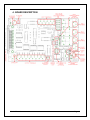
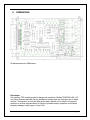
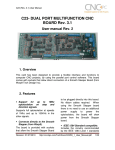
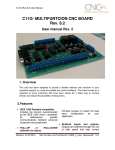
Buffered outputs. All outputs are buffered through the use of high speed and high current buffers, with the result that your devices receive all the power they need. Easy installation of an On/Off switch. You can control the card externally. An On/Off or a Safety Charge Pump can easily be installed to enable or disable the card. CNC machines could be dangerous and, remember, safety comes first. This card is provided with an extra pin (EN) that allows you to control the card externally by enabling or disabling outputs. The card must have +5vdc supplied to the EN terminal to enable outputs. Status LEDs on all inputs and output connections. No more guessing. You can SEE all your signals. Save valuable time and brainpower for CNC ing. To avoid remaining current to the main load (driver or other device), all the indicator LEDs are driven by independent buffers of the ones that drive de output. Built-in Variable Speed Control. It has an optoisolated analog 0-10VDC output that will convert a PWM signal into an analog signal that can be used to command a commercial VFD. This analog can be adjusted using on-board potentiometer, so this board can be adjusted to other voltages. 3 Built-in Electromechanical Relays with NO and NC positions. Input and output pins with close by ground connections. Forget about grounding problems. Easily connect your pin by using your close by ground connection. No need to be an electronics expert to ground all your stuff. The terminals next to pins 2-9 can be set to have +5VDC or GND according to your needs. There is a jumper that allows you to select +5VDC or GND for the COM pins. Works directly with popular CNC hardware and software. That goes for Geckdrive, DeskCNC or Rutex and parallel port control software such as mach2, Linux EMC, Turbo CNC, CNC Zeus and other/ (Not all have been tested). Spring Latching Terminals. You only have to screw-on the wires to make all your connections. User’s Manual Page 2