1
FAQ Module
3.7.3
RapidVector®
Settings
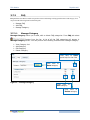
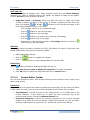
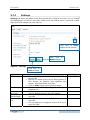
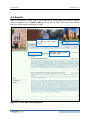
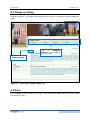
Settings tab allows the admin to set the look and feel of FAQ at user side. You can change
the displaylayout of FAQ at user side, enable print and search option, show/hide modify
date, show/hide category at user side, etc.
Click here to View
display layout options
Click here to
Reset changes
Figure 8 – Settings
Click here to
Save changes
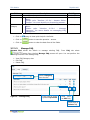
Field
Select Layout
•
•
Enable Paging
Hide Category
from User
Show
Last
Modified date
Show
‘Top’
link
•
•
•
•
•
•
Description
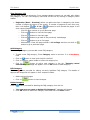
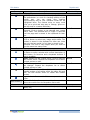
Click on check box to select display layout of FAQ
at user side
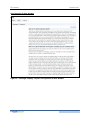
Options for display layout can be One Question &
One Answer, All Question then Question and
Answer, Only One Answer at a time
Click on View link to view preview of layout
Select number of FAQs per page from the given
dropdown list
Click on check box to hide category name at user
side. By default category name will appear
Click on check box to show last modified date at
user side
Click on check box to show Top link in FAQ at
user side
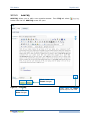
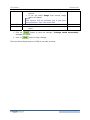
You can add text or image as a top link to go to
top of the FAQ
Field Type
Mandatory
Optional
Optional
Optional
Optional
18