1
206
9
10
11
12
CHAPTER 12. PARALLEL COMPUTATION IN STATISTICS/DATA MINING
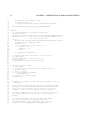
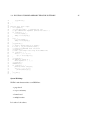
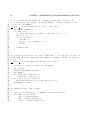
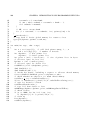
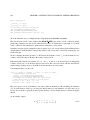
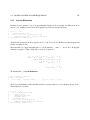
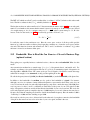
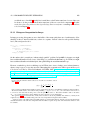
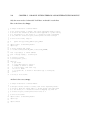
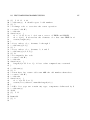
for i = 1,...,k:
group[i] = all (x[j],y[j]) such that cl[j] = i
center[i] = average of all (x,y) in group[i]
until group memberships do not change from one iteration to the next
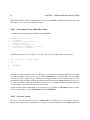
Definitions of terms:
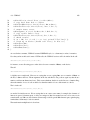
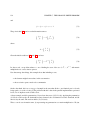
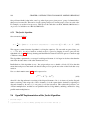
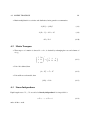
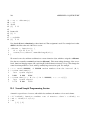
• Closest means in p-dimensional space, with the usual Euclidean distance: The distance from (a1 , ..., ap
to (b1 , ..., bp is
q
(b1 − a1 )2 + ... + (bp − ap )2
(12.6)
• The center of a group is its centroid, which is a fancy name for taking the average value in each
component of the data points in the group. If p = 2, for example, the center consists of the point
whose X coordinate is the average X value among members of the group, and whose Y coordinate is
the average Y value in the group.
In terms of parallelization, again we have an embarrassingly parallel problem.
12.4
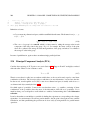
Principal Component Analysis (PCA)
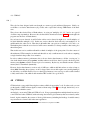
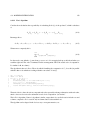
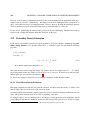
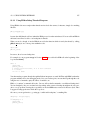
Consider data consisting of (X,Y) pairs as we saw in Section 12.3. Suppose X and Y are highly correlated
with each other. Then for some constants c and d,
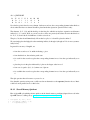
Y ≈ c + dX
(12.7)
Then in a sense there is really just one random variable here, as the second is nearly equal to some linear
combination of the first. The second provides us with almost no new information, once we have the first.
In other words, even though the vector (X,Y) roams in two-dimensional space, it usually sticks close to a
one-dimensional object, namely the line (12.7).
Now think again of p variables. It may be the case that there exist r < p variables, consisting of linear
combinations of the p variables, that carry most of the information of the full set of p variables. If r is
much less than p, we would prefer to work with those r variables. In data mining, this is called dimension
reduction.
It can be shown that we can find these r variables by finding the r eigenvectors corresponding to the r largest
eigenvalues of a certain matrix. We will not pursue that here, but the point is that again we have a matrix
formulation, and thus parallelizing the problem can be done easily by using methods for parallel matrix
operations.