1
1. Front Panel
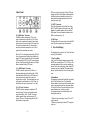
(6) „lock“ Indicator
Indicates when the clock output is locked to an
incoming reference.
The incoming reference can be an LTC, VITC or
video signal.
(1) Time Code Display
The display has two modes: the Time Code Mode
and the Status Mode. In the Time Code Mode the
display shows decoded SMPTE time code applied to
LTC or VITC input. In the Status Mode the display
shows the Frame Rate Format on the left and the
Pull-Up/Pull-Down Factor on the right. The Frame
Rate Format relates to the frame rate of the incoming
time code or to the frame rate of the incoming video
signal. The Pull-Up/Pull-Down Factor shows the pullup/pull-down selected by the „Up/x1/Down“ Switch.
See the Time Code Display section (p. 5) for more
information.
(2) „on“ Switch
Turns the power to the WIF2 on and off.
Each time the MIF3 is powered up, it runs through
the display test, shows the software version and the
internal dip switch settings.
(3) „on“ indicator
Indicates proper function of the built-in power supply.
(4) „ltc“ Indicator
Indicates when a valid LTC signal is detected.
(5) „vitc“ Indicator
Indicates when a valid VITC signal is detected.
Note, when a video signal without VITC is applied,
the VITC indicator will not light.
-2-
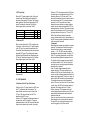
(7) „up / x1 / down“ Switch
„up“ setting applies the Pull-Up Factor to the 44.1 or
48 kHz sample rate.
„x1“ setting leaves the clock at the exact rate of 44.1
or 48 kHz.
„down“ setting applies the Pull-Down Factor to the
44.1 or 48 kHz sample rate.
If you are not using any Pull-Up or Pull-Down sample
rates, set this switch to „x1“ which will let the WIF2
generate the standard 44.1 or 48 kHz sample rates.
Whenever this switch setting is changed, the Time
Code Display will switch to the Status Mode to
display the new Pull-Up/Pull-Down Factor.
Please see the Time Code Display sections (p. 5) for
further explanation of the pull-ups and pull-downs.
(8) „44.1 / 48“ kHz Switch
Switches the „x1/ x256“ output clock rate between
44.1 kHz and 48 kHz.
The exact sample rate also depends on the position
of the „up/x1/down“ switch located just to the left of
this switch. If you need to operate at exactly 44.1 kHz
or 48 kHz, please set the „up/x1/down“ switch to „x1“.
(9) „x1 / x256“ Switch
Changes the signal at the „Word output“ Connector
between Word Clock and Digidesign’s x256
Superclock. Set the switch to „x256“ when connecting
the WIF2 to Digidesign’s 888 or 882 interface. Set the
switch to „x1“ when connecting the WIF2 to any word
clock digital audio device.
-3-