1
MC5 Programming Software Reference Manual
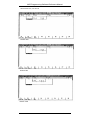
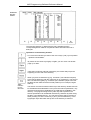
• Mark the beginning of the desired range by using function key F6 (Mark)
and afterwards press function key F7 (Fill).
• First the entry window for the end address will be displayed and than, after
you have confirmed your entry by pressing the RETURN key, the entry
window for the "Value".
• Here too the changes will only be accepted when you confirm the entry by
pressing the RETURN key.lf the range that you wish to fill exceeds the
maximum number of possible changes, an error message is displayed.
The message will also tell the size of the filled range. After you have
confirmed this message, the cursor will jump to the last filled page. The
remaining memory range that has not been filled yet, will default be
marked as the next range to fill with the following till operation.
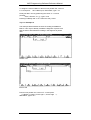
16.4.3 Recalling and saving changes
If you have changed values of the memory by editing or filling but did not
saved them, you can recall or overwrite these changes.
Overwrite changes
Changed (high-lighted) values can be rewritten later on. In order to do this,
you must select the mode "Editing allowed", and move the cursor to the
desired position. The entries can only be made by the keyboard. The function
"Fill" can not be used to overwrite changes.
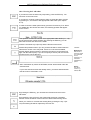
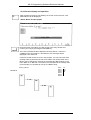
Undo changes
Changes that have not yet been saved can be recalled with function key F4
(Undo) either byte wise or word wise (depending on the PC). The undo
operation is independent of the cursor position. Because all changes are
kept in an internal buffer undoing takes place in reverse order. The previous
entry will again be displayed on the screen, and the number of changed
bytes will diminish correspondingly in the read-out.
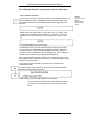
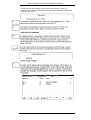
Warning!
If already changed addresses are changed again, these changes can only be
retrieved when the internal buffer of the program has been deleted up to the
corresponding entry.
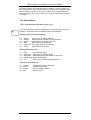
Delete changes
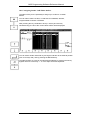
In case all changes that have not been saved should be recalled, you can
use the function "Delete" (function keys Alt/F4).
The internal list of changes will be deleted completely. The original entrys will
be displayed again, and the indication for the number of changed bytes will
return to zero.
16-6
VIPA
Rev. 00/35