1
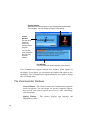
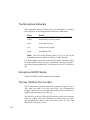
Actions Menu
Use
To
Reset
Halt the computer-generated speech, turn off
signing, and reset the microphone.
Pause
Temporarily halts the text window, signing, and
computer-generated speech. Select Pause again to
restart.
Show
Displays sign for a word selected with the cursor.
Sign Text Window
Sign the words in the text window without
generating a voice.
Speak Text Window
Convert the words in the text window to audible
computer-generated speech and send it to the
hearing assistive device (without the Signing
option).
Sign and Speak Text
Window
Sign words in text window and generate audible
computer-generated voice at the same time.
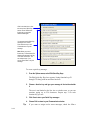
You can choose where an action starts. Place your cursor in the text box and
click where you want the action to begin before you select the Actions menu
command.
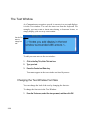
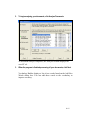
TIP: The Action menu commands Reset and Pause also appear on the
top border of the Text Window. Simply click to use the Action
command. When you click Pause, the Text Windowís display changes
to ìCont inueî. Click Continue to restart the action.
3-6