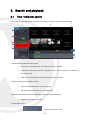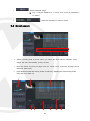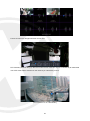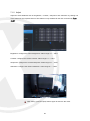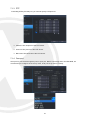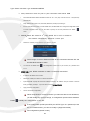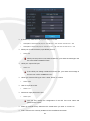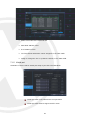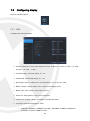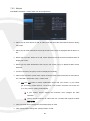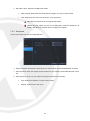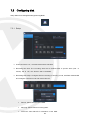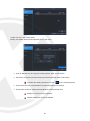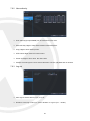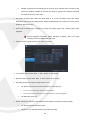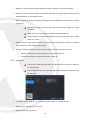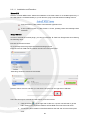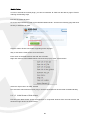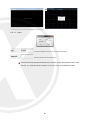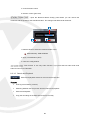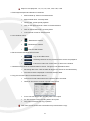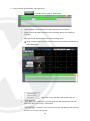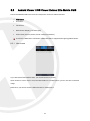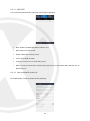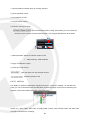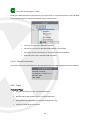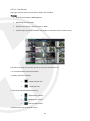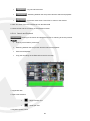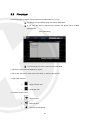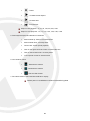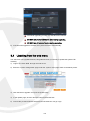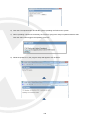
1
HD IP Professional HD IP NVR 1080p Compatible PoE POWER OVER ETHERNET User Guide Thank you purchasing the ELITE NVR from Xvision. Please ensure that you read and understand this User Guide before operating the NVR. Please store this User Guide in an easily accessible location. Version 1 Contents 1. 2. Safety Precautions ........................................................................................................................... 4 Descriptions of Front and Rear Panels ............................................................................................ 5 2.1 Description of Front Panel ................................................................................................. 5 2.2 3. 4. 2.3 Description of pin assignment............................................................................................ 7 Getting started ................................................................................................................................. 9 3.1 Connect and switch on ...................................................................................................... 9 3.2 Initial Start setup menu .................................................................................................... 10 Live View ........................................................................................................................................11 4.1 5. Description of rear panel .................................................................................................... 6 Tool bar ........................................................................................................................... 12 4.1.1 Status display ......................................................................................................... 12 4.1.2 Log off ..................................................................................................................... 13 4.1.3 Setup....................................................................................................................... 13 4.1.4 VA (video analytics) ................................................................................................ 13 4.1.5 Quick copy .............................................................................................................. 14 4.1.6 Search..................................................................................................................... 15 4.1.7 Display .................................................................................................................... 15 4.1.8 PTZ ......................................................................................................................... 16 4.1.9 Digital zoom ............................................................................................................ 17 4.1.10 Log list..................................................................................................................... 19 Search and playback ..................................................................................................................... 20 5.1 Time / Calendar search ................................................................................................... 20 5.2 Panorama search ............................................................................................................ 22 5.2.1 Basic operation ....................................................................................................... 22 5.3 Event search .................................................................................................................... 23 5.4 Copy ................................................................................................................................. 25 6. Quick menu .................................................................................................................................... 26 7. Setup Menu .................................................................................................................................... 29 7.1 Camera Configuration ...................................................................................................... 29 7.1.1 Title ......................................................................................................................... 29 7.1.2 Adjust ...................................................................................................................... 30 7.1.3 PTZ ......................................................................................................................... 31 7.1.4 Cam port ................................................................................................................. 31 7.1.5 Virtual port............................................................................................................... 34 7.2 Configuring display .......................................................................................................... 35 7.2.1 7.2.2 7.2.3 OSD ........................................................................................................................ 35 Monitor .................................................................................................................... 36 Sequence ................................................................................................................ 37 7.3 Configuring disk ............................................................................................................... 38 7.3.1 Setup....................................................................................................................... 38 7.3.2 Format..................................................................................................................... 40 7.4 Configuring system .......................................................................................................... 41 7.4.1 Date and time ......................................................................................................... 41 7.4.2 Management ........................................................................................................... 42 7.4.3 Sound...................................................................................................................... 44 1 7.4.4 7.5 Configuring event / sensor ............................................................................................... 45 7.5.1 Sensor input ............................................................................................................ 45 7.5.2 Alarm output setup .................................................................................................. 46 7.5.3 7.5.4 7.5.5 8. Buzzer output setup ................................................................................................ 47 E-mail setup ............................................................................................................ 48 Push alarm .............................................................................................................. 48 7.6 Configuring user............................................................................................................... 49 7.6.1 User register ........................................................................................................... 49 7.6.2 User authority ......................................................................................................... 51 7.6.3 Log-out .................................................................................................................... 51 7.7 Configuring record ........................................................................................................... 52 7.7.1 Main stream ............................................................................................................ 52 7.7.2 Sub stream.............................................................................................................. 53 7.7.3 Schedule ................................................................................................................. 54 7.7.4 Option ..................................................................................................................... 55 7.8 Configuring network ......................................................................................................... 57 7.8.1 Ethernet port ........................................................................................................... 57 7.8.2 Local port ................................................................................................................ 58 7.8.3 DDNS ...................................................................................................................... 59 7.8.4 E-mail ...................................................................................................................... 60 Remote .......................................................................................................................................... 61 8.1 Web server....................................................................................................................... 61 8.1.1 8.2 8.3 8.5 8.6 Web viewer (Active x) ............................................................................................. 63 Android Viewer / iOS Viewer Xvision Elite Mobile CMS .................................................. 74 8.3.1 8.4 Connect to web server ............................................................................................ 61 Initial Page of Web Configuration .................................................................................... 63 8.2.1 9. RS-485 .................................................................................................................... 44 How to use .............................................................................................................. 74 DDNS server .................................................................................................................... 78 8.4.1 How to register ........................................................................................................ 78 8.4.2 Register................................................................................................................... 79 8.4.3 Input NVR information. ........................................................................................... 79 Xvision Elite CMS ............................................................................................................ 80 8.5.1 Installation ............................................................................................................... 81 8.5.2 Execution ................................................................................................................ 82 8.5.3 Live video monitoring .............................................................................................. 82 8.5.4 Connection manager .............................................................................................. 83 8.5.5 Live video window ................................................................................................... 85 8.5.6 Player ...................................................................................................................... 89 File player ........................................................................................................................ 97 Updating system F/W .................................................................................................................... 99 9.1 How to check current installed F/W ................................................................................. 99 9.2 Preparing new F/W (Type *.zip) in a USB thumb driver .................................................. 99 9.3 Upgrading System from the System Menu .................................................................... 100 9.4 Updating from the web menu......................................................................................... 101 10. Appendices .......................................................................................................................... 104 10.1 10.2 Items showing in Log List. .......................................................................................... 104 Spec sheets ................................................................................................................... 107 2 10.2.1 ELITENVR4 .......................................................................................................... 107 10.2.2 10.2.3 ELITENVR16 ........................................................................................................ 109 ELITENVR32 ......................................................................................................... 111 3 1. Safety Precautions Check the input voltage (AC100V–AC240V) to the power supply module before connecting it. Do not install the equipment in an environment with too much moisture, dust or smoke dust as this may result in fire or electric shock. In the unlikely event that the equipment should malfunction and emit an abnormal smell or smoke, please immediately stop it, shut off the power and contact your supplier. Please do not place this equipment near a heat source to avoid risk of fire. Please do not store, install and use this product in danger areas with inflammable or explosive substances. Please make sure the power is turned off when installing the product. Please ensure that you install the NVR in an area with good ventilation. Please do not use the NVR in an environment where temperatures that exceed either -20°C to +55°C. 4 2. Descriptions of Front and Rear Panels 2.1 Description of Front Panel 1.Status led Displays the statues of the NVR, Record / HDD read/write and Network transmission. 2.IR receiver Infrared signal receiver for the IR remote controller. 1.IR receiver Infrared signal receiver for the IR remote controller. 2.Status led Displays the information of the NVR Record and Network transmission. 3. Front USB 2.0 port USB 2.0 ports. Provides functions like ‘Copy to USB storage’, ‘F/W Upgrade’ and ‘mouse’ operation. 3.Front USB 1/2 2.0 port Top Device: USB 2.0 ports. Provides functions like ‘Copy to USB storage’, etc. Bottom Device: USB 2.0 ports. Provides functions like ‘Copy to USB storage’, ‘F/W Upgrade’ etc. 5 2.2 Description of rear panel 3 13 2 10 12 11 9 1 7 8 6 5 4 [Rear panel of 4CH NVR] 1 13 3 6 12 10 11 2 5 8 9 4 7 [Rear panel of 8 & 16CH NVR] 3 13 11 10 9 14 8 12 5 2 7 5 4 [Rear panel of premium 8/16/32CH NVR] 1.Power Switch(Only the 4CH NVR) Switch to turn the NVR ON & OFF. 2.VGA Output (Video Graphic Array) • 8&16CH NVR: Relay output for the relay 2 (NO: Normal Open, NC: Normal Closed, CM: Common) 6.Rear USB 2.0(Only the 4CH NVR) 15-pin D-sub connector for the analogue VGA output. USB 2.0 ports. Provides functions like ‘Copy to USB storage’, ‘Mouse’ etc. 3.Audio Inputs 7.DIGITAL VIDEO OUT RCA connectors for the audio signal inputs. (Line In) 4.Power In 12V DC Power socket. 5.Alarm(Sensor) Inputs, RS-485, and Relay Output • Alarm inputs x 4 • RS-485 Signals. (G: Ground, D+: RX/TX + signal, D-: RX/TX- signal) • 4CH NVR: Relay output for the relay 1 (NO: Normal Open, NC: Normal Closed, CM: Common) Digital video output for the main monitor. 8. CVBS Monitor Output Composite video output for the main live screen or the spot screen. (BNC) 9.RJ-45 Network Port( 1G Base-T) Network port is used for 1G base-T, PC application software or Mobile application. 6 10.RJ-45 Local Port( 1G Base-T) connection between IP camera and NVR through this port if using local network already installed. IP address will be automatically assigned as 192.168.1 72.100. 11.RJ-45 Cam(PoE) Port (100M Base-T) Connection between IP camera and NVR as peer to peer 12.Audio Outputs RCA connectors for the audio signal outputs. (Line out) 13.POE Power In (48V) DC Power socket for POE Power. 14.eSATA Connection Port(Optional) connect e-SATA storage to expand HDD mode (direct connection). IP address will be assigned in th e range of 192.168.172.101 ~ 8, automatically. (4CH NVR: 4port / 8&16 NVR: 8port) 2.3 Description of pin assignment [Terminal block of 4CH NVR] Pin DD+ NO CM NC GND S4 S3 S2 S1 I/O I I O O I I I I Description 485 – data signal 485 + data signal Relay output (Normal Open) Relay Ground Relay output (Normal Close) Sensor Ground Sensor 4 Sensor 3 Sensor 2 Sensor 1 7 [Terminal block of 8CH NVR] Pin S1 S2 S3 S4 S5 S6 S7 S8 GND NC1 CM1 NO1 NC2 CM2 NO2 ENG GND D+ D- I/O I I I I I I I I O O O O I I Description Sensor 1 Sensor 2 Sensor 3 Sensor 4 Sensor 5 Sensor 6 Sensor 7 Sensor 8 Sensor Ground Relay 1 output (Normal Close) Relay 1 Ground Relay 1 output (Normal Open) Relay 2 output (Normal Close) Relay 2 Ground Relay 2 output (Normal Open) Reserved 485 Ground 485 + data signal 485 – data signal [Terminal block of 16&32CH NVR] Pin S1 S2 S3 S4 S5 S6 S7 S8 GND S9 S10 S11 S12 S13 S14 S15 S16 GND NC1 CM1 NO1 NC2 CM2 I/O I I I I I I I I I I I I I I I I I O O O - Description Sensor 1 Sensor 2 Sensor 3 Sensor 4 Sensor 5 Sensor 6 Sensor 7 Sensor 8 Sensor Ground Sensor 9 Sensor 10 Sensor 11 Sensor 12 Sensor 13 Sensor 14 Sensor 15 Sensor 16 Sensor Ground Relay 1 output (Normal Close) Relay 1 Ground Relay 1 output (Normal Open) Relay 2 output (Normal Close) Relay 2 Ground 8 NO2 ENG GND D+ D- O I I Relay 2 output (Normal Open) Reserved 485 Ground 485 + data signal 485 – data signal 3. Getting started It is recommend that you use the mouse to operate the Xvision ELITE NVR so you can use all the functions, the remote control is limited in the functions supported. 3.1 Connect and switch on Connect one or more monitors to the Xvision ELITE NVR using HDMI, VGA or CVBS outputs. Connect the supplied power to the Xvision ELITE NVR. Press the power button on the back panel to begin operation. The 8/16ch Xvision ELITE NVR will boot automatically when power is applied to them. When the system boots up, you will see following system loading screen as shown below. Depending on the monitor which you connected to the Xvision ELITE NVR, you may not see an image this is because your monitor doesn’t support the resolution. The default set resolution is 1024 x 768, so please use a monitor that supports 1024x768. After the loading screen is displayed, the system will start recording if the installed HDD (s) are setup/formatted, the NVR will record according to pre-set recording conditions. If the loading screen is flashing an odd color while the unit is booting, please check your monitor cable connection. Once booted you will see the below screen. 9 3.2 Initial Start setup menu System language: Select the system language. System time zone: Select the system time-zone. Date format: Select the date format. Video signal format: Select the video signal type. Video output resolution: Select the video output resolution. Preview: Check the preview of the video resolution. The items which are defined in the 'START SETUP' menu will not be initialized after a factory default. The settings in the 'START SETUP will replace the factory default value of each setting. After the factory default in the setup menu, the items defined in 'START SETUP' will have the values selected here. 10 4. Live View Once you have completed the Start Setup menu you can login to the Elite NVR, you will need to login as the Administrator to gain access to the Elite NVR menu options. You need to type the default user name as “ADMIN” and the default password as “1234” and press the enter button. [live mode of 4 channels] [live mode of 16 channels] 11 [live mode of 32 channels] It is recommend that you to connect your IPC’s first before the Elite NVR starts. 4.1 Tool bar The Tool-box display will pop up when you move the mouse pointer to the bottom of the screen, This will disappear after pre-defined menu setting time or exit with exit button ( ). In the menu you can set with all-time display. 4.1.1 Status display Check the current time / Network connection / USB storage connection/ Auto sequence/ HDD location currently recorded / Audio. : Display current time. : Shows User connection : Shows Network connection. : Shows USB Storage connection : Shows Auto sequence : Shows HDD location which is currently recorded. : Shows HDD location which is currently recorded. 12 4.1.2 Log off There are two ways to log off. One is manual log off and the second is automatic log off after configured time passed with no user interaction. Once Log off selected as above, current account will be logged off. Set up auto log off in SETUP/USER/LOGOUT menu. 4.1.3 Setup If you press main menu button, main menu will POP-UP, full details in Section Setup Menu. 4.1.4 VA (video analytics) This menu is for using IPC (IP Camera) which supports Video Content Analytics. The Elite NVR doesn't support VA configuration of your IPC’s, the following menu shows the VA Meta data coming from the VA supported IPC. [VA MENU] 13 VCA event record: Configure the record schedule once the VA event is activated from the IPC. VCA only: Elite NVR records only VA event. VCA off: Elite NVR doesn't recognize VA event as real event. VCA+MD: Elite NVR recognize VA event and motion event both as an event. Send E-mail: Elite NVR sends email once VA event recognised. Attach snapshot: Select either attaching snapshot onto notification email or not. VCA popup: When the VCA event happens, event channel will be changed to full screen. VCA popup dwell: Configure the duration for VCA POPUP. VCA icon display: Elite NVR will display the VA icon on live screen. VCA box display: Elite NVR will display the VA box on live screen. VCA zone display: Elite NVR will display the VCA zone on live screen. Buzzer: Configure the buzzer on /off when the VA event is triggered. Relay: Configure the relay on/off when the VA event is triggered. VCA push alarm: Configure the push alarm on/off when the VA event is triggered. 4.1.5 Instant Backup Click following icon, the instant Backup menu will be pop up. You can save the data 10 minutes from the current time. 14 4.1.6 Search To search a particular section of recorded footage, press the SEARCH button. To protect unauthorized viewing of footage, only authorized users can playback footage. More info in Section Search and Playback. 4.1.7 Display Configure the display mode by pressing display button. Select Quad / Single/ Auto sequence by selecting item in pop-up menu. : Single Screen Mode : Quad Screen Mode : 9-split Mode : 16-split Mode : 32-split Mode : Auto Sequence Mode 15 4.1.8 PTZ When the display mode is set to split screen, the PTZ control panel will be used for the selected camera which is highlighted by the mouse click. If there is no highlighted camera, the PTZ control panel will control camera 1 by default. In single display mode, the PTZ control panel is used for the currently displayed camera. [PTZ Controller Screen] ① ② ⑦ ⑧ ③ ④ ⑤ ⑥ 1: Select channel for PTZ control. 2: Number to configure Preset. 3: Select the tour function start or end. 4: Control the PTZ. 5: Change the size of control box. 6: Display PTZ control parameters which are set under the ‘DETAIL’ of PTZ menu settings 7: Execute the automatic focus. 8: Execute the auto scan. 16 4.1.9 Digital zoom In Full screen mode, you can enter the Digital Zoom mode with this button. When using digital zoom in Split screen mode, this feature will default to channel 1, unless you select a different camera image. [Zoom mode of 4 / 8 / 16channels] [Zoom mode of 32channels] : Move Zoom area with arrow buttons. : Zoom ratio will be changed from 1x to x5 17 [Zoom by using Mouse] In full screen mode, you can select the area to zoom in by clicking the left button on the Mouse. (Drag), Clicking on the zoomed screen, the display returns to the original full screen mode. Digital Zoom supported in Live / Play mode Digital Zoom supported only in Full screen mode. 18 4.1.10 Log list View the log list by selecting the log list button in Tool bar. There is a full break down of all log meanings at the end of the manual. 1 2 3 1: Display number from currently triggered (Max 10,000 list can be recorded) 2: Date / Time 3: Log list 19 5. Search and playback 5.1 Time / Calendar search Search the recorded data by the calendar and timeline for quick access to recorded footage. 1 7 8 2 3 4 5 6 9 10 11 12 13 1: Search Mode: Select the search mode. • Time: The recorded data can be searched using the calendar. • Panorama: Select the channel for panorama view, search mode will be changed to panorama Mode • Event: The recorded data can be searched using the event list. 2: Search HDD: Select the HDD to search • Record: Search HDD which is set as Record. • Mirroring: Search HDD which is set as Mirroring. 3: Calendar: The data recorded in each date, orange color will be displayed. • Display of recorded data by hour. 4. Select Split screen • : 1/4/9/16-split screen mode 20 • : Playback in full screen mode In full screen mode, playback control can be performed by control box. In single screen mode, digital zoom function will be available. • : Return to Search menu. • : Close playback screen and return to live screen 5: Play control: Playback speed and direction control. • : Reverse Fast Play • : Reverse Slow Play • : Reverse Play • : Pause • : Play (x1) • : Slow Play • : Fast Play 6: Copy: Copy the data to external device. 7: Video window: Playback video will be displayed 8: Exit: Exit search menu and return to live menu. 9: Hour select line: Select the data by hour. If certain time has recorded data, GREEN (Continuous) or RED (Event) color will be displayed. 10: Class / Minutes range display (10 minutes order). 11: Minute select line: Specify the minutes range to search recording data. 21 12: Record data status: Recording data status of each of the channels. • GREEN (Continuous recording) • RED (Event Recording) • YELLOW(Selected time) 13: Second select line: Select the recording data in seconds. 5.2 Panorama search Panorama search supports hour/minute/second based search in 16ch view mode. 5.2.1 Basic operation 1) Select Channel from dropdown list to do panorama search. 2) Select date from the Calendar, thumbnails shown by hour in the display window. 3) Select one of the thumbnail images when you want to search by minute. 4) Select one of the thumbnail images when you want to search by second. 5) Click “PLAY” to start playback in single screen mode for selected channel. • : Start playback with selected time. • : Display thumbnail image by hour. • : Display thumbnail image by minute. • : Display thumbnail image by second. • : Shows previous time range. (e.g.: if current playback 17~33 sec, then move to playback by 1~16sec) 22 : Shows next time range. • (e.g.: if current playback by 1~1 6 sec, then move to playback by 17~33sec) : Select the channel you want to search. • 5.3 Event search Search recording data by Event. When you select the date from the calendar, event search will start automatically specify the day. • Event list shows 20 event per page from the latest event, maximum 25 page can be searched. (500 event) • Event list that exceed 500 events, please re-search by adjusting the event search period using the time slider bar. 1 2 3 4 5 6 7 23 8 9 1. Select date which you want to search for events. 2: Preview: Events selected in the list displays a preview of the record. 3. Search result: event list displayed. Maximum 500 events will be shown in the list. • No: Number of event display, recent event display shown as No.1 • Date/time: Display Event triggered time. • Channel: Display Event channel • Event type: Display Event type. VCA function supported only for Xvision Elite IPC’s with auto connection mode. • Status (VA only): Display VA event’s “begin” or “end”. • Zone (VA only): • Value (VA only): In VA event, display event information requiring value. • Name (VA only): Display registered name of VA event Display zone number of VA event. 4: Select Event Type will be displayed in Event list. • All: Display all events. • Sensor: Display Sensor Event. • Video loss: Display Video loss Event. • Motion detection: Display Motion Event. • VCA: Display VCA Event (Available only for Xvision Elite IPC’s). 5. VCA set up in detail: Search condition of VCA event set up in detail. • Type: Select which Type of VA will be displayed in VA list. • Status: Select start/end time of VA events. • Zone: Select the zone of VA events. • Inequality: Select the range of the value of VA events. 24 • Value: Select the value of VA events. • Name: Input ID of VA events which is “Object classifier" possible. 6: Search for events by hours / minutes can be selected. • : Event search by hour • : Event search by minute 7: Select the channel which will display the Event list. 8: Switch Events List page. A total 500 events are shown 25 per page. 9: Configure a search condition again by stepping above 4 ~ 7. 5.4 Copy From: Specify the start time to copy. To: Specify the end time to copy. Tag name: Enter Tag name. Tag name will be used for Folder and File name. AVI format Folder : “TAG”_”CH” File Name: “TAG”_”CH”_”Resolution”_”FrameRate”_”StartTime”_”EndTime”.avi (Example): \test11_CH1\ test11_CH1_1920_1080_15fps_140512_130103_140512_130500 DVR format File Name: “TAG”_”StartTime”_”EndTime”.dvr (Example): test11_140512_130103_140512_130500.dvr 25 Type: Select the copy format. *.avi: Format that can be played on any standard AV player e.g. Windows media player/VLC etc. *dvr: Original recorder format. Can be played in multiple screen mode, you have t o use Xvision Elite NVR Player software. Channel: Select the channel to copy. : Select Start/ End Time at Calendar search on Time line to copy. Copy start: copy start with selected time and condition. Since start copy, display copy progress status, Select ‘copy stop’ to stop copying. 6. Quick menu If you are using USB mouse to control the Elite NVR, press the right button of the mouse will bring up the Quick Menu. Here you can use display pause, pan tilt control, zoom control, IP camera scan plus more. Freeze on: Current view will freeze all images. 26 Freeze off: All frozen images will return to live view. PTZ: Selecting PTZ will bring up the PTZ control screen. PTZ can only be controlled by an authorized user. PTZ mode will be activated on the channel you selected by mouse. [Zoom mode of 4 / 8 / 16channels] 27 [Zoom mode of 32channels] Zoom: Digital zoom control screen, Zoom mode will be activated in the channel selected by mouse. IP scan: Scan the IPC currently connected to the Elite NVR. The IPC connected to Elite NVR through peer to peer connection or local / Ethernet port both will be scanned. IPCs connected to peer to peer port will be assigned channels automatically. The cameras connected to Ethernet or Local port can be scanned, but not assigned channels automatically, you have to assign the channels manually. Please refer to IPC menu for more details. Alarm reset: To turn off the buzzer and relay output when “until key” selected in event menu. Local audio send: Audio from Elite NVR’s line input can be transmitted by selected camera. 28 7. Setup Menu To view the setup menu, press menu button from the toolbar. The following screen will be displayed. 7.1 Camera Configuration Set-up camera options. 7.1.1 Title Title: Up to 10 characters can be set by using the virtual keyboard. 29 7.1.2 Adjust Adjust the video attributes such as ‘brightness’, ‘contrast’, ‘sharpness’ and ‘saturation’ by clicking one of the values for the required channel. This feature is only available for the IPC connected by “auto mode”. Brightness: configure the camera brightness. Value range is 1 ~ 100%. Contrast: configure the camera contrast. Value range is 1 ~ 100% Sharpness: configure the camera sharpness. Value range is 1 ~ 100% Saturation: configure the camera saturation. Value range is 1 ~ 100% After setting, press the (Exit)” button again to switch to the menu. 30 7.1.3 PTZ Controlling PTZ by RS-485 port, you need to specify PTZ protocol. Address: The unique ID of the PTZ device. Protocol: The protocol of the PTZ device. Baud rate: The baud rate of the PTZ device. 7.1.4 Cam port Set up IPC’s connected through the peer to peer port. Before connecting IPC to the Elite NVR, we recommend you configure the IP set up menu, local port set up menu correctly. 31 Type: Select connection type Auto/Manual/RTSP Auto: Select this mode for peer to peer connection with built-in HUB The Default IP address will be allocated 192.168.172.101 ~ 104 (4ch) / 192.168.172.101 ~ 108 (8 & 16ch) automatically. Keep default value of IPC in ID, Password, RTSP Port, HTTP port, HTTP type If the ID and password of IPC is not the default value, the Elite NVR can't change the configuration of IPC at "Auto" connection mode. So you will need to specify the ID and password from “Detail” menu. Manual: Select this mode for 3rd party ONVIF IPC or IPC is located in the network connected by “Ethernet” /”Local” port. Select the network port for the IPC you want to connect. The IP range of Local or Ethernet PORT for the connection between IPC and the Elite NVR should be same. You have to use ‘Detail menu for configuration of IPC such as port number, ID, password and so on. RTSP URL: Use RTSP command to make a connection with the IPC. IP address: IP address of IP camera. RTSP port: RTSP port number for RTSP transmission. Input RTSP URL: Specify the command of RTSP connection. IP address and port number is automa tically specified. [example : rtps://192.169.0.101:554/nvr_media/main/] Apply: Save the configuration. Cancel: Cancel the configuration. When using RTSP to connect to the IPC you will not be able to use all features, you will usually only get a live image, no configuration options will be available. Detail ( ): Modify the configuration of the IPC. If the configuration (RTSP port/HTTP port/ HTTP Type / ID / password) of the IPC is not default value, you have to modify it. [Supported model] Set configurations [ONVIF mode] 32 IP address (in manual mode): Input IP address of IPC. Default(When used to Ethernet port): 4ch 192.168.0.201 ~ 204 / 8& 16ch 192.168.0.201 ~ 208 Default(When used to local port): 4ch 192.168.172.101 ~ 104 / 8 & 16ch 192.168.172.101 ~ 108 RTSP port (in manual mode): Input RTSP port info. Default: 554 RTSP port setup value is not matched with IPC, you’ll have the message in the live view “RTSP CONNECT FAIL”. HTTP port: Input HTTP port Default : 80 If the HTTP port setting is different from the IPC, you’ll have the message in the live view “HTTP CONNECT FAIL”. HTTP type: Select HTTP type of IPC either HTTP or HTTPS User ID: Input ID of IPC. Default: HTTP Default : root Password: Input password of IPC. Default: pass You can only change the configuration of the IPC if the user name and password are correct. Model (in manual mode): Select the IPC model which you want to connect to. Scan: Scan the IPC currently installed to the Local/Ethernet network. 33 Model: The model of the searched IPC. Mac: MAC address of IPC. IP: IP address of IPC. CH: The channel information which assigned to the Elite NVR. Assign to: Assign the IPC to preferred channel of the Elite NVR. 7.1.5 Virtual port Channels 9~16 are used for Virtual port setup of your IPC to the Elite NVR Virtual port menu is the same as the cam port menu. Virtual port menu doesn’t support “AUTO” mode. 34 7.2 Configuring display Set-up the display options. 7.2.1 OSD Configure IPC OSD parameters. Toolbar display time: Set tool bar display time from ALWAYS / 5 SEC /10 SEC / 15 SEC / 20 SEC / 30 SEC / 1 MIN. Live time display: Live time display on / off. Camera title: Camera title display on / off. Recording mode icon: Display the recording status icon on the Live View. Border: Display channel border line in multi-screen display mode. Border color: If the border is ON, select the color. Event icon: Event (Alarm, V-loss) icon is displayed. Camera info: Display camera information (resolution/bit ratite). Language: Select the language for menu. ENGLISH / KOREAN / GERMAN / POLISH / JAPANESE / FINNISH / RUSSIAN / SPANISH / ITALIAN / FRENCH / THAI 35 7.2.2 Monitor Elite NVR’s resolution / screen switch can be changed here. Alarm pop-up mode: When set ON, an alarm input will cause the associated channel to display full screen. Alarm pop-up dwell: Determines how long the full screen popup is displayed after an alarm ev ent. Motion pop-up mode: When set to ON, motion detection will cause the associated channel to display full screen. Motion pop-up dwell: Determines how long the full screen pop-up is displayed after motion detection. If motion continues, the popup screen is displayed constantly. Video output resolution (main video output): Configure video output resolution of main video fr om 1024x768 / 1280x1024 / 720p / 1080P 30Hz OK: click OK button to confirm modification works with your monitor. If you cannot get an image, please wait for 15 seconds. The monitor resolution will revert bac k to the previous setting automatically. If your monitor doesn’t support HD resolution, then configure the VGA resolution. Factory default resolution is 1024x 768, use a monitor that supports at least 1024 x 768. VGA horizontal offset: Change the horizontal position of VGA. VGA vertical offset: Change the vertical position of VGA 36 SD video output: Select the CVBS output mode. • Main: Display without GUI the multi-channel display live view of main monitor. • Spot: Display the live view of spot monitor (1ch sequence). Elite NVR 32 channel does not support this feature Default spot CH: When you turn on the Elite NVR, select the default CH to display, Elite NVR 32 channel does not support this feature 7.2.3 Sequence Screen auto switch time can be configured here. Sequence dwell: Set sequence interval time for main monitor (5/10/15/20/30/40/60 seconds). Spot sequence dwell: Set sequence interval time for spot monitor (5/10/15/20/30/40/60 secon ds). Spot sequence mode: You can select the sequence mode of spot monitor. • Auto: Sequence operation on spot monitor output. • Manual: Channel set in the menu. 37 7.3 Configuring disk Setup HDD for recording/formatting/mirroring/RAID 7.3.1 Setup Overwrite: Select “on”, overwrite mode will be activated. Recording time limit: The recording data will be deleted after a specific time (12hr – 2 month). Set to “off”, this function will be disabled. Recording HDD setup: Configure HDD as recording or mirroring mode, click Red marked HDD and configure operation mode and mark S.M.A.R.T. • Record: Select HDD as record HDD. • Mirroring: Select HDD as mirroring HDD. • S.M.A.R.T: View S.M.A.R.T. information of the HDD. 38 • Good: Current HDD condition is good. • Bad: Current HDD condition is bad. HDD’s S.M.A.R.T mode, this feature is not supported by all HDD’s. RAID: Configure the RAID-5 group. Minimum three HDDs are required. All HDD should be the same capacity. When the configuration is completed, you need to restart the Elite NVR. 39 7.3.2 Format HDD type: Select HDD Type (record or mirroring) to format. Format: Execute format HDDs. Formatting time will be different depending on capacity of the HDD. Device: Select USB processing Elite NVR can format USB memory stick and external HDD Format: Execute format of the USB Device. 40 7.4 Configuring system Set-up system options 7.4.1 Date and time Date and time: Set or modify the current date and time. After changing date / time, press ( ) button to apply changes. Date format: Select Date display format. YYYY/MM/DD(Default), MM/DD/YYYY, DD/MM/YYYY Time format: Select Time display format. 24 Hour(Default), AM/PM Network time server setup: Synchronize Elite NVR time to a network time sever. This requires an internet connection to contact the NTP server. Default Server: pool.ntp.org Adjust period (interval): Interval to synchronize Network Time Server. Time zone setup: Select the time zone for your local area D.S.T: Set to ON, the Elite NVR will automatically adjust the time by one hour on the relevant date in spring and autumn • From: Start time of DST • End: End Time of DST 41 7.4.2 Management Elite NVR’s system information/ firmware upgrade. System information: Select info to display. F/W version: Firmware version of the Elite NVR. H/W version: Hardware version of the Elite NVR. UI version: The UI version of the Elite NVR. Video output: Video output signal mode (NTSC / PAL). Available capacity: Current free space / total capacity of HDD. Available time: Remaining recording time and total recording time. IP address 1: IP address of Ethernet Port. IP address 2: IP address of Local Port. MAC address 1: MAC address of Ethernet port. MAC address 2: MAC address of local port. DDNS server address: If DDNS is enabled, the server name will be shown. NVR service port: port number for Elite NVR network operation Web server port: The port number that the Elite NVR uses to support remote connections. Fan status: FAN Speed of the Elite NVR (RPM). 42 Temperature: Internal temperature of the Elite NVR (℃/℉). HDD number: HDD information installed. System name: Up to 15 characters can be defined. Notification emails will use this name as ID. F/W upgrade: Upgrade Firmware. Copy new Firmware files in “dvr” folder of USB memory stick. Connect USB memory to the Elite NVR, then click F/W UPGRADE button. Factory default: Set all settings to factory default. System data: Save/load system settings to/from USB memory stick. Video output: Select video signal type for CVBS output. If you change the video signal, system rebooting is required. Auto login (password): Selects if a password is required ‘ON / OFF’. Password must be selected to ‘ON’ if user management options are required. Make rescue disk: Make a recovery disk, to recovery the Elite NVR back to a previous state. 7.4.2.1 How to Create a Recovery Disc Plug the prepared USB thumb drive in the USB port of the Elite NVR. Click the ‘create’ 7.4.2.2 How to recover Disconnect the HDD disk’s of the Elite NVR Plug the prepared USB thumb drive in the USB port of the Elite NVR. Turn on the Elite NVR, after booting it will load the system from recovery disk. 43 7.4.3 Sound Live audio: Select “on”, Audio output is available at live mode. Default audio channel: Specify which channel of the audio inputs is routed to the audio output when the Elite NVR is in multi-screen mode. Key press: This setting will turn the IR Remote confirmation beep on or off. 7.4.4 RS-485 System ID: External device’s system ID connected to RS485 port. Baud rate: External device’s baud rate connected to RS485port Data bit: External device’s data bit connected to RS-485port. Parity bit: External device’s parity bit connected to RS-485 port. Stop bit: External device’s stop bit connected to RS-485 port. 44 7.5 Configuring event / sensor Configure Event activation Sensor Input / Sensor Output / Buzzer Out / E-Mail / Push Alarm. 7.5.1 Sensor input Configure Alarm input. Operation: Configure Enable/Disable sensor input. Type: If the operation is enabled, you can select sensor type. • N/O: Keep Open when Sensor is on normal state. • N/C: Keep Close when Sensor is on normal state. • Text: Configure the title for each sensor input. Channel mapping (32channel): Sensor input can be mapped to required channel. 45 7.5.2 Alarm output setup Configure activation of Relay output. Relay out: Select Relay for the operation. 4ch Elite NVR : 1 relay , 8/16ch Elite NVR: 2 relay Operation: Configure Enable/Disable relay output. Mode: Configure operation type of relay output. • Transparent: Keep Relay output until event triggering stopped. • Latched: Keep relay output as long as duration specified. Duration: If the alarm output mode is configured as Latched. You can configure duration for relay output. Type: Define the signal type of relay output • N/O (Active Low): When event triggered, the relay will go to ‘Close’ state from the ‘Open’. • N/C (Active High): When event triggered, the relay will go to ‘Open’ state from the ‘Close’ Health check: Select “ON”, when Elite NVR system event is triggered, relay output will be activ ated. (Booting / Fan Error / HDD Error…) Sensor: When sensor input, relay output will be activated. Video loss: When video loss occurred, replay output will be activated. Motion: When motion triggered, replay output will be activated. 46 7.5.3 Buzzer output setup Configure Buzzer output when event triggered. Operation: Configure Enable/Disable of the Buzzer. Health check: Select “ON”, when Elite NVR system Event is triggered, relay output will be acti vated. (Booting / Fan Error / HDD Error…) Mode: Configure operation mode of Buzzer output. • Transparent: Keep buzzer output until event operation is stopped. • Latched: Keep buzzer output as long as duration specified. Duration: Configure duration for buzzer output at latched mode. Sensor: When sensor input, buzzer output will be activated. Video loss: When video loss occurred, buzzer output will be activated. Motion: When motion triggered, buzzer output will be activated. 47 7.5.4 E-mail setup Configure E-mail notification when event triggered as follows. Notification: Select “ON”, E-mail will be sent when event triggered. Setup: Select “ON”, E-mail will be sent when configuration is changed. Health check: Select “ON”, E-mail will be sent when the Elite NVR system event is triggered. Boot: Select “ON”, E-mail will be sent when the Elite NVR boot-up. Sensor: E-mail will be sent, when sensor is triggered. Video loss: Email will be sent, when video loss occurred. Motion: Email will be sent, when motion triggered. Frequency: Configure E-Mail notification period. 7.5.5 Push alarm Configure PUSH notification when events are triggered as follows. Once event occurred in the Elite NVR the user will receive the push notification through the Xvision Elite Mobile CMS APP. 48 Sensor: Push alarm notification will be sent, when sensor is triggered. Video loss: Push alarm notification will be sent, when video loss occurred. Motion: Push alarm notification will be sent, when motion triggered. 7.6 Configuring user Set-up the User Authority options. 7.6.1 User register By default, the Elite NVR is configured with a user ID of ADMIN belonging to the ADMIN group and with a password of 1234. A maximum of 10 new user accounts can be registered and configure authority separately. 49 Create new user, click “ADD” button. Modify user details, double click registered user on the menu. User ID: Edit the user ID using the virtual keyboard. (Max 10 characters). Password: Change the password using the virtual keyboard. (Max 8 characters) To delete the existing password, use the “ ”on the virtual keyboard. E-mail: Enter the user’s email address if email notifications are required. E-mail send: Enable or disable email notification for the particular user. Maximum 10 users can be registered. Default ADMIN user cannot be deleted. 50 7.6.2 User authority User authority (except ADMIN) can be selected for each user. Search & Play: Right to enter Search Menu/ Instant Playback. Copy: Right to enter backup menu. PTZ control: Right enter PTZ control menu. Power off: Right to shut down the Elite NVR. Camera: Provide right to user to select cameras to see live, playback and on network. 7.6.3 Log-out Auto logout: Selects auto log-out, on or off. Duration: If auto log is set to on, select duration to log-out. (in 1 - 10 Min) 51 7.7 Configuring record Set-up the recording options. 7.7.1 Main stream The stream configuration can be setup in “AUTO” mode only (peer to peer mode). Manual/RTSP mode, stream configuration needs to be setup on IPC web interface directly. Size: Select what resolution of video will be recorded as follows. • Resolution : full HD(1080p) / HD(720p) / D1 • All: Set the resolution for all channels The resolution setting value is represented with the ratio of the connected IPC’s recording resolution because there could be a mixed connection of IP camera inputs. FPS: Select recording frame rate as 0 / 1 / 2 / 4 / 5 / 8 / 10 / 15 /30) at NTSC mode or 0 / 1 / 2 / 4 / 5 / 7 / 10 / 13 / 25 at PAL mode. Elite NVR 32 supports a maximum of 15fps. 52 Quality: You can select recording video quality as 5 levels; Low / Standard / High / Highest / Super. Low Standard High Highest Super D1 512Kbps 768Kbps 1Mbps 1.5Mbps 2Mbps 720p 2Mbps 2.5Mbps 3Mbps 3.5Mbps 4Mbps 1080p 2.5Mbps 3.5Mbps 4Mbps 5Mbps 6Mbps [4/8/16 channel] Low Standard High Highest Super D1 512Kbps 768Kbps 1Mbps 1.5Mbps 2Mbps 720p 1Mbps 1.5Mbps 2Mbps 2.5Mbps 3Mbps 1080p 1Mbps 1.5Mbps 2.5Mbps 3Mbps 4Mbps [32 channel] • According to H.264 profile format, maximum bit rate is recommended. High profile: 4Mbps/ Main profile: 4Mbps, Baseline profile: 6Mbps. 32ch is recommended to use low bit rate as it support a maximum of 15fps. VCA: Choose the VCA operation. 7.7.2 Sub stream The stream configuration can be setup in “AUTO” mode only (peer to peer mode). Manual/RTSP mode, stream configuration needs to be setup on IPC web interface directly. 53 Size: Select what resolution of video will be recorded as follows. • Resolution : D1 / CIF • ALL: Set the resolution for all channels The resolution setting value is represented with the ratio of the connected IPC’s recording resolution because there could be mixed connection of IPC inputs. FPS: Select recording frame rate as 0 / 1 / 2 / 4 / 5 / 8 / 10 / 15 /30 at NTSC mode or 0 / 1 / 2 / 4 / 5 / 7 / 10 / 13 / 25 at PAL mode. Quality: Select recording video quality as 5 levels; Low / Standard / High / Highest / Super Standard Highest Super CIF 128Kbps 256Kbps 512Kbps D1 128Kbps 256Kbps 512Kbps Elite NVR 32 only supports CIF 7.7.3 Schedule Configure schedule recording mode as Daily / Weekly. Daily: set up one schedule and apply to every day. Weekly: set up 7 schedules from Monday to Sunday, and use it for every week. Select daily or weekly in “OPTION” menu. Type: Select recording mode out of total 8 modes. Refer to the below picture 54 • No record. • Continuous record • Motion record. (Motion and VCA when VCA enabled) • Alarm record • Motion and Continuous record (Motion and VA and Continuous when VCA enable d) • Continuous and Alarm record • Motion and Alarm record (Motion and VCA and Alarm when VCA enabled) • Continuous and Motion and Alarm record (Continuous and Motion and VCA and Alarm when VCA enabled) You can enable Day or Week recording mode in the configuration ‘OPTION’ menu You can configure schedule time table by dragging using left mouse click. 7.7.4 Option Schedule mode: Either daily (one schedule will apply to every day of the week) or weekly (each day of the week has its own schedule). • Daily: Configure the recording type by an hour and by a channel. This mode is for the demand that all days have the same recording schedule regardless of the day of the week. 55 • Weekly: Configure the recording type by an hour, by a channel and by the day of the week. This mode is suitable for the user who want to configure the separate schedule according to the day of the week. Pre-event recording time: When the Elite NVR is in e v e n t recording mode, this setting determines the amount of footage that is always recorded before an event occurs (VA, motion detection, alarm input etc.) Post-event recording time: Configure how long the system keep event recording after event triggered. Events triggered repeatedly before finishing recording, then post event recording can be recorded after last event. Audio recording: Select channel for audio recording. Live stream: Select either Main or Sub stream for live display. Record stream: Select either Main or Sub stream for recording. Mirroring: Enable mirroring recording mode or not. • • On: Select mirroring record and record as per mirroring way. Event: Just event data will be recorded to mirroring HDD. All: Same data will be recorded to mirroring HDD same as current recording data. Off: Mirroring record off Select channel for mirroring: Check which channel will be recorded to mirroring HDD. • All: all channel with mirroring record. • Channel 1~16: selected channel record with mirroring. 56 7.8 Configuring network Set-up the Network options. 7.8.1 Ethernet port DHCP: Elite NVR will obtain an Ethernet IP address automatically if connected to a DHCP server or router. IP address: Set IP address when DHCP is not being used. Gateway: Set Gateway when DHCP is not being used. Subnet mask: Set subnet mask when DHCP is not being used. 1st DNS server: Set the 1st DNS server address when DHCP is not being used. 2nd DNS server: Set the 2nd DNS server address when DHCP is not being used. 57 NVR port: The port number that the Elite NVR uses to support to the remote software. Web server port: The port number that the Elite NVR uses to support remote connection from Internet Explorer or other web browsers. Max TX speed: Specifies the maximum bandwidth that the Elite NVR can use during a remote connection. Both NVR and web server port will need a firewall rule creating for remote Connection UPNP (Auto Port Forwarding) is activated always background. UPNP function for automatic forwarding is not supported on all routers, please check your router. Network stream: If sub stream is used, sub steam can be transmitted to network. If it doesn’t have sub stream, main stream is transmitted. Port type: Select Elite NVR’s web server port /NVR port as an Ethernet or local port. • Ethernet: Web server port and NVR port is used in Ethernet port. • Local: Web server port / NVR port is used in local port. 7.8.2 Local port In auto mode, Elite NVR will assign IP address based on local port setting to IPC automatically. In Manual/RTSP mode, you need to assign same segment of IP address to the IPC manually. IP address: Set IP address for Local port. Default value is 192.168.172.100 Gateway: Set Gateway for Local port. Subnet mask: N/A grayed out 58 7.8.3 DDNS DDNS: Elite NVR can be accessed through a dynamic DNS server. Commonly used if a broadband connection does not have a static IP address. DDNS server: DDNS server Name. Auto DDNS: When set ON in auto DDNS menu, automatically register with a DDNS server. Auto DDNS name: DDNS name registered on the server is displayed. 59 7.8.4 E-mail Use default server: If Default sever is on, mail will be sent by default mail server displayed. Server: The SMTP outbound email server that should be used to send email notifications. Port: The outbound email port number. Security: Set to off if the server does not require a username and password to connect. User: Enter a username to identify the Elite NVR in email messages. Password: If security is set to on, enter the password here. From: Input an email address or text. Test E-mail: Specify destination address for test e-mail. Test: Send test mail to destination address specified. To use email function, you have to configure the ‘user’ menu and ‘event/sensor’ menu too. 60 8. Remote 8.1 Web server The Elite NVR has 2 sections for Browser access, the first is for remote configuration (Only the Administrator can access this side). The second area is for live viewing, search, and play back, PTZ and more, this is based on Active X controls. The table below shows the recommended PC specification for the proper operation. [Recommended Specification of PC] Recommended Operating System CPU Windows 7 Core i5 @3.3GHz or Higher Memory 2 GB Video Card Memory 512MB HDD Capacity 2GB VGA Resolution 1920x1080x32 Direct-X DirectX 9.0c Network Ethernet 10/100B-TX 8.1.1 Connect to web server In the web configuration page, you can set the Elite NVR operations remotely. Supported Web Browser’s R Microsoft Internet Explorer○ R Mozilla Firefox○ R Google Chrome Browser○ R Opera Browser○ R Apple Safari○ E E A A A A E E E For this example we have used Internet Explorer, Enter the IP address of the Elite NVR into the browser URL box. You can find the IP address of the Elite NVR from the ‘INFO’ section . 61 [The initial screen of Web Server] 1: Enter the IP address of the Elite NVR. If you don’t use the default port number for HTTP, 80, you will need to add the port number following the IP address. Ex. HTTP://192.168.123.63:81 2: Input the administrator’s password. Only the administrator can log into the Elite NVR configuration. Clicking the ‘LOGIN’ button will guide you to the Elite NVR configuration pages. 3: ActiveX based Web Viewer: Clicking the link will execute the ‘Web Viewer’ and initiate the installation of the ActiveX plugin. Features Configuring the Elite NVR setup remotely Search, Playback and Copy functions are not supported from the web server. To user these, please use the ‘Web Viewer’ instead. After inputting the ADMIN’s password and clicking ‘LOGIN’, you can move into the page where you can configure the setup of the Elite NVR. Default Password for ADMIN: 1234 Only ADMIN account can access the menu configuration pages. When no operation more than 5 minutes, the configuration page will be logged out automatically and you will need to log in again. 62 8.2 Initial Page of Web Configuration 1 2 3 4 5 6 1: log out from the configuration page 2: version number of this web configuration 3: Top menu of Elite NVR 4: Sub menu of Elite NVR 5: Setting or Information section 6: Cancel or apply the changes • Cancel: ignore any changes and the previous settings will be restored. • Apply: the changes to the settings are applied to Elite NVR and saved In order to apply or save, you should click the ‘APPLY’ button. Otherwise all the changes will be lost. For the detail description of the Elite NVR configuration, please refer the sections above of this manual. 8.2.1 Web viewer (Active x) The ‘Web Viewer’, allows you to see live preview video, search and playback of recordings in the Elite NVR and copy the recordings from the Elite NVR. Supported Web Browser’s • R Microsoft Internet Explorer○ • R Mozilla Firefox○ • R Google Chrome Browser○ • ‘Web Viewer’ is based on the ActiveX • Monitoring the live preview videos from the Elite NVR. • Searching and Playback of the recordings in the Elite NVR • Copy the recorded data in the Elite NVR to the PC remotely • PTZ camera control remotely E A A E A E Features 63 8.2.1.1 Installation and Execution Microsoft IE Click the ‘ActiveX WEB Viewer’ initiate the installation of the ‘Web Viewer’ if not installed previously. If the ‘Web Viewer’ is installed already in your IE browser, plug-in will start without installing ActiveX. First execution of ‘Web Viewer’ will install the application first. If new updated version of ‘Web Viewer’ is found, updating starts automatically before execution. Google Chrome In order to execute the ActiveX plugin, you have to install the ‘IE TAB’ from Google web store referring the following steps. Execute the Chrome browser Go to the https://chrome.google.com/webstore/category/home Enter the word ‘IE TAB’ into the ‘Search the store’ box and press enter. ‘Searching’ shows the results such as below. Click the ‘add to chrome’ and then you can see the IE symbol on the right side of URL Bar There are two ways to execute the ‘Web Viewer’ from the Chrome. 1. Click the ICON ( ) on the right side of URL bar. It opens new URL bar to get the URL. Entering the required IP address of Elite NVR will connect the web server. 2. Just entering the IP address of the Elite NVR into the URL bar of Chrome and press enter 64 Mozilla Firefox In order to execute the ActiveX plugin, you have to install the ‘IE TAB’ from the add-on page of Firefox referring the following steps Execute the Firefox browser Go to the https://addons.mozilla.org/en-US/firefox/addon/ie-tab. And then the following page will show the way to install the ‘IE TAB’. Click the ‘Add to Firefox’ will enable supporting Active-X plugin. Way to execute the ‘Web Viewer’ from the Firefox Enter the IP of the Elite NVR into the URL bar of Firefox. Right-click the link ‘ActiveX WEB Viewer’ will show the pop-up menu such as below. Select the ‘Open Link in IE TAB’. ActiveX First execution will install the ActiveX plug-in. And the application will be executed if installed already. 8.2.1.2 Initial Screen of Web Viewer Executing the ‘Web Viewer’ opens the application in a separate windows from the web browser and shows the login window as shown below. 65 8.2.1.3 Log In : Enter the user/admin name you use to access the Elite NVR. : Enter the password for the selected user. The user authority and allowed functions, live preview, search and playback, PTZ control and etc., are controlled by the setting user authority setting of the Elite NVR setup. 66 8.2.1.4 Live Preview After login, the live preview screen will be shown as below. Features • User log-in/out feature (connect) • Monitoring the live preview • Snapshot and save the preview video as JPEG • (Admin Only) control the resolution and quality for transferred video stream directly The yellow rectangle around video shows the currently selected camera 1: IP address of connected Elite NVR 2: display split mode selection • : Single camera view • : Quad split view • : 6 split view • : 9 split view • : 16 split view 3: web Viewer Minimize/Maximize/Close • : Minimize the window • : Maximize the window • : Exit the ‘Web Viewer’ 67 4: Reconnect / Live and Search / Full Screen • : Log out and Reconnect • : Switching between the live preview and the search and playback • : Full screen video view. Press ‘ESC’ to return to the window • : Configuration menu for Web Viewer 5: Date and Time Information 6: Channel Title and the resolution of the transferred video 8.2.1.5 JPEG Snapshot/ PTZ control / Video Configuration /Live Audio In the Web Viewer, you can save the video as JPEG file, control the PTZ of camera and hear the audio from the Elite NVR. You can configure the transferred video directly from the viewer. The right-click on the video window shows the pop-up menu such as following picture. : Save the current video of the selected channel with the yellow border into the PC as a JPEG file. : Open the PTZ control panel 1 3 4 5 2 1: Camera Channel number which is currently selected. 2: preset operation of PTZ 3: tour operation of PTZ 68 4: zoom/focus/iris control 5: direction control (pan & tilt) : Open the ‘Network Stream Config’ panel where you can choose the resolution and the quality for the transferred video. The changes will affect the all channels. 1 3 2 1: Network Stream: Select the network stream of IPC Default Quality: ‘SUB STREAM 2: Apply of modification (SET) 3: Close the config window : This function is 'two way audio function'. If you press the 'live audio send' send audio from the PC to Elite NVR. 8.2.1.6 Search and Playback Search and playback window or return to the live preview Features • User log-in/out feature (connect) • Switching between the live preview and the search and playback • Search and Playback • Copy the recordings in the Elite NVR to the PC remotely 69 1: Show the IP address of the Elite NVR currently connected. 2: Split mode selection. • : Single camera view • : Quad split view • : 6 split view • : 9 split view • : 16 split view 3: Playback speed control • : Reverse Fast • : Reverse Slow • : Reverse Normal Speed • : Pause • : Forward Normal Speed • : Forward Slow • : Forward Fast Steps for fast playback : x2, x4, x8, x16,x30, x60, x120 70 Steps for slow playback : 1/2, 1/4, 1/8, 1/16, 1/30, 1/60, 1/120 4: Fast Playback Speed and Direction Control Bar • Mouse wheel up: faster in forward direction • Mouse wheel down: reversely faster • Center click: normal speed playback • Click on the right half of bar : faster in forward direction • Click on the left half of bar: reversely faster • 7 level speed control for each direction 5: View window control • : Minimize the window • : Maximize the window • : Exit the ‘Web Viewer’ 6: Reconnect/Live and Search/Full Screen • : Log out and Reconnect • : Switching between the live preview and the search and playback • : Full screen video view. Press ‘ESC’ to return to the window 7: Calendar Panel: show the selected date for search. The green color indicates that the • Recording data exist. Click the date will trigger the search for the selected day. • The search result is displayed on the time selection table. 8: Copy the recorded video in the Elite NVR to the PC • TAG name: Folder name where the copied AVI file to be saved. • Channel: Choose the channel required to be copied • From: The start time of the recording data to be copied • To: The end time of the recording data to be copied • Copy Start: executing the copy operation TAG name and Channel have to be defined to proceed with the copy. 71 9: Choose search type between ‘event’ and ‘time’. : select the search mode to ‘Time Search’. • • Yellow colored cell indicates the currently selected hour and minute. • Green colored cell means that there is the recording data by the continuous recording. • Red colored cell means that there is event recording data. Click or double-click on the cell in the minutes bar will start the playback from the selected time. • • : Right click on the minute bar will show the pop-up. : Taking the ‘copy start time’ from the selected time cell and input it into the ‘From’ of copy control panel. • : Taking the ‘copy end time’ from the selected time cell and input it into the ‘to’ of copy control panel. 72 • : Taking the time for ‘event search start time’. Selection the second by clicking on the ‘second’ bar will move the second of playback video to the selected second. This is only available during the playback on-going. Each cell in the time selection table indicates whether the recording data exists or not for that time and channel. • • : Select the search mode ‘event search’. Event type (search condition) All: For all kinds of recording event Sensor: sensor input event Video Loss: lost video event • Motion detection : motion detection event • CH all: searching for all channels • CH1/CH2/CH3/CH4: choosing the channel to be searched • Research: execute the event search again 10: Time selection and recording indication table / Event search result window 11: display the playback video as a result of searching. 12: show the current playback mode, speed and direction. 73 8.3 Android Viewer / iOS Viewer Xvision Elite Mobile CMS Xvision Elite Mobile CMS is the name of smart phone viewer for Android and iOS. Main feature • Live View • Full-Screen • Multi-Screen Display (4 channel split) • PTZ Control (Pan-Tilt, Zoom, Preset configure and Move) Live Zoom & Web Menu connection of Elite NVR will be supported through upgraded version. 8.3.1 How to use If you start Xvision Elite Mobile CMS, you will see the above screen. Quick Connect: If don’t want to save the Elite NVR info to mobile phone, just for one time connection usage. NVR List: If you want to save the Elite NVR info to mobile phone. 74 7.2.1.1. P2P connection You can scan the QR code within the Elite NVR Menu under network to add it to you NVR list. 7.2.1.1. Quick Connect If you press Quick Connect button, the above image will be displayed. • NVR Address: Input IP Address of the Elite NVR. • Port Number: Input NVR port number that you configured at Network menu on the Elite NVR. • User ID: Input the ID that you configured on the Elite NVR. (default password of Admin is 1234) • Password: Input password (default password of Admin is 1234) • Connect: You can connect to NVR to view the video pressing Connect button. • Cancel: Close Quick Connect. 75 8.3.1.1 NVR LIST If you press the NVR list button, following window will be displayed. • New: Create new Elite NVR will be added to List. • Edit: Edit list currently stored. • Delete: Delete list currently stored. • Close: Close NVR list menu • Connect: Connect one of List already stored. • Menu: Connect to Web menu of Elite NVR (supported in next firmware) after selection one of NVR in the List. 8.3.1.2 How to add NVR to the List Press New button, following window will be displayed. 76 • NVR Name: Name newly added Elite NVR to the list. • NVR IP/DDNS: Input IP address and DDNS info of the Elite NVR. • Port Number: Input Elite NVR port number. • HTTP Port: Input HTTP port info of the Elite NVR that you configured on the Elite NVR network menu. This menu is for connection with Web Menu of the Elite NVR. Which will be supported in future firmware. • User ID: Input ID that is configured on the Elite NVR menu. • Password: Input password that is configured on the Elite NVR menu. • P2P connection: once you click above P2P connection and scan QR code in menu, your Elite NVR will be connected to your APP. • Push alarm: If event triggered on the Elite NVR, push notification will be received on your mobile. • Save: Store the info that you input pressing save button. • Cancel : Close adding List 8.3.1.3 How to connect Select one from the list to make a connection to the Elite NVR that you what to view. 77 8.3.1.4 Push alarm If event triggered on the Elite NVR, push notification can be received on mobile APP Check section Event/senor for more information on setup from Elite NVR menu. 8.4 DDNS server 8.4.1 How to register You need to input http://dynamicmv.com at URL in Web Brower. You can view following image from DDNS server. DDNS server: If you press DDNS server button, you will be moved to DDNS server page. • Login ID: Input user ID. 78 • Password: Input Password. • Logon: Press Log-in button to log-in • Register: Create a user account. 8.4.2 Register Create a user account by using register menu. • Login ID: Create ID. • Password: Create Password. • Confirm password: Input password again to confirm the password. 8.4.3 Input NVR information. You need to register a domain name to get the service and input the MAC address into DDNS server. 1: List number of registered Elite NVR 2: Mac address of registered Elite NVR 3: Domain name of registered Elite NVR. 79 4: IP address of registered Elite NVR. 5: latest time that Elite NVR sent the info to DDNS server. 6: Update of Last Update 7: Delete of Domain name registered in DDNS server. 8: Input Mac Address of Elite NVR that you want to register newly into DDNS server. 9: Input Domain name of Elite NVR that you want to register newly into DDNS server. • The Domain name type is “user.ns.dynamicmv.com”. • Add: Register Elite NVR to the DDNS server pressing add button. • List: The Elite NVR list registered will be displayed. • Logout : User can log out It will take around 10 to 15 minutes to confirm the registration at the Server. 8.5 Xvision Elite CMS Xvision Elite CMS is a ‘Remote Client NVR Viewer’ which can provide functions such as ‘Monitoring the live video’, ‘Search and Playback for the Recorded Video in the Elite NVR’ and ‘download the Recorded Video on the Elite NVR (Remote copy). The following table shows the PC requirement for this application S/W. [Minimum & Recommended Specification of PC] Recommended Operating System CPU Windows 7 Core i5 @3.3GHz or Higher Memory 4 GB Video Card Memory 512MB HDD Capacity 2GB VGA Resolution 1920x1080x32 Direct-X DirectX 9.0c Network Ethernet 10/100B-TX 80 8.5.1 Installation Install the Xvision Elite CMS software using the ‘setup’ program which is provided on the included CD. Executing the Xvision Elite CMS _setup.exe’ in the NVR Manager folder will guide you to install this. : Setup program of Xvision Elite CMS : Introduction of Setup : Specify the folder location for installation. : Complete Message Window 81 8.5.2 Execution The shortcut of ‘Xvision Elite CMS’ will be created after the successful installation. Clicking this icon executes the Xvision Elite CMS. : Shortcut and icon of Xvision Elite CMS 8.5.3 Live video monitoring The initial window of Xvision Elite CMS picture below. 1: connection manager: for registering or deleting the Elite NVR to/from the NVR List. 2: full screen: Fill and fit only the video windows into the PC monitor. 3: config 82 • Folder select: Choose or make the folder for the data which is copied out from the Elite NVR remotely. • Save: Apply and save the current modification. • Close: exit the ‘Config’ pop-up. 4: Split mode selection: choose the number of cameras which will be shown in the live preview window. • 1 / 4 / 9 / 16 / 25 / 36 / 49 / 64 5: Minimize/Maximize/Close NVR Manager • : Minimize the window • : Maximize the window • : Exit the ‘NVR Manager 6: Live View Window: show the live preview video of the connected Elite NVR. 7: NVR List Window: list the registered Elite NVRs and indicate the connection status. When the Elite NVR is linked, the IPC’s connected on that Elite NVR are listed under the Elite NVR. 8: NVR Information: Show some information of the Elite NVR selected. 9: Version: the version number of the Elite NVR Manager 8.5.4 Connection manager This provides the way to register the Elite NVRs into the NVR list, remove the Elite NVR from the NVR list and editing the Elite NVR connection information. • NVR Name: The name which you give to the Elite NVR which has the following connection information. • NVR Address: specify the IP address of the Elite NVR 83 • NVR Port: the port number for the Elite NVR connection. The value should be same as the one specified port number of your Elite NVR. • User: user ID to be used in the login • Password: password for the selected user. User name and password are case-sensitive. • NVR scan: scan the local network and show the detected Elite NVRs in the list. • MAC Address :show the MAC address of the Elite NVR resulted from scanning • IP Address: show the IP address of the Elite NVR resulted from scanning. • Port: show the PORT number of the Elite NVR which has the above MAC and IP address. • NVR Name: show the name of the Elite NVR which has the above MAC and IP address. This is named as a value of ‘system name’. • Re-scan: execute scanning the LAN again. • Add: register the selected Elite NVR into the NVR list of connection manager. • Add All: register all the scanned Elite NVR’s into the NVR list of connection manager. • Close: Close the NVR SCAN window. • Add: add new Elite NVR into the NVR list. • Edit: edit the connection information of the selected Elite NVR. • Remove: remove the selected Elite NVR from the NVR list. • Close : close the connection manager 84 8.5.5 Live video window The transferred live IPC video are monitored in this window, Features • Monitoring live camera video • Swap the position of two cameras • Snapshot and save it into the PC as JPEG file. • PAN/TILT Control remotely • Configure directly the quality and resolution for the transferred video.(ADMIN account only) • Live audio from the Elite NVR • Digital Zoom In 8.5.5.1 Monitoring live video stream The real-time transferred live videos from the multiple Elite NVRs are displayed in the ‘live video window’. You can configure the number of IPC to be shown by the ‘split mode selection’ button. Double click change the split mode to the single channel full scale view and one more double click from the single channel view recalls the previous split mode. 85 8.5.5.2 Swap Camera Position Swap the display location of the selected two cameras by drag and drop. The swapped camera position will go back to the original location in case the Elite NVR manager restarts or the connection is re-established. 8.5.5.3 Digital Zoom on the Live View Area selection by mouse dragging on the desired channel will activate the digital zoom for the specified area, any clicking turns off the digital zoom. 86 8.5.5.4 JPEG Snapshot/ PTZ control / Video Configuration /Live Audio Save the video as JPEG file, control the PTZ of camera and hear the audio from the Elite NVR. You can configure the transferred video directly from the viewer. Right-click on the video window shows the pop-up men. : Save the current video of the selected channel with the yellow border into the PC as a JPEG file. : Open the PTZ control panel, which controls the PTZ camera of the selected channel. 3 1 4 2 87 5 1: Camera Channel number which is currently selected. 2: preset operation of PTZ 3: tour operation of PTZ 4: zoom/focus/iris control 5: direction control (pan & tilt) : Open the ‘Network Stream Config’ panel where you can choose the resolution and the quality for the transferred video. The changes will affect the all channels. 1 3 2 1: Network Stream: Select the network stream of IPC Default Quality: ‘SUB STREAM 2: Apply of modification (SET) 3: Close the config window : Hear the audio from the selected camera. : Transferring audio of PC 8.5.5.5 NVR List The ‘NVR List’ shows the Elite NVRs registered using the ‘connection manager’. On the NVR List panel, you can connect/disconnect the Elite NVR, execute the Player for the remote searching and playback, and see the status information of the Elite NVR. System ID – REC: HDD1: [The name of NVR]: [HDD number], HDD number means the HDD index currently be accessed for recording. 88 : Show the recording type or status. Clicking the Elite NVR name in the NVR list pops up the menu to connect/disconnect to the Elite NVR or execute the Player for search and playback such as below picture. • Connect: Connect to the Elite NVR selected • Disconnect: Dis-connect the Elite NVR Manager from the NVR • Run player: Execute the Player for the remote search and playback. • DVR web menu: link to the Elite NVR web menu. 8.5.5.6 Elite NVR Information This panel shows some information from the Elite NVR which is currently highlighted from the NVR List. 8.5.6 Player Features of Player • Live video monitoring for the connected Elite NVR • Remote search and playback for the connected Elite NVR • Download the recorded data from the Elite NVR(remote copy) • Control a pan/tilt camera movement 89 8.5.6.1 Initial Screen Executing the ‘Player’ opens the application separated from the web browser. 8.5.6.2 Log In : Enter the USER name you use to operate the Elite NVR : Enter the password for the selected user. The user authority and allowed functions, live preview, search & playback, PTZ control and etc., are controlled by the setting USER AUTHORITY setting in the Elite NVR menu. User ID and password is case-sensitive. 90 8.5.6.3 Live Preview After login, the live preview screen will be shown such as below. Features • User log-in/out feature (RECONNECT) • Monitoring the live preview • Snapshot and save the preview video as JPEG • (Admin Only) Control the resolution and quality for transferred video stream directly The yellow rectangle around video shows the currently selected camera 1: IP of the Elite NVR connected remotely 2: Display split mode selection • : Single camera view • : Quad split view 3: Web Viewer Minimize/Maximize/Close • : Minimize the window • : Maximize the window • : Exit the ‘Web Viewer’ 4: Reconnect/Live & Search/Full Screen 91 : Log out and Reconnect • : Switching between the live preview and the search and playback • : Full screen video view. Press ‘ESC’ to return to the window • 5: Date and Time of the IPC transferred from the Elite NVR 6: Channel Title and the resolution of the transferred video 8.5.6.4 Search and Playback Entering to the search and playback window or returning to the live preview Features • User log-in/out feature (reconnect) • Switching between the live preview and the search and playback • Search and Playback • Copy the recordings in the Elite NVR to the PC remotely 1: Application title 2: Split mode selection. • : Single camera view • : Quad split view 3: Playback speed control 92 • : Reverse Fast • : Reverse Slow • : Reverse Normal Speed • : Pause • : Forward Normal Speed • : Forward Slow • : Forward Fast Steps for fast playback : x2, x4, x8, x16,x30, x60, x120 Steps for slow playback : 1/2, 1/4, 1/8, 1/16, 1/30, 1/60, 1/120 4: Fast Playback Speed and Direction Control Bar • Mouse wheel up: faster in forward direction • Mouse wheel down: reversely faster • Center click: normal speed playback • Click on the right half of bar : faster in forward direction • Click on the left half of bar: reversely faster • 7 level speed control for each direction 5: View window control • : Minimize the window • : Maximize the window • : Exit the ‘Web Viewer’ 6: Connect/ Live and Play/ Full Screen : Log out and Reconnect • : Switching between the live preview and the search and • playback • : Full screen video view. Press ‘ESC’ to return to the window 7: Calendar Panel: show the selected date for searching. The green color indicates that the recording 93 data exist. Click the date will trigger searching on the selected day. The search results will be displayed on the time selection table. 8: Copy the recorded video in the Elite NVR to the PC • Select file form: You can select file type to copy to PC. AVI Copy as AVI File Format DVR: Copy as Elite NVR’s own secure file format The AVI file form for each channel/resolution is created. One of AVI file form with a maximum capacity of 600MB. • TAG name: Folder name where the copied AVI file to be saved. • Channel: Choose the channel required to be copied • From: The start time of the recording data to be copied • To: The end time of the recording data to be copied • Copy Start: executing the copy operation TAG name and Channel have to be defined to proceeding the copy. 9: Choose search type between ‘event’ and ‘time’. The time selection table tagged ‘10’ in the above picture is used for one of this two search type : select the search mode to ‘Time Search’. • • Yellow colored cell indicates the currently selected hour and minute. • Green colored cell means that there is the recording data by the continuous recording. • Red colored cell means that there is the event recording data. • Click or double-click on the cell in the minutes bar will start the playback from the selected time. 94 : Right click on the minute bar will show the pop- • up menu such as the left pictures. • : Taking the ‘copy start time’ from the selected time cell and input it into the ‘from’ of copy control panel. • : Taking the ‘copy end time’ from the selected time cell and input it into the ‘to’ of copy control panel. • : Taking the time for ‘event search start time’. Select the second by clicking on the ‘second’ bar will move the second of playback video to the selected second. This is only available during the playback on-going. Each cells in the time selection table indicates whether the recording data exists or not for that time and channel. • • : Select the search mode to ‘EVENT Search’. Event Type (Search Condition) All: For all kinds of recording event Sensor: sensor input event Video Loss: lost video event • Motion Detection : motion detection event 95 • CH all: searching for all channels • CH1/CH2/CH3/CH4: choosing the channel to be searched • Research: execute the event search again 10: Time selection and recording indication table / Event search result window 11: display the playback video as a result of searching. 12: show the current playback mode, speed and direction. • : Select the search mode to ‘VCA Search’. • Type: Select which type of VA will be displayed in VA list. • Status: Select start/end time of VA events. • Value: Select the value of VA events. • Name: Input ID of VA events which is “Object classifier" possible. 96 8.6 File player Use the file player to display copied video from the Elite NVR on your PC. File player can be installed along with Xvision Elite CMS. If you copy the data to USB memory storage, File player will be created automatically. [Auto generation] You can display the video copied from the Elite NVR. 1: file select: Select the Elite NVR file to display. 2: full screen: Full screen video view. Press ‘ESC’ to return to the window 3: Split mode selection. • : Single camera view • : Quad split view 4: Playback speed control • : Reverse Fast • : Reverse Slow • : Reverse Normal Speed 97 • : Pause • : Forward Normal Speed • : Forward Slow • : Forward Fast Steps for fast playback : x2, x4, x8, x16,x30, x60, x120 Steps for slow playback : 1/2, 1/4, 1/8, 1/16, 1/30, 1/60, 1/120 5: Fast Playback Speed and Direction Control Bar • Mouse wheel up: faster in forward direction • Mouse wheel down: reversely faster • Center click: normal speed playback • Click on the right half of bar: faster in forward direction • Click on the left half of bar: reversely faster • 7 level speed control for each direction 6: View window control • : Minimize the window • : Maximize the window • : Exit the ‘Web Viewer’ 7: File select window: Select the Elite NVR file to display Default path is C:\\USERS\account\Document\NVRCopyData 98 9. Updating system F/W 9.1 How to check current installed F/W F/W upgrading could be required to increase the stability and the reliability or apply the new updated features. The following steps are a process to upgrade the F/W. You will need to check the F/W version available and the F/W version currently installed on the Elite NVR. From the Setup=>system=>management, you can see the current version of F/W. The update F/W file will include the version in it name e.g. 1.11 Check the F/W version. The ‘FW_X.XXX_UI_Y.Y.YS’ in the file name means • the F/W version. Do not update F/W if the version number of F/W file is lower than the current F/W version installed. 9.2 Preparing new F/W (Type *.zip) in a USB thumb driver F/W will be available from Xvision support sites or please contact your place of purchase 1) Unzip firmware file. 99 After unzip, you can see above system file. You may have more or less files in your upgrade package, it depends on the version upgrading to and changes being made. 2) All the required F/W files should be copied to a new folder in the root of your USB, the folder will need to be called ‘dvr’. Refer to the following steps. • Plug in the USB thumb drive into your PC. • Create a ‘dvr’ folder on the root of your USB thumb drive. The characters ‘d’,’v’,’r’, in the folder name have to be in lower case not capital, no quote marks. 3) Preparing new F/W (Type *.tgz) in the USB thumb driver 4) Copy the released F/W *.tgz file into the root of the USB thumb drive. 9.3 Upgrading System from the System Menu Following steps will show you how to upgrade the firmware using the local Elite NVR menu. 1) Plug the prepared USB thumb drive in the USB port of the Elite NVR. 2) Open Setup=>system=>management menu. 3) Press ‘upgrade’ button. 4) Checking the Product code. 100 The whole upgrading process may take about ten minutes. DO NOT remove the USB thumb driver during upgrading. DO NOT turn off power of system during upgrading. 5) If the firmware upgrade is finished, the system will reboot automatically. 9.4 Updating from the web menu The web menu can upgrade firmware, this guide will show you the way to update the system F/W remotely. 1) Login to the Elite NVR through the web server. 2) Enter the ‘system management’ page under the ‘system’ menu page. Refer to the below picture. 3) Click the button ‘upgrade’ and open the update page. 4) In the update page, click the ‘browse’ button and find the files. 5) Choose the provided F/W files which has the file extension ‘tar.gz or tgz’. 101 6) Click the ‘F/W upload’ button and let the system uploading the F/W into the system. 7) When uploading is finished successfully, the system is going to be ready to update and wait to start. Click the ‘start’ button triggers the updating processes. 8) While the update is on, the progress steps will appears such as below. 102 9) System shows [complete] when update finished and will reboot automatically. Turning off the power in any process of F/W updating cause the damage of the system. 103 10. 10.1 Appendices Items shown in Log List. Power ON/OFF Backup Start Disk Format Factory Default Camera Menu Change PTZ Menu Change OSD Menu Change Monitor Menu Change Sequence Menu Change Date/Time Menu Change System Management Menu Change Sound Menu Change User Management Menu Change Authority Menu Change Logout Menu Change Network Menu Change DDNS Menu Change Alarm In Menu Change Alarm Out Menu Change Buzzer Out Menu Change E-Mail Notification Menu Change Disk Management Menu Change Record Configuration Change Record Schedule Change 104 IP Camera Menu Change Firmware Upgrade Success Firmware Upgrade Fail Admin(User 1 ~ 10) Auto Login Admin(User 1 ~ 10) Login Admin(User 1 ~ 10) Password Fail HDD 1(1 ~ 5) Error For Write HDD 1(1 ~ 5) Fail For Write HDD 1(1 ~ 5) Error For Read HDD 1(1 ~ 5) Fail For Read Network Connected Time Adjust Network Disconnected NVR Watchdog Reset Menu Data Backup Succeeded Menu Data Load Succeeded Menu Data Backup Failed Menu Data Load Failed Camera Menu Changed In Remote PTZ Menu Changed In Remote OSD Menu Changed In Remote Monitor Menu Changed In Remote Sequence Menu Changed In Remote Date and Time Menu Changed In Remote System Management User Management Menu Changed in Remote Authority Menu Changed in Remote To Logout Menu Changed in Remote 105 Network Menu Changed in Remote DDNS Menu Changed in Remote E-Mail Menu Changed in Remote Alarm input Menu Changed in Remote Alarm Output Menu Changed in Remote Buzzer Menu Changed in Remote Buzzer Menu Changed in Remote E-Mail Event Menu Changed in Remote Disk Menu Changed in Remote Continuous Record Menu Changed in Remote Schedule Record Menu Changed in Remote Record Misc. Menu Changed in Remote FAN Error Copy Success Copy Fail Backup Start Backup Stop Power OFF 106 10.2 Spec sheets 10.2.1 ELITENVR4 Model Number: Details Warranty: Approvals: System Main Processor: Operating System: System Resources: Control Mode: Video IP Camera Support: IP Camera Supported List: Output: Display Display Split: Resolution: Tour Display: Privacy Masking: OSD: Recording Compression: Maximum Hard Drive Supported: Recording Resolution: ELITENVR4 1 Year Warranty (extendable to 3 years) CE, RoHS Entropic EN7531 Embedded Linux Pentaplex function: live, recording, playback, backup & remote access USB Mouse, Remote Control 4 channel @ 1080P, 720P, D1 Xvision Elite/ Xvision Pro HD/ ONVIF / Axis / LG / UDP/ CNB/ Truen / Shany / QNS / Secubest/ ICANTEK/ Xtron /KTNC / Dynacolor / ANT/ Gen / Novus/ Vision Hightech / Flexwatch (Seyeon) / EOC / Wisecon 1 HDMI (Video Only), 1 VGA, 1CVBS (main monitor without menu) 1 or 4 support support Motion detection, VA(Video Analytics), Alarm, Camera title H.264 2 1080P(1920×1080) / 720P(1280×720) / D1 (704×576) Recording Bit Up to 5Mbps /CH Rate: Recording Quality: CBR, VBR(5level) Recording Mode: Continuous/Manual/Motion detect /Sensor/Alarm recording Recording Priority: Event (alarm, motion) -> manual (panic recording) Recording Interval: Continuous Video detection & alarm Audio Waring, Alarm on Monitor, Email, push alarm, Alarm output, Trigger Events: recording Motion Detection: zone, sensitivity adjustment Video Loss and support Camera Blank: Alarm Input: 4 Relay Output: 1 Playback 107 Playback Channel: Search Mode: Playback Function: Backup Mode: Network Ethernet: Network Function: Maximum Remote Users: Remote Operation: Power Requirements Operating Voltage: Power Consumption: Physical Attributes Product Dimensions: Product Weight (kg): Shipping Dimensions: Shipping Weight: 4 Channel@ 1080P / 720P/ D1 Time/date, Panorama, VCA, event, POS(TEXT) Instant playback, Linear Digital Zoom, snap shot Flash drive, Network RJ45 port (10/100M) DDNS, uPnP, NTP, RTSP, HTTP, DHCP, SMTP, SNMP, P2P 7 Support WEB, Mobile Viewer, Client, CMS 12V DC 13W (without HDD) 370X255X60mm 2.1 425 X 125 X 422mm 3.5 108 10.2.2 ELITENVR16 Model Number: Details Warranty: Approvals: System Main Processor: Operating System: System Resources: ELITENVR16 1 Year Warranty (extendable to 3 years) CE, RoHS Entropic EN7531 (decoding SOC), CS7542(Cortina) Embedded Linux Pentaplex function: live, recording, playback, backup & remote access Control Mode: Video USB Mouse, Remote Control IP Camera Support: 16 channel @ 1080P/720P/D1 IP Camera Supported List: Output: Display Display Split: Resolution: Tour Display: Privacy Masking: Xvision Elite/ Xvision Pro HD/ ONVIF / Axis / LG / UDP/ CNB/ Truen / Shany / QNS / Secubest/ ICANTEK/ Xtron /KTNC / Dynacolor / ANT/ Gen / Novus/ Vision Hightech / Flexwatch (Seyeon) / EOC / Wisecon 1 HDMI (Video Only), 1 VGA, 1CVBS (main monitor without menu) 1, 4, 8,16 support support OSD: Motion detection, VA(Video Analytics), Alarm, Camera title Recording Compression: H.264 Maximum Hard Drive Supported: Recording Resolution: 3 1080P(1920×1080) / 720P(1280×720) / D1 (704×576) Recording Bit Rate: up to 6Mbps /CH Recording Quality: CBR, VBR(5 level) Recording Mode: Continuous/Manual/Motion detect /Sensor/Alarm recording Recording Priority: Event (alarm, motion) -> manual (panic recording) Recording Interval: Continuous Video detection & alarm Trigger Events: Audio Waring, Alarm on Monitor, Email, push alarm, Alarm output, recording Motion Detection: zone (from IPC), sensitivity adjustment 109 Video Loss and Camera Blank: support Alarm Input: Relay Output: Playback Playback Channel: Search Mode: 4 1 Playback Function: Instant playback, Linear Digital Zoom, snap shot Backup Mode: Network Ethernet: Flash drive, Network Network Function: 16CH@1080P/720P/D1 Time/date, Panorama, VCA, event, POS(TEXT) RJ45 port (1G) DDNS, uPnP, NTP, RTSP, HTTP, DHCP, SMTP, SNMP, P2P Maximum Remote Users: 7 Remote Operation: Support WEB, Mobile Viewer, Client, CMS Power Requirements Operating Voltage: 12V DC Power Consumption: 28W (without HDD) Physical Attributes Product Dimensions: 370X255X60mm Product Weight (kg): 2.1 Shipping Dimensions: 425 X 125 X 422mm Shipping Weight: 3.5 110 10.2.3 ELITENVR32 Model Number: Details ELITENVR32 Warranty: 1 Year Warranty (extendable to 3 years) Approvals: System Main Processor: Operating System: CE, RoHS System Resources: Entropic EN7531 (decoding SOC), CS7542(Cortina) Embedded Linux Pentaplex function: live, recording, playback, backup & remote access Control Mode: Video USB Mouse, Remote Control IP Camera Support: 32 channel @1080P/720P/D1 IP Camera Supported List: Output: Display Display Split: Resolution: Tour Display: Privacy Masking: OSD: Recording Compression: Maximum Hard Drive Supported: Recording Resolution: Xvision Elite/ Xvision Pro HD/ ONVIF / Axis / LG / UDP/ CNB/ Truen / Shany / QNS / Secubest/ ICANTEK/ Xtron /KTNC / Dynacolor / ANT/ Gen / Novus/ Vision Hightech / Flexwatch (Seyeon) / EOC / Wisecon 1 HDMI (Video Only), 1 VGA, 1CVBS (SPOT or Main monitor) 1, 4, 8,16, 32 support support Motion detection, VA(Video Analytics), Alarm, Camera title H.264 6 1080P(1920×1080) / 720P(1280×720) / D1 (704×576) Recording Bit Rate: up to 4Mbps /channel Recording Quality: Recording Mode: CBR, VBR(5 level) Continuous/Manual/Motion detect /Sensor/Alarm recording Recording Priority: Event (alarm, motion) -> manual (panic recording) Recording Interval: Continuous 111 Video detection & alarm Trigger Events: Audio Waring, Alarm on Monitor, Email, push alarm, Alarm output, recording Motion Detection: zone (from IPC), sensitivity adjustment Video Loss and Camera Blank: support Alarm Input: Relay Output: Playback Playback Channel: Search Mode: 16 1 Playback Function: Instant playback, Linear Digital Zoom, snap shot Backup Mode: Network Ethernet: Flash drive, Network Network Function: 32CH@1080P/720P/D1 Time/date, Panorama, VCA, event, POS(TEXT) RJ45 port (1G) DDNS, uPnP, NTP, RTSP, HTTP, DHCP, SMTP, SNMP, P2P Maximum Remote Users: 7 Remote Operation: Support WEB, Mobile Viewer, Client, CMS Power Requirements Operating Voltage: 12V DC Power Consumption: 35W (without HDD) Physical Attributes Product Dimensions: 430 x408x88mm Product Weight (kg): 5 Shipping Dimensions: 570 X 240 X 565mm Shipping Weight: 8.3 112 Manufactured exclusively for: www.xvision.com TECHNICAL SUPPORT For technical support, please contact your local distributor. Alternatively, 0871 222 1430 LIMITED WARRANTY This product is supplied with a 12 month warranty (extendable to 3 years). The warranty excludes products that have been misused (including accidental damage) and damage caused by normal wear and tear. In the unlikely event that you encounter a problem with this product, it should be returned to the place of purchase. Xvision UK, Unit 2 Valley Point, Beddington Farm Road, Croydon, Surrey CR0 4WP www.xvision.com