1
3. Summary/Display Tool: Multi Data Viewer
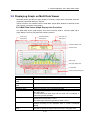
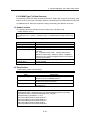
(3) Changing Display Period
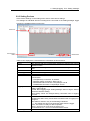
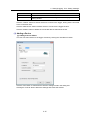
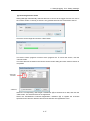
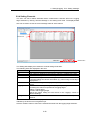
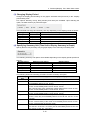
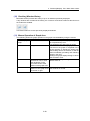
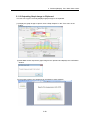
Change the display period setting on the graph's horizontal axis (time axis) in the "Display
period setting area".
Five options: Minutely, Hourly, Daily, Monthly and Yearly are available. Upon selecting the
option, the data summary is performed again.
The horizontal axis range and summary unit vary depending on the display period as follows:
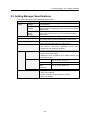
Display period
Axis range
Summary unit
Minutely
1 minute
No summary
Hourly
1 hour
1 minute
Dayly
1 day
1 minute/30 minutes/60 minutes (Selectable)
Monthly
1 month
30 minutes/60 minutes/1 day (Selectable)
Yearly
1 year
1 day/1 month (Selectable)
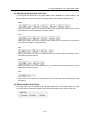
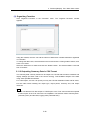
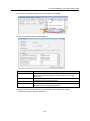
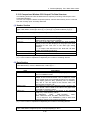
(4) Specifying Summary Unit (Time Unit to Display Summary in Graph)
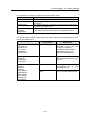
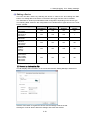
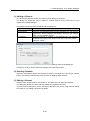
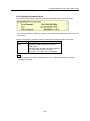
Specify the time unit (summary unit) for graph display in the summary unit setting area.
The following summary unit options are available depending on the display period specified in
step (3):
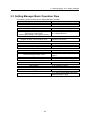
Display period
Summary unit setting
Default setting
Minutely
No summary
No summary
Hourly
1 minute
1 minute
Daily
1 minute/30 minutes/1 hour
1 hour
Monthly
30 minutes/1 hour/1 day
1 day
Yearly
1 day/1 month
1 month
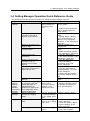
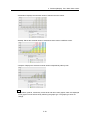
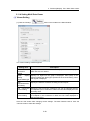
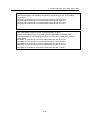
The following shows the summary procedure for each summary unit option:
Summary
Summary procedure for graph display
unit
No summary
Plot all the momentary values
1 minute
"00": Plot the sum of the momentary values starting from 00 min. 00 sec.
to immediately before 01 min. 00 sec.
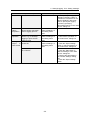
30 minutes
"0": Plot the sum of the momentary values starting from 0 hour 00 min.
00 sec. to immediately before 0 hour 30 min. 00 sec.
"30": Plot the sum of the momentary values starting from 0 hour 30 min.
00 sec. to immediately before 1 hour 00 min. 00 sec.
1 hour
"0": Plot the sum of the momentary values starting from 0 hour 00 min.
00 sec. to immediately before 1 hour 00 min. 00 sec.
1 day
"1": Plot the sum of the momentary values starting from 0 hour 00 min.
00 sec. of the day to immediately before 0 hour 00 min. 00 sec. of the
next day.
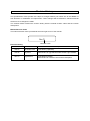
1 month
"1": Plot the sum of the momentary values starting from 0 hour 00 min.
00 sec. of the first day of the month to immediately before 0 hour 00 min.
00 sec. of the first day of the next month.
1 year
"2011": Plot the sum of the momentary values starting from 0 hour 00
min. 00 sec. of the Jan. 1st of the year to immediately before 0 hour 00
min. 00 sec. of the Jan. 1st of 2012.
3-16