1
USING YOUR MENU
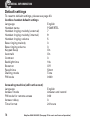
Change the tone (‘equaliser’) setting
1. Open your menu by pressing
highlight Handset and press
2. Scroll using
or
, then scroll using
or
until you
.
until you highlight Equalizer and press
.
3. You’ll see the setting.
4. Change the tone setting using
or
and press
.
Note: to adjust tone while you’re making a call, press the
button to
access the equaliser setting. Then press the
or
button to adjust the
setting as shown on the bar-graph on the handset screen.
Boost on
When this feature is set to On the boost function is always activated. The BoostLED on the top left side of the handset is on and the display shows “BOOST IS
ON”.
You can use the
key to switch it off for the recent call. For the next call it will
be on again.
If the Boost on-function is set to Off, you will have to switch it on manually by
pressing the
key. For the next call, the boost function will be off again.
Helpline 0844 800 6503 (See page 70 for costs and hours of operation)
33