1
604_38_257 ALFA 159_BRERA_SPIDER GR BLUE+RADIONAV FOGLIO 2 GB
29-04-2010
10:40
Pagina 2
How to set your audio preferences
................................................................................................
................................................................................................
................................................................................................
................................................................................................
................................................................................................
................................................................................................
................................................................................................
................................................................................................
................................................................................................
................................................................................................
................................................................................................
................................................................................................
................................................................................................
................................................................................................
................................................................................................
................................................................................................
................................................................................................
................................................................................................
................................................................................................
................................................................................................
................................................................................................
28
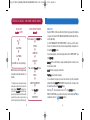
R A D I O N A V CONTROLS
• MUSIC SOURCE SELECTION
To select the desired music source use the following buttons:
MEDIA for the selection of the CD or USB source
RADIO for the selection of the RADIO source.
• RADIO STATION STORING
Press the MEM button to store the radio station you are listening to and the display will
show the list of the 6 storing positions. Select “Store” and then select the desired position
using the “OK” button/knob. Press the MEM button to recall the stations stored and select
the item “Select” and then the position of the desired station using the “OK” button/knob.
• LIST FUNCTION
By pressing the h button it is possible to interact and display the complete list of the
radio stations in the active band, if the radio function or the list of folders and audio tracks
with the CD/CDMP3 function are active.
• AUDIO ADJUSTMENT
By pressing the
button you can set your audio preferences (treble, bass, balance...).
5
6