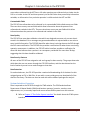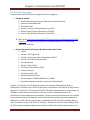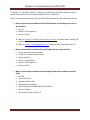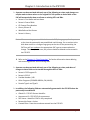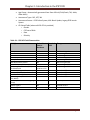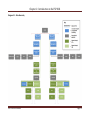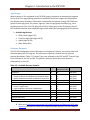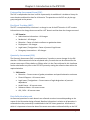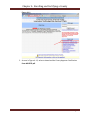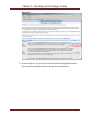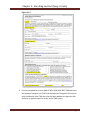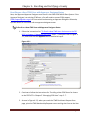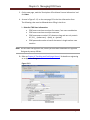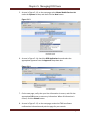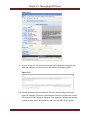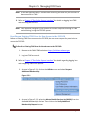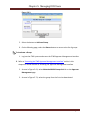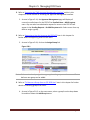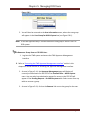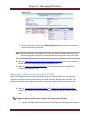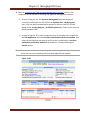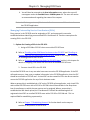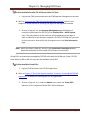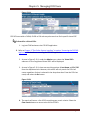
1
Full Service Partnership (FSP) Data Collection & Reporting (DCR) User Manual Information and Instruction for Version 3.5.5 The following document was funded by the Mental Health Services Oversight and Accountability Commission. 1/17/2012 Table of Contents Table of Contents Table of Contents ........................................................................................................................1 Acknowledgements .....................................................................................................................4 Definitions and Abbreviations .....................................................................................................5 Chapter 1: Background Information ............................................................................................6 Overview of FSP Program ........................................................................................................6 History of the FSP DCR .............................................................................................................6 Data Collection and Reporting Forms for FSP ...........................................................................7 Chapter 2: Introduction to the FSP DCR .......................................................................................8 Functions of the FSP DCR .........................................................................................................8 System Interface Overview ......................................................................................................9 FSP DCR Data Hierarchy .........................................................................................................10 Age Groups ............................................................................................................................15 Outcome Domains .................................................................................................................15 Partnership Assessment Form (PAF) ......................................................................................16 Key Event Tracking (KET) ........................................................................................................16 Quarterly Assessment (3M) ...................................................................................................16 Data Collection Intervals ........................................................................................................16 Data Reporting and Validation Rules ......................................................................................20 Chapter 3: The Online System Interface ....................................................................................21 ITWS System Requirements ...................................................................................................21 Adding the ITWS Website as a Trusted Site ............................................................................22 Configuring Pop-up Blocker ...................................................................................................24 Enabling Cookies in Internet Explorer ....................................................................................26 Navigating to the ITWS website .............................................................................................28 ITWS What’s New ..................................................................................................................29 ITWS Utilities Menu ...............................................................................................................30 ITWS Support Menu...............................................................................................................32 MHSA Information Menu .......................................................................................................33 Accessing the FSP DCR Application ........................................................................................33 Using the DCR Interface .........................................................................................................34 DCR Menu Options ................................................................................................................34 Support..................................................................................................................................36 Chapter 4: Enrolling and Certifying a County .............................................................................37 Identifying County Reporting Method....................................................................................37 Identifying County Business Method......................................................................................38 FSP DCR User Manual Page 1 Table of Contents Identifying a Group Structure ................................................................................................38 Registering an Approver Designee .........................................................................................42 Enrolling as a New ITWS User with Approver Designee Status ...............................................47 Enrolling as an Existing ITWS User with Expanded Approver Designee Membership ..............49 Creating FSP Program ID Codes..............................................................................................49 Submitting Test Data to the FSP DCR Test System..................................................................50 Requesting to Become a Certified County ..............................................................................50 Chapter 5: Managing DCR Users ................................................................................................51 Enrolling a New ITWS User for Access to the FSP DCR ............................................................51 Enrolling an Existing ITWS User for New Access to the FSP DCR .............................................55 Understanding User Roles .....................................................................................................56 Accessing the ITWS Approver Management Interface............................................................58 Assigning and Removing Roles for FSP DCR Users ..................................................................59 Managing Groups ..................................................................................................................62 Assigning and Removing Groups for FSP DCR Users ...............................................................65 Managing User Requests for Access to the FSP DCR...............................................................68 Managing Partnership Service Coordinators (PSCs) ................................................................70 Data Security and Data Sharing Between Users .....................................................................76 Chapter 6: Data Reporting Options............................................................................................79 Entering FSP Data Directly into the Online FSP DCR Application .............................................79 Using 3rd Party Applications for FSP Data ...............................................................................79 Selecting a Method of Data Submission .................................................................................79 Accessing the FSP DCR Test QA Application ...........................................................................80 XML Batch File Submission Introduction ................................................................................80 XML Schema Definition (XSD) ................................................................................................81 DCR Validation Matrices ........................................................................................................85 XML Batch Uploading.............................................................................................................86 Submission Errors ..................................................................................................................90 XML Batch Corrections ..........................................................................................................91 XML Batch Submission Testing ...............................................................................................91 Certifying Counties for XML Data Submission ........................................................................93 Chapter 7: Establishing Partners ................................................................................................94 Completing the PAF through Printed Forms ...........................................................................95 Completing the PAF through the Online FSP DCR ...................................................................96 Completing the PAF through XML Batch Submission............................................................101 Chapter 8: Working with KETs .................................................................................................102 Completing the KET through Printed Forms .........................................................................102 Completing the KET through the Online FSP DCR .................................................................103 FSP DCR User Manual Page 2 Table of Contents Completing the KET through XML Batch Submission ............................................................105 Chapter 9: Working with 3Ms..................................................................................................107 Completing the 3M through Printed Forms..........................................................................107 Completing the 3M through the Online FSP DCR .................................................................107 Completing the 3M through XML Batch Submission ............................................................110 Chapter 10: Managing Partners with the Online FSP DCR ........................................................112 Using DCR Home Notification Tables to Assist Partner Management ...................................112 Searching for Partners .........................................................................................................121 Managing Active Partners ....................................................................................................123 Certifying and Decertifying a PAF as Complete.....................................................................126 Managing Inactive Partners .................................................................................................129 Deleting, Discontinuing and Reactivating Partnerships ........................................................132 Sharing Partner Information ................................................................................................138 Chapter 11: Data Correction ....................................................................................................139 Correcting, Updating and Deleting a PAF with the Online FSP DCR ......................................139 Correcting, Updating and Deleting a KET with the Online FSP DCR .......................................142 Correcting, Updating and Deleting a 3M with the Online FSP DCR .......................................148 Correcting Data through XML Batch Upload ........................................................................152 Overview of Business Rules for Data Correction...................................................................153 Chapter 12: Data Extraction ....................................................................................................155 Appendix A: Data Reporting and Validation Rules ..................................................................157 Appendix B: Batch Submission Errors .....................................................................................162 FSP DCR User Manual Page 3 Acknowledgments Acknowledgements We would like to acknowledge the input and materials from various people and organizations. Many documents created by the California Department of Mental Health (DMH) were used as sources and resources for the production of this manual. In addition, various people from DMH assisted the production of this manual by providing information, reviewing and approving the content of the manual. DMH also created a test pseudo‐county profile so that instructions for data entry through the online Full Service Partnership (FSP) Data Collection and Reporting (DCR) system could be tested. We would like to thank Los Angeles County for providing review of the instructions for the Extensible Markup Language (XML) data reporting process. Due to the Governor’s Proposed Budget for FY 2012‐13 to eliminate the Department of Mental Health (DMH), MHSA programs and functions will be transferred to other departments. It is proposed that the DCR system will be administered by another department. Since this document was developed at the time DMH maintained the DCR system, DMH is named in the references and links throughout this document. Because the new state entity is not known, whenever “DMH” is used in this document it is intended to also include the new state entity that will take on DMH’s responsibilities. FSP DCR User Manual Page 4 Definitions and Abbreviations Definitions and Abbreviations Term 3M ADL Adult Child/Youth CSI CVI DCR DMH FSP FY IADL KET MH MHSA MHBG MHP MHSIP Older Adult PAF Partner PC POQI ro RO rw RW SED TAY TOC WIC XML XSD YSS-F Meaning Quarterly Assessment Activities of Daily Living Adults of Ages 26 - 59 Children of Ages 0 - 15 Client Services Information Complete Variable Index Data Collection and Reporting California Department of Mental Health Full Service Partnership Fiscal Year Instrumental Activities of Daily Living Key Event Tracking Mental Health Mental Health Services Act Mental Health Services Block Grant Mental Health Plan Mental Health Statistics Improvement Program Older Adults of Ages 60+ Partnership Assessment Form A Client of the Full Service Partnership Penal Code Performance Outcomes and Quality Improvement Read Only (Authority) Read Only (Role) Read/Write (Authority) Read/Write (Role) Seriously Emotionally Disturbed Transitional Age Youth (Ages 16 – 25) Table of Contents California Welfare and Institution Code Extensible Markup Language XML Schema Definition Youth Services Survey for Families FSP DCR User Manual Page 5 Chapter 1: Background Information Chapter 1: Background Information Overview of FSP Program County Mental Health Plans (Counties) receive state-based funding for mental health services as a result of California Proposition 63 (now known as the Mental Health Services Act or MHSA), passed in November of 2004. MHSA provides increased funding to support California’s county mental health programs. The MHSA imposes a one percent income tax on personal income in excess of $1 million to address a broad continuum of prevention, early intervention and service needs and the necessary infrastructure, technology and training elements that will effectively support this system, with the purpose of promoting recovery for individuals with serious mental illness. Counties develop customized plans for mental health partner service in accordance with State requirements, including that it must provide for significant local stakeholder input and involvement. MHSA also funds a special program called the Full Service Partnership (FSP). FSP programs provide a full spectrum of mental health services to children/youth (ages 0 – 15) and transition age youth (TAY) (ages 16 – 25) who are seriously emotionally disturbed and adults (ages 26 – 59) and older adults (ages 60+) who have a serious mental disorder; all of which are referred to as partners in the program. Additional criteria, described in Welfare and Institution Code (WIC) §5600.3, must also be met. A basic principle of the program is its flexible funding, which assures that counties may provide whatever services are necessary to help the individual access needed resources. Services offered by local programs include assessing the individual’s needs; providing shelter/housing; establishing identification and legal assistance needs; and providing food, clothing, showers, medical, psychiatric, dental care, alcohol/drug treatment, and social rehabilitation. History of the FSP DCR The MHSA Section 5892(d) allowed investing some portion of the MHSA funds on administrative (technological) needs to ensure adequate research and evaluation regarding the effectiveness of services being provided and the achievement of the outcome measures. In 2005, the Department of Mental Health (DMH) was permitted funding to develop the FSP Data Collection and Reporting (DCR) system. By January 1, 2006 the interim FSP DCR was available for county use, and 10 counties used the interim FSP DCR. In June 2007, an enhanced version of the FSP DCR was made available, which allowed counties to key-enter data or upload data via XML batch upload. DMH worked with counties to develop data validation rules, fixes and enhancements to the FSP DCR as reflected by the updated versions of the FSP DCR released in July 2007, October 2007, February 2008, March 2008, May 2008, July 2008, September 2008, FSP DCR User Manual Page 6 Chapter 1: Background Information October 2008, March 2009, April 2009, July 2009, October 2009, January 2010, March 2010, June 2010 and October 2010. This user manual for the FSP DCR currently reflects capabilities in the FSP DCR for Version 3.5.5 released October 2010. Data Collection and Reporting Forms for FSP Counties report partner information and outcomes of the FSP program directly to the FSP DCR system. Current regulations require counties to collect partner outcome FSP data (CCR Title 9 § 3620.10) and submit it to DMH within 90 days (CCR Title 9 § 3530.30). Counties submit data for three different types of partner assessments into the FSP DCR through an online interface or by XML file submission. Through the FSP DCR system, the Partnership Assessment Form (PAF) gathers baseline information about the partner, while Key Event Tracking (KET) and Quarterly Assessment (3M) gather follow up information. The questions on the each of the PAF, KET and 3M forms may differ slightly depending on the four age groups (Child/Youth, TAY, Adult and Older Adult). Therefore, there are individual forms for each partner assessment type and age group, resulting in 12 different forms for data collection. List of All Data Collection Forms: 1. PAF for Child/Youth 2. PAF for TAY 3. PAF for Adult 4. PAF for Older Adult 5. KET for Child/Youth 6. KET for TAY 7. KET for Adult 8. KET for Older Adult 9. 3M for Child/Youth 10. 3M for TAY 11. 3M for Adult 12. 3M for Older Adult Refer to the Full Service Partnership (FSP) Data Collection and Reporting (DCR) Data Dictionary document for an example of each form. FSP DCR User Manual Page 7 Chapter 2: Introduction to the FSP DCR Chapter 2: Introduction to the FSP DCR The following chapter provides an introduction to the types of data, the relationship between the data and the requirements of the data collected by the FSP DCR. Functions of the FSP DCR Programs and Coordinators The FSP DCR is designed so that FSP partners can be added, tracked and updated in the FSP DCR system. The FSP DCR system associates each partner with one of the county’s FSP programs. There is also an option to associate a partner with standard programs of former AB2034, Governor's Homeless Initiative (GHI), and/or the MHSA Housing Program. Partners are assigned to one partnership service coordinator (PSC). The FSP DCR also provides the option of associating a partner with one provider. At any time, a partner can be switched between county programs, providers and PSCs or enrolled/discontinued from the standard programs. Partner Demographics The FSP DCR collects information about the partner’s name, and it requires a date of birth to calculate the age group of the partner. The age group of the partner helps the FSP DCR to identify the correct form fields which vary by age groups. However, minimal other demographic information about the partner is reported to the FSP DCR directly, and when a Client Services Information (CSI) number is provided in the FSP DCR, an automated link to the DMH CSI database populates the gender, race, ethnicity and CSI date of birth fields of the FSP DCR. Partner Outcomes The FSP DCR collects information about a partner at intake through a PAF, which includes information about the partner’s current status, the status in the 12 months before enrollment, and the status prior to the last 12 months. Then some information is updated only quarterly via the 3M form, while other changes in status are collected on an ongoing basis via the KET form as certain key events occur. Information is collected in the following domains: Residential Housing, Employment, Education, Financial Support, Health Status, Emergency Intervention, Substance Abuse, Legal Issues, and for older adults only, Activities of Daily Living (ADL) and Instrumental Activities of Daily Living (IADL). Data Collection Intervals Questions for each domain are collected at various intervals depending on the nature of the information being collected. Baseline information in relation to all questions is collected at partner intake via the PAF. Questions in which it is important to know the date the event FSP DCR User Manual Page 8 Chapter 2: Introduction to the FSP DCR occurred are collected via the KET forms. All other questions are collected only at intake via the PAF or on intake via the PAF and then quarterly via the 3M. Other than partnership information variables, no information for a particular question is visible on both the KET and 3M. Customizable Fields The FSP DCR also allows data to be collected in six customizable fields called county-use fields. There are three county-use text fields which allow information about the partner to be collected and tracked via the KETs. There are also three county-use text fields which allow information about the partner to be collected and tracked via the 3Ms. Data Quality The FSP DCR has many data validation rules which are designed to ensure only correct data is stored in the database. Error messages are generated and data is rejected when a user tries to enter invalid information. The FSP DCR identifies when there is missing data on the PAF through the PAF status notification. The FSP DCR also provides a notification list when there are missing quarterly assessments. In addition, the FSP DCR online interface provides a notification list when the data indicates that a partner is at a temporary residential for more than 30 days, suggesting that this data should be validated. Data Security Features All users of the FSP DCR are assigned a role and a group for data security. The groups determine which data the user can access through the FSP DCR interface, and the roles determine the level of authority a user has to make changes to that data. Data Extraction For authorized users, the FSP DCR provides a method of downloading all of the data for their assigned group as CSV or XML files. A user with a county-wide group can download all of the data for the county. The data can then be used with other software packages for analysis. System Interface Overview Data is reported to the FSP DCR through the ITWS website. The ITWS website allows Department of Mental Health (DMH) and business partners (counties, vendors, state departments, etc.) to securely report and access various DMH systems over the Internet. Refer to Chapter 3 “The Online System Interface” for details about the ITWS system interface. FSP DCR User Manual Page 9 Chapter 2: Introduction to the FSP DCR FSP DCR Data Hierarchy Data stored by the FSP DCR can be categorized into six categories. Categories of Data: 1. General Partnership Information & Administrative Data Fields 2. Internally Generated Fields 3. CSI-linked Fields 4. Partner’s History Fields (collected only on PAF) 5. Domain Type A Fields (collected on PAF & KET) 6. Domain Type B Fields (collected on PAF & 3M) Refer to the Full Service Partnership (FSP) Data Collection and Reporting (DCR) Data Dictionary document for a complete list of database questions, variables, and intervals of collection. General Partnership Information & Administrative Data Fields: • County • Partner’s FSP Program ID • Partner’s Partnership Service Coordinator (PSC) ID • Partner’s First Name and Last Name • Partnership Date • Partner’s Date of Birth • CSI County Client Number (CCN) • County Partner ID • Provider Number / NPI • Who Referred the Partner • Other Programs (FORMER AB2034, GHI, MHSA) • Discontinue Reason (only when a partner is discontinued) Diagram 2-1 illustrates the FSP DCR data hierarchy for relevant fields depicted. When a partnership is initiated in the FSP DCR, information is required on a PAF specific to the partner’s age group. The Partner’s FSP Program ID and PSC ID fields are populated from a drop-down list of values, and the values for these fields must be created in the database before the partnership can be established in the database. There are a total of six fields which are required to start a partnership in the database, and all other fields are optional and can be added to or updated on the PAF after the partnership is established and while the PAF is pending. When a PAF is incomplete, it has a PAF Status of “Pending”, and fields on the PAF can be changed. After the PAF has been completed, which must include a valid CSI CCN, the PAF Status can be set to FSP DCR User Manual Page 10 Chapter 2: Introduction to the FSP DCR “Complete” or “Certified Complete”. Changes to the all other information about the current status of the partner are then tracked through the KET or 3M forms. Table 2-1 summarizes the details of the FSP DCR field characteristics described subsequently. Before a partner can be added to the FSP DCR database, the following must exist in the database: • County • Partner’s FSP Program ID • Partner’s PSC ID Refer to Chapter 4 “Enrolling and Certifying a County” for details about creating FSP Programs IDs. Refer to Chapter 5 “Managing DCR Users” for details about creating the PSC IDs. When a partnership is established, the following fields are required fields: • County (automatically populated) • Partner’s First Name and Last Name • Partnership Date • Partner’s Date of Birth • Partner’s FSP Program ID • Partner’s PSC ID When a partnership is established, the following administrative fields are optional fields: • CSI CCN • County Partner ID • Provider Number / NPI • Who Referred the Partner • Other Programs (FORMER AB2034, GHI, MHSA) • Partner’s History • PAF Domain Type A and Type B FSP DCR User Manual Page 11 Chapter 2: Introduction to the FSP DCR A partner can be associated with only one of the following at a time, and changes can only be made to these values on the original PAF. All updates to these fields on the PAF will automatically show on all new or existing KETs and 3Ms: • Partner’s First Name and Last Name • Partner’s Date of Birth • CSI County Client Number • County Partner ID • Who Referred the Partner • Partner’s History Note: When correcting a partner’s birth date on the PAF, the age group for the partner at the time the partnership was established could change. If a correction to the birth date results in a change of age group at the time of the partnership, the PAF form will not update to the appropriate PAF type to accommodate the change. Therefore, in this case, the partner should be deleted and recreated in the FSP DCR. Refer to the Chapter 11 “Data Correction” for further information about deleting and recreating partners and correcting data. A partner can be associated with only one of the following at a time, and dates of changes to these fields can be tracked through the KETs or 3Ms: • Partner’s FSP Program ID • Partner’s PSC ID • Provider Number / NPI • Other Programs (FORMER AB2034, GHI, MHSA) • Domain Type A and Type B In addition, the following fields are automatically generated in the FSP DCR when the partnership is established: • Global ID = FSP DCR Partner Identifier • Assessment ID = FSP DCR ID for assessment • PAF Status = Identifies if PAF is fully completed • Partnership Status = Active • Created Date = Date the record was entered into the FSP DCR FSP DCR User Manual Page 12 • • • • Chapter 2: Introduction to the FSP DCR Age Group = Automatically generated from Date of Birth (Child/Youth, TAY, Adult, Older Adult) Assessment Type = PAF, KET, 3M Assessment Source = DCR Online System, XML Batch Update, Legacy/DCR Interim System CSI-linked Fields (when valid CSI CCN is provided) o Gender o CSI Date of Birth o Race o Ethnicity Table 2-1: FSP DCR Field Characteristics Field(s) Value Must Exist in Database County Partner’s First and Last Name Partner’s Date of Birth Partnership Date County Partner ID Who Referred the Partner Partner’s History Fields CSI County Client Number (CCN) and CSI-linked fields Partnership Program ID Partnership Service Coordinator ID Provider Number / NPI Other Programs (FORMER AB2034, GHI, MHSA) Internally Generated Fields (e.g., Age Group) Domain Type A Domain Type B FSP DCR User Manual Required Field Changes Yes No No No No No No Yes - Partner must be in CSI Yes Yes No No Yes Yes Yes Yes No No No No Can’t be changed Only on original PAF Only on original PAF Can’t be changed Only on original PAF Only on original PAF Only on original PAF Only on original PAF Yes Yes No No Tracked on KETs Tracked on KETs Tracked on KETs Tracked on KETs n/a n/a Internally Generated No No No No Tracked on KETs Tracked on 3Ms Page 13 Diagram 2-1: Data Hierarchy FSP DCR User Manual Chapter 2: Introduction to the FSP DCR Page 14 Age Groups Chapter 2: Introduction to the FSP DCR When a partner is first registered in the FSP DCR system, the partner is automatically assigned to one of the four age groupings specified in the MHSA Three-Year Program and Expenditure Plan Requirements document. Information is collected on the partner through FSP DCR forms specific to each age group. If a partner “ages up” from one age group to another (e.g., has a birthday and turns from 15 to 16, aging out of Child / Youth group to the TAY group), then all KETs and 3Ms collected after the partner ages up will reflect the new age group for the partner. Available Age Groups: • Child / Youth (Ages 0-15) • Transition Age Youth (Ages 16-25) • Adults (Ages 26-59) • Older Adults (60+) Outcome Domains The FSP DCR is designed to collect information on the partner’s history, the current status and the status during the FSP program. The information collected is broken into ten outcome domains described in Table 2-2. Domain Type A are collected on the PAF and KET. Domain Type B are collected on the PAF and 3M. The partner’s historical information for a domain is collected only on the PAF. Table 2-2: Available Outcome Domains Domain Type Collected On A Is Past History Collected on PAF? Yes Residential Education o School Enrollment and Graduation/Completion Dates o Grades, Attendance and Special Education Assistance Employment Financial Support Legal Issues / Designations o Partner’s Legal Issues o Legal Designation of Partner’s Dependents Emergency Interventions Health Status Substance Abuse ADL-older adult only IADL-older adult only A B A B Yes Yes Yes Yes PAF & KET PAF & 3M PAF & KET PAF & 3M A B A B B B B Yes No Yes Yes Yes No No PAF & KET PAF & 3M PAF & KET PAF & 3M PAF & 3M PAF & 3M PAF & 3M PAF & KET Refer to the Full Service Partnership (FSP) Data Collection and Reporting (DCR) Data Dictionary document to review the Complete Variable Index (CVI) for each domain. FSP DCR User Manual Page 15 Chapter 2: Introduction to the FSP DCR Partnership Assessment Form (PAF) The PAF is completed at the time in which a partnership is established. It includes a history for some domains and baseline data for all domains. The questions on the PAF vary by the age group assigned to the partner. Key Event Tracking (KET) The KET is completed every time there is a change in one of the KET domains. A KET contains information on the change that occurred for a KET domain and the dates the changes occurred. KET Domains: • Administrative Information – All changes • Residential – All changes • Education – Dates of school enrollment or graduation dates • Employment – All changes • Legal Issues / Designations – Dates of partner’s legal issues • Emergency Interventions – All changes Quarterly Assessment (3M) The Quarterly Assessment (3M) is completed every 3 months to assess changes for the 3M domains. A 3M assessment must be completed every 3 months but can be collected for the partner status up to 15 days before or 30 days after it is due. Data collected in this timeframe can be submitted at any time to the FSP DCR system by stating the collection date within the required window. 3M Domains: • Education – Current status of grades, attendance and special education assistance • Financial Support – All current status • Legal Issues / Designations – Current status of legal designations of partner’s dependents • Health Status – All current status • Substance Abuse – All current status • ADL / IADL – All current status Data Collection Intervals As discussed, questions for each domain are collected at various intervals depending on the nature of the information being collected. Baseline information in relation to all questions is collected when the partnership is established via the PAF history questions. Information in which it is important to know the date of the event occurred are collected initially on the PAF FSP DCR User Manual Page 16 Chapter 2: Introduction to the FSP DCR and then updated via the KET forms. Other information is collected via the PAF and then the status is updated quarterly via the 3M. Diagram 2-2 illustrates an example data set by the collection intervals, which is described by the example below. EXAMPLE: A partnership is established on 7/1/2009 with a TAY. The baseline information for the partner indicates that the partner is homeless, not in school and not employed. The partner currently has a co-occurring substance abuse problem for which he is not receiving treatment services, and the partner is currently receiving no financial support. On 8/25/2009, the partner has his first arrest during the program, and the arrest date is recorded in the FSP DCR via a KET. On 9/5/2009, the partner moves into an emergency shelter and the residential change and date are recorded in the FSP DCR via a KET. On 10/1/2009, the end of the partner’s first quarter in the FSP program, the partner receives his first 3M assessment. The partner’s current status indicates that he still has a co-occurring substance abuse problem for which he is not receiving treatment services, and the partner is still receiving no financial support. On 10/6/2009, the partner has his second arrest during the program and, on the same day, his first mental health emergency intervention. Both events are recorded via the same KET. On 11/2/2009, the partner has his third arrest during the FSP program, and the arrest date is recorded via a KET. On 12/15/2009, the partner has his second mental health emergency intervention, and the date and type of intervention are recorded via a KET. On 1/1/2010, the end of the partner’s second quarter in the FSP program, the partner receives his second 3M assessment. The partner’s current status indicates that he still has a co-occurring substance abuse problem for which he is now receiving treatment services, and the partner is still receiving no financial support. On 1/23/2010, the partner moves into an apartment alone, and the residential change and date are recorded via a KET. On 4/1/2010, the end of the partner’s third quarter in the FSP program, the partner receives his third 3M assessment. The partner’s current status indicates that he still has a co-occurring substance abuse problem for which he is still receiving treatment services, and the partner is now receiving food stamp and housing support. On the same day, 4/1/2010, the partner begins a technical school program, and that information is recorded via a KET. On 4/9/2010, the partner has his third mental health emergency FSP DCR User Manual Page 17 Chapter 2: Introduction to the FSP DCR intervention, and the date and type of intervention is recorded via a KET. On 4/25/2010, the partner begins part-time supported employment, and the average weekly hours and wage are recorded via a KET. On 7/1/2010, the end of the partner’s fourth quarter in the FSP program, the partner receives his fourth 3M assessment. The partner’s current status indicates that he no longer has a co-occurring substance abuse problem, but he is still receiving treatment services, and the partner is still receiving food stamp and housing support. No other events occur in the quarter and no KETs are created for the partner. On 10/1/2010, the end of the partner’s fifth quarter in the FSP program, the partner receives his fifth 3M assessment. The partner’s current status indicates that he no longer has a co-occurring substance abuse problem, and he is no longer receiving treatment services. The partner is still receiving food stamp and housing support. The partner has met all of his goals, and is discontinued from the FSP Program via a KET with a discontinuation reason and date. FSP DCR User Manual Page 18 Chapter 2: Introduction to the FSP DCR Diagram 2-2: Data Collection Example Timeline * 1,2,3 An asterisk refers to the relative point in time when the event occurred. The number next to the asterisk refers to the relative order of similar events occurring over time. FSP DCR User Manual Page 19 Chapter 2: Introduction to the FSP DCR Data Reporting and Validation Rules The data reporting rules appear throughout this FSP DCR Manual. However, Appendix A summarizes the FSP DCR reporting rules in a comprehensive list for reference. Refer to Appendix A: “Data Reporting and Validation Rules” for further information. Refer to Figure 7-2.4 in Chapter 7 “Establishing Partners” for information on accessing a validation report for each partner. FSP DCR User Manual Page 20 Chapter 3: The Online System Interface Chapter 3: The Online System Interface The California Department of Mental Health (DMH) hosts the Information Technology Web Services (ITWS) portal which allows partners and providers to access a number of information systems including the FSP DCR Application. In order to access the online system, workstations must meet published system requirements as noted in the following sections. Additionally, there are a number of web browser configurations that must be made including adding the ITWS website as a trusted site, allowing Pop-up windows, and enabling cookies. The ITWS system is accessible through the public Internet and there are a number of methods to access this site. Within the DMH DCR Application, functionality is accessible through the FSP DCR menu system. ITWS System Requirements In order to access the Information Technology Web Services (ITWS) website, your computer must meet or exceed the following requirements. System Requirements: 1. Microsoft Windows Operating System using Internet Explorer version 6 or later 2. Minimum 1024 x 768 recommended resolution 3. The ITWS system should be added as a Trusted Site 4. Pop-ups must be allowed for the ITWS system 5. Cookies must be enabled for the ITWS website in Internet Explorer FSP DCR User Manual Page 21 Chapter 3: The Online System Interface Adding the ITWS Website as a Trusted Site To add the ITWS website as a Trusted Site: 1. As seen in figure 3-1.1, click on the Tools menu or click on the Tools and click Internet options. icon, Figure 3-1.1 2. As seen in figure 3-1.2, click on the Security tab, select Trusted sites from the available security zones, and click on the Sites button. FSP DCR User Manual Page 22 Chapter 3: The Online System Interface Figure 3-1.2 3. As seen in Figure 3-1.3, enter the ITWS website, https://mhhitws.cahwnet.gov/, into the Add this website to the zone textbox and click Add. This website should now appear under Websites. FSP DCR User Manual Page 23 Chapter 3: The Online System Interface Figure 3-1.3 Configuring Pop-up Blocker In order for the ITWS system to operate correctly, Pop-up Blocker must be disabled for the ITWS website. To modify Pop-up Blocker settings within Internet Explorer: 1. Click on the Tools menu or click on the Tools icon, and click Internet options. 2. As seen in Figure 3-2.1, on the Privacy tab, click on Settings under Pop-up Blocker. FSP DCR User Manual Page 24 Chapter 3: The Online System Interface Figure 3-2.1 3. As seen in Figure 3-2.2, on the Pop-up Blocker Settings page, enter the ITWS website, https://mhhitws.cahwnet.gov/, into the Address of website to allow field, and click Add. The website should then appear in the Allowed Sites listing. FSP DCR User Manual Page 25 Chapter 3: The Online System Interface Figure 3-2.2 Enabling Cookies in Internet Explorer The ITWS website uses cookies. These must be enabled in order for the site to operate properly. If cookies are not enabled, you will not be able to access the system and may receive one of the following messages after entering your username and password. Error Messages When Cookies Are Disabled: • Access to ITWS is denied • Cookies must be enabled • Please login before trying to enter ITWS To modify cookie settings within Internet Explorer: 1. Click on the Tools icon and Internet options and go to the Privacy tab. By default, the slider bar will be set to Medium and cookies for the ITWS system will be allowed. FSP DCR User Manual Page 26 Chapter 3: The Online System Interface 2. For higher security settings for cookies, it may be necessary to configure to allow cookies for the ITWS system. To do this, click on Sites button. 3. As seen in Figure 3-3.1, on the Per Site Privacy Actions screen, enter the ITWS web address (https://mhhitws.cahwnet.gov/) in the Address of website and press Allow. The website should then appear in the Managed Websites as Always Allow. Figure 3-3.1 For additional issues with cookies, please refer to the browser’s help. If cookies are not allowed for the ITWS website, refer to the online help from Microsoft. FSP DCR User Manual Page 27 Chapter 3: The Online System Interface Navigating to the ITWS website The ITWS website can be accessed from any workstation connected to the Internet via the DMH website by browsing to http://www.dmh.ca.gov/. To access ITWS website: 1. Browse to http://www.dmh.ca.gov/. 2. As seen in Figure 3-4.1, once at the primary California DMH website, navigate to the Partners and Providers tab and click on the Information Technology Web Services (ITWS) link. Figure 3-4.1 Note: As seen in Figure 3-4.2, you can also navigate directly to the DMH Information Technology Web Services (ITWS) page by browsing to the following website: https://mhhitws.cahwnet.gov/ 3. Once at the ITWS homepage, login information must be entered into the ITWS Login. Both usernames and passwords are case sensitive. FSP DCR User Manual Page 28 Chapter 3: The Online System Interface Figure 3-4.2 4. Once logged into the system, the user session will remain open until the browser session is closed, the session reaches the idle time limit and automatically expires or the user selects the ITWS menu option to Logout, as seen in Figure 3-4.3. Figure 3-4.3 ITWS What’s New Under the What’s New section, important notifications and other information including system maintenance and downtime are posted. FSP DCR User Manual Page 29 Chapter 3: The Online System Interface ITWS Utilities Menu The ITWS utilities menu allows users to change their user settings, and it is also the portal to the user management application for the Approver Designee. As seen in Figure 3-5.1, the Utilities menu has the following menu options. ITWS Utilities Menu Options: 1. Change Password Allows users to change their own passwords. 2. User Preferences Allows users with appropriate permissions to set their preferences. 3. User Profile Allows users to view their current contact information and profile settings. The user can also view the Memberships Process Log, Pending Memberships or Approved Memberships. 4. Request Additional Membership Allows user to request additional membership permissions and authority as needed. 5. Approver Management Provides a portal to the Approver Management website for managing user membership requests, groups and roles. Refer to Chapter 5 “Managing DCR Users” at the section for “Enrolling an Existing ITWS User for New Access to the FSP DCR” for details about requesting additional memberships. Refer to Chapter 5 “Managing DCR Users” for additional information about using the Approver Management website. Users are able to change their passwords by accessing the Utilities menu and selecting Change Password. To change a password: 1. As seen in Figure 3-5.1, select the Utilities menu and select Change Password. FSP DCR User Manual Page 30 Chapter 3: The Online System Interface Figure 3-5.1 Note: The password policy requires that passwords be a minimum of 6 characters. 2. To change the password, enter the current password in the Last Used Password field and enter the new password in both the New Password and Confirm Password fields. Figure 3-5.2 FSP DCR User Manual Page 31 Chapter 3: The Online System Interface ITWS Support Menu As seen in Figure 3-6.1, from the ITWS Support Menu, users can access the Comment Form, find information to Contact ITWS, access Online Technical Support information, and view Message History. Figure 3-6.1 ITWS Support Menu Options: 1. Comment Form The Comment Form allows any user to submit feedback directly to the ITWS team. 2. Contact ITWS The Contact ITWS page includes contact information for ITWS General Support, as well as other system help desks. For most support issues related to the ITWS system such as assistance with user ID’s, passwords, connectivity, and encryption, the ITWS Help Desk can be reached by email at [email protected]. 3. Online Technical Support The Online Technical Support page includes articles published by the ITWS helpdesk. This includes information about system bugs, how-to instruction, and general information. 4. Message History Message History allows users to view all system messages including User Messages, messages about the MHSA system as well as messages by status including Pending, Private and Public. FSP DCR User Manual Page 32 Chapter 3: The Online System Interface MHSA Information Menu As seen in Figure 3-7.1, from the ITWS Systems Menu, users can access the Mental Health Services Act (MHSA) system. Once the system is selected, a new heading MHSA Information appears on the ITWS bar, as seen in Figure 3-8.1. Figure 3-7.1 The Technical Information website contains useful historic and updated documents about the technical aspects of the FSP DCR, which are useful for XML batch submission. Refer to Chapter 6 “Data Reporting Options” for additional information on submitting data via XML batch submission. Accessing the FSP DCR Application To access the FSP DCR application, the MHSA system must be selected. To access the FSP DCR application: 1. Navigate to the ITWS website. Refer to Chapter 3 “The Online System Interface” at the section “Navigating to the ITWS website” for additional information on locating the ITWS website. 2. As seen in Figure 3-8.1, from the menu at the top of the screen, click on the Systems menu and select the Mental Health Services Act (MHSA). FSP DCR User Manual Page 33 Chapter 3: The Online System Interface Figure 3-8.1 3. After selecting the MHSA system, the top menu will change and a new set of menu options will be available. As seen in Figure 3-8.2, click on Functions menu and select the DCR Application. Figure 3-8.2 Using the DCR Interface Once logged into the DCR interface for the MHSA system, the DCR Home Page will be displayed as seen in Figure 3-9.1. Figure 3-9.1 Note: The ITWS Home link allows the user to exit the FSP DCR system and return to the DMH ITWS homepage without logging out. The Log out link will end the user’s session to both the FSP DCR and ITWS systems, returning the user to the primary ITWS Login page. DCR Menu Options Depending on the user’s role, the FSP DCR system has up to five primary menu options. All menu options are not visible to all users. FSP DCR User Manual Page 34 Chapter 3: The Online System Interface Refer to Chapter 5 “Managing DCR Users” to see a complete list of roles and associated available menu options. FSP DCR System Main Menu Options: 1. Home 2. Partnerships 3. Transfers 4. Admin 5. Help As seen in Figure 3-10.1, the Home menu contains a link to the DCR Home page. From anywhere within the FSP DCR system, this link will allow the user to return to the primary home page shown previously in this chapter. Figure 3-10.1 As seen in Figure 3-10.2, the Partnerships menu can be used to add new partners into the FSP DCR system by creating the initial PAF and can manage both active and inactive partners. Figure 3-10.2 As seen in Figure 3-10.3, for authorized users, the Transfers menu allows users to access the portion of the website that allows for the download of FSP data files. Figure 3-10.3 FSP DCR User Manual Page 35 Chapter 3: The Online System Interface As seen in Figure 3-10.4, for authorized users, the Admin menu allows users to access forms (such as the PAF, KET, and 3M assessment forms) in a printer friendly format, view or share FSP groups, and access the System Messages interface where new system messages can be added and current messages can be viewed. For authorized user roles, users can also view or add Virtual PSCs. Figure 3-10.4 As seen in Figure 3-10.5, the Help menu offers links to training materials published on the DMH website as well as contact information for DMH Performance Outcomes and Quality Improvement (POQI) group. Figure 3-10.5 Support To provide feedback, comments and input regarding the FSP DCR, contact the POQI support group at [email protected]. FSP DCR User Manual Page 36 Chapter 4: Enrolling and Certifying a County Chapter 4: Enrolling and Certifying a County The following chapter outlines the process for new counties to begin reporting data to the FSP DCR. Counties already approved to submit data to the FSP DCR should refer to this chapter for instructions as their business needs or reporting needs change or require adjustment. A county must be certified before submitting partner outcome data to the FSP DCR production system. The following six steps must be completed for a county to become certified. Requirements to be a Certified County: 1. The county has identified its reporting method (DCR or XML County) 2. The county has identified its business method 3. The county has identified its group structure 4. The county has registered and trained an Approver Designee 5. The county has registered its Program ID Codes with DMH 6. The county has successfully submitted test data in the FSP DCR Test Environment Note: Additional requirements must be met for XML counties. Refer to Chapter 6 “Data Reporting Options” at the section “Certifying Counties for XML Data Submission” for further details on additional requirements for becoming a certified XML county. Identifying County Reporting Method There are two options for reporting data to the FSP DCR. Counties can report individual data directly through forms on the online data system. If counties maintain their own system of FSP data, the counties can choose upload batch data to the FSP DCR via XML files. Counties must choose one or the other method as a combination of the methods is not supported at this time. FSP DCR Reporting Options: 1. Online Individual Form Entry = “DCR Counties” 2. Batch XML File Submission = “XML Counties” Refer to Chapter 6 “Data Reporting Options” for further details on online individual form entry and batch XML file submission. FSP DCR User Manual Page 37 Chapter 4: Enrolling and Certifying a County Identifying County Business Method A county will need to set up a structure in the FSP DCR to support the method of data reporting. If the county is an XML county, will the providers upload their own XML files or will the county upload all provider XML batch data on behalf of the providers? If the county is a DCR County, will the providers enter their own data via the FSP DCR or will the county enter all of the data on behalf of the providers? Counties may also have vendors that submit data on behalf of the providers or the entire county. Note: A vendor is any company or individual who is authorized to act on behalf of other organizations (counties/providers) including, but not limited to, exchanging and processing confidential information and data. There are four main business structures. County Business Structure Options: 1. XML batch uploaded by the county/vendor on behalf of all providers 2. Online individual form entry by each provider 3. Online individual form entry by each coordinator 4. Online individual form entry by the county/vendor on behalf of all providers Identifying a Group Structure FSP DCR Groups control the ability of users to view or access data for partners in the program. As a default, a “<County> Master Group” exists in the FSP DCR for each county. Any user assigned to the “<County> Master Group” can access, through the FSP DCR, all partners’ data for the entire county. An FSP DCR user can be assigned to only one group. However, the FSP partner’s data can belong to several groups, as seen in Diagram 4-1. Each FSP partner’s data can be viewed by: 1. Any user assigned to the “<County> Master Group” 2. Any user with the same group as the user who uploaded or entered the data (Input Group) 3. Any user with the same group as the PSC assigned to the partner (PSC Group) 4. Any user with the same group to which the partner information has been shared (Shared Group); sharing groups is optional Refer to Chapter 5 “Managing DCR Users” for further details on creating, assigning and sharing groups. FSP DCR User Manual Page 38 Chapter 4: Enrolling and Certifying a County Diagram 4-1: Generic Groups Who Can Access a Partner’s Data Data Input Group <County> Master Group PSC Group FSP Partner Data Shared Group(s) A county’s group structure will depend upon both their reporting method and business methods. The group structure provides security in order to limit the number of users who can access a partner’s data. The user who enters or uploads the data may not be the same user who accesses and reviews the data. Therefore, a group should be created for each set of users who need to upload the same data, and a group should be created for each set of users who need to access the same data. If the users who enter the data are the only users (except the “<County> Master Group”) who need to access the data, then the group structure will be simplified. The least number of users possible should belong to each group. Diagrams 4-2 through 4-5 exemplify some possible group structures. Diagram 4-2 depicts the groups who would be able to access a partner’s data if a Vendor was responsible for inputting the data to the FSP DCR, but a PSC still needed access to the DCR to view the partner’s history and notifications. In this example, the PSC might be the only member of his/her group. The PSC could then share each partner assigned with the administrators within his/her provider’s organization. The shared group would comprise of the provider’s administrators. Of course, the approved county employee users would still have access to all of the counties data via the “<County> Master Group”. In Diagram 4-3, the structure is simplified slightly as each Provider inputs the data for its organization. Therefore, the provider acts as the Data Input Group, and shared groups are optional for this structure. In Diagram 4-4, the structure is set up such that each PSC enters data for their own FSP partners. Therefore, the Input Group and the PSC Group are the same group. In this case, the FSP DCR User Manual Page 39 Chapter 4: Enrolling and Certifying a County PSC could then share each partner assigned with the administrators within his/her provider’s organization. The shared group would comprise of the provider’s administrators. In Diagram 4-5, the structure is set up such that county employees enter the data for all providers. Therefore, the Input Group and the “<County> Master Group” are the same group. In this case, the PSC could then share each partner assigned with the administrators within his/her provider’s organization. The shared group would comprise of the provider’s administrators. FSP DCR User Manual Page 40 Chapter 4: Enrolling and Certifying a County Diagram 4-2: Example Group Structure 1: A Vendor Inputs the Data PSC Group Data Input Group (The Vendor) (A group which contains the PSC) <County> Master Group Shared Group (The Provider's Administrators) FSP Partner Data (The County Employees) Diagram 4-3: Example Group Structure 2: The Provider Administrators Input the Data Data Input Group (The Provider Administrators) PSC Group (A group which contains the PSC) <County> Master Group (The County Employees) FSP DCR User Manual Shared Group(s) FSP Partner Data (if needed) Page 41 Chapter 4: Enrolling and Certifying a County Diagram 4-4: Example Group Structure 3: The PSC Inputs the Data <County> Master Group (The County Employees) Input and PSC Group (A group which contains the PSC) Shared Group (The Provider's Administrators) FSP Partner Data Diagram 4-5: Example Group Structure 4: The County Inputs All of the Data PSC Group <County> Master Group = Input Group (The County Employees) (A group which contains the PSC) Shared Group (The Provider's Administrators) FSP Partner Data Only a user registered as an Approver Designee can modify the FSP DCR Group structure. A county must identify and register at least one user as an Approver Designee. Registering an Approver Designee In order to approve new users, create groups and assign users to a group, a county must register an Approver Designee. An Approver Designee is someone who is designated to FSP DCR User Manual Page 42 Chapter 4: Enrolling and Certifying a County authorize individuals (users) from their organization to access ITWS and FSP DCR. The Approver Designee is also responsible for creating groups via the ITWS in order to structure access to the DCR for his/her organization. Separate approvers can be designated for each organization (county, vendor, direct provider, etc.). However, the County Mental Health Director must sign all paperwork approving each Approver Designee. To register as an approver, first the designated approver must apply to be an Approver Designee, and when approved, the Approver Designee will either expand their existing ITWS membership to include approver status or register as a new ITWS user. The county must have at least one trained Approver Designee before becoming certified. Contact POQI support ([email protected]) to discuss training options. To Apply to be an Approver Designee: 1. As seen in Figure 4-1.1, browse to the ITWS public home page (https://mhhitws.cahwnet.gov/default.asp) and select the DMH Approver certification forms from the right-side menu. Note: If you are already logged into ITWS, you will need to logout to access the public home page. FSP DCR User Manual Page 43 Chapter 4: Enrolling and Certifying a County Figure 4-1.1 2. As seen in Figure 4-1.2, select to download the County Approver Certification Form MH3273.pdf. FSP DCR User Manual Page 44 Chapter 4: Enrolling and Certifying a County Figure 4-1.2 3. As seen in Figure 4-1.3, print the form and complete the highlighted sections. The County Mental Health Director must sign the completed form. FSP DCR User Manual Page 45 Chapter 4: Enrolling and Certifying a County Figure 4-1.3 4. Fax the completed form to the DMH ITWS at (916) 654-3007. DMH will enter the Approver Designee into ITWS, and the Approver Designee will receive an email notification from ITWS that s/he has been added as an approver with authority to approve users for access to the ITWS system. FSP DCR User Manual Page 46 Chapter 4: Enrolling and Certifying a County Enrolling as a New ITWS User with Approver Designee Status Next, the approved Approver Designee must enroll in the DMH ITWS MHSA Data System. If the Approver Designee is an existing ITWS user, s/he will need to contact POQI support ([email protected]) for instructions on becoming an Approver Designee. Otherwise, s/he will enroll as a new user with an approver designee status. To Enroll as a New ITWS User with Approver Designee Status: 1. Follow the instructions for “To Enroll a New ITWS Users for Access to the FSP DCR” in Chapter 5 “Managing DCR Users” step 1 - 4, except as seen in Figure 42.1, make sure that the Approver box is checked in step 4. Figure 4-2.1 2. Continue to follow the instructions for “Enrolling a New ITWS Users for Access to the FSP DCR” in Chapter 5 “Managing DCR Users” step 5 - 7. 3. As seen in Figure 4-2.2, when you reach the ITWS Enrollment Request form page, print the ITWS Membership Request screen and sign the form as the User FSP DCR User Manual Page 47 Chapter 4: Enrolling and Certifying a County and as the Approver. Fax the form to the DMH ITWS Help Desk at (916) 6543007. Figure 4-2.2 4. As seen in Figure 4-2.3, DMH will process the request, and send an email notification that the enrollment request for Approver Designee has been reviewed and is queued for final review. Click on the link in the email, and approve the request. FSP DCR User Manual Page 48 Chapter 4: Enrolling and Certifying a County Figure 4-2.3 Enrolling as an Existing ITWS User with Expanded Approver Designee Membership Before an existing ITWS user can access the FSP DCR as an Approver Designee, the user must request for permission to access the FSP DCR as an Approver Designee. To Enroll as an Existing ITWS User with Expanded Approver Designee Membership: 1. Contact the POQI support group at [email protected] for instructions. Creating FSP Program ID Codes Before a county can begin using the FSP DCR, FSP Program IDs must be created in the database. DMH must create the FSP County Program IDs in the database for each county program. The Approver Designee should contact the county with all FSP Program IDs and descriptions. To Create FSP Program ID Codes: 1. Write an email to DMH at [email protected]. Include the following information in the email: FSP DCR User Manual Page 49 Chapter 4: Enrolling and Certifying a County • Your County • Your Name and Approver Designee Status • The 4-character (maximum) Program ID for each FSP program • The description of each FSP program (250 characters maximum) 2. DMH will inform you when your FSP Program ID Codes have been created and are available for use in the FSP DCR. Submitting Test Data to the FSP DCR Test System Before a county can become certified, DMH must review and approve a test submission of data to the FSP DCR Test System. Refer to Chapter 6 “Data Reporting Options” at section “Accessing the FSP DCR Test QA Application” for details regarding submitting data to the FSP DCR Test System. Once test data has been submitted to the FSP DCR Test System, the county should contact POQI support ([email protected]) to request a review of the test data. Requesting to Become a Certified County Once a county has completed the six steps required to become a certified county, the county should contact POQI support ([email protected]) to request to be a certified county. To Request to be a Certified County: 1. Write an email to DMH at [email protected]. Include the following information in the email: • Your County • Your Name and Approver Designee Status • A statement that your county has completed the six requirements to become a certified county listed at the beginning of this chapter 2. DMH will inform you when you become a certified county, and the county’s users can then begin submitting partner outcome data to the FSP DCR. FSP DCR User Manual Page 50 Chapter 5: Managing DCR Users Chapter 5: Managing DCR Users The Approver Designee for each organization is responsible for approving users, assigning users to roles, creating groups and assigning users to groups. This chapter details how to perform these processes through ITWS and FSP DCR. Note: All changes in ITWS take approximately 5 minutes to become active and available via ITWS or the FSP DCR. Enrolling a New ITWS User for Access to the FSP DCR Before a new user can access the FSP DCR, the user must be enrolled in the ITWS system with permission to access the FSP DCR. To Enroll a New User to ITWS with Permission for FSP DCR: 1. Browse to the DMH ITWS website at https://mhhitws.cahwnet.gov. 2. As seen in Figure 5-1.1, under ITWS Login, click on the Enroll button. Figure 5-1.1 FSP DCR User Manual Page 51 Chapter 5: Managing DCR Users 3. On the next page, read the ‘Description of Enrollment Process Information’ and click Next. 4. As seen in Figure 5-1.2, on the next page, fill in the User Information form. The following rules must be followed when filling in the form. Rules for ITWS User Information: • ITWS users must have a unique first name / last name combination • ITWS users must have a unique username • ITWS usernames must be 6-15 characters long and can only contain A-Z, 0-9, _ (underscore), - (dash), or . (period) • ITWS password must be at least 6 characters in length and are case sensitive Note: Do not check the Approver box, unless you have been selected as an Approver Designee by county officials. Refer to Chapter 4 “Enrolling and Certifying a County” for details on registering as an Approver Designee. Figure 5-1.2 FSP DCR User Manual Page 52 Chapter 5: Managing DCR Users 5. As seen in Figure 5-1.3, on the next page, select Mental Health Services Act under the Systems list box, and then click the Next button. Figure 5-1.3 6. As seen in Figure 5-1.4, check the DCR Application box and select the appropriate approver from the Approver drop-down box. Figure 5-1.4 7. On the next page, verify that your User Information is correct, and click the appropriate Edit button to enter any information. When all information is correct, click the Submit button. 8. As seen in Figure 5-1.5, on the next page, review the ITWS enrollment confirmation information and print the page for your records. FSP DCR User Manual Page 53 Chapter 5: Managing DCR Users Figure 5-1.5 9. As seen in Figure 5-1.6, an automatic email will be generated, and both the Approver Designee and the new user will receive the following email. Figure 5-1.6 10. You will receive an email notification after the request is approved by the Approver Designee. Please print and keep the email as it contains the contact information for your Approver Designee. Your Approver Designee will be your contact for help with ITWS enrollment and accessing the FSP DCR system. FSP DCR User Manual Page 54 Chapter 5: Managing DCR Users Note: It will take approximately 5 minutes after receiving the email for your account to become active in ITWS. Refer to Chapter 3 “The Online System Interface” for details on logging into ITWS and accessing the FSP DCR. Note: Your Approver Designee is your contact for further help with enrolling in ITWS and accessing / using the FSP DCR system. Enrolling an Existing ITWS User for New Access to the FSP DCR Before an existing ITWS user can access the FSP DCR, the user must request for permission to access the FSP DCR. To Enroll an Existing ITWS User for New Access to the FSP DCR: 1. Browse to the DMH ITWS website at https://mhhitws.cahwnet.gov. 2. Log into ITWS as normal. Refer to Chapter 3 “The Online System Interface” for details regarding logging into and navigating ITWS menu options. 3. As seen in Figure 5-2.1, click on the Utilities menu and select Request Additional Membership. Figure 5-2.1 4. As seen in Figure 5-2.2, select the Mental Health Services Act (MHSA) from the Available Memberships list box. Then click on the Verify Additional Membership Request button. FSP DCR User Manual Page 55 Chapter 5: Managing DCR Users Figure 5-2.2 5. As seen in Figure 5-2.3, select a name from the MHSA Approvers list box. Select DCR Application from the Option Functions list box. Select the Continue button and an email request will automatically be generated. Figure 5-2.3 6. Continue by following steps 8 – 10 for “To Register a New User to ITWS with Permission for FSP DCR” in the previous section. Understanding User Roles User roles determine the level of access and authority of FSP DCR users. All FSP DCR users must be assigned at least one role but may be assigned multiple roles. A list of available user roles follows. FSP DCR User Manual Page 56 Chapter 5: Managing DCR Users Available User Roles: 1. Generic Read Only (RO) 2. Generic Read/Write (RW) 3. Partnership Service Coordinator, Read Only (PSC-RO) 4. Partnership Service Coordinator, Read/Write (PSC-RW) 5. County Administrator, Read Only (CA-RO) 6. County Administrator, Read/Write (CA-RW) 7. State System Administrator (SSA) 8. Share FSP Group (SFG) 9. XML-U Upload (XML-U) Table 5-1 details the level of access and authority for each role for each FSP DCR menu or submenu. There are a total of 18 submenus in the FSP DCR application, organized under six main menu sections. Each user role provides access to a different set of FSP DCR menu items. No single user role provides access to all FSP DCR submenus. A dash (-) symbolizes that a user with only that role cannot see or access the submenu (has no access or authority for the submenu). When a user cannot access or see any submenus for a main menu, then the main menu will also become unavailable to the user. A notation of ‘ro’ (read only) defines that the user can access the information on the webpage but cannot make any changes to the information (has access but no authority to make changes). A notation of ‘rw’ (read/write) defines that a user has the highest level of access and authority and can view the information and make changes. When a user is assigned multiple roles, the user will assume the highest level of access and authority for each submenu that is available to any of the assigned roles. Refer to Chapter 3 “The Online System Interface” for further details regarding navigating the menus in the FSP DCR. Note: All PSC who have access to the FSP DCR must be assigned one of the Partnership Service Coordinator roles (i.e., PSC-RO or PSC-RW) in addition to any other roles they might require for a county’s business needs. Only users with the PSC-RO or the PSC-RW can be assigned to an FSP partner as his/her coordinator. Refer to “Managing Partnership Service Coordinators” later in this chapter for further details on PSCs in the FSP DCR. FSP DCR User Manual Page 57 Chapter 5: Managing DCR Users Table 5-1: Level of Access and Authority to DCR Webpages by User Roles Menu Submenu DCR Home DCR Home Partnerships Add New Partner Manage Active Partners Inactive Partners Transfers Download FSP Data Files Upload FSP XML Files Reports Assessment Counts User Roles By County Admin HTML Forms Forms - Printer Friendly Virtual PSCs View/Share FSP Groups System Messages Manage Roles Add/Edit County Programs Help DCR User's Manual Training Contact Us Roles PSC-RO PSC-RW CA-RO CA-RW RO RW SSA SFG XML-U ro ro ro ro ro ro ro ro ro ro ro rw rw rw ro ro rw rw rw ro ro rw rw rw ro ro ro ro ro ro - - - - - rw - rw - - rw - - - - - - rw rw - - ro ro - ro ro - ro ro - ro ro - ro ro ro ro - ro rw rw rw - ro ro ro ro rw rw rw ro rw - ro ro - ro ro ro ro ro ro ro ro ro ro ro ro ro ro ro ro ro ro ro ro ro ro ro ro ro ro ro ro = read only authority rw = read/write authority Accessing the ITWS Approver Management Interface The Approver Designee is responsible for approving requests and assigning roles and groups for users, which is done through the ITWS Approver Management interface. To Access the ITWS Approver Management Interface: 1. Browse to the DMH ITWS website at https://mhhitws.cahwnet.gov. 2. Log into ITWS as normal. 3. As seen in Figure 5-3.1, navigate to the Utilities menu and select Approver Management. FSP DCR User Manual Page 58 Chapter 5: Managing DCR Users Figure 5-3.1 Assigning and Removing Roles for FSP DCR Users All users must be assigned at least one role before accessing the FSP DCR. User can be assigned multiple roles to meet county business needs, and the user will assume the highest level of access and authority that is available to any of the assigned roles. The Approver Designee is responsible for assigning user roles, which is done through the ITWS Approver Management interface. To Assign a New Role to an FSP DCR User: 1. Log into the ITWS system and access the ITWS Approver Management interface. Refer to “Accessing the ITWS Approver Management Interface” earlier in this chapter for further details on accessing the Approver Management interface. 2. As seen in Figure 5-4.1, the Approver Management page will display all currently enrolled users for the FSP DCR as Enrolled Users – MHSA system users. Any user who has submitted a request for access to the FSP DCR will appear in the Pending Request – for MHSA system table. Click on a user from any table to assign a role. Refer to “Approving a User for Access to the FSP DCR” later in this chapter for further details on approving new FSP DCR users. FSP DCR User Manual Page 59 Chapter 5: Managing DCR Users Figure 5-4.1 3. As seen in Figure 5-4.2, click on the Assign Role link. Figure 5-4.2 4. As seen in Figure 5-4.3, on the next screen, select a role from the drop-down list and then select the Add Role button. FSP DCR User Manual Page 60 Chapter 5: Managing DCR Users Figure 5-4.3 5. You will then be returned to the User Information menu, where the new role will appear in the User Roles for MHSA System box (see Figure 5-4.2). You can repeat steps 3 - 4 for as many roles as are needed for the selected user. Note: It will take approximately 5 minutes before the roles are active in the FSP DCR system. To Remove a Role from an FSP DCR User: 1. Log into the ITWS system and access the ITWS Approver Management interface. Refer to “Accessing the ITWS Approver Management Interface” earlier in this chapter for further details on accessing the Approver Management interface. 2. As seen in Figure 5-4.1, the Approver Management page will display all currently enrolled users for the FSP DCR as Enrolled Users – MHSA system users. Any user who has submitted a request for access to the FSP DCR will appear in the Pending Request – for MHSA system table. Select a user from any table to remove a role. 3. As seen in Figure 5-5.1, click on the Remove link next to any role to be removed from the user. FSP DCR User Manual Page 61 Chapter 5: Managing DCR Users Figure 5-5.1 4. On the next screen, click on the Remove Role button to confirm the action to remove the role from the user. Note: Before removing the PSC role from a user, you must first make sure that any FSP partners assigned to that PSC are reassigned to another PSC by using a KET form. Refer to “Managing Partnership Service Coordinators (PSCs)” later in this chapter for further details on identifying partners assigned to a PSC. Refer to Chapter 8 “Working with KETs” for further details about using KETS to change an FSP partner’s PSC. Managing Groups The Approver Designee can create and delete groups to meet the business needs of the organization. The group to which the user is assigned determines which FSP partners the user can access. Refer to Chapter 4 “Enrolling and Certifying a County” for further details designing a group structure to meet business needs. To Create a New Group: 1. Log into the ITWS system and access the ITWS Approver Management interface. Refer to “Accessing the ITWS Approver Management Interface” earlier in this chapter for further details on accessing the Approver Management interface. FSP DCR User Manual Page 62 Chapter 5: Managing DCR Users 2. As seen in Figure 5-6.1, select Maintain MHSA Groups List link on the Approver Management page. Figure 5-6.1 3. As seen in Figure 5-6.2, select Create a new Group link. Figure 5-6.2 4. As seen in Figure 5-6.3, fill in the group Name, Description and Group Status. FSP DCR User Manual Page 63 Chapter 5: Managing DCR Users Figure 5-6.3 5. Select the button to Add new Group. 6. On the following page, select the Return button to return to the list of groups. To Inactivate a Group: 1. Log into the ITWS system and access the ITWS Approver Management interface. Refer to “Accessing the ITWS Approver Management Interface” earlier in this chapter for further details on accessing the Approver Management interface 2. As seen in Figure 5-6.1, select Maintain MHSA Groups List link on the Approver Management page. 3. As seen in Figure 5-7.1, select the group from the list to be deactivated. FSP DCR User Manual Page 64 Chapter 5: Managing DCR Users Figure 5-7.1 4. As seen in Figure 5-7.2, select Inactive in the Group Status drop-down box. Any users currently assigned to the group are listed in the box on the right. All users must be removed from the group before the group can be inactivated. Figure 5-7.2 Assigning and Removing Groups for FSP DCR Users All users must be assigned one group before accessing the FSP DCR. A user can be assigned to only one group. The Approver Designee is responsible for assigning a group to each user, which is done through the ITWS Approver Management interface. To Assign a Group to an FSP DCR User: 1. Log into the ITWS system and access the ITWS Approver Management interface. FSP DCR User Manual Page 65 Chapter 5: Managing DCR Users Refer to “Accessing the ITWS Approver Management Interface” earlier in this chapter for further details on accessing the Approver Management interface. 2. As seen in Figure 5-4.1, the Approver Management page will display all currently enrolled users for the FSP DCR as Enrolled Users – MHSA system users. Any user who has submitted a request for access to the FSP DCR will appear in the Pending Request – for MHSA system table. Select a user from any table to assign a group. Refer to “Approving a User for Access to the FSP DCR” later in this chapter for further details on approving new FSP DCR users. 3. As seen in Figure 5-8.1, click on the Assign Group link. Figure 5-8.1 Note: If the user is already assigned to a group, then the group must be removed first before a new group can be added. Refer to “To Remove a Group from an FSP DCR User” later in this chapter for further details on removing groups from users. 4. As seen in Figure 5.8-2, on the next screen, select a group from the drop-down list and then select the Add Group button. FSP DCR User Manual Page 66 Chapter 5: Managing DCR Users Figure 5-8.2 5. You will then be returned to the User Information menu, where the new group will appear in the User Group for MHSA System box (see Figure 5-8.1). Note: It will take approximately 5 minutes before the new group is active in the FSP DCR system. To Remove a Group from an FSP DCR User: 1. Log into the ITWS system and access the ITWS Approver Management interface. Refer to “Accessing the ITWS Approver Management Interface” earlier in this chapter for further details on accessing the Approver Management interface. 2. As seen in Figure 5-4.1, the Approver Management page will display all currently enrolled users for the FSP DCR as Enrolled Users – MHSA system users. Any user who has submitted a request for access to the FSP DCR will appear in the Pending Request – for MHSA system table. Select a user from any table to remove a group. 3. As seen in Figure 5-9.1, click on the Remove link next to the group for the user. FSP DCR User Manual Page 67 Chapter 5: Managing DCR Users Figure 5-9.1 4. On the next screen, click on the Remove Group button to confirm the action to remove the role from the user. Note: Before removing a PSC group from a user, you must first make sure that any FSP partners assigned to that PSC are reassigned to another PSC by using a KET form. Refer to “Managing Partnership Service Coordinators (PSCs)” later in this chapter for further details on identifying partners assigned to a PSC. Refer to Chapter 8 “Working with KETs” for further details about using KETS to change an FSP partner’s PSC. Managing User Requests for Access to the FSP DCR After a user applies for access to the FSP DCR as a new or existing ITWS user, the Approver Designee must approve the access through the ITWS Approver Management interface. The Approver Designee must assign the new user to a group and give the user at least one role. Refer to “Assigning and Removing Roles” and “Assigning and Removing Groups” earlier in this chapter for further details about assigning a group and roles to a new user. To Approve, Deny or Pend a User’s Request for Access to the FSP DCR: 1. Log into the ITWS system and access the ITWS Approver Management interface. FSP DCR User Manual Page 68 Chapter 5: Managing DCR Users Refer to “Accessing the ITWS Approver Management Interface” earlier in this chapter for further details on accessing the Approver Management interface. 2. As seen in Figure 5-4.1, the Approver Management page will display all currently enrolled users for the FSP DCR as Enrolled Users - MHSA system users. Any user who has submitted a request for access to the FSP DCR will appear in the Pending Request – for MHSA system table. Select a user from the pending request table. 3. As seen in Figure 5-10.1, select to approve, deny or pend the user’s request for the DCR Application and related System Information and Documentation. Also, select the method that was used to verify the user’s authenticity in the User authenticity verification method drop-down box. Finish by selecting the Process button. Note: You must contact the user requesting access either by phone or in person to verify that the person listed was the user who submitted the request. Figure 5-10.1 FSP DCR User Manual Page 69 Chapter 5: Managing DCR Users 4. You will then be returned to the User Information menu, where the user will now appear under the Enrolled Users – MHSA system list. The user will receive an automated email regarding the status of the request. Note: It will take approximately 5 minutes before the new user will be activated to use the FSP DCR application. Managing Partnership Service Coordinators (PSCs) Every partner in the FSP DCR must be assigned to a PSC, and a partnership cannot be established without identifying an associated PSC’s Coordinator ID. There are two options for creating PSCs in the FSP DCR. Options for Creating a PSCs in the FSP DCR: 1. Assign a PSC-RW or PSC-RO role to an enrolled FSP DCR user Refer to “Enrolling a New ITWS Users for Access to the FSP DCR” and “Enrolling an Existing ITWS User for New Access to the FSP DCR” earlier in this chapter for details on enrolling users for the FSP DCR. Refer to “Assigning and Removing Roles for FSP DCR Users” earlier in this chapter for details on assigning a PSC-RW or PSC-RO role to an enrolled FSP DCR user. 2. Create a virtual PSC in the FSP DCR An enrolled FSP DCR user is any user who has access to use the FSP DCR application. If the PSC will need to access, view, enter or update information in the FSP DCR application, then the PSC should be enrolled as a FSP DCR user. A virtual PSC can be created for PSCs who do not need to access the FSP DCR application for any of their business needs. When a partnership is established via a PAF on the FSP DCR online application, only virtual PSCs and enrolled FSP DCR users with a PSC-RO or PSC-RW role will be available in the drop-down box of coordinators to which the new partner can be assigned. When a partnership is established via XML batch upload, the ‘CoordinatorID’ field will be validated against all registered virtual PSCs or enrolled FSP DCR users with a PSC-RO or PSC-RW role. This is a required field for establishing a partnership. Refer to Chapter 7 “Establishing Partners” for further details on the steps to establish a new partner in the FSP DCR. FSP DCR User Manual Page 70 Chapter 5: Managing DCR Users To View Available Enrolled FSP DCR Users with a PSC Role: 1. Log into the ITWS system and access the ITWS Approver Management interface. Refer to “Accessing the ITWS Approver Management Interface” earlier in this chapter for further details on accessing the Approver Management interface. 2. As seen in Figure 5-4.1, the Approver Management page will display all currently enrolled users for the FSP DCR as Enrolled Users – MHSA system users. Only the primary role for each user will be displayed on this page. In order to identify if a user has been assigned a PSC-RO or PSC-RW role, you must click on the user to view the full list of assigned roles on the User Information page. Note: When you create a new PAF, the list in the Partnership Coordinator ID dropdown box will quickly list all enrolled FSP DCR users or virtual PSCs. Virtual PSCs are created and managed by FSP DCR users with the CA-RW role. Other FSP DCR users with a CA-RO or SSA role may view the available virtual PSCs. To View Available Virtual PSCs: 1. Log into ITWS and access the FSP DCR application. Refer to Chapter 3 “The Online System Interface” at section “Accessing the FSP DCR Application” for details on accessing the FSP DCR application. 2. As seen in Figure 5-11.1, under the Admin menu, select the Virtual PSCs submenu. A list of registered Virtual PSCs will be displayed. FSP DCR User Manual Page 71 Chapter 5: Managing DCR Users Figure 5-11.1 FSP DCR users with a CA-RW, CA-RO or SSA role may also search to find a specific virtual PSC. To Search for a Virtual PSCs: 1. Log into ITWS and access the FSP DCR application. Refer to Chapter 3 “The Online System Interface” at section “Accessing the FSP DCR Application” for details on accessing the FSP DCR application. 2. As seen in Figure 5-12.1, under the Admin menu, select the Virtual PSCs submenu. A list of registered Virtual PSCs will be displayed. 3. As seen in Figure 5-12.1, there are searching options of Last Name or CCN / FSP from the drop-down box. However, this search will only search for PSCs last name, regardless of what is selected in the drop-down box. Enter the PSCs last name, and select the Go button. Figure 5-12.1 4. The search will return a list of PSCs matching your search criteria. Select the Clear Search button to return to the full list of PSCs. FSP DCR User Manual Page 72 Chapter 5: Managing DCR Users Virtual PSCs can be created and managed by FSP DCR users with the CA-RW role. To Create a New Virtual PSC: 1. Follow the “To View Available Virtual PSCs” directions for steps 1 – 2 previously in this chapter. 2. As seen in Figure 5-13.1, select the New button. Figure 5-13.1 3. As seen in Figure 5-13.2, fill in the PSCs information. In the Group drop-down box, choose a group for the virtual PSC. The group to which the virtual PSC is assigned will help determine which enrolled FSP DCR users will be able to access the partners assigned to this virtual PSC. For example, enrolled FSP DCR users in the same group as the virtual PSC will be able to view and access the partners assigned to this virtual PSC. FSP DCR User Manual Page 73 Chapter 5: Managing DCR Users Figure 5-13.2 To Remove a Virtual PSC: 1. Follow the “To View Available Virtual PSCs” directions for steps 1 – 2 previously in this chapter. 2. As seen in Figure 5-14.1, select the PSC’s name to be deleted. Note: The information displayed will indicate the number of active partners associated with the virtual PSC. Only partners with “No active partners assigned” may be deleted. Refer to the instructions “To View all Active Partners Assigned to a PSC” later in this chapter for further details on identifying partners assigned to a PSC. 3. As seen in Figure 5-14.1, select the Delete button. 4. As seen in Figure 5-14.1, select the OK button in the pop-up box to confirm the deletion. FSP DCR User Manual Page 74 Chapter 5: Managing DCR Users Figure 5-14.1 To View all Active Partners Assigned to a PSC: 1. Log into ITWS and access the FSP DCR application. Refer to Chapter 3 “The Online System Interface” at section “Accessing the FSP DCR Application” for details on accessing the FSP DCR application. 2. As seen in Figure 5-15.1, under the Partnerships menu, select the Manage Active Partners submenu. A list of active partners will be displayed. 3. As seen in Figure 5-15.1, select the Assigned PSC to sort by PSC. Scroll to the desired PSC to see the list of currently assigned active partners. FSP DCR User Manual Page 75 Chapter 5: Managing DCR Users Figure 5-15.1 Data Security and Data Sharing Between Users The FSP DCR is equipped with several features to secure partner information. As discussed, user groups control the number of users who can access a partner’s data. When a user has access to a partner’s data, user roles identify if the user will have the ability to only view (read only) or change (write) the partner’s data. Carefully planning and utilizing the combination of user groups and user roles will provide the best security of the partner’s information such that the fewest number of users will have the ability to access or change the partner’s data. When only a few number of users can access a partner’s data, it may be necessary to temporarily “share” the access to the partner’s information in the event that the FSP DCR user who normally manages the partner’s data will be unavailable (e.g., on leave, vacation or another assignment, etc.). In order for a FSP DCR user to have the ability to share a partner’s data with another group of FSP DCR users, the user must be assigned the SFG role. Refer to “Assigning and Removing Roles for FSP DCR Users” earlier in this chapter for details on assigning a SFG role to an enrolled FSP DCR user. When a user has been assigned the SFG role, the user can share a partner’s information with another group of FSP DCR users. Sharing is performed on an individual partner basis, and the action of sharing must be repeated for all partners who will need to be shared. To Share a Partner’s Data with an FSP DCR Group: 1. Log into ITWS and access the FSP DCR application. Refer to Chapter 3 “The Online System Interface” at section “Accessing the FSP DCR Application” for details on accessing the FSP DCR application. FSP DCR User Manual Page 76 Chapter 5: Managing DCR Users 2. Select the Admin menu and the View/Share FSP Groups submenu. 3. As seen in Figure 5-16.1, click on the Select link next to the partner to be shared with another group of FSP DCR users. 4. As seen in Figure 5-16.1, click on the Add link that appears under the Assigned Group(s) for the selected partner. Figure 5-16.1 5. Select a group from the drop-down list which appears, and confirm the selection. Note: It will take approximately 5 minutes before the users of the shared group will be able to access the partner’s data. To maintain the highest level of data security, the shared group should be removed from each partner as soon as the sharing is no longer necessary for business needs. To Remove Sharing of a Partner’s Data with Another FSP DCR Group: 1. Follow the instructions in the previous section for “To Share a Partner’s Data with an FSP DCR Group” steps 1 – 2. FSP DCR User Manual Page 77 Chapter 5: Managing DCR Users 2. Select the Delete link next to the group to be removed from the partner’s groups, and confirm the delete. FSP DCR User Manual Page 78 Chapter 6: Data Reporting Options Chapter 6: Data Reporting Options There are two options available to counties for data collection and reporting; users can enter information directly into the DMH FSP DCR application or export information from 3rd party applications and upload the data to DMH. Entering FSP Data Directly into the Online FSP DCR Application DMH provides the FSP DCR system to counties, which allows for users to log into the web-based system over the Internet and document the results of partner assessments directly into the FSP DCR system. Once documented, no additional steps must be taken in order to submit the required outcomes assessments to DMH. Chapters 7 – 11 provide detailed instructions for entering, correcting and deleting data via the FSP DCR application. Using 3rd Party Applications for FSP Data DMH allows counties to use approved 3rd party applications to document partner assessments. These applications must capture all required information for FSP outcome assessments and be able to export assessments in the standard reporting format to DMH. For counties utilizing a 3rd party application, the required data must be exported in a specific format. This format is an Extensible Markup Language (XML). These assessment data must then be uploaded via XML batching into the FSP DCR system. Selecting a Method of Data Submission Each county must determine their method of submitting FSP outcomes assessment data to DMH. In general, counties that use the DCR Application must use this method exclusively and are not able to XML batch upload data from a 3rd party system. Counties that use 3rd party applications to export and upload FSP data must use this method exclusively. Additionally, FSP data that is XML batch uploaded to the FSP DCR cannot be updated online. For counties who XML batch upload data, FSP DCR users must be assigned Read Only roles in order to view data that has been submitted. FSP DCR User Manual Page 79 Chapter 6: Data Reporting Options Accessing the FSP DCR Test QA Application DMH provides a test Quality Assurance (QA) system to facilitate employee training and XML batch submittal testing. This system can be accessed at https://mhhqitws.cahwnet.gov/. All data entered into the test QA environment will be maintained separately from data entered into the standard FSP DCR (also called the production FSP DCR). The test QA FSP DCR application can be used for testing XML batch uploads or for training new FSP DCR users on how to enter data directly into the FSP DCR. It is recommended that each user test data entry and upload via the test QA FSP DCR application before attempting to submit any data to the production FSP DCR application. To Access the FSP DCR Test Application: 1. Enter the following link into your browser: https://mhhqitws.cahwnet.gov/ 2. The test QA environment for ITWS will be displayed as denoted by the words “User Test Area” located across the banner on the top of the website. Log into the test ITWS with your username and password and select the FSP DCR application as normal. Refer to Chapter 3 “The Online System Interface” at section “Accessing the FSP DCR Application” for details on accessing the production FSP DCR application. 3. The test FSP DCR will be displayed. The backsplash of each webpage will display the words “Training only” across the page. XML Batch File Submission Introduction The remainder of this chapter provides an overview of the technical aspects for submitting data via XML batch upload. The 3rd party software vendors will need to become familiar with the MHSA DCR XML Schema Definition (XSD) described in the next section. However, users who submit XML files from already established vendor processes may skip the “XML Batch Uploading” section later in this chapter. Additional instruction for uploading XML batch files, interpreting errors, and resubmitting files are covered in the subsequent sections of this chapter. Additional sections in the remainder of this chapter also provide information and requirements specific to XML counties for submitting data to the test QA FSP DCR and for becoming a certified XML county. FSP DCR User Manual Page 80 Chapter 6: Data Reporting Options XML Schema Definition (XSD) In order to share information via XML, there must be a mutually defined XSD. This function is normally performed by a third party software vendor. The XML definition required by the FSP DCR system is referred to as the MHSA DCR XSD. This definition specifies the exact format of the FSP XML Files. Note: The information in this section is provided to assist FSP DCR users who define the structure of the XML files to be transferred to the FSP DCR. This function is usually performed by a third party software vendor. All other users do not need to read this section, but can refer to this information as a general reference. The FSP XSD Files are posted on the ITWS website and should be provided to the 3rd party software vendor. This will allow the 3rd party software vendor to develop their XML export functionality to allow files to be uploaded to the FSP DCR system. To access these files, log into the ITWS system and access the MHSA system. To Access XSD Files: 1. Log into ITWS and access the MHSA System, as seen in Figure 6-1.1. Figure 6-1.1 Refer to Chapter 3 “The Online System Interface” for details on accessing the FSP DCR application. 2. As seen in Figure 6-1.2, under MHSA Information, select Technical Information. FSP DCR User Manual Page 81 Chapter 6: Data Reporting Options Figure 6-1.2 3. As seen in Figure 6-1.3, under Technical Information, there is a link to the DCR Batch Submittal XSD. This file should be submitted to the 3rd party software vendor who will be exporting DCR submission files. Figure 6-1.3 The DCR Batch Submittal XSD archive contains the actual DCR XSD (DCR_Version.xsd) as well as a Compiled HTML Help File (DCR_Version.chm) that provides an overview of the DCR schema with an exhaustive definition for the Elements, Complex Types and Simple Types which constitute the DCR XSD. Figure 6-1.4 displays an image of the DCR Batch Submittal XSD archive. FSP DCR User Manual Page 82 Chapter 6: Data Reporting Options Figure 6-1.4 The XSD has been built from the logical data model in an XML format. Currently, the DMH has created four separate XSDs, one for each age group. Diagram 6-1 shows an example of the Older Adult XSD. FSP DCR User Manual Page 83 Chapter 6: Data Reporting Options Diagram 6-1: Older Adult Example XSD FSP DCR User Manual Page 84 Chapter 6: Data Reporting Options Additionally, the DCR Batch Submittal XSD archive contains sample XML documents such as the example seen in Diagram 6-2. Diagram 6-2: Example XML Document Refer to the Full Service Partnership (FSP) Data Collection and Reporting (DCR) Data Dictionary document for a review of the FSP DCR forms, a crosswalk between the form fields and the variable names and the data definitions of the variables. DCR Validation Matrices The FSP DCR system validates uploaded XML files based on a wide variety of criteria. These criteria are published as the DCR Validation Matrices on the Technical Information under MHSA Information menu, as seen in Figure 6-2.1. FSP DCR User Manual Page 85 Chapter 6: Data Reporting Options Figure 6-2.1 Refer to Chapter 3 “The Online System Interface” at section “Accessing the FSP DCR Application” at section “FSP DCR MHSA Information Menu” for details on accessing MHSA Information menu. The published DCR Validation Matrices contains all of the validation criteria for the assessment types (PAF, KET, and 3M) as well as an exhaustive list of XML Error Codes that can be encountered during data submission. XML Batch Uploading The user who will be uploading these XML files into the FSP DCR system must be assigned the role of XML Upload (XML-U.) Users with this role will have an option under the Transfers menu in the FSP DCR system to Upload FSP XML Files, which can be used for XML batch uploading. To Upload XML Batch Files to the FSP DCR: 1. Log into ITWS and access the FSP DCR application. Refer to Chapter 3 “The Online System Interface” at section “Accessing the FSP DCR Application” for details on accessing the FSP DCR application. 2. As seen in Figure 6-3.1, select the Transfers menu and then the Upload FSP XML Files submenu. Figure 6-3.1 FSP DCR User Manual Page 86 Chapter 6: Data Reporting Options 3. As seen in Figure 6-3.2, once at the Upload FSP XML Files screen, users have the option to perform a New Upload. Select the New Upload button. Figure 6-3.2 4. As seen in Figure 6-3.3, users are then able to browse their local computer for XML files to upload to the FSP DCR system. Once the XML file has been located, highlight the file and select Open. Note: Please work with your 3rd party application provider for assistance exporting the FSP data in XML format and saving it to a specific file location. Figure 6-3.3 FSP DCR User Manual Page 87 Chapter 6: Data Reporting Options 5. Upon returning to the Upload FSP XML Files screen, the file path of the XML document selected will appear. As seen in figure 6-3.4, users have the option to Browse in order to locate a different file, Upload to submit the selected file to the FSP DCR system, or Cancel without submitting any files. If the file is ready for upload, select the Upload button. Figure 6-3.4 6. As seen in Figure 6-3.5, if the upload is successfully submitted, the batch request will be queued for processing. Figure 6-3.5 Note: When XML Files are processed by the FSP DCR system, a data validation is performed to ensure that the files are in the correct format and contain the required information as defined in the DCR Validation Matrices. Refer to the “DCR Validation Matrices” section later in this chapter for more information on data validation errors. 7. As seen in Figure 6-3.6, if the submission does not meet all of the validation criteria, the user will receive a rejection message including details about why the batch file was not successful. In this example, the submitted file contains an already used batch number. FSP DCR User Manual Page 88 Chapter 6: Data Reporting Options Figure 6-3.6 Refer to the “Submission Errors” section later in this chapter for additional information on handling submission errors during XML batch uploading. 8. As seen in Figure 6-3.7, after a successfully submitted batch request is processed, the View/Save link will become active. Figure 6-3.7 The previously processed XML files are able to be viewed or saved to the user’s workstation. To View or Save Previously Uploaded XML Batch Files: 1. Log into ITWS and access the FSP DCR application. Refer to Chapter 3 “The Online System Interface” at section “Accessing the FSP DCR Application” for details on accessing the FSP DCR application. 2. Select the Transfers menu and then the Upload FSP XML Files submenu. 3. As seen in Figure 6-3.7, previously uploaded files will be displayed. Find the desired file to view or save, and select the View/Save link. 4. As seen in Figure 6-4.1, select the Open button to view the file or select the Save button to save the file in a path on your network. FSP DCR User Manual Page 89 Chapter 6: Data Reporting Options Figure 6-4.1 Submission Errors If the submission files do not meet the validation criteria and contain formatting or data related errors, an error code will be displayed to the user after the batch submittal has been processed. The error codes will contain specific information about what error was encountered which helps the user to determine what must be done to resolve the error. Errors can be either fatal or non-fatal. Fatal errors will result in the submittal being rejected; these submissions must be corrected and resubmitted before they will be accepted by the FSP DCR system. For non-fatal errors, the FSP DCR system will accept the submission but the user should follow up on the error message and resubmit the batch if necessary. Data related errors can often be corrected by modifying data referenced in the submission error within the 3rd party system and resubmitting the batch with the corrected data. For issues related to XML formatting or XSD version, it may be necessary to work directly with the 3rd party software vendor to correct the export format from their system; this may require software changes by the 3rd party vendor. It is recommended that users first attempt to resolve the issue themselves within the 3rd party system based on the error message received. If the user is unable to resolve the issue, it is recommended that they contact the 3rd party software vendor for assistance in resolving the issue. If necessary, POQI support can be contacted at [email protected]. Appendix B contains an exhaustive list of errors that can be encountered during batch submissions. Refer to Appendix B: “Batch Submission Errors” for further information. FSP DCR User Manual Page 90 Chapter 6: Data Reporting Options XML Batch Corrections Data can be resubmitted to the FSP DCR system in the event of data submission errors or to correct data for an assessment submitted in a prior batch. If fatal errors are encountered, the data will not be accepted by the FSP DCR system. Users should correct the information based on the error message and resubmit with valid data. Refer to the “Submission Errors” section in this chapter for additional information on handling submission errors during XML batch uploading. If non-fatal errors are encountered, the data will be accepted by the FSP DCR system. When applicable, users should correct the information based on the error messages and resubmit. Users can correct information within an assessment and resubmit if necessary. Not all assessments can be corrected by simply resubmitting data. Based on business rules, the system may not allow some assessments to be resubmitted. In these circumstances, users must delete the partner and resubmit all assessments in order to correct the data. Refer to Chapter 11 “Data Correction” for details about the FSP DCR business rules. XML Batch Submission Testing DMH provides a test QA system to providers to facilitate training of employees and XML Batch Submittal testing. This system can be accessed at https://mhhqitws.cahwnet.gov/. Refer to “Using the FSP DCR Test Application to Test Data Entry / Submission” section earlier in this chapter for further instructions on accessing the test FSP DCR application. Before submitting XML Batch test files, notify MHSA DCR IT at [email protected] when the following conditions have been met: Requirements for Submitting XML Batch Files to FSP DCR Test Application: 1. All users who will submit the test XML Batch files are enrolled in ITWS and have the XML-Upload role 2. Group structure is in place 3. Partnership Service Coordinators (PSCs) referenced in the <CoordinatorID> element in the TEST XML Batch file(s) are enrolled or added as Virtual PSCs in the system 4. County Program IDs are entered into the system by DMH POQI staff FSP DCR User Manual Page 91 Chapter 6: Data Reporting Options DMH POQI support staff will then provide the county access to the QA server (https://mhhqitws.cahwnet.gov) where testing will take place. It is suggested that the county submit test XML Batch files in the order listed subsequently. XML Batch File Submission Order: 1. Submit an XML file containing one PAF for each age group 2. Submit an XML file containing multiple PAFs for each age group 3. Submit an XML file containing one KET for each age group 4. Submit an XML file containing multiple KETs for each age group 5. Submit an XML file containing one 3M for each age group 6. Submit an XML file containing multiple 3Ms for each age group 7. Submit an XML file containing one PAF, one KET, and one 3M for each age group 8. Submit an XML file containing multiple PAFs, multiple KETs, and multiple 3Ms for each age group Before submitting KET and 3M file(s), be sure to submit the corresponding PAF file(s) with the Usage element set to 'P', as seen subsequently in the Diagram 6-3. Diagram 6-3: Sample Submission of PAF File with Usage Element Set to ‘P’ If submission fails or returned processing results are incorrect during any of the steps previously in this chapter, please notify MHSA DCR IT at [email protected] and provide the information listed subsequently. Information Needed When Contacting POQI Support for a Batch Failure: 1. County name 2. Date submitted 3. Batch number 4. The form, section, or question that was not submitted or processed correctly. FSP DCR User Manual Page 92 Chapter 6: Data Reporting Options Certifying Counties for XML Data Submission In addition to the criteria lists in Chapter 4 “Enrolling and Certifying a County”, the following criteria must also be met for XML counties. Additional Criteria Required for Certifying XML Counties: 1. All users who will submit XML batch files are enrolled in ITWS Production and have XML-Update role 2. All 12 forms have been successfully submitted in QA 3. No high-severity FATAL errors (e.g., errors that impact security) 4. Low failure rate (<5%) for low-security errors 5. Error messages that consistently occur should be fixed 6. Review Re-activation process 7. An understanding that PreviousPartnerGUID can only be used once 8. Counties have spot-checked their data using FSP DCR online system in QA to ensure that FSP DCR data match what is in their system and sent a confirmation email to IT/POQI FSP DCR User Manual Page 93 Chapter 7: Establishing Partners Chapter 7: Establishing Partners A partnership is established in the FSP DCR through the PAF. The PAF collects information on the partner’s history and current status for administrative data and ten outcome domains. Refer to Chapter 2 “Introduction to the FSP DCR” for further information on the FSP DCR data hierarchy and outcome domains. When a partnership is established at a provider site, there are three basic methods in which the initial PAF information can be collected from the partner. Methods to Collect PAF Information from Partner at Intake: 1. Print PAF forms and fill out answers with pen/pencil 2. Fill in PAF form fields through the online FSP DCR application 3. Enter data into another application to later be uploaded to the FSP DCR via XML batch submission However, no matter which method is used, the partner should be established in the FSP DCR, no later than 90 days after the information is collected at partner intake. A partnership can be established with partial PAF information. There are six fields that must be completed on the PAF for the PAF to be saved and the partnership to be established. Six Required Fields to Establish a Partner: 1. Partner’s First Name 2. Partner’s Last Name 3. Partnership Date 4. Partner’s Date of Birth 5. Partner’s FSP Program ID 6. Partner’s PSC ID Once the partnership is established with a PAF containing information in at least the six fields noted previously in this chapter, the partner becomes active in the FSP DCR such that KET and 3M data can also be submitted for this partner. Information on the PAF can later be updated at any time by submitting updated information for the partner’s PAF while it remains in the “Pending” or “Complete” status. When the PAF becomes “Certified” complete, the information on the PAF can no longer be updated. Refer to Chapter 10 “Managing Partners with the Online FSP DCR” for further details on updating PAF information. FSP DCR User Manual Page 94 Chapter 7: Establishing Partners Completing the PAF through Printed Forms For partners whose information is collected initially on printed forms, there are printer friendly versions of all forms available through the FSP DCR Admin menu. The forms should be filled in with complete and valid information such that the information can be used for data entry of a PAF with a “Complete” status in the FSP DCR. Refer to Chapter 2 “Introduction to the FSP DCR” at section “Data Reporting and Validation Rules” for an overview of the data reporting rules which must be met for valid data on the PAF. To Access Printer Friendly Forms: 1. Log into ITWS and access the FSP DCR application. Refer to Chapter 3 “The Online System Interface” at section “Accessing the FSP DCR Application” for details on accessing the FSP DCR application. 2. As seen in Figure 7-1.1, select the Admin menu and the Forms – Printer Friendly submenu. Figure 7-1.1 3. You will be directed to the following DMH website where all printer friendly FSP DCR forms can be accessed. Select the appropriate form to download and print. Website for printer friendly forms: http://www.dmh.ca.gov/POQI/Full_Service_Forms.asp Note: If you do not have access to the Admin menu in the FSP DCR, you can use the link above to browse directly to the website with printer friendly forms. FSP DCR User Manual Page 95 Chapter 7: Establishing Partners Completing the PAF through the Online FSP DCR The following instructions apply to DCR counties who enter each partner’s information through the online FSP DCR. To Fill in PAF Form Fields through the Online FSP DCR Application: 1. Log into ITWS and access the FSP DCR application. Refer to Chapter 3 “The Online System Interface” at section “Accessing the FSP DCR Application” for details on accessing the FSP DCR application. 2. As seen in Figure 7-2.1, select the Partnerships menu and the Add New Partner (PAF) submenu. 3. As seen in Figure 7-2.1, enter the partner’s date of birth and partnership date, and select the Get Form button. Figure 7-2.1 4. As seen in Figure 7-2.2, the complete PAF form for the appropriate age group appears on the next page. Fill in the Partnership Information. The CSI County Client Number (CCN) is automatically checked against the CSI database of IDs, and a notification will appear when the CCN does not match any CSI records. All fields with a red asterisk are required fields. There are four required fields on this page that must be completed. Note: Several demographic fields (gender, race, and ethnicity) are populated from the CSI database via the CCN. Although a valid CCN is not required to establish a partnership, the PAF will remain in the “Pending” status until a valid CCN is provided. FSP DCR User Manual Page 96 Chapter 7: Establishing Partners 5. As seen in Figure 7-2.2, select the Administrative Information link to expand the next section of form fields. Figure 7-2.2 6. As seen in Figure 7-2.3, fill in the fields for Administrative Information. The Provider Number / NPI (optional) is automatically checked against the list of providers, and a notification will appear when the NPI does not match any records. It is not required for the NPI to match. There are two required fields on this page that must be filled. The county’s registered FSP programs will appear in the Full Service Partnership Program ID drop-down list. The county’s enrolled PSC users and virtual PSCs will appear in the Partnership Coordinator ID drop-down list. Refer to Chapter 4 “Enrolling and Certifying a County” at section “Creating FSP Program ID Codes” for details on creating program ID codes. Refer to Chapter 5 “Managing DCR Users” at section “Managing Partnership Coordinators (PSCs)” for details on registering PSCs in the FSP DCR. FSP DCR User Manual Page 97 Chapter 7: Establishing Partners 7. At this point, all of the six fields required to establish the partnership should be completed. It is recommended that you save the partially complete PAF at this time to establish the partnership. As seen in Figure 7-2.3, select the Save and Continue link at the bottom of the Administrative Information section. Note: The FSP DCR will allow 20 minutes to complete or save the PAF or it will “time out”. (A popup time will appear when you have 5 minutes or less remaining, and you will be able to renew your session.) However, when the FSP DCR logs you off after running out of time, you will lose all work you have done since you last saved the PAF. Once you save or submit the incomplete PAF, you will be able to return to the pending PAF for that partner at any time and continue entering PAF information. The time limit will still apply, so always save any information you have completed before stepping away from the FSP DCR application. 8. As seen in Figure 7-2.3, a message will appear that some error(s) were present with the submission, and the assessment will be saved with a pending status. Click OK. It may take a few seconds for the FSP DCR to save the PAF. A message will appear at the bottom of the form that the assessment was successfully saved. FSP DCR User Manual Page 98 Chapter 7: Establishing Partners Figure 7-2.3 9. Continue entering information in the PAF by selecting the links to expand each domain of questions on the form. There are options to Expand all Domains at once or to Clear Domain if needed. Save your work as you go. Each time an error message will appear that you are about to overwrite and existing assessment. Select OK to continue on the first popup box. Select OK again to store the PAF as pending on the second dialogue box. Refer to Chapter 2 “Introduction to the FSP DCR” at section “Data Reporting and Validation Rules” for an overview of the data reporting rules which must be met to enter valid data for each domain. 10. (Optional) If you would like to see a Validation Report of the errors that exist on the PAF at its current status while entering data, click on the Save and Continue link. Select OK to continue on the first popup box. As seen in Figure 7-2.4, select Cancel and do not store the PAF as pending on the second dialogue. FSP DCR User Manual Page 99 Chapter 7: Establishing Partners 11. (Optional) As seen in figure 7-2.4, a link will appear below the Submit, Cancel and Print buttons to Click here for Validation Report. Select the link to see a list printable of information which must be completed for the PAF to be stored with a “Complete” status. Note: If you receive an error message that you have answered in two competing sections of a domain (e.g., you have answered in sections for both the TAY who are legally required to attend school and for those who are not legally required to attend school), you may be unable to manually clear the answers you selected in one section to clear the error. In that case, use the Clear Domain link to reset all of the option radio buttons for that domain to unselected and then re-enter only the information in the correct section. Figure 7-2.4 12. When you have completed entering information to the PAF, click the Submit button to save and exit the PAF. If all fields have been entered correctly, the PAF will be stored with a status of “Complete”. If there are any validation errors, which can be viewed on the validation report, the PAF will be stored with a status of “Pending”. Refer to Chapter 10 “Managing Partners with the Online FSP DCR” at section “Certifying and Decertifying a PAF as Complete” for further information on manually setting a “Pending” PAF Status to certified “Complete”. FSP DCR User Manual Page 100 Chapter 7: Establishing Partners 13. As seen in Figure 7-2.5, you will then see a screen notification that the PAF was stored successfully. If desired, you can navigate to the active partner screen for the partner just established through clicking the top link; “Click here to return to (partner’s name) on the Active Full Service Partners screen” or you can return to the list of all active partners by selecting the bottom link; “Click here to return to the Active Full Service Partners screen” Figure 7-2.5 Completing the PAF through XML Batch Submission All fields for the PAF may be entered into the counties own system and later exported for XML batch submission to the FSP DCR. All data reporting and data validation rules for the FSP DCR still apply for this method. A review of the previous information in this chapter regarding PAF printed forms and online PAF submissions will provide an overview of the organization of the PAF data and associated business rules to which the FSP DCR requires compliance for submission. Refer to Appendix A “Data Reporting and Validation Rules” for an overview of the data reporting rules which must be met to enter valid data for each domain. Refer to Chapter 6 “Data Reporting Options” at section “XML Batch Submission” for further information on submitting FSP DCR data via this method. FSP DCR User Manual Page 101 Chapter 8: Working with KETs Chapter 8: Working with KETs After a partnership is established, information on the status of the partner for certain domain areas can be tracked through time in the FSP DCR using the KET form. Refer to Chapter 2 “Introduction to the FSP DCR” at Table 2-2 for details of which domain areas are tracked by the KET or 3M. When a partner’s status changes for one of the KET tracked domain areas, a KET is submitted to the FSP DCR with the new status date (if applicable) and status information. One KET form can submit one change for every question tracked through key events. If a partner has several changes in status for the same question (e.g., the partner changes residential status several nights in a row), then a separate KET will need to be entered for each change. Like the PAF, there are three basic methods in which the KET information can be collected from the partner. Methods to Collect KET Information from a Partner: 1. Print KET forms and fill out answers with pen/pencil 2. Fill in KET form fields through the online FSP DCR application 3. Enter data into another application to later be uploaded to the FSP DCR via XML batch submission However, no matter which method is used, the information for the partner should be updated in the FSP DCR no later than 90 days after the date of the event. Completing the KET through Printed Forms The following instructions apply to DCR counties who collect each partner’s information through the FSP forms. To Fill in KET Form Fields through Printed Forms: 1. Follow the instructions for “To Access Printer Friendly Forms” in Chapter 7 “Establishing Partners” at the “Completing PAF through Printed Forms”. FSP DCR User Manual Page 102 Chapter 8: Working with KETs Completing the KET through the Online FSP DCR The following instructions apply to DCR counties who enter each partner’s information through the online FSP DCR. To Fill in KET Form Fields through the Online FSP DCR Application: 1. Log into ITWS and access the FSP DCR application. Refer to Chapter 3 “The Online System Interface” at section “Accessing the FSP DCR Application” for details on accessing the FSP DCR application. 2. As seen in Figure 8-1.1, select the Partnerships menu and the Manage Active Partners submenu. 3. As seen in Figure 8-1.1, select the partner from the displayed list or search for the partner of interest via the Search for box. Refer to Chapter 10 “Managing Partners with the Online FSP DCR” for further details on locating a partner in the FSP DCR. 4. As seen in Figure 8-1.1, select the Enter New KET link under the KEY EVENT TRACKING section of the table which appears. Figure 8-1.1 FSP DCR User Manual Page 103 Chapter 8: Working with KETs 5. As seen in Figure 8-1.2, enter the date the KET form was completed. If the KET information was collected on a printed form, then enter the date the printed form was completed. Select Get Form. Figure 8-1.2 6. As seen in Figure 8-1.3, select each domain and record all of the current key event information with the date of each event (as applicable). A different date can be entered for each event. Click the Submit button. Note: The following note is very important. If the KET will include a change in partnership status (discontinuation), then other information about the partnership should not be entered on the same KET. A KET which contains a partnership status change cannot be edited or deleted at any point. If a partner is about to be discontinued, all other events and information about the partner should be entered on separate KET prior to submitting the KET for the discontinuation. Once the partner is discontinued, the partner becomes inactive and no new KETs can be made for the partner while the partner is inactive. The only way to resolve incorrect data on a KET which also contains a partnership status change is to delete the partner and all associated assessments and create a new partner by resubmitting all of the partner’s assessments. When performing this function, make sure to avoid the same problem in the future by ensuring that all KETs with a partnership status change do not contain any other partnership information. FSP DCR User Manual Page 104 Chapter 8: Working with KETs Figure 8-1.3 7. As seen in Figure 8-1.4, you will then see a screen notification that the KET was stored successfully. If desired, you can navigate to the active partner screen for the partner just established through clicking the top link; or you can return to the list of all active partners by selecting the bottom link. Figure 8-1.4 Completing the KET through XML Batch Submission All fields for the KET may be entered into the counties own system and later exported for XML batch submission to the FSP DCR. All data reporting and data validation rules for the FSP DCR still apply for this method. A review of the previous information in this chapter regarding KET printed forms and online KET submissions will provide an overview of the organization of the KET data and associated business rules to which the FSP DCR requires compliance for submission. FSP DCR User Manual Page 105 Chapter 8: Working with KETs Refer to Appendix A: “Data Reporting and Validation Rules” for an overview of the data reporting rules which must be met to enter valid data for each domain. Refer to Chapter 6 “Data Reporting Options” at section “XML Batch Uploading” for further information on submitting FSP DCR data via this method. FSP DCR User Manual Page 106 Chapter 9: Working with 3Ms Chapter 9: Working with 3Ms Every 3 months after a partnership is established, information on the status of the partner for certain domain areas is updated through the FSP DCR using the 3M form. The 3M assessment must be collected up to 15 days before or 30 days after it is due. Refer to Chapter 2 “Introduction to the FSP DCR” at Table 2-2 for details on which domain areas are tracked by the KET or 3M. On the 3Ms, the current status of partnership information for the relevant domains must be entered, even if it is the same status as was entered on the PAF. Like the PAF & KET, there are three basic methods in which the 3M information can be collected from the partner. Methods to Collect 3M Information from Partner: 1. Print 3M forms and fill out answers with pen/pencil 2. Fill in 3M form fields through the online FSP DCR application 3. Enter data into another application to later be uploaded to the FSP DCR via XML batch submission However, no matter which method is used, the information for the partner should be updated in the FSP DCR no later than 90 days after the date of the event. Completing the 3M through Printed Forms The following instructions apply to DCR counties who collect each partner’s information through the printed FSP forms. To Fill in 3M Form Fields through Printed Forms: 1. Follow the instructions for “To Access Printer Friendly Forms” in Chapter 7 “Establishing Partners” at the “Completing PAF through Printed Forms”. Completing the 3M through the Online FSP DCR The following instructions apply to DCR counties who enter each partner’s information through the online FSP DCR. FSP DCR User Manual Page 107 Chapter 9: Working with 3Ms To Fill in 3M Form Fields through the Online FSP DCR Application: 1. Log into ITWS and access the FSP DCR application. Refer to Chapter 3 “The Online System Interface” at section “Accessing the FSP DCR Application” for details on accessing the FSP DCR application. 2. As seen in Figure 9-1.1, select the Partnerships menu and the Manage Active Partners submenu. 3. As seen in Figure 9-1.1, select the partner from the displayed list or search for the partner of interest via the Search for box. Refer to Chapter 10 “Managing Partners with the Online FSP DCR” for further details on locating a partner in the FSP DCR. 4. As seen in Figure 9-1.1, select the date of the 3M to be completed under the Quarterly Assessments box. Note: The 3Ms become due every three months on the same day of the month as the partnership was established. A link will appear in the FSP DCR Currently Due box for an upcoming 3M assessment 15 days before it becomes due. The link indicates the date the 3M is due. The FSP DCR allows a 3M assessment to be collected form a partner up to 15 days before or 30 days after it is due. Thirty days after the 3M was due, the link for the 3M moves down to the Quarterly History box, where it displays a (missing) notification if no information has ever been entered in the assessment form. FSP DCR User Manual Page 108 Chapter 9: Working with 3Ms Figure 9-1.1 5. As seen in Figure 9-1.2, enter the date the 3M form was completed. If the 3M information was collected on a printed form, then enter the date the printed form was completed. Select Get Form. Figure 9-1.2 6. As seen in Figure 9-1.3, all of the relevant domains for quarterly assessment are displayed. Carefully enter the appropriate information for all questions on the entire form. Note: There are few validation notifications available for data on the 3M assessments. If a 3M assessment is submitted incomplete, there will be no indicator or status to later alert the user of the missing information. Therefore, it is recommended that the 3M assessment be completed in full at the time they are started. FSP DCR User Manual Page 109 Chapter 9: Working with 3Ms Figure 9-1.3 7. As seen in Figure 9-1.4, you will then see a screen notification that the 3M was stored successfully. If desired, you can navigate to the active partner screen for the partner just established through clicking the top link; or you can return to the list of all active partners by selecting the bottom link. Figure 9-1.4 Completing the 3M through XML Batch Submission All fields for the 3M may be entered into the counties own system and later exported for XML batch submission to the FSP DCR. All data reporting and data validation rules for the FSP DCR still apply for this method. A review of the previous information in this chapter regarding 3M FSP DCR User Manual Page 110 Chapter 9: Working with 3Ms printed forms and online 3M submissions will provide an overview of the organization of the 3M data and associated business rules to which the FSP DCR requires compliance for submission. Refer to Appendix A: “Data Reporting and Validation Rules” for an overview of the data reporting rules which must be met to enter valid data for each domain. Refer to Chapter 6 “Data Reporting Options” at section “XML Batch Uploading” for further information on submitting FSP DCR data via this method. FSP DCR User Manual Page 111 Chapter 10: Managing Partners with the Online FSP DCR Chapter 10: Managing Partners with the Online FSP DCR The FSP DCR has several menus and tables with links to a partner’s information. It is important to understand how the location of the link to the partner’s information controls which information is displayed for the partner when the link is selected. When you select on a link of a partner’s information from one webpage or table you will see a different form or page of information than when you select the same link from a different location in the FSP DCR. Areas of the FSP DCR with Links to a Partner’s Information: 1. Home menu and DCR Home submenu webpage • Pending Partnership Assessment Form(s) Table • 30 Day Key Event Notification(s) Table • Quarterly Assessment(s) Due Table 2. Search for box results webpage • for Active Partners • for Inactive Partners 3. Partnerships menu and Manage Active Partners submenu webpage • Active Full Service Partners with Pending & Complete Status Table • Active Full Service Partners with Deleted Status Table • Active Full Service Partners with All Status Table 4. Partnerships menu and Inactive Partners submenu webpage 5. Report menu and Assessment Counts submenu report (for SSA role only) Note: A FSP DCR user will only see information for partners to which the user has access. Access to partner’s information is controlled through a user’s group. Refer to Chapter 5 “Managing DCR Users” at section “Managing Groups” for further information about restricted access of partner’s information via FSP DCR groups. Refer to “Accessing Partner Information” later in this chapter for further information on sharing partner information between users. Using DCR Home Notification Tables to Assist Partner Management The FSP DCR provides three tables on the DCR Home webpage designed to assist with managing partners in the FSP DCR. Whether an FSP DCR user submits information on each partner via printed forms, the online FSP DCR or via XML batch method, there are useful FSP DCR User Manual Page 112 Chapter 10: Managing Partners with the Online FSP DCR notifications and reports within the FSP DCR to assist a user in identifying incomplete, missing or current information. FSP DCR Tables to Assist with Partner Management: 1. Pending Partnership Assessment Form(s) Table 2. 30 Day Key Event Notification(s) Table 3. Quarterly Assessment(s) Due Table The Pending Partnership Assessment Form(s) Table displays all partners who have incomplete information on the PAF, as identified by the “Pending” status. Clicking on a partner’s name in this table will open the incomplete PAF form for that partner, where the information can be completed or a validation report can be run to identify the missing information for the partner. To Manage Partners with the Pending Partnership Assessment Form(s) Table: 1. Log into ITWS and access the FSP DCR application. Refer to Chapter 3 “The Online System Interface” at section “Accessing the FSP DCR Application” for details on accessing the FSP DCR application. 2. As seen in Figure 10-1.1, select the Home menu and the DCR Home submenu. (This is also the default webpage you will see at login.) 3. As seen in Figure 10-1.1, review the list of partners in the Pending Partnerships Assessment Form(s) table. Notice that there may be several pages of partners listed. You can navigate to the next page of the table by selecting the page number or the Next link or you can select the View All link in the upper right corner of the table to view a list of all pending partner PAFs. The table can also be sorted by any heading by simply clicking on the heading one time for ascending and twice for descending. 4. As seen in Figure 10-1.1, select a partner’s name link to access the incomplete PAF form. FSP DCR User Manual Page 113 Chapter 10: Managing Partners with the Online FSP DCR Figure 10-1.1 5. As seen in Figure 10-1.2, the partner’s PAF will be displayed. Select to expand a domain and complete the information in the PAF. 6. (Optional) If you would like to see a Validation Report of the missing information for the PAF, expand one of the domains and click on the Save and Continue link. Select OK to continue on the first popup box, as seen in Figure 10-1.2. FSP DCR User Manual Page 114 Chapter 10: Managing Partners with the Online FSP DCR Figure 10-1.2 7. (Optional) As seen in Figure 10-1.3, select Cancel and do not store the PAF as pending on the second dialogue. 8. (Optional) As seen in figure 10-1.3, a link will appear below the Submit, Cancel and Print buttons to Click here for Validation Report. Select the link to see a printable list of information which must be completed for the PAF to be stored with a “Complete” status. FSP DCR User Manual Page 115 Chapter 10: Managing Partners with the Online FSP DCR Figure 10-1.3 9. (Optional) Select the Print button if you would like to print a copy of the partner’s PAF form. 10. (Optional) You can also choose to delete the partner’s PAF by selecting the Delete button. Refer to “Deleting a Partner” later in this chapter for further information on deleting partners in the FSP DCR. 11. When you are satisfied with the information added to the PAF, select the Submit button and confirm the submission. If all of the information in the PAF is complete and valid, the PAF Status will change to “Complete”. Refer to “Certifying a PAF is Complete” later in this chapter for further information on using a certification process to manually change a PAF status to complete. FSP DCR User Manual Page 116 Chapter 10: Managing Partners with the Online FSP DCR The 30 Day Key Event Notification(s) Table displays all partners who have been residing in a temporary setting for 30 days or more. The FSP DCR defines the following settings as temporary. FSP DCR Temporary Residential Settings: 1. Emergency Shelter 2. Homeless 3. Medical Hospital 4. Psychiatric Hospital 5. State Psychiatric 6. Juvenile Hall / Camp 7. Department of Juvenile Justice (DJJ) To Manage Partners with the 30 Day Key Event Notification(s) Table: 1. Log into ITWS and access the FSP DCR application. Refer to Chapter 3 “The Online System Interface” at section “Accessing the FSP DCR Application” for details on accessing the FSP DCR application. 2. As seen in Figure 10-2.1, select the Home menu and the DCR Home submenu. (This is also the default webpage you will see at login.) 3. As seen in Figure 10-2.1, review the list of partners in the 30 Day Key Event Notification(s) Table. Notice that there may be several pages of partners listed. You can navigate to the next page of the table by selecting the page number or the Next link or you can select the View All link in the upper right corner of the table to view a list of all partners with 30 day key event notifications. The table can also be sorted by any heading by simply clicking on the heading one time for ascending and twice for descending. 4. As seen in Figure 10-2.1, select a partner’s name link to access the KET on which the last residential change was made. (KETs submitted with other information subsequent to the KET with the residential change will not be displayed from this table.) FSP DCR User Manual Page 117 Chapter 10: Managing Partners with the Online FSP DCR Figure 10-2.1 5. As seen in Figure 10-2.2, a popup box will notify you that the information in the KET displayed is read only from this area of the FSP DCR. You can review all of the information on the KET that was submitted in which it placed the partner in the current residential setting. If the information in the KET requires correction, note the Date Completed (mm/dd/yyyy) field date, and navigate to the Manage Active Partners screen to correct the KET for that partner on that completion date. Refer to Chapter 11 “Data Correction” for details on correcting KET data in the FSP DCR application. FSP DCR User Manual Page 118 Chapter 10: Managing Partners with the Online FSP DCR Figure 10-2.2 6. You can select the Print button to print a copy of the KET form. When you are finished reviewing the information on the KET, select the Cancel button to return to the DCR Home webpage. The Quarterly Assessment(s) Due Table displays all partners who currently have a 3M due. The table will display all partners who have an upcoming 3M due in 15 days or less while noting that the 3M is 0 days overdue. The table will also display all 3Ms which are overdue by less than 30 days. This table does not display partners with 3Ms who are overdue by more than 30 days. To Manage Partners with the Quarterly Assessment(s) Due Table: 1. Log into ITWS and access the FSP DCR application. Refer to Chapter 3 “The Online System Interface” at section “Accessing the FSP DCR Application” for details on accessing the FSP DCR application. 2. As seen in Figure 10-3.1, select the Home menu and the DCR Home submenu. (This is also the default webpage you will see at login.) 3. As seen in Figure 10-3.1, review the list of partners in the Quarterly Assessment(s) Due Table. Notice that there may be several pages of partners listed. You can navigate to the next page of the table by selecting the page FSP DCR User Manual Page 119 Chapter 10: Managing Partners with the Online FSP DCR number or the Next link or you can select the View All link in the upper right corner of the table to view a list of all partners with 3Ms currently due. The table can also be sorted by any heading by simply clicking on the heading one time for ascending and twice for descending. 4. As seen in Figure 10-3.1, select a partner’s name link to enter the 3M information for the 3M which is currently due. You cannot enter information for a 3M which is overdue by more than 30 days from this table. Refer to Chapter 9 “Working with 3Ms” at section “Completing the 3M through the Online FSP DCR” for instructions on completing a 3M which may be overdue by more than 30 days. Figure 10-3.1 5. The next screen will display the 3M entry form. Complete the information for the 3M currently due. Refer to Chapter 9 “Working with 3Ms” at section “Completing the 3M through the Online FSP DCR” at instructions of “To Fill in 3M Form Fields through the Online FSP DCR Application” and continue from step 5 to complete the 3M form. FSP DCR User Manual Page 120 Chapter 10: Managing Partners with the Online FSP DCR Searching for Partners One way to locate a partner is to use the searching function. On most webpages of the FSP DCR, a Search for box will appear on the left band of the screen. This Search for box is used to search for active partners on every webpage except for on two webpages. FSP DCR Search for box searches active partners on every webpage except: • On the Partnerships menu with the Inactive Partners submenu, the Search for box will search inactive partners only • On the Admin menu with the Virtual PSCs submenu, the Search for box will search for PSCs only To Search for an Active Partner: 1. Log into ITWS and access the FSP DCR application. Refer to Chapter 3 “The Online System Interface” at section “Accessing the FSP DCR Application” for details on accessing the FSP DCR application. 2. As seen in Figure 10-4.1, most webpages will display a Search for box. Make sure you are on a webpage which displays the search box, but that you are not on the Partnerships menu with the Inactive Partners submenu or the Admin menu with the Virtual PSCs submenu webpage, as these will not search active partners. 3. As seen in Figure 10-4.1, select a searching option of either Last Name or CCN / FSP from the drop-down box, and enter the appropriate partner information for the active partner you wish to locate. Select the Go button. Figure 10-4.1 FSP DCR User Manual Page 121 Chapter 10: Managing Partners with the Online FSP DCR 4. The results of the search will provide a list of matching partners in the Active Full Service Partners webpage. Review the list for the partner of interest. As seen in Figure 10-4.2, selecting a partner’s name will display the Outcome Assessment for: table for the selected partner. Select the Clear Search button to return to the full list of active partners. Refer to the “Managing Active Partners Webpage” section later in this chapter for further information on using this webpage to manage partner information. Figure 10-4.2 To Search for an Inactive Partner: 1. Log into ITWS and access the FSP DCR application. Refer to Chapter 3 “The Online System Interface” at section “Accessing the FSP DCR Application” for details on accessing the FSP DCR application. 2. As seen in Figure 10-5.1, navigate to the Partnerships menu and Inactive Partners submenu to display the Search for box on that page. 3. As seen in Figure 10-5.1, select a searching option of either Last Name or CCN / FSP from the drop-down box, and enter the appropriate partner information for the inactive partner you wish to locate. Select the Go button. FSP DCR User Manual Page 122 Chapter 10: Managing Partners with the Online FSP DCR Figure 10-5.1 4. The results of the search will provide a list of matching partners in the Inactive Full Service Partners webpage. Review the list for the partner of interest. As seen in Figure 10-5.2, selecting a partner’s name will display the Outcome Assessment for: table for the selected partner. Select the Clear Search button to return to the full list of inactive partners. Refer to the “Managing Inactive Partners Webpage” section later in this chapter for further information on using this webpage to manage inactive partner information. Figure 10-5.2 Managing Active Partners After a partnership is established, the ACTIVE Full Service Partners webpage summarizes all of the PAF, KET and 3M assessments that have been created for a partner. There is also a link to view all of a partner’s most current KET status information. It is also the place where changes can be made to the PAFs, KETs or 3Ms, and it is the place to create new KETs or 3Ms. FSP DCR User Manual Page 123 Chapter 10: Managing Partners with the Online FSP DCR To Manage Active Partners with the ACTIVE Full Service Partners Webpage: 1. Log into ITWS and access the FSP DCR application. Refer to Chapter 3 “The Online System Interface” at section “Accessing the FSP DCR Application” for details on accessing the FSP DCR application. 2. As seen in Figure 10-6.1, navigate to the Partnerships menu and Manage Active Partners submenu to display the list of active partners. 3. Locate the partner of interest in the list. You can search for an active partner with the Search for box. You can sort the list by any column heading by selecting it once for an ascending sort or twice for a descending sort. Through the PAF Status drop-down box, the webpage can display a list of active partners, deleted partners or all (deleted and undeleted active) partners. (The list of all partners will not include inactive partners.) Refer to “Searching for Partners” earlier in this chapter for details on searching for active partners. 4. As seen in Figure 10-6.1, selecting a partner’s name will display the Outcome Assessment for: table where all of the partner’s assessments are organized. By selecting on the date link in the appropriate sections of the table you can perform the following actions. Actions Performed from the ACTIVE Full Service Partners Webpage: 1. Print PAF Validation Report 2. Certify a PAF is Complete 3. Review / Correct / Update PAF Information 4. Review / Correct / Update KET Information 5. Review / Correct / Update 3M Information 6. Add a New KET 7. Complete the 3M Currently Due 8. Complete a Missing 3M 9. Discontinue a Partner 10. Delete a Partner FSP DCR User Manual Page 124 Chapter 10: Managing Partners with the Online FSP DCR Refer to Chapter 11 “Data Correction” for further information on correcting and updating PAF, KET and 3M data for active and inactive partners. Refer to Chapter 8 “Working with KETs” for further information on adding a new KET for a partner. Refer to Chapter 9 “Working with 3Ms” for further information on completing a 3M for a partner. Refer to “Deleting, Discontinuing and Reactivating Partnerships” later in this information for further information deleting and discontinuing active partners. Figure 10-6.1 Note: Only the first five KET history dates will appear; in order to see more or all KETs, click “View All” at the end of the dates listed under KET History. To View an Active Partner’s Current KET Status: 1. Locate a partner at the Manage Active Partners site and click on the partner to display the Outcome Assessments table. Click the View/Update Current KET Status link under the Key Event Tracking. Refer to section “Searching for Partners” earlier in this chapter for instructions on locating an active partner. FSP DCR User Manual Page 125 Chapter 10: Managing Partners with the Online FSP DCR Note: The user will not be able to make changes in the View/Update Current KET Status form; it is only a snapshot of the most recently updated KET information. 2. From here, the options are to Enter KET, Print or Cancel. Selecting Print will print the form from the window that opens in a printer friendly version. Selecting Cancel will take you back to the Active Full Service Partners screen. (A window will appear asking you if you are sure you want to cancel.) Lastly, selecting Enter KET will open the “Enter New Key Event Tracking” form. 3. You can see all of the partner’s information by clicking Expand all Domains while Collapse all Domains will hide the domain information. Note: Under “Legal Issues / Designations” and then “Arrest Information” and then “Date Partner Arrested” only a single arrest will be displayed; so if the partner has been arrested multiple times, only the most recent arrest will appear, not the most recently submitted. Certifying and Decertifying a PAF as Complete When a PAF is completed in full, the FSP DCR automatically changes the PAF Status from “Pending” to “Complete”. In some cases, there is information for a partner which cannot be obtained, and this will prevent the FSP DCR from ever recognizing the PAF as complete. One example of this is when an FSP DCR partnership is established before the partner is registered with DMH as a CSI client. In this case, the FSP DCR will not recognize the CSI CCN number as valid, and the PAF will remain in “Pending” status even if the CSI CCN and all other information is complete. Once the client is registered in the CSI system, the information will be automatically updated in the FSP DCR. However, in cases where information will remain missing for the partner, the PAF status can be manually changed from “Pending” to “Certified” complete by a user with the CA-RW role. When a PAF status is set to “Certified” complete in the FSP DCR it appears as “Complete*”. Any PAFs which have been certified as complete can also be decertified to return to “Pending” status by a user with the CA-RW role. To Certify a PAF as Complete: 1. Log into ITWS and access the FSP DCR application. Refer to Chapter 3 “The Online System Interface” at section “Accessing the FSP DCR Application” for details on accessing the FSP DCR application. FSP DCR User Manual Page 126 Chapter 10: Managing Partners with the Online FSP DCR 2. As seen in Figure 10-7.1, navigate to the Partnerships menu and Manage Active Partners submenu to display the list of active partners. 3. Locate the partner of interest through the list or through a search. Refer to “Managing Active Partners” earlier in this chapter for details sorting the ACTIVE Full Service Partners table to locate a partner. Refer to “Searching for Partners” earlier in this chapter for details on searching for active partners. 4. As seen in Figure 10-7.1, the Pending status will be a link if the user has the CARW role. Click on the Pending status link for the partner. 5. As seen in Figure 10-7.1, enter a reason why the incomplete PAF is being certified as complete, and click the Certify Complete button. Figure 10-7.1 6. The status of the partner in the ACTIVE Full Service Partners table will now be displayed as “Complete*”. To Decertify a PAF: 1. Log into ITWS and access the FSP DCR application. Refer to Chapter 3 “The Online System Interface” at section “Accessing the FSP DCR Application” for details on accessing the FSP DCR application. FSP DCR User Manual Page 127 Chapter 10: Managing Partners with the Online FSP DCR 2. Navigate to the Partnerships menu and Manage Active Partners submenu to display the list of active partners. 3. Locate the partner of interest through the list or through a search. Refer to “Managing Active Partners” earlier in this chapter for details sorting the ACTIVE Full Service Partners table to locate a partner. Refer to “Searching for Partners” earlier in this chapter for details on searching for active partners. 4. As seen in Figure 10-8.1, select the name of the partner of interest in order to display the Outcomes Assessments for: table. 5. As seen in Figure 10-8.1, click the Decertify button. Figure 10-8.1 6. As seen in Figure 10-8.2, enter the decertify reason, and click the Confirm Decertify button. FSP DCR User Manual Page 128 Chapter 10: Managing Partners with the Online FSP DCR Figure 10-8.2 7. The status of the partner in the ACTIVE Full Service Partners table will now be displayed as “Pending”. Managing Inactive Partners After a partnership is inactivated, the INACTIVE Full Service Partners webpage summarizes all of the PAF, KET and 3M assessments which were created for a partner during the last active partnership. This is also the place to reactivate a partner. No new KET assessments can be made while the partner is inactive, but missing 3Ms can be submitted and information in most existing KETs can be modified if required. Refer to Chapter 11 “Data Correction” for further information on correcting and updating PAF, KET and 3M data for inactive partners. To Manage Inactive Partners with the INACTIVE Full Service Partners Webpage: 1. Log into ITWS and access the FSP DCR application. Refer to Chapter 3 “The Online System Interface” at section “Accessing the FSP DCR Application” for details on accessing the FSP DCR application. 2. As seen in Figure 10-9.1, navigate to the Partnerships menu and Inactive Partners submenu to display the list of inactive partners. FSP DCR User Manual Page 129 Chapter 10: Managing Partners with the Online FSP DCR 3. Locate the partner of interest in the list. You can search for an inactive partner with the Search for box. You can sort the list by any column heading by selecting it once for an ascending sort or twice for a descending sort. Refer to “Searching for Partners” earlier in this chapter for details on searching for inactive partners. 4. As seen in Figure 10-9.1, selecting a partner’s name will display the Outcome Assessment for: table where all of the partner’s assessments are organized. By entering a date in the Date to Reactive box and pressing the Reactivate button, you can reactivate the partner. By selecting on the date link in the appropriate sections of the table you can perform the following actions. Actions Performed from the INACTIVE Full Service Partners Webpage: 1. Print PAF Validation Report 2. Review / Correct / Update PAF Information 3. Review all KET Information / Correct some KET information 4. Review / Correct / Update 3M Information 5. Complete a Missing 3M 6. Reactivate a Partner Refer to Chapter 11 “Data Correction” for further information on correcting and updating PAFs, 3Ms or KETs data for inactive partners. Refer to Chapter 9 “Working with 3Ms” for further information on completing a 3M for a partner. Refer to “Deleting, Discontinuing and Reactivating Partnerships” later in this chapter for further information on reactivating inactive partners. FSP DCR User Manual Page 130 Chapter 10: Managing Partners with the Online FSP DCR Figure 10-9.1 To View an Inactive Partner’s Current KET Status: 1. Log into ITWS and access the FSP DCR application. Refer to Chapter 3 “The Online System Interface” at section “Accessing the FSP DCR Application” for details on accessing the FSP DCR application. 2. Navigate to the Partnerships menu and Inactive Partners submenu to display the list of inactive partners. 3. Locate a partner at the Inactive Partners webpage and click on a partner to display the Outcome Assessments table. Click View Current KET Status link under the Key Event Tracking. Refer to section “Searching for Partners” earlier in this chapter for instructions on locating a specific inactive partner. Note: You will not be able to make changes in the View/Update Current KET Status frame; it is only a snapshot of the most recently updated KET information. 4. The options from here are to either Cancel or Print. Clicking Cancel will take you back to the Active Full Service Partners screen, and clicking Print will open a printer friendly version of the form to be printed. FSP DCR User Manual Page 131 Chapter 10: Managing Partners with the Online FSP DCR 5. You can see all of the partner’s information by clicking the Expand all Domains link while Collapse all Domains will hide the domain information. Deleting, Discontinuing and Reactivating Partnerships Partnerships can be deleted, discontinued and reactivated. After a partnership is established, a partnership which was added to the FSP DCR by mistake, in duplicate, or for a partner who never commenced the FSP program, etc., can be deleted from the FSP DCR. A partnership in which the partner participated in the FSP program for some time, but is no longer participating can be discontinued. After a partnership is discontinued, the partner is considered inactive and the partner will appear in the section of the FSP DCR for inactive partners. An inactive partner can be reactivated. If the partner has been inactive for less than a year, then the partner can be reactivated in connection with the original PAF submitted. If the partner has been inactive for more than a year, then the FSP DCR will prompt the user to submit a new PAF form in order to reactivate the partner. To Delete a Partnership: 1. Log into ITWS and access the FSP DCR application. Refer to Chapter 3 “The Online System Interface” at section “Accessing the FSP DCR Application” for details on accessing the FSP DCR application. 2. Navigate to the Partnerships menu and Manage Active Partners submenu to display the list of active partners. 3. From the ACTIVE Full Service Partners table, select the partner of interest. Refer to “Managing Active Partners” earlier in this chapter for information on locating partners through the Active Full Service Partners Webpage. 4. As seen in Figure 10-10.1, select the date link under the PAF heading in the Outcomes Assessment for: table. FSP DCR User Manual Page 132 Chapter 10: Managing Partners with the Online FSP DCR Figure 10-10.1 5. As seen in Figure 10-10.2, the PAF form will be displayed. Scroll to the bottom of the form, and select the Delete button. 6. As seen in Figure 10-10.2, enter a reason for deleting the partnership in the Delete Reason box. The delete reason is a required field to delete a partnership. 7. As seen in Figure 10-10.2, select the Confirm Delete button. 8. As seen in Figure 10-10.2, in the popup box that appears, select the OK button to confirm you want to delete the partnership. Note: After the partnership is deleted, the partner’s information will be available for viewing in the ACTIVE Full Service Partners webpage when the PAF Status Filter drop-down box is set to Deleted. The partnership information cannot be changed, and the partnership cannot be reactivated at any time. FSP DCR User Manual Page 133 Chapter 10: Managing Partners with the Online FSP DCR Figure 10-10.2 Partners who no longer participate in the FSP, for a variety of reasons, can be discontinued from the partnership. However, their information will remain in the system as an inactive partner. If the partner returns to the program, the partner can be reactivated at any point in the future. A KET is used to discontinue a partner. However, no other information about the partner should be entered on the same KET which is used for the partnership status change (i.e., discontinuation or reactivation). A KET which contains a partnership status change cannot be edited or deleted at any point. Therefore, other information about the partnership should be submitted in a separate KET from the partnership status change in order to reserve the ability to update or correct the information at a future point. To Inactivate a Partnership (i.e., Discontinue Partnership): 1. Log into ITWS and access the FSP DCR application. Refer to Chapter 3 “The Online System Interface” at section “Accessing the FSP DCR Application” for details on accessing the FSP DCR application. 2. Navigate to the Partnerships menu and Manage Active Partners submenu to display the list of active partners. 3. In the ACTIVE Full Service Partners table, select the partner of interest. FSP DCR User Manual Page 134 Chapter 10: Managing Partners with the Online FSP DCR Refer to “Managing Active Partners” earlier in this chapter for information on locating partners through the ACTIVE Full Service Partners Webpage. 4. As seen in Figure 10-11.1, select Enter New KET under the KEY EVENT TRACKING heading in the Outcomes Assessment for: table. Figure 10-11.1 5. As seen in Figure 10-11.2, a KET form will be displayed. Enter the date the partnership ended in the Date of Partnership Status Change (mm/dd/yyyy): box. 6. As seen in Figure 10-11.2, select the Discontinuation / Interruption of Full Service Partnership and / or community services / program (indicate reason below) radio option. 7. As seen in Figure 10-11.2, select the discontinuation reason. 8. As seen in Figure 10-11.2, select the Submit button. There is no final confirmation popup box; so be sure that you would like to discontinue the partner before submitting the KET. FSP DCR User Manual Page 135 Chapter 10: Managing Partners with the Online FSP DCR Note: The following note is very important. Other relevant key event dates and information should not be entered on the same KET as the discontinuation. All other events and information about the partner, who is about to be discontinued, should be entered on separate KET prior to submitting the KET for the discontinuation. Once the partner is discontinued, the partner becomes inactive and no new KETs can be made for the partner while the partner is inactive. Figure 10-11.2 To Reactivate a Partnership: 1. Log into ITWS and access the FSP DCR application. Refer to Chapter 3 “The Online System Interface” at section “Accessing the FSP DCR Application” for details on accessing the FSP DCR application. 2. Navigate to the Partnerships menu and Inactive Partners submenu to display the list of inactive partners. 3. From the INACTIVE Full Service Partners table, select the partner of interest. FSP DCR User Manual Page 136 Chapter 10: Managing Partners with the Online FSP DCR Refer to “Managing Inactive Partners” earlier in this chapter for information on locating partners through the INACTIVE Full Service Partners table. 4. As seen in Figure 10-12.1, enter the date the partner was reactivated in the Date to Reactivate box and select the Reactivate button. Figure 10-12.1 5. As seen in Figure 10-12.2, if the reactivation date was within a year after the discontinuation date, a screen is displayed to confirm the partnership was reactivated. It is required that all key event changes which occurred while the partnership was inactive be entered into the FSP DCR via the KETs. Refer to Chapter 8 “Working with KETs” for further information on adding a new KET for a partner. If the gap in partnership was greater than a year, then the FSP DCR will open a new PAF form with the partnership information entered for the partner. All other parts of the new PAF need to be completed with updated information for the partner. The PAF must be submitted for the partner to be reactivated. Refer to Chapter 7 “Establishing Partners” for further information on establishing a new partnership. FSP DCR User Manual Page 137 Chapter 10: Managing Partners with the Online FSP DCR Figure 10-12.2 Sharing Partner Information It may be necessary to temporarily “share” the access to the partner’s information in the event that the FSP DCR user who normally manages the partner’s data will be unavailable (e.g., on leave, vacation or another assignment, etc.). In order for a FSP DCR user to have the ability to share a partner’s data with another group of FSP DCR users, the user must be assigned the SFG role. Refer to Chapter 5 “Managing DCR Users” at section “Assigning and Removing Roles for FSP DCR Users” for details on assigning a SFG role to an enrolled FSP DCR user. When a user has been assigned the SFG role, the user can share a partner’s information with another group of FSP DCR users. Sharing is performed on an individual partner basis, and the action of sharing must be repeated for all partners who will need to be shared. Refer to Chapter 5 “Managing DCR Users” at section “Data Security and Data Sharing between Users” for further information on sharing a partner’s information with another group. FSP DCR User Manual Page 138 Chapter 11: Data Correction Chapter 11: Data Correction Missing data can be added or aberrant data can be corrected in the FSP DCR. Users can overwrite existing information on a partner’s PAF, KETs or 3Ms through the online FSP DCR or via XML batch upload. KETs and 3Ms cannot be deleted, but all incorrect information for the assessments can be cleared such that no aberrant data remains in the database. Note: While the FSP DCR will allow correcting or clearing aberrant data, DMH advises against clearing all fields in an assessment as this results in inefficient use of the system. In this case, DMH recommends that the entire partnership be deleted and recreated such that all assessments are reentered with correct data in the FSP DCR. Regardless of the method a county chooses to correct its data, the highest priority is for correct and complete data in the FSP DCR. Some fields cannot be updated on the online forms, and there are no visual indications in the online FSP DCR for which fields can or cannot be updated. To test if a field can be updated from the form you are on in the online FSP DCR, use your keyboards Delete button. Do not use the Backspace button. Note: Clicking on a field which cannot be updated on a form and attempting to use the backspace button will cause a webpage error of “Webpage has expired” and all unsaved changes will be lost. If this happens, using your browser’s “back” button will return you to the FSP DCR application. Correcting, Updating and Deleting a PAF with the Online FSP DCR False information on the PAF can be corrected, and missing information on a PAF can be updated for active or inactive partners. However, a partner can only have one PAF at a time for a partnership, and deleting the PAF will delete the entire partnership. Refer to Chapter 10 “Managing Partners with the Online FSP DCR” at the section “Deleting, Discontinuing and Reactivating Partnerships” for further information on deleting a PAF. FSP DCR User Manual Page 139 Chapter 11: Data Correction To Correct or Update a PAF for an Active Partner: 1. Log into ITWS and access the FSP DCR application. Refer to Chapter 3 “The Online System Interface” at section “Accessing the FSP DCR Application” for details on accessing the FSP DCR application. 2. Navigate to the Partnerships menu and Manage Active Partners submenu to display the list of active partners. 3. Locate the partner of interest through the list or through a search. Refer to Chapter 10 “Managing Partners with the Online FSP DCR” at the section of “Managing Active Partners” for details sorting the ACTIVE Full Service Partners table to locate a partner. Refer to Chapter 10 “Managing Partners with the Online FSP DCR” at the section of “Searching for Partners” for details on searching for active partners. 4. As seen in Figure 11-1.1, select the partner’s name to display the Outcomes Assessments for: table. 5. As seen in Figure 11-1.1, select the PAF date link under the PAF heading, and you will be returned to the PAF. Figure 11-1.1 6. Find the fields in the PAF with incorrect data and correct the data by selecting the field and deleting the current information and replacing it with new FSP DCR User Manual Page 140 Chapter 11: Data Correction information or by selecting a different radio button. Find the fields missing data and update the fields with new data. Note: The partnership date cannot be updated on the PAF. However, other partnership information & administrative data fields can be corrected or updated in the PAF. The corrections and updates on some administrative fields will immediately be present throughout all KETs and 3M assessments as well. Refer to Chapter 2 “Introduction to the FSP DCR” at section “FSP DCR Data Hierarchy” for a complete list of all partnership information & administrative data fields which will be automatically update through all KETs and 3Ms when corrected on the PAF. Note: When correcting a partner’s birth date on the PAF, the age group for the partner at the time the partnership was established could change. If a correction to the birth date results in a change of age group at the time of the partnership, the PAF form will not update to the appropriate PAF type to accommodate the change. Therefore, in this case, the partnership should be deleted and recreated in the FSP DCR. If the change to the birth date does not change the age group for the partner for any assessments already entered into the FSP DCR, then proceed with changing the birth date. A menu will appear when changing the birth date “You are about to change the Date of Birth for this partner. Are you sure you want to proceed?” Click “Ok” to continue or “Cancel” to keep the date as it was. 7. Once all fields have been updated, click the Submit button. A menu will appear, “You are about to overwrite an existing assessment. Do you want to continue?” Click Ok. The updated information will be stored. False information on the PAF can be corrected, and missing information on a PAF can be updated for inactive partners as well. To Correct or Update a PAF for an Inactive Partner: 1. Log into ITWS and access the FSP DCR application. Refer to Chapter 3 “The Online System Interface” at section “Accessing the FSP DCR Application” for details on accessing the FSP DCR application. FSP DCR User Manual Page 141 Chapter 11: Data Correction 2. Navigate to the Partnerships menu and Inactive Partners submenu to display the list of inactive partners. 3. Locate the partner of interest through the list or through a search. Refer to Chapter 10 “Managing Partners with the Online FSP DCR” at the section of “Managing Inactive Partners” for details on the INACTIVE Full Service Partners table. Refer to Chapter 10 “Managing Partners with the Online FSP DCR” at the section of “Searching for Partners” for details on searching for inactive partners. 4. As seen in Figure 11-2.1, select the partner’s name to display the Outcomes Assessments for: table. 5. As seen in Figure 11-2.1, select the PAF date link under the PAF History heading, and you will be returned to the PAF. Figure 11-2.1 6. Continue by following the instructions at step 6 – 7 “To Correct or Update a PAF for an Active Partner” listed previously in this chapter. Correcting, Updating and Deleting a KET with the Online FSP DCR False information on KETs** can be corrected and missing information on KETs** can be updated for active and inactive partners. KETs cannot be deleted at this time with the FSP DCR, but all incorrect information in a KET** can be cleared. FSP DCR User Manual Page 142 Chapter 11: Data Correction KET** This only applies to KETs which do not contain a partnership status change (i.e., discontinuation or reestablishment). KETs which contain a discontinuation or reestablishment cannot be updated, changed or deleted at any time. To Correct or Update a KET** for an Active Partner: 1. Log into ITWS and access the FSP DCR application. Refer to Chapter 3 “The Online System Interface” at section “Accessing the FSP DCR Application” for details on accessing the FSP DCR application. 2. Navigate to the Partnerships menu and Manage Active Partners submenu to display the list of active partners. 3. Locate the partner of interest through the list or through a search. Refer to Chapter 10 “Managing Partners with the Online FSP DCR” at the section of “Managing Active Partners” for details on the ACTIVE Full Service Partners table. Refer to Chapter 10 “Managing Partners with the Online FSP DCR” at the section of “Searching for Partners” for details on searching for active partners. 4. As seen in Figure 11-3.1, select the partner’s name to display the Outcomes Assessments for: table. 5. As seen in Figure 11-3.1, select a KET** date link under the KET History heading, and you will be returned to the KET**. FSP DCR User Manual Page 143 Chapter 11: Data Correction Figure 11-3.1 6. Find the fields in the KET** with incorrect data and correct the data by selecting the field and deleting the current information and replacing it with new information or by selecting a different radio button. Find the fields missing data and update the field with new data. Note: The partner information, such as partner name and birth date, cannot be updated on the KET. However, partner information can be corrected or updated in the PAF, and changes in the PAF will then be displayed throughout all current or new KETs and 3Ms. Refer to Chapter 2 “Introduction to the FSP DCR” at section “FSP DCR Data Hierarchy” for a complete list of all partner information & administrative data fields which will be automatically updated through all KETs and 3Ms when corrected on the PAF. Note: The Partnership Status cannot be updated or corrected in an existing KET. In order to discontinue or reestablish a partner you must begin a new KET. Refer to Chapter 10 “Managing Partners with the Online FSP DCR” at section “Deleting, Discontinuing and Reactivating Partnerships” for further information on discontinuing and reestablishing partnerships. FSP DCR User Manual Page 144 Chapter 11: Data Correction 7. Once all fields have been updated, click the Submit button. A menu will appear, “You are about to overwrite an existing assessment. Do you want to continue?” Click Ok. The updated information will be stored. There are occasions where it might be necessary to clear all incorrect information from a KET**. (For example, it is noticed that a KET** was entered and applied to the wrong partner; or one arrest for the same date was submitted on two different KETs for the same partner.) KET assessments cannot be deleted in entirety in the FSP DCR at this time. However, all of the incorrect information in the KET** can be cleared. To Clear all Incorrect Information in a KET** for an Active Partner: 1. Follow steps 1 – 5 for “To Correct or Update a KET for an Active Partner” instructions listed previously in this chapter. 2. As seen in figure 11.4.1, with the KET** form open with incorrect data to be cleared, click the Expand All Domains link to display the form in its entirety. 3. As seen in figure 11.4.1, scroll through the form, and at the beginning of each domain, select the Clear Domain link, as necessary. The fields for the domain will be set to blank and all radio selection buttons will become unselected. Note: Remember, no information on a KET with a partnership status change (discontinuation or reestablishment) can be changed in any way at any time. 4. As seen in figure 11.4.1, a message will appear asking if you are sure you want to clear all of the values. Select OK. FSP DCR User Manual Page 145 Chapter 11: Data Correction Figure 11-4.1 5. Repeat steps 3 and 4 until all of the incorrect data in KET** form is cleared, except for the Partnership Information (which can only be changed on the PAF). 6. Click the Submit button to resubmit the KET** with cleared information to overwrite the existing KET form. 7. A message box will appear asking if you are sure you would like to overwrite the existing assessment. Click OK. Information on KETs** can be updated for inactive partners as well. Like active partners, the information for the partnership status cannot be updated on existing KETs. To Correct or Update a KET** for an Inactive Partner: 1. Log into ITWS and access the FSP DCR application. Refer to Chapter 3 “The Online System Interface” at section “Accessing the FSP DCR Application” for details on accessing the FSP DCR application. 2. Navigate to the Partnerships menu and Inactive Partners submenu to display the list of inactive partners. 3. Locate the partner of interest through the list or through a search. FSP DCR User Manual Page 146 Chapter 11: Data Correction Refer to Chapter 10 “Managing Partners with the Online FSP DCR” at the section of “Managing Inactive Partners” for details on the INACTIVE Full Service Partners table. Refer to Chapter 10 “Managing Partners with the Online FSP DCR” at the section of “Searching for Partners” for details on searching for inactive partners. 4. As seen in Figure 11-5.1, select the partner’s name to display the Outcomes Assessments for: table. 5. As seen in Figure 11-5.1, select the KET** date link under the KET History heading, and you will be returned to the KET**. Figure 11-5.1 6. Continue by following the instructions at step 6 - 7 for “To Correct or Update a KET** for an Active Partner” listed previously in this chapter. To Clear all Incorrect Information in a KET** for an Inactive Partner: 1. Follow steps 1 – 5 from the “To Correct or Update a KET** for an Inactive Partner” instructions listed previously in this chapter. 2. Continue by following steps 2 – 7 from the “To Clear all Incorrect Information in a KET** for an Active Partner” instructions listed previously in this chapter. FSP DCR User Manual Page 147 Chapter 11: Data Correction Correcting, Updating and Deleting a 3M with the Online FSP DCR False information on the 3M can be corrected, and missing information on a 3M can be updated for active or inactive partners. 3Ms cannot be deleted at this time with the FSP DCR, but all incorrect information in a 3M can be cleared. However, clearing all information from a 3M will not restore its original (missing) status as is seen for new empty 3Ms which are also awaiting completion. To Correct or Update a 3M for an Active Partner: 1. Log into ITWS and access the FSP DCR application. Refer to Chapter 3 “The Online System Interface” at section “Accessing the FSP DCR Application” for details on accessing the FSP DCR application. 2. Navigate to the Partnerships menu and Manage Active Partners submenu to display the list of active partners. 3. Locate the partner of interest through the list or through a search. Refer to Chapter 10 “Managing Partners with the Online FSP DCR” at the section of “Managing Active Partners” for details on the ACTIVE Full Service Partners table. Refer to Chapter 10 “Managing Partners with the Online FSP DCR” at the section of “Searching for Partners” for details on searching for active partners. 4. As seen in Figure 11-6.1, select the partner’s name to display the Outcomes Assessments for: table. 5. As seen in Figure 11-6.1, select a 3M date link under the Quarterly History heading, and you will be returned to the 3M. FSP DCR User Manual Page 148 Chapter 11: Data Correction Figure 11-6.1 6. Find the fields in the 3M with incorrect data and correct the data by selecting the field and deleting the current information and replacing it with new information or by selecting a different radio button. Find the fields missing data and update the field with new data. Note: The partner information, such as partner name and birth date, cannot be updated on the 3M. However, partner information can be corrected or updated in the PAF, and changes in the PAF will then be displayed throughout all current or new KETs and 3Ms. Refer to Chapter 2 “Introduction to the FSP DCR” at section “FSP DCR Data Hierarchy” for a complete list of all partner information & administrative data fields which will be automatically update through all KETs and 3Ms when corrected on the PAF. 7. Once all fields have been updated, click the Submit button. A menu will appear, “You are about to overwrite an existing assessment. Do you want to continue?” Click Ok. The updated information will be stored. FSP DCR User Manual Page 149 Chapter 11: Data Correction To Clear all Incorrect Information in a 3M for an Active Partner: 1. Follow steps 1 – 5 for “To Correct or Update a 3M for an Active Partner” instructions listed previously in this chapter. 2. As seen in figure 11.7.1, with the 3M form open with incorrect data to be cleared, click the Expand All Domains link to display the form in its entirety. 3. As seen in figure 11.7.1, scroll through the form, and at the beginning of each domain, select the Clear Domain link, as necessary. The fields for the domain will be set to blank and all radio buttons will be set to unselected. 4. As seen in figure 11.7.1, a message will appear asking if you are sure you want to clear all of the values. Select OK. Figure 11-7.1 5. Repeat steps 3 and 4 until all of the incorrect data is cleared from the 3M form, except for the Partnership Information (which can only be changed on the PAF). 6. Click the Submit button to resubmit the new blank 3M form to overwrite the existing 3M form. FSP DCR User Manual Page 150 Chapter 11: Data Correction Note: Although a 3M can be stored without any data, from the Manage Active Partners webpage, the link for that 3M will not display the (missing) indicator. Therefore, although all of the 3M information is missing, the 3M will appear as if it has been completed. You can later access the cleared form and complete the 3M with the correct information. 7. A message box will appear asking if you are sure you would like to overwrite the existing assessment. Click OK. To Correct or Update a 3M for an Inactive Partner: 1. Log into ITWS and access the FSP DCR application. Refer to Chapter 3 “The Online System Interface” at section “Accessing the FSP DCR Application” for details on accessing the FSP DCR application. 2. Navigate to the Partnerships menu and Inactive Partners submenu to display the list of inactive partners. 3. Locate the partner of interest through the list or through a search. Refer to Chapter 10 “Managing Partners with the Online FSP DCR” at the section of “Managing Inactive Partners” for details on the INACTIVE Full Service Partners table. Refer to Chapter 10 “Managing Partners with the Online FSP DCR” at the section of “Searching for Partners” for details on searching for inactive partners. 4. As seen in Figure 11-8.1, select the partner’s name to display the Outcomes Assessments for: table. 5. As seen in Figure 11-8.1, select the 3M date link under the 3M History heading. FSP DCR User Manual Page 151 Chapter 11: Data Correction Figure 11-8.1 6. Continue by following the instructions at step 6 - 7 for “To Correct or Update a 3M for an Active Partner” listed previously in this chapter. To Clear all Incorrect Information in a 3M for an Inactive Partner: 1. Follow steps 1 – 5 from the “To Correct or Update a 3M for an Inactive Partner” instructions listed previously in this chapter. 2. Continue by following steps 2 – 7 from the “To Clear all Incorrect Information in a 3M for an Active Partner” instructions listed previously in this chapter. Correcting Data through XML Batch Upload Data can be corrected and updated through XML batch updates. Updated PAF, KET and 3M records can overwrite existing information in the FSP DCR with similar constraints as apply for the online FSP DCR. A brief overview of the business rules for data correction is noted in the next section. Refer to all previous sections in this chapter for further information on the capability to correct data via the online FSP DCR as a reference for capabilities to correct or update data via XML batch upload. Refer to Chapter 6 “Data Reporting Options” at section “XML Batch Corrections” for further information on submitting FSP DCR data via this method. FSP DCR User Manual Page 152 Chapter 11: Data Correction Overview of Business Rules for Data Correction PAF Data Correction Rules: • False information on the PAF can be corrected, and missing information on a PAF can be updated for active or inactive partners. PAFs can be deleted; however, a partner can only have one PAF at a time for a partnership, and deleting the PAF will delete the entire partnership. o The partnership date cannot be updated on the PAF. However, other partnership information & administrative data fields can be corrected or updated in the PAF. The corrections and updates on some administrative fields will immediately be viewable throughout all KET and 3M assessments in data extracts and in the online FSP DCR system. o When correcting a partner’s birth date on the PAF, the age group for the partner at the time the partnership was established could change. If a correction to the birth date results in a change of age group at the time of the partnership, the PAF form will not update to the appropriate PAF type to accommodate the change. Therefore, in this case, the partnership should be deleted and recreated in the FSP DCR. If the change to the birth date does not change the age group for the partner for any assessments already entered into the DCR, then proceed with changing the birth date. • False information on the PAF can be corrected, and missing information on a PAF can be updated for inactive partners as well. KET Data Correction Rules: • False information on KETs** can be corrected and missing information on existing KETs** can be updated for active partners. KETs cannot be deleted at this time within the FSP DCR, but all incorrect information in a KET** can be overwritten with null/blank values. o The Partnership Status cannot be updated or corrected in an existing KET. In order to discontinue or reestablish a partner you must begin a new KET. o All information on a KET with a partnership status change (discontinuation or reestablishment) cannot be changed in any way at any time. • Information on existing KETs** can be updated for inactive partners as well. Like active partners, the information for the partnership status cannot be updated on existing KETs. Unlike active partners, no new KETs can be submitted for inactive partners. FSP DCR User Manual Page 153 Chapter 11: Data Correction KET** This only applies to KETs which do not contain a partnership status change (i.e., discontinuation or reestablishment). KETs which contain a discontinuation or reestablishment cannot be updated, changed or deleted at any time. 3M Data Correction Rules: • False information on the 3M can be corrected, and missing information on a 3M can be updated for active or inactive partners. 3Ms cannot be deleted at this time with the FSP DCR, but all incorrect data in a 3M can be overwritten with null/blank information. However, clearing all information from a 3M will not restore its original (missing) status as is seen for new empty 3Ms which are also awaiting completion. Refer to the Full Service Partnership (FSP) Data Collection and Reporting (DCR) Data Dictionary document at the Complete Variable Index (CVI) section for a list of all variables associated with the PAF, KET and 3M. FSP DCR User Manual Page 154 Chapter 12: Data Extraction Chapter 12: Data Extraction The FSP DCR offers a function for users with the CA-RW role to download all of the partner data to which they have access through their group. The data can be downloaded as XML or CSV files. The XML data downloads into three files (a PAF, a KET and a 3M file). The CSV data downloads into four files (a PAF Non-Residential with all domains EXCEPT Residential, a PAF Residential with residential domain information only, a KET and a 3M file). The XML or CSV files can then be used to perform data analysis and data reporting in other applications such as MS Excel, MS Access, SPSS or SAS. To Download Data: 1. Log into ITWS and access the FSP DCR application. Refer to Chapter 3 “The Online System Interface” at section “Accessing the FSP DCR Application” for details on accessing the FSP DCR application. 2. As seen in Figure 12-1.1, navigate to the Admin menu and Download FSP Data Files submenu, and select the New Download button. Figure 12-1.1 3. As seen in Figure 12-1.2, select the “CSV Flat File” or “XML” file type from the Download Format drop-down box. Make a selection in the Form Type dropdown box to select one of the available forms to include in the download. FSP DCR User Manual Page 155 Chapter 12: Data Extraction 4. (Optional) As seen in Figure 12-1.2, enter a date range of data to be returned. The date range for the PAF records restricts based on Partnership Date. The date range for the KET and 3M records restricts based on the date the form was completed (Date Completed field). If a date range is not entered, all data will be returned. 5. As seen in Figure 12-1.2, select the Run button to return the file. Notice that the web browser will indicate the request is running. It may take several minutes for the data file to download. Note: Currently, the FSP DCR will only support downloads of files of approximately < 40 MB. Larger files may cause the FSP DCR to produce an error after several minutes. Reduce the size of the file by restricting to a smaller date range, and retry the download. Figure 12-1.2 Refer to the Full Service Partnership (FSP) Data Collection and Reporting (DCR) Data Dictionary document for data definitions of the fields in the downloaded files and to view a crosswalk between the fields in the FSP DCR forms and the field in the data extract files. FSP DCR User Manual Page 156 Appendix A: Data Reporting and Validation Rules Appendix A: Data Reporting and Validation Rules No. Form n/a Domain N/A Age Group All Description Data should be reported within 90 days of event occurrences 3M N/A All 3Ms must be conducted within 15 days before or 30 days after their due date All N/A All N/A All 5. KET, 3M KET All 6. PAF 7. PAF All 8. PAF All The partnership date cannot be changed once a PAF is initiated 9. PAF Partner Info & Admin Partner Info & Admin Partner Info & Admin Partner Info & Admin Partner Info & Admin For the online FSP DCR, when selecting a toggle button (e.g., yes or no) user cannot un-click all selections, so as to opt out of answering a question; if users need to opt out after a selection is made, they must select the Clear Domain link to unselect all toggle buttons for the domain and reenter the information for the domain When the partner exceeds the age group range (ex: turning from 15 to 16) all KETs and 3Ms collected after the partner ages up must reflect the new age group for the partner If a PSC ID is changed on the same date on two or more different KETs, the partner is now moved to the latest group based on the record creation time A valid CSI CCN must be submitted for the CSI-linked fields to be populated, without which the PAF Status will remain “Pending” Two partners cannot have the same CSI CCN All 10. PAF Residential All 11. 12. 13. PAF Residential All If the partner’s birth date is changed on the PAF resulting in a change of the partner’s age group at the time of the partnership date, then PAF will not reflect the change in age group; the partnership should be deleted and reinitiated with the corrected birth date entered for the partner There must be a number of past 12 occurrences submitted for every value of past 12 days submitted, and vice versa There must be at least one residential setting for Prior to the last 12 months PAF Residential All There must be at least one residential setting for the last 12 months PAF Residential All For residential setting during the last 12 months, there must be a value for the number of occurrences for at least one residential setting 1. 2. 3. 4. FSP DCR User Manual All Page 157 No. Appendix A: Data Reporting and Validation Rules Form PAF Domain Residential Age Group All 15. 16. 17. 18. PAF Residential All Description For residential setting during the last 12 months, there must be a value for the number of occurrences for every value for days There must be one residential setting selected for where the partner resided “yesterday” PAF Residential All There must be one residential setting selected for where the partner resided “tonight” KET Residential All One KET can only contain one residential change at a time PAF Education Child 19. PAF Education 20. PAF Education 21. PAF Education 22. PAF Education TAY, Adult, Older Adult TAY, Adult, Older Adult TAY, Adult, Older Adult TAY Since some children under the age of eight are not required to attend school, the Education Domain questions on the Child PAF are not mandatory The highest level of education must be submitted 23. PAF Education TAY 24. PAF Education TAY 25. PAF Education TAY 26. PAF Education Child, TAY 14. The partner’s educational setting during the past 12 months must be submitted The partner’s current educational setting must be submitted Whether or not the partner is currently receiving special education due to serious emotional disturbance must be submitted Whether or not the partner is currently receiving special education due to another reason must be submitted All questions must be completed in either the “Required by law to attend school” or the “Not Required by law to attend school” sections A TAY PAF cannot be submitted if the two sections in the Education Domain called, “For Youth Who Are Required By Law to Attend School” and, “For Youth Who Are Not Required By Law to Attend School” are both filled out, since they are mutually exclusive There is nothing to indicate that it is inappropriate to enter a student as having good attendance while also having been suspended/expelled; since these are required fields for TAY, a PAF must be “certified” complete when leaving these fields blank 27. PAF Education Child, TAY There is nothing to indicate that it is inappropriate to enter a student’s grades while also having been suspended/expelled; since these are required fields for TAY, a PAF must be “certified” complete when leaving these fields blank FSP DCR User Manual Page 158 No. Appendix A: Data Reporting and Validation Rules Form PAF Domain Age Group Employment All Description There must be at least one employment status for the past 12 months 29. 30. PAF Employment All There must be at least one employment status for current employment PAF Employment All 31. PAF Employment All 32. PAF Employment All 33. PAF, KET PAF Employment All Financial All There must be a submission for whether or not the partner’s current recovery goals include any kind of employment For employment during the last 12 months, there must be a value for Average Hours per Week for every value of # of Weeks and/or Average Hourly Wage, and vice versa For current employment, there must be a value for Average Hourly wage for every value of Average Hours per Week, and vice versa No other employment settings can contain information if the “partner is not employed at this time” There must be at least one source of financial support during the past 12 months PAF Financial All There must be at least one source of financial support “currently” PAF Financial Support All 37. PAF Legal All 38. 39. 40. 41. 42. PAF Legal All For sources of financial support in the last 12 months, the “No Financial Support” option can only be submitted if no other sources of financial support are submitted, indicating that the partner had no source of financial support for the entire 12 month period There must be a value submitted for the number of times the partner was arrested during the past 12 months Whether or not the partner was arrested any time prior to the last 12 months must be submitted PAF Legal All Whether or not the partner is currently on probation must be submitted PAF Legal All Whether or not the partner was on probation during the past 12 months must be submitted PAF Legal All Whether or not the partner was on probation prior to the last 12 months must be submitted Legal Child 43. PAF, Child PAF Legal All 44. PAF Legal All Whether or not the partner is currently on parole from the Division of Juvenile Justice must be submitted Whether or not the partner was on any kind of parole during the past 12 months must be submitted Whether or not the partner was on any kind of parole prior to the last 12 months must be submitted 28. 34. 35. 36. FSP DCR User Manual Page 159 No. Appendix A: Data Reporting and Validation Rules Form PAF Domain Legal Age Group All Description Whether or not the partner is currently on conservatorship must be submitted PAF Legal All Whether or not the partner was on conservatorship during the past 12 months must be submitted PAF Legal All Whether or not the partner was on conservatorship prior to the last 12 months must be submitted PAF Legal All Whether or not the partner currently has a payee must be submitted PAF Legal All Whether or not the partner has a payee during the past 12 months must be submitted PAF Legal All Whether not the partner had a payee prior to the last 12 months must be submitted PAF Legal Child, TAY Whether or not the partner is currently a dependent of the court must be submitted PAF Legal Child, TAY 53. PAF Legal Child, TAY 54. PAF Legal All 55. PAF Legal All 56. PAF Legal All 57. PAF Legal All 58. PAF All 59. PAF 60. PAF 61. PAF Emergency Intervention Emergency Intervention Health Status Health Status Whether or not the partner was a dependent of the court during the past 12 months must be submitted Whether or not the partner was a dependent of the court prior to the last 12 months must be submitted There must be a numeric amount submitted for the total number of children the partner has who are currently on W & I Code 300 status as a dependent of the court There must be a numeric amount submitted for the total number of children the partner has who are currently in foster care placement There must be a numeric amount submitted for the total number of children the partner has who are currently legally reunified with the partner There must be a numeric amount submitted for the total number of children the partner has who are currently adopted out There must be a numeric amount submitted for the total number of emergency interventions in the past 12 months that were related to the partner’s physical health There must be a numeric amount submitted for the total number of emergency interventions in the past 12 months that were related to mental health or substance abuse Whether or not the partner currently has a primary care physician currently must be submitted 45. 46. 47. 48. 49. 50. 51. 52. FSP DCR User Manual All All All Whether or not the partner has had a primary care physician during the past 12 months must be submitted Page 160 No. Appendix A: Data Reporting and Validation Rules 62. Form PAF Domain Substance Abuse Age Group All 63. PAF All 64. 65. 66. 67. 68. 69. 70. 71. 72. 73. 74. 75. 76. 77. 78. 79. 80. PAF Substance Abuse ADL Description There must be an answer submitted for the opinion of the partnership service coordinator on whether or not the partner has ever had a co-occurring mental illness and substance abuse problem Whether or not the partner is currently receiving substance abuse services must be submitted Older Adult The level of functioning for Bathing must be submitted PAF ADL Older Adult The level of functioning for Dressing must be submitted PAF ADL Older Adult The level of functioning for Toileting must be submitted PAF ADL Older Adult The level of functioning for Transfer must be submitted PAF ADL Older Adult The level of functioning for Continence must be submitted PAF ADL Older Adult The level of functioning for Feeding must be submitted PAF ADL Older Adult The level of functioning for Walking must be submitted PAF ADL Older Adult The level of functioning for House-Confinement must be submitted PAF IADL Older Adult The level of functioning for Telephone must be submitted PAF IADL Older Adult The level of functioning for Walking Distance must be submitted PAF IADL Older Adult The level of functioning for Groceries must be submitted PAF IADL Older Adult The level of functioning for Meals must be submitted PAF IADL Older Adult The level of functioning for Housework must be submitted PAF IADL Older Adult The level of functioning for Handyman Work must be submitted PAF IADL Older Adult The level of functioning for Laundry must be submitted PAF IADL Older Adult The level of functioning for Medication must be submitted PAF IADL Older Adult The level of functioning for Money must be submitted FSP DCR User Manual Page 161 Appendix B: Batch Submission Errors Appendix B: Batch Submission Errors Error Code Is Fatal AST001 TRUE B00001 B00003 TRUE TRUE B00004 TRUE B00005 TRUE B00006 B00007 B00008 B00009 B00010 KET001 TRUE TRUE TRUE FALSE TRUE TRUE KET002 KET003 TRUE TRUE KET004 TRUE KET005 TRUE KET006 KET007 KET008 TRUE TRUE TRUE KET009 TRUE KET010 TRUE KET011 KET012 KET013 TRUE FALSE TRUE KET014 KET015 TRUE TRUE KET016 TRUE KET017 KET018 KET019 KET020 KET021 KET022 TRUE TRUE TRUE TRUE TRUE TRUE FSP DCR User Manual Message Not allowed to update the assessment as it was created by online/batch systems. Note: A record that was submitted via batch is not allowed to be updated from the online DCR. Data entered online cannot be updated from a batch transaction. Batch was already processed on DATE which was submitted by USER on DATE. Note: This batch has already been submitted and processed and will not be accepted to be processed a second time. XML doesn't conform to XSD VERSION version. Assessment falls outside the date range of XSD version; Acceptable assessment dates are from DATE to DATE. Invalid XSD Version. Note: The XSD version in the batch header is not one of the currently supported XSD versions. Batch was already submitted by USER on DATE. Do you want to overwrite? Note: Do not overwrite the batch if you intend this to be a new submittal. Check your batch number generator to make sure it is incrementing properly. Assessment was not found for update. Unauthorized to update this assessment as it belongs to a different county/group. VALUE value missing. DATE Future date is not allowed. Please supply both the ‘Date of Residential Status Change’ and the ‘New Residential Status.’ Please supply both the 'Date of Program Change' and the corresponding program involvement for FORMER AB2034, Governor's Homeless Initiative and/or the MHSA Housing Program. Please supply both the 'Date of Provider/NPI Number Change' and 'New Provider/NPI Number.' Please supply both the 'Date of Full Service Partnership Program ID Change' and 'New Full Service Partnership Program ID.' Please supply both the 'Date of Partnership Service Coordinator ID Change' and 'New Partnership Service Coordinator ID.' Please supply all: Date of Partnership Status Change, New Partnership Status, Reason for Discontinuation / Interruption. Please supply both the 'Date of Grade Level Completion' and ‘Level of education completed.’ Please supply both the ‘Date of Educational Setting Change’ and ‘New Educational Setting.’ Please supply both ‘Not in school of any kind’ and 'If stopping school, did the partner complete a class and/or program?' Please indicate the ‘Educational setting’ and ‘Does one of the partner’s current recovery goals include any kind of education at this time?’ Please supply both the 'Date of Employment Change' and any associated employment change(s) that occurred. NOT IN USE Note: This error code is not currently being used. Please supply both the ‘Date of Probation Status Change’ and the ‘New Probation Status.’ Please supply both the ‘Date of Conservatorship Status Change’ and the ‘New Conservatorship Status.’ Please supply both the ‘Date of Payee Status Change’ and the ‘New Payee Status.’ Please supply both the ‘Date of W & I Code 300 Status Change’ and the ‘New W & I Code 300 Status.’ Please supply both the ‘Date of Emergency Intervention’ and the ‘New Emergency Intervention type.’ You cannot edit a KET where a discontinuation or re-establishment is already indicated. You cannot have a 3M assessment dated after the inactive date. DATE [DATE] date cannot be earlier than the partnership date: DATE. Please supply both the ‘Date of Parole Status Change' and the ‘New Parole Status.’ Partner to re-activate is not inactive. Page 162 Error Code KET023 KET024 KET025 KET026 KET027 KET028 KET029 PAF001 PAF002 PAF003 PAF004 PAF005 PAF006 PAF007 PAF008 PAF009 PAF010 PAF011 Appendix B: Batch Submission Errors Is Fatal TRUE TRUE TRUE TRUE TRUE TRUE TRUE TRUE TRUE FALSE TRUE FALSE FALSE TRUE TRUE TRUE TRUE TRUE PAF012 PAF013 PAF014 TRUE TRUE TRUE PAF015 PAF016 PAF017 PAF018 FALSE FALSE FALSE FALSE PAF019 PAF020 PAF021 PAF022 PAF023 PAF024 PAF025 PAF026 PAF027 PAF028 PAF029 PAF030 PAF031 TRUE FALSE FALSE FALSE FALSE FALSE FALSE FALSE FALSE FALSE FALSE TRUE FALSE PAF031f PAF032 PAF033 PAF034 PAF035 TRUE TRUE TRUE TRUE TRUE PAF036 TRUE PAF037 TRUE PAF038 PAF039 TRUE FALSE FSP DCR User Manual Message KET Reactivate date of DATE must be earlier than one year from Discontinuation date of DATE. Please supply both the Date of Change and the value for the corresponding 'County Use Field.' Please supply both 'Date of Partnership Status Change' and 'New Partnership Status.' Either 'Hours' or 'Wage' was supplied; all corresponding values are required. Please supply only one residential setting. DATE [DATE] date cannot be after the date partner was discontinued: DATE. Partner to discontinue is already inactive. CSI # already exists for partner PARTNER. County Partner ID already exists for partner PARTNER. CSI # did not match our records. Coordinator does not exist in the database. NOT IN USE Note: This error code is not currently being used. Provider # not found. Not allowed to change the assessment date from DATE to DATE. Partner GUID already exists for partner PARTNER. Partner GUID missing/not available. Assessment GUID already exists for partner PARTNER. Cannot find a matching Assessment GUID - unable to update the partner details. Quarterly Assessment date is outside the allowable range (DAYS days before to DAYS days after the due date) or an assessment for this period already exists. Full Service Partnership Program ID FSP ID not found. Assessment ID/GUID is missing - cannot update partner information. Residential Information: Either 'Past 12 Months # Occurrences' or 'Past 12 Months # Days' was supplied; both corresponding values are required. Please supply a residential setting for Tonight. Please supply a residential setting for Yesterday. Please supply at least one residential setting for 'Prior to the last 12 months.' You have made entries to both the Education sections 'Required by law to attend school' and 'Not required by law to attend school.' Please answer the questions in one section only. Either 'Weeks,' 'Hours,' or 'Wage' was supplied; all corresponding values are required. Please supply at least one employment status for 'During the past 12 months.' Please supply at least one employment status for 'Current' employment. NOT IN USE Note: This error code is not currently being used. NOT IN USE Note: This error code is not currently being used. Please supply a value for all questions in the 'Required by law to attend school' section. Please supply a value for all questions in the 'Not required by law to attend school' section. Please supply at least one source of financial support for 'During the past 12 months.' Please supply at least one source of financial support for 'Currently.' NOT IN USE Note: This error code is not currently being used. The total number of days cannot exceed 365 under the column 'During the past 12 months.' 'Provider Number/NPI' can be BLANK, 4 character ALPHANUMERIC, or a VALID NPI number. 'Provider Number/NPI' can be BLANK, 4 character ALPHANUMERIC, or a VALID 10-digit NPI number. Not appropriate age group. Use 'FORM' form. Not authorized to submit assessment for 'COUNTY' county. User is not authorized to use this PSC or PSC does not exist. 'Assessment date' cannot be earlier than 'date of birth.' 'Year the partner was first placed on W & I Code 300 status' cannot be after the current year and cannot be earlier than 150 years from the current year. You have indicated that the partner is currently in school of some kind and also indicated that the partner is currently not in school of any kind. Please correct the conflicting information. You have indicated that the partner is currently employed and also indicated that the partner is currently unemployed. Please correct the conflicting information. Please indicate the year when the partner was first placed on W & I Code 300 status. Page 163 Error Code PAF040 PAF041 PAF042 PAF043 Appendix B: Batch Submission Errors Is Fatal TRUE TRUE TRUE FALSE PAF044 PAF045 PAF046 TRUE FALSE FALSE PAF047 PAF048 FALSE TRUE PAF049 PAF050 FALSE FALSE PAF051 PAF052 PAF053 PAF054 PAF055 PAF056 PAF057 PAF058 PAF059 PAF060 TRUE TRUE TRUE TRUE TRUE TRUE TRUE TRUE TRUE TRUE PAF061 PAF062 PAF063 PAF064 TRUE TRUE TRUE TRUE PAF065 PAF066 invalid element TRUE TRUE FALSE FSP DCR User Manual Message Previous Partner GUID missing/not available. Previous Partner is not inactive. PAF Reactivate date of DATE is earlier than one year from Discontinuation date of DATE. The total number of days must equal 365 under the column 'During the past 12 months.' You have indicated that the partner currently has at least one source of financial support and also indicated that the partner currently has no financial support. Please correct the conflicting information. Please select at least one educational setting for 'Currently.' Please select at least one educational setting for 'During the past 12 months.' One of the sections 'Required by law to attend school' or 'Not Required by law to attend school' must be completed. Cannot submit PreviousPartnerGUID; PAF already exists. Please enter a value for '# Occurrences' for at least one residential setting 'During the last 12 months.' Please enter a value for '# Days' for at least one residential setting 'During the last 12 months.' You have indicated that the partner had at least one source of financial support during the past 12 months and also indicated that the partner has had no financial support 'During the past 12 months.' Please correct the conflicting information. Previous Partner's DOB is different from new Partner's DOB. Please supply only one residential setting for 'Tonight.' Please supply only one residential setting for 'Yesterday.' Assessment type (PAF, KET or 3M) cannot be changed. Partner is not active. Partner must be active for OPERATION operation. Please supply a reason to PARTNER partner. This assessment has been deleted and cannot be updated. This partner has been deleted and a new assessment cannot be submitted. Partner is not deleted. Partner must be deleted in order to be restored. Partner that has been re-established after a year or more, and then deleted, cannot be restored. Partner's date of birth is different from what is in the database. Assessment date is different from what is in the database. PAF status is not pending. PAF status must be pending for OPERATION operation. PAF status is not certified complete. PAF status must be certified complete for OPERATION operation. CSI # is blank or did not match our records. PAF cannot be changed to certified complete. invalid element Note: Error will display for empty setting elements (<Setting/>) or settings that do not exist on the form (e.g., AvgHrWage for Current Employment). Page 164