1
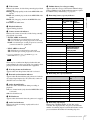
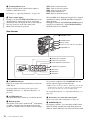
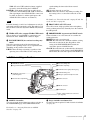
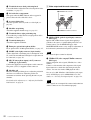
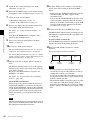
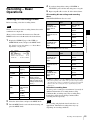
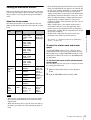
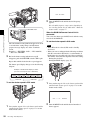
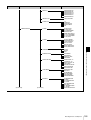
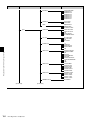
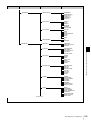
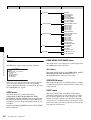
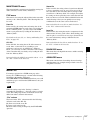
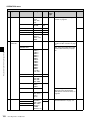
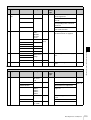
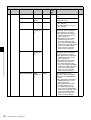
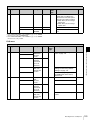
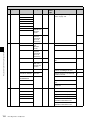
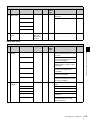
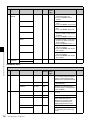
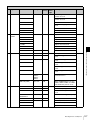
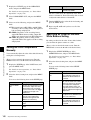
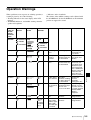
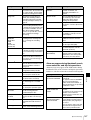
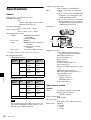
OPERATION menu
No. Page
Item
Settings
Default USER
menu
page
Description
File
19
LENS FILE SELECT
1 to 32
–
Selects a lens file. Up to 32 files
can be registered.
L
F.ID
–
20
LENS FILE
SEL
–
Indicates the name of the selected
lens file.
L.ID
Indicates the name of the lens file
corresponding to the connected
serial lens.
L.MF
Indicates the fabricator of the
connected serial lens.
TIME / DATE ADJUST
Displays the
TIME
ADJUST
selection
screen.
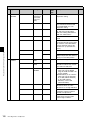
EXEC
HOUR
00 to 23
MIN
00 to 59
Internal
clock
–
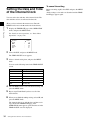
See “Setting the Date and Time of
the Internal Clock” on page 34.
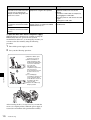
–
–
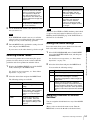
See “Using UMID Data” on page
171.
A
11
Resets all settings at the USER
level.
–
SEC
UMID SET
00 to 99
MONTH
01 to 12
DAY
01 to 31
COUNTRY CODE
4-byte
–
alphanumeric
strings
ORGANIZATION
USER CODE
TIME ZONE
00 to xx
00
ALL PRESET
EXEC
EXEC
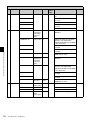
No. Page
Item
Settings
Default USER
menu
page
Description
File
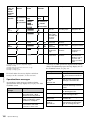
01
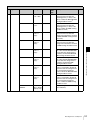
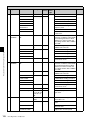
A.IRIS
–1.0 / –0.5 /
±0 / +0.5 /
+1.0
±0
–
–
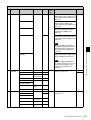
DETAIL LEVEL
–
0
Detail level adjustment
A, Sc, St
22
RESET
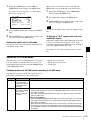
PAINT menu
PAINT menu
PAINT
MASTER BLACK
01
Master black level adjustment
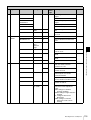
GAMMA SELECT
STD /
CINE1 /
CINE2 /
CINE3 /
CINE4
STD
See “Selecting Gamma Tables” on
page 141.
MASTER GAMMA
(–99 to +99)
0
Sets master gamma correction
curve.
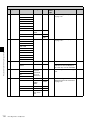
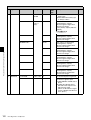
BLACK GAMMA
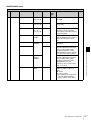
PRESET MTX SEL
Chapter 5 Menu Displays and Detailed Settings
21
YEAR
Black gamma correction
STD / HISAT / STD
FL / CINE
Matrix selection
Menu Organization and Operation
113