1
3 awired
com
3.6 Using Dial-Up Network Connecting to 3A-100 SERIES
Now, 3A-100 SERIES supports a new function called
“Multi-homed” is supported. This feature enable users to
dial up to 3A-100 SERIES with modem and thus user
s can use browser to access 3A-100 SERIES. This
feature is added to Network Mode of 3A-100 SERIES.
That is, users can connect to 3A-100 SERIES
through Ethernet or modem at the same time. It's useful specially when users have no network or Internet and still
want to remotely access 3A-100 SERIES.
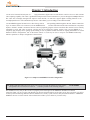
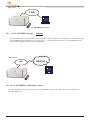
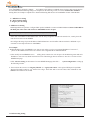
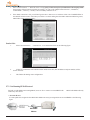
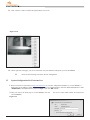
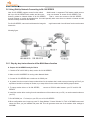
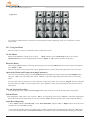
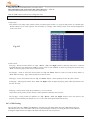
For 3A-100 SERIES, users can both browse the image thr
time as the
ough Internet and via multi-home function at the same
following figure.
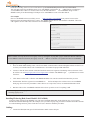
3.6.1 Step by step instructions to utilize Multi-Home function
A. Prepare 3A-100 SERIES ready for Dial-In
1. Check the FW 3.045/5.045 (or later) version for 3A-100 SERIES.
2. Make sure 3A-100 SERIES is running under Network Mode.
3. Connect 3A-100 SERIES with a modem on its COM1 port.
4. In general, there's no need of setup modem driver for the modem that is used to accept incoming call. But if you
experience trouble in call setup of modem, try to setup driver for the modem as the following steps indicate.
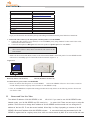
5. To setup modem driver to 3A-100 SERIES,
SERIES.
connect a RS-232 cable between your PC and 3A-100
6. Install the modem driver coming from the manufacturer of the modem onto your PC ( no need to attach modem to
your PC).
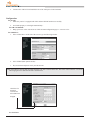
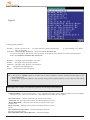
7. Run WCOMW (ver. 1.7 or later) on your PC, turn on 3A-100 SERIES.
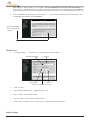
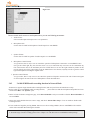
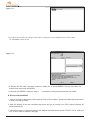
8.When configuration menu is pop-up, press "5. Setup Modem". Choose "Modem" in "Tool" of WCOMW's menu and
select the driver you just installed and press OK. This will generate some text of the modem driver settings to
WCOMW.
29