1
Viewing Single Device
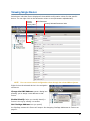
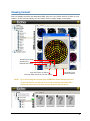
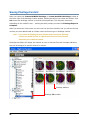
Selecting an individual fixture displays all the available configuration values for that specific
device. You can right click on the Parameter column to sort parameters alphabetically.
Percent
DMX Parameter
of fixture
Currently Selected Parameter Value
memory used
NOTE: You can access certain configuration values through the onboard Menu System.
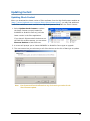
Right-click on the selected device in the navigation
window to:
Change the DMX Address: opens a dialog box
allowing you to assign a new address to that
fixture.
Enable Identify: helps you visually identify a
fixture in the rig by causing it to strobe.
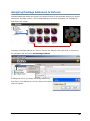
Set Pixellage Address: lets you specify
the Pixellage content this fixture will output. See Assigning Pixellage Addresses to Fixtures on
page 31.
Echo™ Software User Manual
5