1
PPPoE (ADSL)
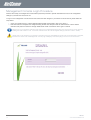
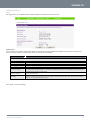
Most ADSL/ADSL2+ services use the PPP over Ethernet protocol. Use this setting on the router if you are utilising a fixed line
broadband service with a modem in bridge mode.
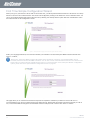
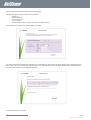
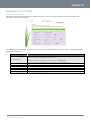
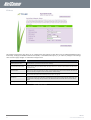
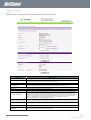
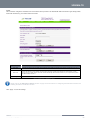
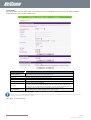
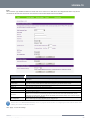
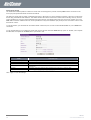
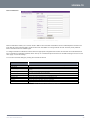
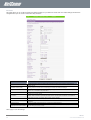
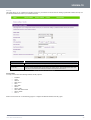
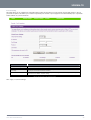
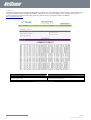
Figure 30 - Advanced View - WAN - PPPoE Settings
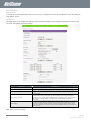
NAME
Username/Password
DESCRIPTION
Type in your PPPoE account username and password. This is your broadband username and
password that your Internet Service Provider assigned to you.
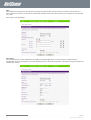
Operation Mode; There are 3 options:
‘Always on’
Keeps the Internet connection alive, does not disconnect.
‘On Demand’
Only connects to the Internet when there is a connection attempt.
‘OFF’
Only connects to the Internet when the ‘Connect’ button on this page is pressed, and disconnects
when the ‘Disconnect’ button is pressed.
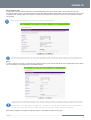
MAC Clone
Please input the MAC address of your computer here if your service provider only permits computers
with a certain MAC address to access the Internet. If you are using the computer connected via an
Ethernet cable, you can simply press the ‘Default’ button. The router will then automatically detect the
MAC address of the connected computer and populate the MAC address field with it.
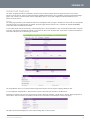
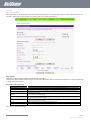
NAT Configuration
Enable or disable Network Address Translation for this connection type
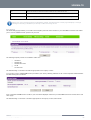
Table 15 - Advanced View - WAN Settings - PPPoE
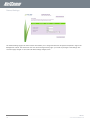
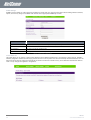
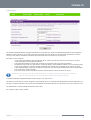
Please refer to the WAN Failover Backup section on page 29 for information on configuring the WAN failover feature and
enabling the Failover notification function.
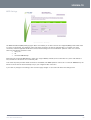
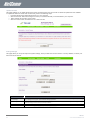
Click ‘Apply’ to save the settings.
Telus 3G38WV-TS User Guide
27
YML38
www.netcommlimited.com