1
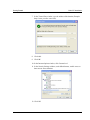
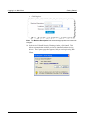
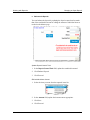
Getting Started Client PC Installation 7. In the Trusted Sites window, type the address of the domain (Example: https://www.provider name.com). 8. Click Add. 9. Click OK. 10. In the Internet Options window, click Custom level. 11. In the Security Settings window, under Miscellaneous, enable access to data sources across domains. 12. Click OK. SendPoint Merchant Web Client User Manual 5/10 1-5