1
Rikomagic MK802II User Manual
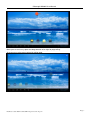
Screen adaption: Click to adjust some games display size.
Screen trimming: Click to adjust the size of Screen
Display output mode: Click this option user should choose appropriate output resolution
5.6 Storage
In this option, user could view local storage space and external storage space, beside, user could uninstall or
format storage equipment.
5.7 Apps
In this option, user could view installed and running apps, at same time could check DDR parameters.
5.8 Security
User can set password according to their needs
5.9 Language & input
Language: user could setup system menu language according to their Country or demand( Currently
supporting 60 languages)
Input: system default support Chinese and English, user need manual installing other input methods.
Users can setup here the keyboard and mouse cursor speed and simulation mouse step length.
5.10 Backup & reset
Backup: when you have very important files or apps, you′d better choose backup in case files lost.
Reset: when choose this option, and confirm, system will erase user′s settings and all the apps missing, and
apply default configuration immediately (Not suggest).
5.11 Date and time
Because the machine don′t support built-in battery, so manual set date and time can′t be saved, user can use
automatic date & time, so when the machine connected with internet, date and time would update
automatically.
5.12 Developer options
USB debugging: when connected with PC exchange data need open this option.
Page 12
Distributor / Sales Partner: W2COMP - http://www.w2comp.com