1
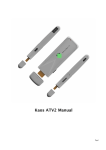
Rikomagic MK802II User Manual
1.
2.
3.
4.
Connector ..................................................................................................................................................... 3
Device connection Instruction.................................................................................................................... 4
Boot state ...................................................................................................................................................... 4
Main interface introduction ......................................................................................................................... 6
4.1 Function column ....................................................................................................................................... 8
4.2 status bar.................................................................................................................................................. 8
4.3 application ................................................................................................................................................ 9
5. Settings ....................................................................................................................................................... 10
5.1 WIFI Setting ........................................................................................................................................... 10
5.2 Wired network setup .............................................................................................................................. 11
5.3 PPPOE Settings ..................................................................................................................................... 11
5.4 Sound ..................................................................................................................................................... 11
5.5 Display.................................................................................................................................................... 11
5.6 Storage ................................................................................................................................................... 12
5.7 Apps ....................................................................................................................................................... 12
5.8 Security .................................................................................................................................................. 12
5.9 Language & input ................................................................................................................................... 12
5.10 Backup & reset ..................................................................................................................................... 12
5.11 Date and time ....................................................................................................................................... 12
5.12 Developer options ................................................................................................................................ 12
5.13 About device......................................................................................................................................... 13
6. Download & Install Apps ........................................................................................................................... 13
6.1 Delete Apps ............................................................................................................................................ 13
7. web browsing ............................................................................................................................................. 14
8. local playback ............................................................................................................................................. 14
8.1 Music ...................................................................................................................................................... 15
9. Use virtual keyboard .................................................................................................................................. 15
10. Switch input methods ................................................................................................................................ 16
Question & Answer ........................................................................................................................................... 16
Specifications .................................................................................................................................................... 17
Page 1
Distributor / Sales Partner: W2COMP - http://www.w2comp.com