1
SETUP
(STEP ZERO)
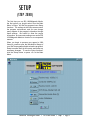
The first time you run IRS 1099/Magnetic Media,
the first option you should select from the Main
Menu is Setup. All WinTen programs have Setup
functions. The settings in the Setup screen control
the program environment, and you can change
many aspects of the program’s operation through
these settings. Be careful to enter the proper
information, as inaccurate settings can cause IRS
1099/Magnetic Media to function in an unexpected
manner.
When you begin to process your agency’s 1099
forms for a new tax year, the individual in charge of
your WinTen programs should review the program’s
Setup to ensure that it is still correct, and make any
necessary changes. To use the Setup functions,
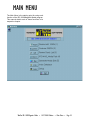
click the Setup button or press <S> at the Main
Menu.
WinTen IRS 1099/Magnetic Media • 12/17/2002 Edition • Setup • Page 3.1