1
WebGR users manual v1.0a
Table of contents
1 Applications' web address..................................................................................................3
2 User groups and rights.......................................................................................................3
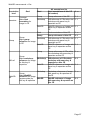
2.1 User role rights...........................................................................................................3
2.2 Participant role rights..................................................................................................4
3 Guest..................................................................................................................................5
3.1 Register and login.......................................................................................................5
4 Reader (Quick start/Training exercise)..............................................................................6
4.1 Training calibration exercise.......................................................................................6
4.2 Make an annotation ...................................................................................................8
4.3 Compare and copy other readers annotations.........................................................11
4.4 Leave the training.....................................................................................................12
4.5 My user data.............................................................................................................13
4.6 Search function.........................................................................................................14
4.6.1 General usage of search forms.........................................................................14
4.6.1.1 Text fields...................................................................................................14
4.6.1.2 Ranges.......................................................................................................15
4.6.1.3 Multiple search selects...............................................................................15
4.6.2 Search fish.........................................................................................................16
4.6.3 Search image....................................................................................................16
4.6.4 Search user.......................................................................................................17
4.6.5 The search result lists........................................................................................18
4.7 Workshop list............................................................................................................21
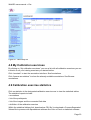
4.8 My Calibration exercises...........................................................................................22
4.9 Calibration exercise statistics...................................................................................22
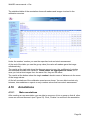
4.10 Annotations.............................................................................................................23
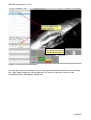
4.10.1 Make annotations............................................................................................23
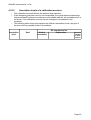
4.10.2 Annotation levels of a calibration exercise......................................................25
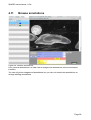
4.11 Browse annotations................................................................................................27
5 Data manager..................................................................................................................28
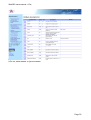
5.1 Show attributes.........................................................................................................28
5.2 Download attribute CSV file......................................................................................30
5.3 Image upload ...........................................................................................................33
5.4 Batch image upload (import)....................................................................................36
5.4.1 Upload...............................................................................................................36
5.4.2 Manual association of CSV file columns to system attributes..........................37
5.4.3 System checks before import............................................................................38
5.4.4 Import................................................................................................................38
5.4.5 Conditions for an import....................................................................................39
5.4.5.1 CSV file......................................................................................................39
5.4.5.2 Image files..................................................................................................39
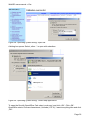
5.4.6 Converting other image formats with IrfanView................................................39
5.4.7 Creation of a character separated value file (CSV) suitable for WebGR..........41
5.4.7.1 Software and CSV file specifications.........................................................41
5.4.7.2 Further CSV file specifications...................................................................42
5.4.7.3 Data headings............................................................................................42
5.4.7.4 Datasets.....................................................................................................42
5.4.8 Technical details of import.................................................................................44
5.5 Edit protocols............................................................................................................45
5.6 Edit expertise............................................................................................................46
Page 2