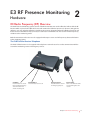
1
Performing a Breath Alcohol Test
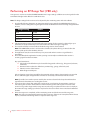
Breath alcohol tests can be scheduled in the E3 software or administered
manually by pressing the Press Start button on the front of the receiver.
1. When the device receives the command to administer a test, it produces
an audio siren.
2. Press Start.
3. The device beeps and the Blow and Face the Mirror LEDs illuminate on
the front panel.
4. Blow into the breath alcohol test straw
5. During the test, the camera flash will trigger and a picture will be taken
for video ID
6. The device will beep when the test is completed and the Test Completed
LED will illuminate on the front panel
The picture and results will then appear in the software where they can be
evaluated and compared with (or saved as) a reference picture.
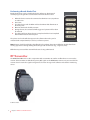
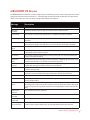
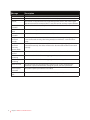
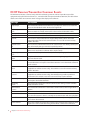
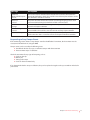
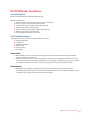
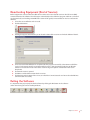
MEMS3000 Receiver Front Panel
Note: Pictures should clearly display the offender’s face without obstruction. Offenders should refrain from
wearing appearance altering clothing while taking breath alcohol tests (e.g., sunglasses, hats).
Offenders may not touch the straw while the test is being administered.
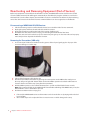
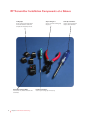
RF Transmitter
The MEMS3000 VBR can be used in conjunction with a transmitter to confine an offender to an area near the
receiver. The transmitter sends Radio Frequency (RF) signals to the MEMS3000 receiver every 20 seconds. If the
receiver doesn’t receive the signal it will generate an event message in the software and alert the monitoring
center.
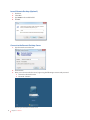
E3 RF Transmitter
4
Chapter 1 MEMS3000 VB\VBR Hardware