1
2. Press the
key to playback the track or press the
key to exit .
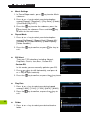
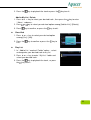
Add to My List / Delete
1. Press+
+ or - key to select your desired track , then press the
“ Menu “ submenu .
2. Press
or
3. Press
key to enter
key to select your desired option among [Add to List] / [Delete].
key to confirm, or press the
key to exit .
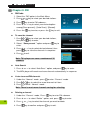
Classified
1. Press + or - key to select your desired option
among [Yes] / [No].
2. Press the
exit .
key to confirm or press the
key to
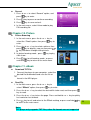
Play List
1. In “ Add to List “ mode of “Folder” option , select
and organize your desired track to my list.
2. Press + or - key to enter “ My List “ folder and
select your desired track.
3. Press the
key to playback the track , or press
the key to exit .
11