1
the screen is scrolling. When it shows full grids, the battery has been fully
charged.
4. It takes about 3.5 hours to fully charge the battery. Excessive charging or
discharging may shorten the battery’s life.
Note: Fully charge the rechargeable battery for the first time or for he long-time
unused for a while.
Please fully charge the battery every two months if you don’t use it for a long time to
avoid failure in powering on.
Connect to Computer and Data File Transmission
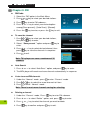
1. Connect the USB cable to your MP4 player, then
connect the other end of the USB cable to the USB
port on your PC.
2. The screen displays “Data Transferring” which
indicates the player is in USB mode.
3. Select and organize files and folders in preparation
for transfer to your MP4 player.
Note: All keys are disabled when the player is connected to the PC. Don’t press any
keys during data transfer
A-B Repeat Function
1. Play a file of your choice
2. Press the
key at the beginning of the section you want to repeat. The
starting point is set and the “A-” icon will appear in the screen display window.
3. Press the
key again to set the ending of the section you want to repeat.
“A-B” will appear in the screen and the specified section will begin to play
repeatedly.
4. Press the
key again during the section to cancel the section repeat function.
Volume Control
In Music, Voice or Video mode, short press the+
+ or - keys to increase or
decrease the volume.
8