1
Protected Mode, Rebuilding methods
Protected mode offers the highest performance in most uses and superior fault tolerance. CalDigit
FireWireVR equips with the world-leading advanced technology to ensure the safety of your important
data. You can rest free knowing that your data is protected by the best technology on the market.
Your FireWireVR has two rebuild methods:
a. On-Line Rebuilding Methods: simply leave BOTH power cord and data cable (FW400/800/USB)
connected with the FireWireVR. The FireWireVR is still accessible during the rebuilding process, but the
rebuilding time will be increased due to the additional activities.
b. Off-Line Rebuilding Methods (Recommended): simply leave ONLY the power cord connected with
the FireWireVR. The FireWireVR is NOT accessible during the rebuilding process. However, the
rebuilding time will be faster comparing to the On-Line Rebuilding process.
Rebuilding Processes Demonstration
1.
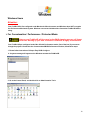
Your System will notify you in the event of a problem (Mac Only).
2. Your FireWireVR will immediately start the rebuild process (Mac and Windows).
In the event of drive failure, FireWireVR will automatically check and rebuild the information from the other
drive.
Both drives’ Activity LED (Blue) will blink
simultaneously as the rebuilding in process.
The defective drive’s Power LED (White)
will remain un-lit until the FireWireVR
finishes the rebuilding process.
The RAID Rebuilding LED 1 will light, as
indication of the Drive 0 is rebuilding and
verifying data from Drive 1. (Only lit during
Protected mode)
The RAID Rebuilding LED 2 will light, as
indication of the Drive 1 is rebuilding and
verifying data from Drive 0. (Only lit during
Protected mode)
20