1
CONTENT
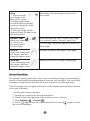
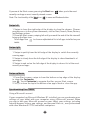
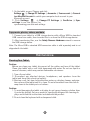
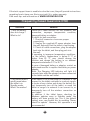
When you get your tablet, be sure to check the following items are enclosed:
• Main Unit
• Keyboard • AC Adaptor • User Manual
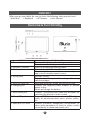
Features & Functionality
FEATURE
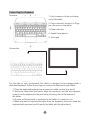
1. Power button
2. Volume+/- buttons
3. Windows button
4. Microphone
5. Micro SD card slot
6. Charging port
7. Micro HDMI port
8. Micro USB port
9. Audio port (3.5 mm)
FUNCTIONALITY
Press and hold to turn the tablet on or off.
Press to turn the display on or off.
Press to increase/decrease volume.
Press to open the Windows Start screen.
Press for quick access to the most recently used
app or most recently viewed screen.
Records sounds.
Provides sound input while making calls using
web-based apps.
Read and write files stored on a Micro SD card.
Connect the supplied power adapter to provide
power to the
tablet and charge the battery.
Connect TV via Micro HDMI cable (not included), for
switching the display to wider screen.
Connect USB devices, via an optional USB adapter
cable, for transferring data, music, photos, videos,
etc.
Connect a headset, headphones, microphones, or
other audio equipment to listen to stereo sound,
record audio, or make web phone calls.
2