1
Graphics
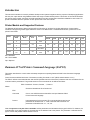
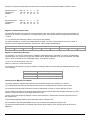
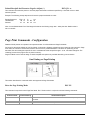
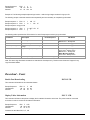
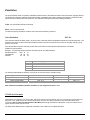
The printer uses a single line thermal print head with elements spaced at 0.125mm. The 8-bit graphic commands
enable control of each heating element of the print head. The commands also advance the paper in increments of
0.125mm. The number of heating elements can vary according to your printer model. Refer to the printer’s User’s Guide
for specific information.
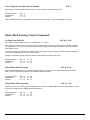
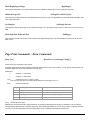
To select the 8-bit graphic mode, the user application must issue the ESC V command. After that, the user application
must send two bytes to indicate the number of the graphic lines desired, followed with a packet of 72 bytes for each
graphic line. The printer prints the graphic line and advances to the next line automatically.
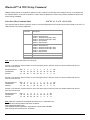
8-Bit Graphics
ESC V n1 n2 data
8-bit Graphic mode is selected using the ESC V command. <n1> and <n2> is a 16 bit integer indicating the number of
graphic lines of 72 characters each to be received. Valid Graphic character sets range from 0x00 to 0xFF Hex using bits
0-7
To achieve optimized smooth printing and to extend battery life when printing graphics, a print buffer is employed. The
printer buffer accumulates a specific amount of data before actually printing the graphic data.
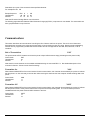
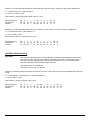
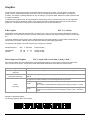
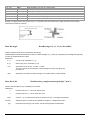
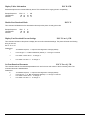
The following 8-bit graphic command is used to print a single line of graphic
Escape Sequence:
Hexadecimal:
Decimal:
ESC
1B
27
V SOH NUL
72 bytes of data
56
86
72 bytes of data
72 bytes of data
01
1
00
0
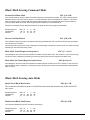
8 Bit Compressed Graphics
ESC v height width counter data [c data] [c data] …
This command differs from the 8 Bit Graphics command described above by reducing the number of bits (bytes) that
have to be sent to the printer. This allows for faster data transfer between the host computer and the printer.
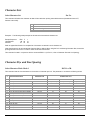
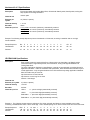
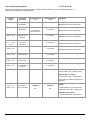
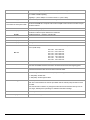
Graphic String Component
height
(# of lines)
width
(# of bytes in each line)
Function
An eight bit value representing the number of dot-lines contained in the following data set
An eight bit value representing the number of bytes to be contained in each dot-line of the following
data set
An eight bit value which describes how the following data will be processed
counter
r (# of lines)
For Signed
Values
{127 ≥ Counter ≥ 0} Process the next (Counter + 1) bytes of data as 8 bit
graphics.
{0 > Counter ≥ -128} Repeat the next single byte of data ((-Counter) + 1) times.
For Unsigned
Values
{127 ≥ Counter ≥ 0} Process the next (Counter+1) bytes of data as 8 bit graphics
{128 ≥ Counter ≤ 255} Repeat the next Singe byte of data, (( 256 – Counter)+1)
times
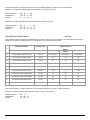
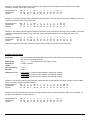
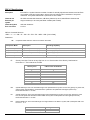
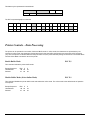
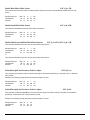
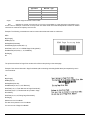
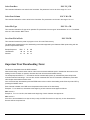
Example: Compressed graphic
The following graphics data is to be printed:
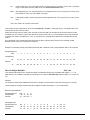
18